The Fabulous Fuji X owners thread

Well s***. This is no Z8

Finding it a little alien right now. Will get used to it!
Yeah, but you can't fit a Z8 in yer pocket ;) You'll get there. I've only got a T5, so not much help I'm afraid.
 
Something different.

99e45189833b.jpg


a415b95145fe.jpg


29cbb08cfc33.jpg
Love these. Reminds me of that Gursky ‘99 cent’ photo - should flog these for a couple of million too.
 
Mind sharing your Astia recipe @Raymond Lin? I've pretty much landed on an 'Everyday' recipe using Provia; but the colours on yours are very appealing.

Also interested in the general opinion on which DR setting to pick; 'the internet' seems to love DR400 but I'm not sure I get on with it.
 
Mind sharing your Astia recipe @Raymond Lin? I've pretty much landed on an 'Everyday' recipe using Provia; but the colours on yours are very appealing.

Also interested in the general opinion on which DR setting to pick; 'the internet' seems to love DR400 but I'm not sure I get on with it.

I just import the RAW file, in LR I picked Astia in the preset, then I adjust exposure/contrast/clarity/highlights/blacks/shadows/vibrance/saturation....

Astia is just a base and then I tweak it by eye.
 
Last edited:
Guys, I don't think I can do this on the X100f.....

...... but..... Can I set a function button or something to simply turn the rear lcd off/on? I've had a flick through the menu's but my brain isn't seeing anything....

(y)
 
Guys, I don't think I can do this on the X100f.....

...... but..... Can I set a function button or something to simply turn the rear lcd off/on? I've had a flick through the menu's but my brain isn't seeing anything....

(y)

Don't need to:-

To turn the rear LCD off on your Fujifilm X100F, use the VIEW MODE button located near the electronic viewfinder on the back of the camera.
Press the VIEW MODE button to cycle through the different display options until the LCD monitor turns off. The available modes include:
  • [EYE SENSOR]: Automatically switches between the EVF and LCD using the eye sensor.
  • [VIEWFINDER ONLY]: The LCD monitor remains off, and only the viewfinder is used.
  • [LCD ONLY]: Only the LCD monitor is active, and the viewfinder is off.
  • [VIEWFINDER ONLY] + E: The LCD monitor remains off. Putting your eye to the viewfinder turns it on, taking it away turns it off.
Select one of the "Viewfinder Only" modes to ensure the rear LCD remains off during shooting. The camera will then rely on the viewfinder for composing shots and reviewing images if configured.
 
Don't need to:-

To turn the rear LCD off on your Fujifilm X100F, use the VIEW MODE button located near the electronic viewfinder on the back of the camera.
Press the VIEW MODE button to cycle through the different display options until the LCD monitor turns off. The available modes include:
  • [EYE SENSOR]: Automatically switches between the EVF and LCD using the eye sensor.
  • [VIEWFINDER ONLY]: The LCD monitor remains off, and only the viewfinder is used.
  • [LCD ONLY]: Only the LCD monitor is active, and the viewfinder is off.
  • [VIEWFINDER ONLY] + E: The LCD monitor remains off. Putting your eye to the viewfinder turns it on, taking it away turns it off.
Select one of the "Viewfinder Only" modes to ensure the rear LCD remains off during shooting. The camera will then rely on the viewfinder for composing shots and reviewing images if configured.

Thanks David.

Yes, I know that button is there at the top. But, every time I seem to use it, I never know where I am in the selections & end up pressing it about 15 times to get to where I want it :ROFLMAO:

I tend to use OVF with the LCD & eye sensor as "standard" - it would be nice to stay in that mode, but just deactivate the LCD with a simple press. It's not important, or essential.... Would just be nice that's all :)
 
Mind sharing your Astia recipe @Raymond Lin? I've pretty much landed on an 'Everyday' recipe using Provia; but the colours on yours are very appealing.

Also interested in the general opinion on which DR setting to pick; 'the internet' seems to love DR400 but I'm not sure I get on with it.
I didn't get on with using DR on the higher settings; I tend to leave it on Auto or the lowest setting, and then bring the shadows up later if I need to.
 
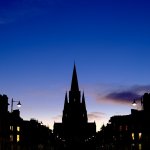
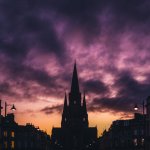
First test images, probably all shot at f2.0 knowing me.

Really digging the camera. The AUTO ISO is a bit weird (seems to over expose or stick to the highest value as opposed to choose the lowest value when the other settings would usually allow). So I'm just gonna stick to manual everything until I work it out.

I do like the colour output, and shooting at f2 gives a nice soft edge to everything. Maybe that church silhouette was f8. Can't recall, it's pretty sharp.

G.


DSCF0035(1)-2.jpg


DSCF0002(1)-2.jpg

DSCF0124(1)-2.jpg


Z8 + 40MM shot just for comparison:
DSC_3709-2.jpg
 
Last edited:

That explains what you are seeing, it really depends on what the spot picks up as to how the whole scene is exposed.

For general shooting, I've found Average to work well for me with Fuji cameras (in Aperture Priority Mode), then then adjust exposure compensation to suit - I am a histogram shooter though! I've never got on with Spot on Fuji cameras
 
Digital Camera World reports:

The Fujifilm X-E5 has only recently started shipping, but Fujifilm has now issued a notice to users of a rare issue with the camera strap lugs on the mirrorless body. On November 20, Fujifilm published a statement confirming an issue with loose strap attachment lugs and offering free inspection and replacement for affected cameras.

The Fujifilm X-E5 ships with a rope-style strap that attaches to two points on the side of the body with a keychain-like loop. When I first tried the X-E5, I thought these lugs were frustratingly small to get the strap on, but that’s not the issue here.

Fujifilm says that in rare cases – “0.1% of all units shipped” – the lug strap attachment may loosen. If this happens, continuing to use the camera in that state could cause the strap to detach from the camera. If said detachment happens while the strap is the only thing holding the camera up, well, that could potentially be disastrous.
 
Here's a wee comparison of some Fujifilm profiles (camera matched in Lightroom so very very slightly different to the in camera versions - have checked, they are REALLY close) and RNI film sims. Just trying to understand the new kit (Fujifilm X100VI)...

Is this kinda crap of interest? If not, I won't post any others. I find stuff like this enjoyable, it's good to see different results from lightroom profiles and presets, especially when wanting a light processing workflow.


Fujifilm X100VI + RNI Profiles vs Lightroom Camera Matched Profiles by EdinburghGary, on Flickr
 
Here's a wee comparison of some Fujifilm profiles (camera matched in Lightroom so very very slightly different to the in camera versions - have checked, they are REALLY close) and RNI film sims. Just trying to understand the new kit (Fujifilm X100VI)...

Is this kinda crap of interest? If not, I won't post any others. I find stuff like this enjoyable, it's good to see different results from lightroom profiles and presets, especially when wanting a light processing workflow.


Fujifilm X100VI + RNI Profiles vs Lightroom Camera Matched Profiles by EdinburghGary, on Flickr

Since the X-Pro2, Adobe have worked with Fujifilm in getting the profiles in LR closer to the in-camera ones, and as you say they are really really close (the only one that I know of that Fuji have held to themselves is ACROS)

The Monochrome+R is not a particularly punchy B+W, so I'm not surprised at the difference with Delta 100 (My goto ASA100 B+W Film, shot several rolls this year in MF cameras)

I think that we all go through experimental phases when getting new (to us) camera kit, and that helps us work out the workflow we want to use going forward. Obviously retaining the RAW files enables reprocessing in the future as our styles evolve.
 
Last edited:
Yes, I know that button is there at the top. But, every time I seem to use it, I never know where I am in the selections & end up pressing it about 15 times to get to where I want it :ROFLMAO:
Glad it's not just me that does that, I switched to Fuji in 2018 and that button still stresses me every time I press it!

Same here! Usually followed by a few "up to the eye and down again" while eyeing it suspiciously to make sure it's *really* doing what I want it to :)

One advantage of the fully articulated screen of the X-T4 is that I usually just flip it round and close it so that it's against the back of the camera.
 
Glad it's not just me that does that, I switched to Fuji in 2018 and that button still stresses me every time I press it!

Same here! Usually followed by a few "up to the eye and down again" while eyeing it suspiciously to make sure it's *really* doing what I want it to :)

One advantage of the fully articulated screen of the X-T4 is that I usually just flip it round and close it so that it's against the back of the camera.

Phew. At least I'm not alone!! :ROFLMAO:
 
Well it didn`t quite work out as I wanted/hoped, but kinda like it. Ended up having to bounce ocf from a gold reflector, through a snoot :ROFLMAO: I went for mono to give it a bit more punch.

T5 56mm godox 685 ocf

Light and Shadow by Paulie-W, on Flickr
 
Well it didn`t quite work out as I wanted/hoped, but kinda like it. Ended up having to bounce ocf from a gold reflector, through a snoot :ROFLMAO: I went for mono to give it a bit more punch.

T5 56mm godox 685 ocf

Light and Shadow by Paulie-W, on Flickr

Some serious Walter White vibes going on here........
 
Well it didn`t quite work out as I wanted/hoped, but kinda like it. Ended up having to bounce ocf from a gold reflector, through a snoot :ROFLMAO: I went for mono to give it a bit more punch.

T5 56mm godox 685 ocf

Light and Shadow by Paulie-W, on Flickr
I really like that Paul. Great expression, too. I think I'd like it even more with the same expression, but looking directly at the camera :)
 
I really like that Paul. Great expression, too. I think I'd like it even more with the same expression, but looking directly at the camera :)
Thanks, Kerry (y)
Glasses might be a bit of a problem, going straight at the camera.
 
I have an issue with my 16-55mm mk2 lens, there seems to be some sort of dust particle jamming the zoom mechanism and it either goes from 16mm to only around 45mm or it goes all the way from 55mm down to like 19mm. Anyone had any similar issue before? I haven't really used this lens in particularly challenging dusty conditions and it's meant to be weather sealed, so I'm a bit surprised.

Regardless, I've opened a repair case with Fujifilm directly as the lens is less than a year old so should still be covered by warranty. They've instructed me to send the lens to Fujifilm Service Centre in Bedford, any suggestion on how to package the lens to send it over to them? I thought they would send a package for me to send the lens in but apparently no :(
 
I have an issue with my 16-55mm mk2 lens, there seems to be some sort of dust particle jamming the zoom mechanism and it either goes from 16mm to only around 45mm or it goes all the way from 55mm down to like 19mm. Anyone had any similar issue before? I haven't really used this lens in particularly challenging dusty conditions and it's meant to be weather sealed, so I'm a bit surprised.

Regardless, I've opened a repair case with Fujifilm directly as the lens is less than a year old so should still be covered by warranty. They've instructed me to send the lens to Fujifilm Service Centre in Bedford, any suggestion on how to package the lens to send it over to them? I thought they would send a package for me to send the lens in but apparently no :(

I would suggest original box, then bubble wrap, and a second box. Royal mail special delivery. I'm not sure if you can claim back postage.
Shame about the lens, but at least it's in warranty. I hope you get it back soon.
 
I would suggest original box, then bubble wrap, and a second box. Royal mail special delivery. I'm not sure if you can claim back postage.
Shame about the lens, but at least it's in warranty. I hope you get it back soon.

Yea I do have the original box so that does make sense, I just hope they then send it back in the original box as well as I really didn't want to not have that.
 
Yea I do have the original box so that does make sense, I just hope they then send it back in the original box as well as I really didn't want to not have that.
I'd be very surprised if they didn't send the original box back with the repaired lens...
 
I just done a quick Google, and it seems that you can claim postage.
 
In the past Fuji have always sent me a box to do returns.
 
Back
Top