

You are using an out of date browser. It may not display this or other websites correctly.
You should upgrade or use an alternative browser.
You should upgrade or use an alternative browser.
The Fabulous Fuji X owners thread
- Thread starter mart77
- Start date


colourofsound
Suspended / Banned
- Messages
- 519
- Name
- Chris
- Edit My Images
- Yes

Paulie-W
Suspended / Banned
- Messages
- 9,194
- Name
- Paul
- Edit My Images
- Yes
Thanks, mateCracking shot. What record is it?
 It's by a blues rock band called "When rivers meet". Album is "Saving Grace".
trevorbray
Suspended / Banned
- Messages
- 9,141
- Name
- Trevor
- Edit My Images
- No
Said it before. Too Kool for Skool..Thanks, mate
Paulie-W
Suspended / Banned
- Messages
- 9,194
- Name
- Paul
- Edit My Images
- Yes
More like old 'n' achey, TrevSaid it before. Too Kool for Skool..


Merlin5
Suspended / Banned
- Messages
- 2,295
- Name
- Lee
- Edit My Images
- No
I think the default shutter button is fine, but I saw the screw-in ones on loads of YouTube videos, thought they looked good and got myself a purple one. I do prefer it to the default button, but I used that for about a year with no problems before I got a screw-in one.
If you get a metal screw-in one, make sure it comes with an o-ring, otherwise it will keep unscrewing.
Couldn't reply yesterday, the forum seemed to be down. Thanks, I'll keep that in mind about the o- ring! Not sure if I fancy a gold or silver one at the moment but either would look great. I might decide I'm happy enough with the default button and I'll hopefully know tomorrow or Saturday when I get my hands on a shop demo x100vi. I read that some people think these add on shutter buttons can potentially pull the shutter mechanism out, but I think they're saying that in case the button gets caught on something.
Not a fan of the square hoods as it adds a lot of bulk.
I got one of these.... weather seals it and has a small hood built in, it's tiny. Also has a 52mm thread on the front for filters.
Haoge LUV-X54B Metal Lens Hood Shade with MC UV Protection Multicoated Ultraviolet Lens Filter for Fujifilm X100VI Fuji X100V Camera Black: Amazon.co.uk: Electronics & Photo
Free delivery and returns on eligible orders. Buy Haoge LUV-X54B Metal Lens Hood Shade with MC UV Protection Multicoated Ultraviolet Lens Filter for Fujifilm X100VI Fuji X100V Camera Black at Amazon UK.amzn.to
I tried the leather strap from the same manufacturer of the case, not very good so if you're set on a leather strap i'd splash out for a decent one like a Wotancraft.
Shutter button is ok, i've added a brass coloured one but be careful not to over tighten and damage the mechanism.
Interesting, I didn't know Wotancraft does straps. My camera bag for the last few years is a Khaki Wotancraft with magnetic locking, I love it. I'm not sure whether to buy a fixed length or adjustable one. This is the one I've been considering in english tan colour, it's £68 but I might look for something a bit cheaper. https://cleversupply.co/products/minimal-camera-strap?variant=42586794295550
Not sure about that weather seal ring, I prefer the aesthetic of the square hood but I'll see.
This ^ - you can get buttons that are concave, convex or flat, your choice! Its a bit of bling really, and whilst not essential can make the camera look nice, beware though if your camera is 'on' in your bag, slight pressure on an add-on shutter button can cause it to take pictures and if an in a continuous mode, can flatten the battery!
If you are wanting to use the internal flash, then make sure the elns hood doesn't obscure it.
X100 series cameras are a bit slabby without a grip, that said I've never had issues using one without a grip, and prefer the camera without one.
Thanks. I'll be using my external flash but I'll be interested to see how the internal one performs. Yeah, I hope its more grippy than say a Leica which seem to be pretty flat slabs. My Sony has a great grip, my Ricoh grip is flatter than the Sony but it's fine, I never had a problem holding it. I'm hoping the Fuji grip is at least like my Ricoh, it certainly looks similar. Both my other cameras have a wrist strap. I think as this time I've decided to use a neck strap, I won't have to hold the camera as much.
Last edited:

Mr Perceptive
Suspended / Banned
- Messages
- 9,347
- Name
- David
- Edit My Images
- Yes
Yeah, I hope its more grippy than say a Leica which seem to be pretty flat slabs. My Sony has a great grip, my Ricoh grip is flatter than the Sony but it's fine never had a problem. I'm hoping the Fuji grip is at least like my Ricoh, it certainly looks similar.
Never had a problem holding an ungripped X100 series camera or a Leica Q series, in fact the thumb intenation on the Leica makes it easier to hold IMO (and there is a bit more lens to cup!)
trevorbray
Suspended / Banned
- Messages
- 9,141
- Name
- Trevor
- Edit My Images
- No
More like old 'n' achey, Trev
Snap. ouch..

leaky5
Suspended / Banned
- Messages
- 1,824
- Name
- Richard
- Edit My Images
- Yes
Another Thames Barge at Burnham-On-Crouch this time.
X-pro1 and 35/1.4 SOOC
View: https://flic.kr/p/2roPzKa
X-pro1 and 35/1.4 SOOC
View: https://flic.kr/p/2roPzKa
Last edited:
Paulie-W
Suspended / Banned
- Messages
- 9,194
- Name
- Paul
- Edit My Images
- Yes
Thanks, GeorgeVery nice creative style capture Paul, and well presented.

Speedy136
Suspended / Banned
- Messages
- 2,878
- Name
- Nick
- Edit My Images
- Yes
Missed the Pirate Extravaganza at Ventnor but the flags are still flying down the beach.
Xt5 Viltrox 35 1.5 air
 Oh I do like to be beside the Seaside by Nick Lowe, on Flickr
Xt5 Viltrox 35 1.5 air
Oh I do like to be beside the Seaside by Nick Lowe, on Flickr
Paulie-W
Suspended / Banned
- Messages
- 9,194
- Name
- Paul
- Edit My Images
- Yes
Thanks, Nick. I think I'm better at "stuff" than anything else. Totally crap at landscape lolLove it! Wish I had your vision for a great image.

G.K.Jnr.
Suspended / Banned
- Messages
- 34,213
- Name
- George.
- Edit My Images
- No
A candid street style Snap captured the hands of a guy skilfully preparing oysters for sale at his fast food outlet.
"Oyster Prep"
 Oyster Prep-03995 by G.K.Jnr., on Flickr
"Oyster Prep"
Oyster Prep-03995 by G.K.Jnr., on Flickr
Merlin5
Suspended / Banned
- Messages
- 2,295
- Name
- Lee
- Edit My Images
- No
I've just come out of Park Cameras in Rathbone Place where I'd placed my pre-order of the X100VI. I've had a good hands on with the camera and I'm pleased that the grip is ok. It's slightly less pronounced than my Ricoh but I think it'll be fine. The shutter button didn't give much tactile response and it's silent. So I turned up the electronic shutter audio sound and it helps give feedback that a shot has been taken. The feel and weight of the camera is really nice and pretty much as I expected. It looks beautiful. I have one concern. On a youtube review, the reviewer showed light scratches on the battery door and he thinks it's a different metal from the rest of the silver on the camera so I might really need to buy the case that imattersuk linked.
Speedy136
Suspended / Banned
- Messages
- 2,878
- Name
- Nick
- Edit My Images
- Yes
Well spotted and a great capture George!A candid street style Snap captured the hands of a guy skilfully preparing oysters for sale at his fast food outlet.
"Oyster Prep"
G.K.Jnr.
Suspended / Banned
- Messages
- 34,213
- Name
- George.
- Edit My Images
- No
Well spotted and a great capture George!
Many thanks Nick, much appreciated.
Paulie-W
Suspended / Banned
- Messages
- 9,194
- Name
- Paul
- Edit My Images
- Yes
Family trip to a local (ish) wildlife park. Quite small and not a lot of photo oppertunities, but managed a couple.
Had to do a fair bit of work on this one, due to the fencing etc.
T5 100-400
 A Life Behind Bars by Paulie-W, on Flickr
Had to do a fair bit of work on this one, due to the fencing etc.
T5 100-400
A Life Behind Bars by Paulie-W, on Flickr
Last edited:

Artoist
Suspended / Banned
- Messages
- 1,170
- Name
- Stephen
- Edit My Images
- Yes
GAS got better of me this afternoon,ordered XT5 and couple of compact primes to try out, hopefully sharing some pics soon,Sony gear gone ,no time for this editing in Lightroom mularky.
Just hope I'm as happy with jpegs as I have been with previous Fuji gear
Just hope I'm as happy with jpegs as I have been with previous Fuji gear

macvisual
Suspended / Banned
- Messages
- 7,193
- Name
- Peter
- Edit My Images
- No
Not long home from an utterly fabulous two day trip motorcycle ride with a mate in the Highlands of Scotland, 570 spectacular miles ridden.
 Garve - Scotland by APM Photography, on Flickr
X-Pro1 - 10-24
Garve - Scotland by APM Photography, on FlickrX-Pro1 - 10-24
Last edited:

skullfunkerry
Suspended / Banned
- Messages
- 1,814
- Name
- Kerry
- Edit My Images
- Yes
There are some really good recipes online for jpegs. I used to just set a film simulation and that was it, but I've found a few different recipes that work brilliantly for pretty much anything I'm shooting.GAS got better of me this afternoon,ordered XT5 and couple of compact primes to try out, hopefully sharing some pics soon,Sony gear gone ,no time for this editing in Lightroom mularky.
Just hope I'm as happy with jpegs as I have been with previous Fuji gear
leaky5
Suspended / Banned
- Messages
- 1,824
- Name
- Richard
- Edit My Images
- Yes
Not 100% sure of this one. It does capture her character perfectly, but school boy error, I had it in P mode and it dropped the shutter to 1.4.
View: https://flic.kr/p/2rph538
View: https://flic.kr/p/2rph538
leaky5
Suspended / Banned
- Messages
- 1,824
- Name
- Richard
- Edit My Images
- Yes
For my xt50 I found a recipe called true colour and I find it pretty good in most situationsGAS got better of me this afternoon,ordered XT5 and couple of compact primes to try out, hopefully sharing some pics soon,Sony gear gone ,no time for this editing in Lightroom mularky.
Just hope I'm as happy with jpegs as I have been with previous Fuji gear
Artoist
Suspended / Banned
- Messages
- 1,170
- Name
- Stephen
- Edit My Images
- Yes
I've been pointed in the direction of fujixweekly,I've downloaded the app and will have a look later.There are some really good recipes online for jpegs. I used to just set a film simulation and that was it, but I've found a few different recipes that work brilliantly for pretty much anything I'm shooting.
Paulie-W
Suspended / Banned
- Messages
- 9,194
- Name
- Paul
- Edit My Images
- Yes
Plenty of SIM recipes on thereI've been pointed in the direction of fujixweekly,I've downloaded the app and will have a look later.
skullfunkerry
Suspended / Banned
- Messages
- 1,814
- Name
- Kerry
- Edit My Images
- Yes
That's where I get most of mine from. Have a look on YouTube for Reggie Balesteros too; his Portra recipe is the one I use the most, I'd say.I've been pointed in the direction of fujixweekly,I've downloaded the app and will have a look later.
macvisual
Suspended / Banned
- Messages
- 7,193
- Name
- Peter
- Edit My Images
- No

macvisual
Suspended / Banned
- Messages
- 7,193
- Name
- Peter
- Edit My Images
- No


Craikeybaby
Suspended / Banned
- Messages
- 7,590
- Name
- Lewis
- Edit My Images
- Yes
I haven't been out with the camera much this year - a new house project is eating up most of my free time. But my son had a mountain bike race, just a low key time trial at some local trails, so I made sure I got some shot of him with my X-H2S. This was my favourite:

LRCX4180 by Lewis Craik, on Flickr
LRCX4180 by Lewis Craik, on Flickr
stevewestern
Suspended / Banned
- Messages
- 5,472
- Edit My Images
- Yes
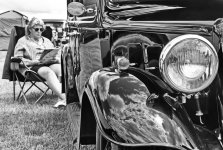
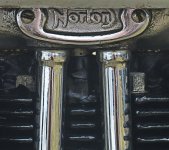

Tulipone
Suspended / Banned
- Messages
- 3,111
- Name
- Chris
- Edit My Images
- Yes
Still procrastinating over getting into Fuji - I have a question. If you use one of the film simulations I assume shooting fine+RAW, only the jpg will be affected?
Do you use the film simulations rather than add in PP?
Thanks.
Do you use the film simulations rather than add in PP?
Thanks.
Mr Perceptive
Suspended / Banned
- Messages
- 9,347
- Name
- David
- Edit My Images
- Yes
Still procrastinating over getting into Fuji - I have a question. If you use one of the film simulations I assume shooting fine+RAW, only the jpg will be affected?
Yes that is correct,
{ Very Small Point......
The histogram shown in camera is based from the film simulation selected, so changing film simulations can alter the histogram, which in turn may cause you to adjust the exp. comp. which will alter the RAW - I'm only talking very small changes here and in most shooting this has no obvious affect.
}
Do you use the film simulations rather than add in PP?
That's entirely your choice. Some do and some don't and some use a mixture, if they are happy with the film sim ulation thats it, if they are not they may PP.
You can re-process RAWs in camera with diffent film simulations.
Last edited:
Tulipone
Suspended / Banned
- Messages
- 3,111
- Name
- Chris
- Edit My Images
- Yes
Thank you. I assumed that to be so.Yes that is correct,
{ Very Small Point......
The histogram shown in camera is based from the film simulation selected, so changing film simulations can alter the histogram, which in turn may cause you to adjust the exp. comp. which will alter the RAW - I'm only talking very small changes here and in most shooting this has no obvious affect.
}
That's entirely your choice. Some do and some don't and some use a mixture, if they are happy with the film sim ulation thats it, if they are not they may PP.
You can re-process RAWs in camera with diffent film simulations.
skullfunkerry
Suspended / Banned
- Messages
- 1,814
- Name
- Kerry
- Edit My Images
- Yes
Still procrastinating over getting into Fuji - I have a question. If you use one of the film simulations I assume shooting fine+RAW, only the jpg will be affected?
Do you use the film simulations rather than add in PP?
Thanks.
That's entirely your choice. Some do and some don't and some use a mixture, if they are happy with the film sim ulation thats it, if they are not they may PP.
You can re-process RAWs in camera with diffent film simulations.
To add to what David said - I shoot in RAW + jpeg, and only use the RAW file if I really need to bring out some shadows. A lot of the time now I'm happy with what I get SOOC, but if the shadows/highlights/white balance do need tweaking then actually the jpegs are quite editable as well.

gramps
Suspended / Banned
- Messages
- 44,805
- Name
- 'Gramps'
- Edit My Images
- No
Also have the option to do film simulation bracketing, where the camera provides 3 x different film sims of your choice for the same shot.To add to what David said - I shoot in RAW + jpeg, and only use the RAW file if I really need to bring out some shadows. A lot of the time now I'm happy with what I get SOOC, but if the shadows/highlights/white balance do need tweaking then actually the jpegs are quite editable as well.

gad-westy
Suspended / Banned
- Messages
- 6,527
- Name
- Graham
- Edit My Images
- No
Still procrastinating over getting into Fuji - I have a question. If you use one of the film simulations I assume shooting fine+RAW, only the jpg will be affected?
Do you use the film simulations rather than add in PP?
Thanks.
Worth just reiterating a point I mentioned in a reply to another poster on this topic last week. If you an LR user, the film simulation selected at the point of shooting can be read from the raw file and have Adobe's copy of Fuji's simulation applied on import into lightroom. So for example, you shoot raw only, classic chrome. Your camera preview, histogram etc shows classic chrome. You import that raw into lightroom and you will still see the image with classic chrome profile already applied.
Only caveats are that firstly, you need to change a setting in lightroom to default to this behaviour. And secondly, you will be dealing with Adobe's versions of Fuji's simulations. Personally I can't tell the difference but some might.
I should also mention, that although it can recognise in camera crops and maybe a couple other things, you won't get any contrast/tone curve settings pulled in or things like grain effect. So basically, it's great if you just want to use base profile. If you want to get creative with recipes, it might be less useful.
Mr Perceptive
Suspended / Banned
- Messages
- 9,347
- Name
- David
- Edit My Images
- Yes
Only caveats are that firstly, you need to change a setting in lightroom to default to this behaviour. And secondly, you will be dealing with Adobe's versions of Fuji's simulations. Personally I can't tell the difference but some might.
From the release of the X-Pro2 Adobe have worked with Fujifilm on the Lightroom Film Simulations on all simulations except Acros, which Fuji have chosen to keep to themselves. This info came from the Fujifilm European Product Manager a few years ago.
Last edited:

jimmyjamjojo
Suspended / Banned
- Messages
- 1,885
- Name
- Jamie
- Edit My Images
- Yes
Also have the option to do film simulation bracketing, where the camera provides 3 x different film sims of your choice for the same shot.
Also have the option to "reprocess" the image in camera, by pressing Q while in playback mode. It allows you to change anything like film sim, white balance, shadows/highlights, grain, clarity, Chroma effect etc and spit out a new jpg.
gramps
Suspended / Banned
- Messages
- 44,805
- Name
- 'Gramps'
- Edit My Images
- No
IndeedAlso have the option to "reprocess" the image in camera, by pressing Q while in playback mode. It allows you to change anything like film sim, white balance, shadows/highlights, grain, clarity, Chroma effect etc and spit out a new jpg.
