Yashica 44 - Project Beater

If you really want to make it like a T90, attach a liquid crystal display to the I/O pins and code it to show 'help' like my T90 and thousands of other examples. If you take the further step of jamming the shutter closed, then it will be functionally identical.

Oh dear... did you buy it new in 1986, and after 1986 when did the problem start ;) The problem usually arises when the camera is left unused for a long time. and could be dirt on the magnets or a rubber washer in the shutter mechanism going gooey over time...maybe Miles has the experience to fix it and could make up another washer?
 
Oh dear... did you buy it new in 1986, and after 1986 when did the problem start ;) The problem usually arises when the camera is left unused for a long time. and could be dirt on the magnets or a rubber washer in the shutter mechanism going gooey over time...maybe Miles has the experience to fix it and could make up another washer?

It would be cheaper and, in my opinion, just as foolish, to buy another one. :D
 
I'm impressed with the size of the Trinket board and its capabilities.I thought my Raspberry Pi Zero was small but it's a giant in comparison and you couldn't run it off a tiny battery. I know the Trinket is more limited but can you program it in C ?

(As far as my T90 goes, I'm not going to have it repaired or buy another one, as both options would indeed be foolish. I'm not going to say any more on the matter to divert this thread from its main subject.)
 
I had a Zero a few months ago but couldn't really decide what I wanted to do with it (as usual, it's the 3rd Pi I've had!). Other than a Kodi media centre I've never really done anything else with them.

I'm pretty new to Arduino so this is the code I've written. It's a variation of a couple of Adafruit codes so there are probably better ways to write it but it does the job.

// this constant won't change:
const int buttonPin = 0; // the pin that the pushbutton is attached to
const int ledPinRED1 = 1; // the pin that the first RED LED is attached to
const int ledPinRED2 = 2; // the pin that the second RED LED is attached to
const int ledPinGRE1 = 3; // the pin that the first GREEN LED is attached to
const int ledPinGRE2 = 4; // the pin that the first GREEN LED is attached to

// Variables will change:
int buttonPushCounter = 0; // counter for the number of button presses
int buttonState = 0; // current state of the button
int lastButtonState = 0; // previous state of the button

void setup() {
// initialize the button pin as a input:
pinMode(buttonPin, INPUT);
// initialize the LED as an output:
pinMode(ledPinRED1, OUTPUT);
pinMode(ledPinRED2, OUTPUT);
pinMode(ledPinGRE1, OUTPUT);
pinMode(ledPinGRE2, OUTPUT);
// initialize serial communication:
//Serial.begin(9600);
}


void loop() {
// read the pushbutton input pin:
buttonState = digitalRead(buttonPin);

// compare the buttonState to its previous state
if (buttonState != lastButtonState) {
// if the state has changed, increment the counter
if (buttonState == HIGH) {
// if the current state is HIGH then the button
// wend from off to on:
buttonPushCounter++;
//Serial.println("on");
//Serial.print("number of button pushes: ");
//Serial.println(buttonPushCounter);
} else {
// if the current state is LOW then the button
// wend from on to off:
//Serial.println("off");
}
// Delay a little bit to avoid bouncing
delay(50);
}
// save the current state as the last state,
//for next time through the loop
lastButtonState = buttonState;


// turns on the Red/Green LEDs according to the
// number of button pushes by
// checking the modulo of the button push counter.
// the modulo function gives you the remainder of
// the division of two numbers:

digitalWrite(ledPinRED1, LOW);
digitalWrite(ledPinRED2, LOW);
digitalWrite(ledPinGRE1, LOW);
digitalWrite(ledPinGRE2, LOW);

if (buttonPushCounter == 3) {
digitalWrite(ledPinRED1, HIGH);
digitalWrite(ledPinRED2, LOW);
digitalWrite(ledPinGRE1, LOW);
digitalWrite(ledPinGRE2, LOW);
}


if (buttonPushCounter ==6) {
digitalWrite(ledPinRED1, HIGH);
digitalWrite(ledPinRED2, HIGH);
digitalWrite(ledPinGRE1, LOW);
digitalWrite(ledPinGRE2, LOW);
}
if (buttonPushCounter ==9) {
digitalWrite(ledPinRED1, LOW);
digitalWrite(ledPinRED2, HIGH);
digitalWrite(ledPinGRE1, HIGH);
digitalWrite(ledPinGRE2, LOW);
}

if (buttonPushCounter ==11) {
digitalWrite(ledPinRED1, LOW);
digitalWrite(ledPinRED2, LOW);
digitalWrite(ledPinGRE1, HIGH);
digitalWrite(ledPinGRE2, HIGH);
}

}

 
It would be cheaper and, in my opinion, just as foolish, to buy another one. :D

Great post as it scares of buyers who can get a working one for as little as £20...can you do the same for Nikon lenses so I can get them cheaper :D
 
I had a Zero a few months ago but couldn't really decide what I wanted to do with it (as usual, it's the 3rd Pi I've had!). Other than a Kodi media centre I've never really done anything else with them.
.......

I must 'Google up' on these Arduinos,as I like anything technical which is both small and cheap and it looks like C linked to a proprietary library gives you the API. I really like the Pi Zero, as for not much more than £12, I could assemble a permanently on server complete with Apache, mySql, PHP, its wifi dongle, SD card and PSU. It doesn't need a case as I can pin it to the frame of my corkboard with map pins. It allowed me to convert my very first Pi to duty as a print server so that I can print on my ancient inkjet from my original PC and my Ubuntu laptop.
 
I must 'Google up' on these Arduinos,as I like anything technical which is both small and cheap and it looks like C linked to a proprietary library gives you the API. I really like the Pi Zero, as for not much more than £12, I could assemble a permanently on server complete with Apache, mySql, PHP, its wifi dongle, SD card and PSU. It doesn't need a case as I can pin it to the frame of my corkboard with map pins. It allowed me to convert my very first Pi to duty as a print server so that I can print on my ancient inkjet from my original PC and my Ubuntu laptop.

I dont know what any of those words mean.:thinking::D
 
"I" is the first person pronoun.
"must" implies an imperitive.
:P:P:P
 
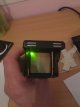
I've just finished soldering the final Trinket circuit together to get the proper lengths for the wire runs. Happy to say that the code still works and runs happily on the 6v button cells :0)

28889070390_e451e3d0ae_z.jpg


29143090156_b76e606384_z.jpg
 
Last edited:
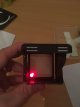
It works ;0)

https://flic.kr/p/LkRDJe

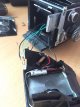
I've tidied the wires either side of the film gate and soldered up the LEDs/button. There's not a lot of space to work so I've made sure each contact is covered to stop any shorts after I've recovered the back door.

IMG_1471973688.753526.jpg

The last part to fix in is the battery holder. It looks like it's going to be pretty tight so I'm probably going to have to shave it down a bit and see if that is enough. If not I'll have to rethink the batteries and probably just use simple contacts.
 
Last edited:
Are the LEDs visible in the 'finder? That's where I'd put them (with my 20:20 hindsight!!!) No need to worry about them leaking onto the film from the 'finder section.
 
Unfortunately not. I did consider building them in there but there's no easy way to get the wiring through without either drilling the ground glass or running it externally which I wasn't keen on.

Good idea though, maybe for the next one ;0)
 
Last edited:
Actually, (with that same hindsight!), I could have mounted the LEDs underneath the ground glass to one side as the image is only captured down the middle with the 35mn film. That way, the wiring could be fitted through the camera body underneath the 35mm canister and the LEDs fitted to the side wall on top of the mirror.

Hmm, definitely next time ;0)
 
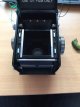
Right, thanks to @Nod I'm now planning to move the LEDs into the WLF and the on/off button to the coldshoe! I'm not really happy with how tight the rear door is now with the button mounted and it's also having a negative effect on the film rewinding due to it pushing against the new pressure plate.

I've also dropped an email to Morgan Sparks at CameraLeathers.com to see if he can supply just the rear door trim piece so I don't need to buy a complete new kit to cover up the 2 LED holes and the rear window. I've also drawn up a new battery holder which will also act as the spacer to hold the 35mm cartridge in place so I'll print that later.
 
Arms and legs!

Actually in this case, there is a very real risk of that!
 
Last edited:
Awesome, Morgan from CameraLeathers has come back to say there's no problem sending another back piece. He also thinks, "..well that could be about the coolest project I have seen in a long time." which is nice :0).

Time to crack out the soldering iron again I guess.
 
I reckon that will work (or, I hope it will because I've just removed the button, both LEDs and all wiring from the rear door!) :0)
 
IMG_1472073082.869472.jpg

IMG_1472073091.705822.jpg

It's hard to photograph but the light is actually concentrated over the led and not spread out how it looks here.

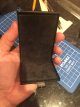
I've also cut a suede trim piece for the inside of the rear door now there's no button. I'll have to keep the original film warning though..

IMG_1472073169.329832.jpg

IMG_1472073177.117090.jpg

Also, rather than using the original latching push button, I'm going to fit this micro switch as it's now going to be fitted externally.

IMG_1472073220.705705.jpg
 
Will 127 film still be an option when you're done, Steve?
 
In theory yes. The original brackets/spring clips are still in place. The only difference is that I've got a 127 takeup spool permanently bonded into the camera so I can release it from the outside to rewind the 35mm film. I could tape a 127 film to this to wind it on and then rewind it back onto the original spool like the 35mm film.

Edit - Actually, I've covered up the rear door now so I'd have to guess the frame spacing!
 
Last edited:
Yeah, just move the LEDs to the wlf, will be a piece of cake....

IMG_1472133700.620122.jpg

In my ongoing quest to make life difficult I've also fitted the two batteries inside the wlf. It will mean I have to unscrew 4 screws to swap them but I'm not expecting to swap them that often. The benefit of moving the batteries here is that they actually fit, unlike anywhere else on the entire camera!

I've used my printed battery holders and made new spring contacts which fit through the holders to keep the batteries in place.

IMG_1472133807.371733.jpg

I've done a quick wire up and the circuit still works (phew!).

I've also made my new on/off switch fit between the wlf and main body;

IMG_1472133879.891913.jpg

IMG_1472133887.996492.jpg
 
Sorry to have cause you extra work but glad I've had a good idea!

BTW, I've used THIS type of bit for drilling through glass - with success! I've also patched vinyl covers using a set of punches similar to THESE after drilling holes in the wrong place.
 
Thanks Nod. I've got it all wired up now and tidied away inside the body. I've made a 5mm wide plastic strip with 2 holes for the LEDs along one side and have taped the other to match. I'll get exposed sprocket holes on this camera but the actual 35mm image will be within the black bars.

IMG_1472144724.747772.jpg

:0)

IMG_1472144732.732374.jpg

The battery holders are doing their job nicely and just about fit onto each side of the ground glass

IMG_1472144753.092854.jpg

IMG_1472144790.261467.jpg

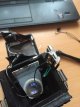
It's also fair to say that there's quite a bit of wiring that I need to get inside the top half of the body!

IMG_1472144818.975675.jpg
 
Way to go Steve..
 
Thanks Trevor. I've just fitted it all and got the wlf to sit flush which is a bonus! I need to shorten one of the wires slightly and have already filed down one of the battery trays that was in the way. Other than that I think it should close up ok.
 
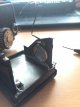
I managed to do some origami and got the wlf to fit back on the camera with all the wiring in place! I've also made a new inside cover for the rear door so the camera's light tight again so I've put in a roll of Vista that was part-used so I can fire off some shots to see the results. Fingers crossed!
 
To be fair, I reckon I'd want change from 10p to put one of them together ;0)

Saying that, it does sound like one of mine though...

"Tichý’s camera was made from tin cans, wood and cardboard. The lens shaft formed with plumbing pipes, and the shutter, sealed with asphalt tar. Finally, he sanded Plexiglas to make the lens."
 
Last edited:
I started following a guy on Flickr called Karl Richards who makes "Karlos" pinholes. I've never really seen the appeal of pinholes but seeing some of his creations has inspired me to look at them more. I'm getting a pinhole plate from the same guy who's making the ground glass for my 3D printed Snapshot camera as a start!
 
^^ I agree :0) I've just bought a 0.25mm pinhole plate so I can mount it in a 38mm deep body and use it with my 23 Graphic rollfilm holder from my Snapshot body.
 
Back
Top