

Windows 11

Retune

Suspended / Banned
Messages
7,701
Edit My Images
No
After returning to relative sanity with Windows 10 after the Windows 8 fiasco, Microsoft has decided that what Windows really needs is a 'modernised' smartphone-style makeover that nobody asked for. Again.
2100.jpg


'Central to the “fresh but familiar” design is a revamped start menu, search and task bar, which have been moved to the middle of the screen similar to the dock on macOS or Chromebooks, and made more touch-friendly for tablets. The interface has been softened with rounded corners, icons have been freshened, animations are smoother and more smartphone-like, and a new pane of widgets and an AI-powered news feed slides out from the left side of the screen. Microsoft’s chat and videocall system, Teams, is integrated directly into the task bar and made more consumer-focused to better compete with Apple’s FaceTime and iMessage among others. ... The first testing builds of Windows 11 will be available through the Windows Insider beta testing programme next week, with a full release for consumers in the autumn available as a free update for Windows 10 on eligible PCs.'
 
just looks similar with all the widgest that most people just hide
 
I'm going to be very irritated if I can't move that start button and the other icons to the left. Or install Classic Shell. And rounded corners are back! Who decides, I wonder, whether things like that are fashionable after a decade of sharp right angles? They seem to be shoving Teams down our throats, too. Which I suppose makes sense after the last 18 months. I wonder if they'll do anything sensible like integrate Windows Settings and the Control Panel? Right now, important controls are in one or the other for purely historical reasons.
 
Last edited:
It would be nice if they've done a decent re-write of the underlying OS so it runs more efficiently and with greater security. That's the ONLY upgrade I care about.

Teams are forced on me through work, and it performs OK, certainly for a work environment as a way of sharing everything. Video call quality is generally quite a bit better than zoom, even across the dreadful network connection we have. As for icons, as long as they remain familiarish, obvious for the applications they link to then I don't give a wet slap about corners and how flat or otherwise they are. Central start button will be about as welcome as swiping in from the right was, but in time it will become second nature - as long as they don't adopt the stupid dock way of working from OSX then all will be well.
 
After returning to relative sanity with Windows 10 after the Windows 8 fiasco, Microsoft has decided that what Windows really needs is a 'modernised' smartphone-style makeover that nobody asked for. Again.
2100.jpg


'Central to the “fresh but familiar” design is a revamped start menu, search and task bar, which have been moved to the middle of the screen similar to the dock on macOS or Chromebooks, and made more touch-friendly for tablets. The interface has been softened with rounded corners, icons have been freshened, animations are smoother and more smartphone-like, and a new pane of widgets and an AI-powered news feed slides out from the left side of the screen. Microsoft’s chat and videocall system, Teams, is integrated directly into the task bar and made more consumer-focused to better compete with Apple’s FaceTime and iMessage among others. ... The first testing builds of Windows 11 will be available through the Windows Insider beta testing programme next week, with a full release for consumers in the autumn available as a free update for Windows 10 on eligible PCs.'

My W10 system has been offering me the optional 21H1 update. To date I have ignored it......it seems it has minimal additional items and to me seems almost entirely cosmetic.

As I recall these updates are eventually "pushed" and possibly 21H1 is a precursor for W11 ???
 
Hmm... rounded edges to windows, transparency, widgets, dark mode, mobile apps on the desktop...
Is is just me, or has Redmond started their photocopiers again? (Trademark Bertrand Serlet)
 
Last edited:
My W10 system has been offering me the optional 21H1 update. To date I have ignored it......it seems it has minimal additional items and to me seems almost entirely cosmetic.

As I recall these updates are eventually "pushed" and possibly 21H1 is a precursor for W11 ???
I accepted that one and didn't notice any significant difference. I expect we'll be strongly 'encouraged' to upgrade when they roll out W11. I wonder if that will finally kill the free upgrades from W7?
 
I think it can only get better from where they are with Win 10. Bring it on. Just by some good luck perhaps we can maybe finally get all settings in one place, proper multi-screen support, and ability to change font sizes like back in the old days?! Or is that too wishful thinking considering it is MS? I certainly dislike the current MS DOS like flat and square interface and have no particular affection for having start menu in the corner.

I can't say I like the design direction of OSX but if this is not an improvement but regression that will be that for good.
 
Hmm... rounded edges to windows, transparency, widgets, dark mode, mobile apps on your desktop...
Is is just me, or has Redmond started their photocopiers again? (Trademark Bertrand Serlet)
Yes, there seems to be some sort of rule that every OS must copy Apple (and every browser must copy Chrome).
 
My W10 system has been offering me the optional 21H1 update. To date I have ignored it......it seems it has minimal additional items and to me seems almost entirely cosmetic.

It is supposed to be all about fixing security flaws in the first instance. I think everyone should upgrade without any doubt.
 
It is supposed to be all about fixing security flaws in the first instance. I think everyone should upgrade without any doubt.

There is no mention other than " Windows Defender Application Guard" in this "Feature update".

And for the record I don't ignore the security updates & other under the hood updates. But a Feature Update.......I tend to set aside for a while ;)
 
The only thing I really don't like about Win10 is the number of different places you have to stop it sending you "news" from the Daily Mail and celeb mags. If only the computer could maintain some sort of central registry of the fact that I don't want to be bombarded with hate and "doesn't this person look terrible/awesome in a bikini?".

It is supposed to be all about fixing security flaws in the first instance. I think everyone should upgrade without any doubt.

Yes. That reminds me of when we used to have lots of tube strikes. They were always about passenger safety. But nearly always solved with pay rises.
 
I still prefer Windows 7 in nearly every respect to Windows 10. I doubt very much that W11 will be any improvement.

Me too. I had to swap my W7 work laptop for a W10 one last October. If they'd allow me to swap back, I would in a heartbeat!
 
I tried running Windows 10 with just Defender for a while and I thought all was well until I installed Kaspersky and discovered my computer was secretly being used for mining lol

But shifting stuff to the middle is good for me as I run an ultra widescreen monitor. I also use full-screen start menu so I hope they keep that.
 
I tried running Windows 10 with just Defender for a while and I thought all was well until I installed Kaspersky and discovered my computer was secretly being used for mining lol

But shifting stuff to the middle is good for me as I run an ultra widescreen monitor. I also use full-screen start menu so I hope they keep that.

I use ESET and as I recall W10 recognises that I have 'protection' in place with Defender inactive.

PS a short while back, none too sure which feature update pushed it, I noticed I now have a weather app(?) showing in the RHS task bar area and when clicked it expands with news and other stuff. AFAIK I never made any setting changes :thinking:
 
Last edited:
I use ESET and as I recall W10 recognises that I have 'protection' in place with Defender inactive.

PS a short while back, none too sure which feature update pushed it, I noticed I now have a weather app(?) showing in the RHS task bar area and when clicked it expands with news and other stuff. AFAIK I never made any setting changes :thinking:
That one lasted about 2 minutes on my PC:
Right click on taskbar -> News and interests -> Turn off
 
That one lasted about 2 minutes on my PC:
Right click on taskbar -> News and interests -> Turn off

Ah! thanks check that out.........I did wonder how to 'remove' it ;)

PS just looked and done :D Thanks for the pointer to that (y)
 
Last edited:
That one lasted about 2 minutes on my PC:
Right click on taskbar -> News and interests -> Turn off
Don't worry, it will get turned back on by a later update - just in case you change your mind :ROFLMAO: (or at least, it did for me, I turned it off for the 2nd time a couple of days ago).
 
I hope they fix the network problems with Win 11.
1 x PC and 1 X Laptop bothe running Win10 10 Pro.
Network in file explorer, the desktop can see and access the laptop but the laptop can not access the desktop.
Thankfully both machines can see my 2 NAS boxes via shared folders.
I've tried every fix the netork issues but nothing solves the problem and I'm not prepared format and doing a fresh install on both machines.
 
Don't worry, it will get turned back on by a later update - just in case you change your mind :ROFLMAO: (or at least, it did for me, I turned it off for the 2nd time a couple of days ago).
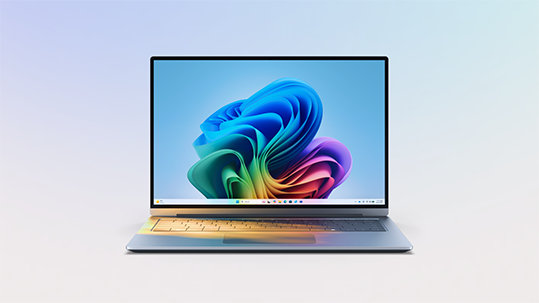
It probably will - that first screenshot above is what it's mutating into in W11.
 
PS a short while back, none too sure which feature update pushed it, I noticed I now have a weather app(?) showing in the RHS task bar area and when clicked it expands with news and other stuff. AFAIK I never made any setting changes :thinking:

That appeared after the latest update and I turned it off straight way.
 
Just watched the Linus Tech Tips video and it seems a bit of a mixed bag from initial impressions. It seems that there will be specifications that the computer will need to be, as there was when Win 10 was offered. Edit Just checked whether my PC can run Win 11, and apparently it can't, so I have a while before I will get to use Win 11, as I feel to need to upgrade my PC atm.

Not sure how I feel about it until I get to use it. Win 10 still irritates me in little ways, but as with everything you may use a lot, you will get used to it out of necessity, or find ways around the irritations.

 
Last edited:
Last edited:
They have an app to check for compatibility here:
More on this:

I will have to check the compatibility 'app' but the Verge article mentions Intel 8th gen onwards and only a slight change from W10. Well, under W10 my 1st Gen 4 core i5 is absolutely fine but a long way from 8th Gen. So, I shall have to see what a 'check' tells me :thinking:

Edit ~ well it would appear that my PC does not meet the W11 requirements..................but W10 is covered until 14th October 2025. Oh, well I will have to budget for a new PC sometime in the next 4 years :LOL:
 
Last edited:
Groan . . . they've finally got Win10 stable after its plethora of 'fixes' and now they want to start all over again with a bloody Apple emulator. :mad: :banghead:

Time to finally make a permanent move to Linux for me I think . . .
 
I watched a few videos on YouTube and looks pretty good, no so sure how configurable it is to the individual preference though.

Watch this
View: https://youtu.be/ZJR3-UtmoUU

I have watched most of this and...........

Unlike W10 where you can have a local account to login etc, with W11 you must have an MS account.................so I surmise W11 will be phoning home one heck of lot more than W10 plus what are the odds that there might be a progressive shift to a cloud based OS and a subscription model ??? Just saying ;)
 
  • Like
Reactions: Sky
A lot of PC's will report that they cannot be upgraded due to not having secure boot set up in bios. For some reason Microsoft don't make this obvious and suggest you buy a new PC :D Rather than suggesting changing a couple of Bios settings.
 
A lot of PC's will report that they cannot be upgraded due to not having secure boot set up in bios. For some reason Microsoft don't make this obvious and suggest you buy a new PC :D Rather than suggesting changing a couple of Bios settings.
Microsoft Win 11 Compatibility checker - Sponsored by Intel perhaps? :ROFLMAO:

It would be helpful if it gave you reasons why your current PC was not compatible, rather than just saying 'No'.
 
Last edited:
I have watched most of this and...........

Unlike W10 where you can have a local account to login etc, with W11 you must have an MS account.................so I surmise W11 will be phoning home one heck of lot more than W10 plus what are the odds that there might be a progressive shift to a cloud based OS and a subscription model ??? Just saying ;)
Apparently there'll still be local accounts with W11 Pro. I'm sure they'd love to make it a subscription, though. The non-subscription versions of Office aren't exactly prominent on the MS website these days, though they still exist for now.
 
here we go again, any excuse to drop support for a windows version to make people buy a shiny new one
 
  • Like
Reactions: Sky
I have watched most of this and...........

Unlike W10 where you can have a local account to login etc, with W11 you must have an MS account.................so I surmise W11 will be phoning home one heck of lot more than W10 plus what are the odds that there might be a progressive shift to a cloud based OS and a subscription model ??? Just saying ;)

Actually, in the comments i think, Kevin said there was a way to still use local account but they are definitely pushing online accounts
 
A lot of PC's will report that they cannot be upgraded due to not having secure boot set up in bios. For some reason Microsoft don't make this obvious and suggest you buy a new PC :D Rather than suggesting changing a couple of Bios settings.

None too sure what my old board BIOS has in its available settings?

Microsoft Win 11 Compatibility checker - Sponsored by Intel perhaps? :ROFLMAO:

It would be helpful if it gave you reasons why your current PC was not compatible, rather than just saying 'No'.

Yes a pity the checker report is short on details :(

I have uninstalled the checker!
Apparently there'll still be local accounts with W11 Pro. I'm sure they'd love to make it a subscription, though. The non-subscription versions of Office aren't exactly prominent on the MS website these days, though they still exist for now.

Local account is good IMO....so whether W11 will work on my PC is moot because when W10 first rolled out the W10 checker reported my PC was not "yet ready".
Actually, in the comments i think, Kevin said there was a way to still use local account but they are definitely pushing online accounts

I'll look out for any W11 reports.
 
So far a I can tell my laptop plus one new(ish) and one older PC can't run it, one mentions bios not secure but it can't be enabled either, the others have ''incompatible hardware'.
 
Looks like the TPM chip thing would be a pain with my old motherboard. It has provision for mounting one, but the OEM module seems hard to find (permanently on 'pre-order') and using another one seems to require a hardware hack ('Carefully slip the razor between the PCB and the plastic connector...'). Looks like Windows 10 support ends in 2025, which will hit a lot of older systems that could otherwise run W11.
 
Last edited:
4th generation i7 processor here, too old for compatibility anyway.
 
They're saying that the CPU generation is a 'soft floor' - you'll get a warning, but it will still install on reasonable hardware. But it looks like TPM is compulsory (though they may allow the older 1.2 version).
 
Groan . . . they've finally got Win10 stable after its plethora of 'fixes' and now they want to start all over again with a bloody Apple emulator. :mad: :banghead:

Time to finally make a permanent move to Linux for me I think . . .
I now use a raspberry Pi for most of my home use. A significant improvement over Doze.
The only downside are I haven't found any photo-editing software I like for it, and printing is a pain to set up (easier printed via a phone). FastStone on the PC does 99% of what I want!
 
Last edited:
  • Like
Reactions: Sky
Back
Top