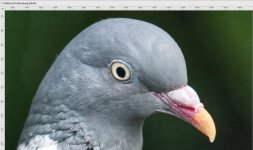
I shouldn't have typed "crop;" it's zoom/scale of image resolution vs viewing resolution... I've fixed that.
The % zoom thing in LR is only relevant to your monitor... i.e. change your monitor's display resolution setting and 400% zoom looks different. And depending on the OS you are running LR on it can also depend on if you have LR set to run in low resolution mode or not. The zoom box size in the navigator is relative to the display area in LR... e.g. resize the LR window and the size of the zoom box changes. Alby is apparently using a much larger monitor than my 16" MBP has.
That's one of the reasons you have to be wary about reviews... "at 100%" doesn't really mean anything. Prior to LR 2020 100% used to be labeled 1:1, and 400% was 4:1, etc.
% crop is/should be how much of the original image area is remaining in pixel dimensions (LxW)... e.g. cropping to .5 width and .5 height is a 25% crop (cropped to 25%). But sometimes I see people say cropped by 25%; which is also fine. E.g. if I cropped to that composition it would be cropped by 90%, or to 10%... the limit is 100%. For anything else you would have to resample the image/data.
Yes, I did say it was dependent on the monitor for one simple reason, a 100% crop simply means that 1 pixel on the image is mapped to one pixel on the monitor.
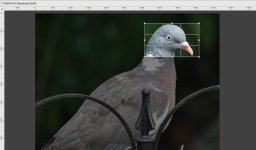
If I had cropped the head a bit tighter, so that the resultant image fits in the work area, it would now be a 100% crop of that part of the photo.
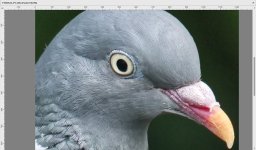
The zoom figure would agree, because that is how the zoom figure is calculated, by the ratio of pixels between the image and the screen.
As for
"% crop is/should be how much of the original image area is remaining in pixel dimensions (LxW)... e.g. cropping to .5 width and .5 height is a 25% crop (cropped to 25%). But sometimes I see people say cropped by 25%; which is also fine. E.g. if I cropped to that composition it would be cropped by 90%, or to 10%... the limit is 100%. For anything else you would have to resample the image/data." I agree with you completely, however it seems that we are stuck with it. I think it is the photography industry press that is to "blame", they wanted a way that printed images in magazine could be compared on a level field. which to me isn't very logical, as the printed or displayed images are never really good enough to make a worthwhile comparison anyway.
I don't see any other reason for it, and they should have come up with a different term and not used "100% crop" which logically would mean you have 100% or nothing of the original image left depending if it was to or by
.
I use "to" as in "
cropping to .5 width and .5 height is a 25% crop (cropped to 25%)." and would normally call that a 25% crop
, and I think that is what most people understand by it.
However the numbers on software (most) and the term 100% crop refer to pixel ratios between the screen and image, not percentage of image area.