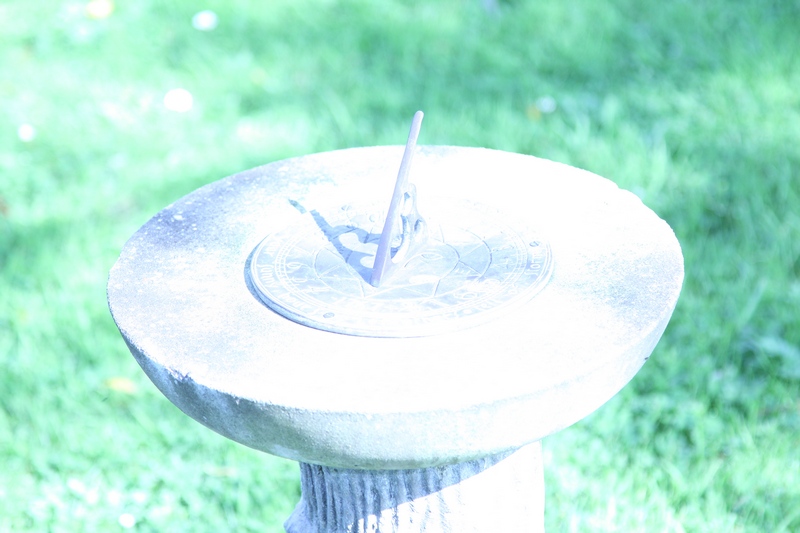
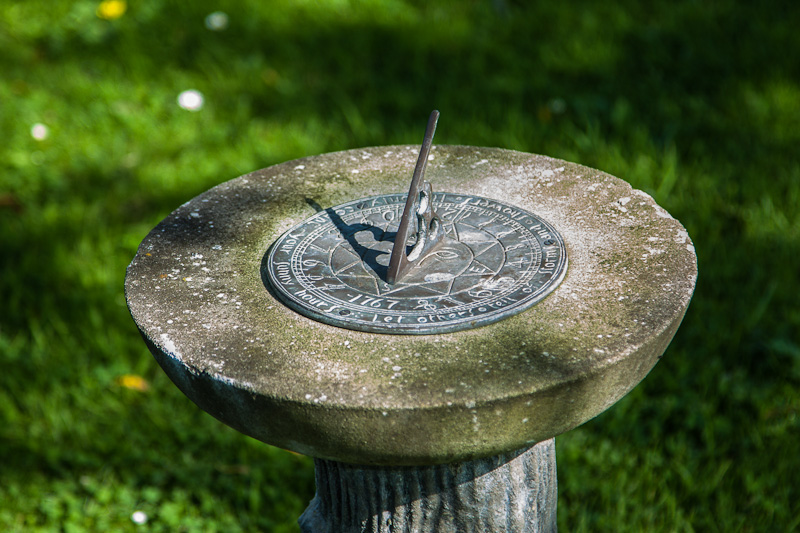
what do you shoot raw,jpeg or both?

As above no you can't.
Why do you do that? Jpeg has already thrown all the information away, saving into tiff is pointless. Its like burning a mp3 onto a cd to play in a cd player that can play mp3 file!

I think he means that the editing software allows you to.
Of course it does.

The Jpgs out of an X10 do seem to have "some" headroom and small tonal adjustment seem to be less destructive than usual.

The only advantage of converting them to tiffs would be to get round the artifacts and degradation caused by repeated saves as a jpeg. So If you must edit Jpegs converting to tiffs is the way to go.
 
I shoot everything in raw then convert to tiff then edit & save.

Works for me & that's all that matters to me.
 
Whatever works for you is fine. To me, it just seems pointless, to spend all that money on a body and glass capable of collecting massive detail about an image, then throw loads away before you've even looked at it.

Even putting aside the lossy compression used on the image by saving it as jpg, there's also the fact that all jpg are by definition 8 bit files, giving 256levels of luminance per color channel.. thats just an eighth of the luminance information that was there in the typical 12bit RAW file, and some bodies go higher than that.

Shooting JPG means that before you've even started editing, you've thrown away a large proportion of what you had. No amount of converting back to tiff etc can possibly recover that missing information. It's like using a high quality microphone to record an orchestra.. onto an old Sharp C90 cassette recorder.. then copying it back onto a CD and expecting it to be as good as a true digital master. It just doesn't work that way. You make that original recording as high quality as possible, and use that as the basis for all later editing, even if a later copy ends up on an old tape!

If you've nailed the exposure in the first place, which many competent togs will do consistently, and are using the shots just for web-based work, (or need the speed advantage that some bodies have for FPS when shooting jpg only) then it may be fine. Where RAW really wins with all that not-binned detail, is in the recovery of shots that didn't quite work, or lifting back fine data from areas of shots that (on jpg) would have ended up blown or shifted to black. The ability to tweak WB etc too, and carry out all further editing with every bit of data from the file still there, well to me thats how it should be.


:-)
 
Whatever works for you is fine. To me, it just seems pointless, to spend all that money on a body and glass capable of collecting massive detail about an image, then throw loads away before you've even looked at it.

Even putting aside the lossy compression used on the image by saving it as jpg, there's also the fact that all jpg are by definition 8 bit files, giving 256levels of luminance per color channel.. thats just an eighth of the luminance information that was there in the typical 12bit RAW file, and some bodies go higher than that.

Shooting JPG means that before you've even started editing, you've thrown away a large proportion of what you had. No amount of converting back to tiff etc can possibly recover that missing information. It's like using a high quality microphone to record an orchestra.. onto an old Sharp C90 cassette recorder.. then copying it back onto a CD and expecting it to be as good as a true digital master. It just doesn't work that way. You make that original recording as high quality as possible, and use that as the basis for all later editing, even if a later copy ends up on an old tape!

If you've nailed the exposure in the first place, which many competent togs will do consistently, and are using the shots just for web-based work, (or need the speed advantage that some bodies have for FPS when shooting jpg only) then it may be fine. Where RAW really wins with all that not-binned detail, is in the recovery of shots that didn't quite work, or lifting back fine data from areas of shots that (on jpg) would have ended up blown or shifted to black. The ability to tweak WB etc too, and carry out all further editing with every bit of data from the file still there, well to me thats how it should be.

:-)

Now that ^^^^ is one of the best answers to that question I have heard in a long time! Will keep that filed away

.DAVID.
 
Its the same analogy as my mp3 CD one just better put!;)
 
Bascule said:
Whatever works for you is fine. To me, it just seems pointless, to spend all that money on a body and glass capable of collecting massive detail about an image, then throw loads away before you've even looked at it.

Even putting aside the lossy compression used on the image by saving it as jpg, there's also the fact that all jpg are by definition 8 bit files, giving 256levels of luminance per color channel.. thats just an eighth of the luminance information that was there in the typical 12bit RAW file, and some bodies go higher than that.

Shooting JPG means that before you've even started editing, you've thrown away a large proportion of what you had. No amount of converting back to tiff etc can possibly recover that missing information. It's like using a high quality microphone to record an orchestra.. onto an old Sharp C90 cassette recorder.. then copying it back onto a CD and expecting it to be as good as a true digital master. It just doesn't work that way. You make that original recording as high quality as possible, and use that as the basis for all later editing, even if a later copy ends up on an old tape!

If you've nailed the exposure in the first place, which many competent togs will do consistently, and are using the shots just for web-based work, (or need the speed advantage that some bodies have for FPS when shooting jpg only) then it may be fine. Where RAW really wins with all that not-binned detail, is in the recovery of shots that didn't quite work, or lifting back fine data from areas of shots that (on jpg) would have ended up blown or shifted to black. The ability to tweak WB etc too, and carry out all further editing with every bit of data from the file still there, well to me thats how it should be.

:-)

Great answer, this is what I thought but didn't have the gray matter to put it into words. Lol. I'm not sure how anyone could possible debate this although I do see (as I stated in my post) how jpeg has its uses in certain situations.

Thanks for the great answer, well done.
 
I shoot mainly Jpegs for myself and shoot mainly aviation, wildlife and macro. I know if I'm in a situation where the light is poor and the Jpeg quality will suffer I shoot both Jpeg and Raw and on the occasions I'm shooting to order then I'll shoot Raw so that I can process them to the individuals taste.

Most of my shooting is for myself though and I've got the cameras set up to get the best quality I can so I hardly ever need to process the Jpegs, other than a crop usually if anything, and then I save the original files to my backup drives. There was a thread on here recently about how many times you can process a Jpeg before you lose quality but the most I've ever had to save one of my files is 3 so the quality isn't an issue.
 
That is a really cool method you have there especially for beginners. When I started out I hooked my laptop to the my camera and made adjustments as I shot, boy oh boy did I learned a lot from that.i can see that it would be nice to have the large screen to look at even now I'm starting to see why wifi could be a nice feature.

I only used mine on a shoot for the first time a week ago, it is very handy for seeing things I would not have seen on the back of the camera screen.
 
I only used mine on a shoot for the first time a week ago, it is very handy for seeing things I would not have seen on the back of the camera screen.

I just took a look at that card on amazon and it got quite a few negative reviews for several reasons, but including connectivity issues with the ipad and quality of the ios app. Have you had any problems or did it all work OK?
 
I use raw on DSLR and jpeg on my compact walkabout where composition and having the camera there are more important than ultimate IQ (which is onto a loser to start with having such a teeny sensor)
 
Only RAW for me then save as Tiffs never touch jpegs
Dave
 
Whatever works for you is fine. To me, it just seems pointless, to spend all that money on a body and glass capable of collecting massive detail about an image, then throw loads away before you've even looked at it.

Why do Nikon, Canon et al give you the option to use JPEG, even on their pro models where you'd expect quality to be paramount?
 
Why do Nikon, Canon et al give you the option to use JPEG, even on their pro models where you'd expect quality to be paramount?

Because some pros - i.e. sports journalists - need really, really quick access to their images. So they shoot in jpeg and email pics within moments of shooting. Not possible with raw.
 
I just took a look at that card on amazon and it got quite a few negative reviews for several reasons, but including connectivity issues with the ipad and quality of the ios app. Have you had any problems or did it all work OK?

Took me a bit of time to get it working when I first got the card, I think that was my fault not setting the card up correctly. A couple of times after having a break from shooting the other week I had to go into the settings in the ipad and just click on the wi fi settings to fire it up again, only takes a few seconds, other than that seemed pretty good. It is early days and I have no other shoots lined up at the moment to test it some more. Next time I do a shoot when ever that may be I can update this info.
 
You can edit JPEGs in exactly the same way as you would edit a RAW file.
No, you can't. :shake:

Yes you can because I do - as already explained.

I think I've said in reply to you before that converting the Jpeg to a Tiff is virtually useless, because data has already been discarded in the Jpeg compression process. If it works for you though great. :) I wouldn't advise this workflow to others though.

And as I've said to you I do this to edit my pics through several processes and it works perfectly for me.

.
 
petersmart said:
Yes you can because I do - as already explained.

And as I've said to you I do this to edit my pics through several processes and it works perfectly for me.

.

You may be able to process the same way but you are by no means processing the same info, you throw a lot of it away before the processing ever began, sure it will work fine for you because you know no difference. Those that understand the raw file vs jpeg know that this is not the way to go if you want full control in pp and you want your image to reach its full potential .
 
Yes you can because I do - as already explained.


And as I've said to you I do this to edit my pics through several processes and it works perfectly for me.

.

You missed the 'if it works for you great!'.:) the redhead carefully added several times.

But it has to be said - it's technically wrong on so many levels and you really shouldn't advise anyone else to do it:thumbs:.
 
Not sure why people have such a hard time with this decision. Just go and test it and then decide yourself which suits you.

- Set camera to raw + jpeg
- take loads of shots in different conditions (and some that need a bit of recovery)
- edit the the shots in similar way (WB changes, reduce any highlights, lighten shadows etc,.)
- Do side by side check of finished results.

You will noticed that all the raw files needed some time spent whereas some of the jpegs needed none but you are now armed to make a decision for yourself asking yourself a question;

- Does the finished raw file look noticeably better to you than the jpeg

If it doesn't then use jpeg
If it does then use raw (if the difference is big enough to make up any additional time in editing)
 
I take both the same time the cost of memory nowadays i see no problem with this. I see the raw file like having the film negative.
 
for sure it comes up a lot and for everyone it is different... but if you are happy with the jpgs you are producing why do you need raw?

:pluslots!:

Ive been told to shoot raw by all the beginners youtube tutorials,basically thats why.

There are probably loads of tutorials that would advise people to abandon their Nikons and use Canons (or Sonys, Pentaxes etc)...

Now im starting to see raw is not necessary so il give it one more go and if im not satisfied with the outcome il stick with jpegs.however it would be nice to edit photos

Yup, try for yourself and see if raw is worth it to you.

No not alone.

I generally shoot Motorsport / sport in jpeg. I do shoot in raw on occasions - an example say if its very difficult light or a challenging shot.

You can edit JPEGs in exactly the same way as you would edit a RAW file.

Not as much leeway for rescuing JPEGs as there is for raw files.

I shoot almost exclusively in JPEGs (Large) which I convert into TIFFs (using Canon's DPP program) for the editing stages which usually includes NR, adjusting contrast, brightness, colour balance, primary sharpening, cropping, and a final secondary sharpening before saving.

If the edit is all in one session, you may as well stay in JPEG. If multisession, use one of the lossless formats.

The only important thing to remember in this is never to edit your OOC JPEGs.

Always make copies and work on them.

That part I agree with!

As above no you can't.


Why do you do that? Jpeg has already thrown all the information away, saving into tiff is pointless. Its like burning a mp3 onto a cd to play in a cd player that can play mp3 file!

Depends on the compression rate of the MP3 and the final use - some ICE systems won't see much benefit from using full CDs over MP3s, others will.

Yes you can because I do - as already explained.


And as I've said to you I do this to edit my pics through several processes and it works perfectly for me.

As above, several processes or several sessions?

Not sure why people have such a hard time with this decision. Just go and test it and then decide yourself which suits you.

- Set camera to raw + jpeg
- take loads of shots in different conditions (and some that need a bit of recovery)
- edit the the shots in similar way (WB changes, reduce any highlights, lighten shadows etc,.)
- Do side by side check of finished results.

You will noticed that all the raw files needed some time spent whereas some of the jpegs needed none but you are now armed to make a decision for yourself asking yourself a question;

- Does the finished raw file look noticeably better to you than the jpeg

If it doesn't then use jpeg
If it does then use raw (if the difference is big enough to make up any additional time in editing)

Post of the thread so far!
 
One other thing to remember. If you decide to take raw and jpeg together, any in-camera settings, IE: sharpness, contrast, will show on the jpeg, but not on the raw. This means the jpeg will look better straight from the camera.
 
One other thing to remember. If you decide to take raw and jpeg together, any in-camera settings, IE: sharpness, contrast, will show on the jpeg, but not on the raw. This means the jpeg will look better straight from the camera.

Not mine - lol.

In camera I have sharpness to 0 to minimise noise when I am shooting at high ISO.

And on very bright days with high sunshine I usually set the contrast to low.

.
 
Q. What can you do with jpeg that you cannot do with raw?

A. Not a lot.

Exactly and in the final analysis can anyone really tell, of all the pictures on here or Flickr etc, which were shot in RAW and which in JPEG?

And yes, I do know all the arguments for RAW - that it offers more tonal variation etc, more information etc, but in the end it all comes down to JPEGs with its mere 16 million color and tonal variations (256x256x256 - 8 bits in three channels)

.
 
You can edit JPEGs in exactly the same way as you would edit a RAW file.

Yes, you can edit them in the same way. However, you cannot always get the same result. Sometimes you cannot even get a result that's anywhere close.

  • It is always possible to process a raw file to be identical to the JPEG from the camera.
  • Unless the in-camera settings were perfect then it always possible to process a raw file to be better than the JPEG from the camera.
  • Storage is cheap.
  • Even JPEGs need some processing, raw processing adds very little extra effort, if any.

Here's an example, shot specifically to destroy the argument that you can process both raw and jpeg to get equally acceptable results.

I shot raw+jpeg. Here's the jpeg...

Grass.jpg


The challenge is to process that to get the same result as from the processed raw data -

Grass%20Proc%20Raw%20LR4.jpg


Edit: People may have seen this before, but with the processwed raw image not as good as this. I'm not sure if the improvement is down to my processing skills getting better or, more likely, LR4 being a darn sight better at this than LR3.
 
Last edited:
Yes, you can edit them in the same way. However, you cannot always get the same result. Sometimes you cannot even get a result that's anywhere close.

  • It is always possible to process a raw file to be identical to the JPEG from the camera.
  • Unless the in-camera settings were perfect then it always possible to process a raw file to be better than the JPEG from the camera.
  • Storage is cheap.
  • Even JPEGs need some processing, raw processing adds very little extra effort, if any.

Here's an example, shot specifically to destroy the argument that you can process both raw and jpeg to get equally acceptable results.

I shot raw+jpeg. Here's the jpeg...

Grass.jpg


The challenge is to process that to get the same result as from the processed raw data -

Grass%20Proc%20Raw%20LR4.jpg


Edit: People may have seen this before, but with the processed raw image not as good as this. I'm not sure if the improvement is down to my processing skills getting better or, more likely, LR4 being a darn sight better at this than LR3.

Of course I can get results equally good or better with JPEGs - I simply expose correctly using the histogram and "blinkies" on my camera!

Simples :lol::lol::lol:

On a more serous note the recovery is excellent and, as you say far better than LR3.

However this does not invalidate my argument and in the final analysis it's up to everyone to find out their own best method of working.

But for a beginner, working with and editing JPEGs may be the easiest method to start with - after that they can choose whatever they like the best according to their needs.

,
 
Last edited:
I started off shooting Jpeg only when I got my first DSLR in November 2008. I then started to play with RAW in April 2009, taking RAW + Jpeg, and from shortly after that time I shot, and still shoot, exclusively in RAW as it gives much more control without losing too much detail.

I only use DPP for my processing, although I keep hearing great things about LR4, but don't know how much using that will improve things, and I faind DPP great for selecting the shots I want to keep and then applying minor tweks as appropriate.

I am not a great believer in messing a lot with photos, but would like them to look as good as I can get them.

The useful thing I find with DPP, which is probably why I haven't ventured down the LR road yet, is that DPP automatically shows the RAW images according the the presets on your camera, so if you have them more or less correct in camera, you are almost there, and I usually tend to just crop, sharpen and change the white balance. It is the latter I find has the greatest effect and will really improve shots taken on auto white balance, either in cloudy/shaded conditions, or using flash, just be selecting the appropriate setting.

Would it be as easy to get the same effect in LR4? That is what is causing me to hesitate about switching at the moment.
 
I started shooting RAW.

Then went to RAW+Jpeg but realised how much memory that took up.

Went back to RAW.

Now only shoot RAW for Weddings and my Light Painting Photography... .jpegs for day to day stuff.

Ultimately, you get to a stage in Photography where you're more than competant, so you don't have to have that added backup of being able to pull exposures back with RAW. Get it right in camera first time.
 
I've just started shooting RAW if I'm honest I'm still not sure what I am doing with lightroom. It's does however give me time to pick the best shots before I share with my friends after weekend away
 
Being a complete newbie to all things photography I've got my camera set to take a raw+jpeg file..

I do like to tinker in CS5 but haven't tried to open RAW files in it, and not sure if it will. Anyone know the answer?
 
Yes it should do. If you a still using the D3100. ;)

Well had my first chance to play around with software last night and I will shoot everything it RAW now, so much ability to change a poor picture into something pretty good, the JPEGS well I just couldn't get the adjustments I wanted.

Software that came with the D3100 is pretty decent to touch pictures up, well pleased.
 
Yes, you can edit them in the same way. However, you cannot always get the same result. Sometimes you cannot even get a result that's anywhere close.

  • It is always possible to process a raw file to be identical to the JPEG from the camera.
  • Unless the in-camera settings were perfect then it always possible to process a raw file to be better than the JPEG from the camera.
  • Storage is cheap.
  • Even JPEGs need some processing, raw processing adds very little extra effort, if any.

Here's an example, shot specifically to destroy the argument that you can process both raw and jpeg to get equally acceptable results.

I shot raw+jpeg. Here's the jpeg...

Grass.jpg


The challenge is to process that to get the same result as from the processed raw data -

Grass%20Proc%20Raw%20LR4.jpg

This sums it up in my eyes, if you exposed correctly and had correct white balance 100% of the time, RAW would probably not be needed. However RAW is the negative from which all JPEGS are derived and allows more dynamic range to correct for those times when things didn't go 100% right.

As someone has mentioned previously, it is up to the individual try both and see what is right for them. Strictly speaking, from a "scientific point of view", RAW is better than JPEG because JPEG is a processed RAW file.
 
Haven't read the whole thread, but I thought I'd chime in anyhow....

I use both (RAW and Basic JPEG). When I began as a hobbyist I shot in just JPEG and now I regret it. I had some amny shots that were 'nearly' right that now I have improved my editting skills, I could have made much better by manipulating the raw file. I would revist these now if I had the RAW file to play with :(

Just to add - I shoot Jpeg too so I can scan through the images easily on the laptop when I'm looking for something. It also means I can quickly drag and email a reasonably small file as an example to a client.
 
Last edited:
I shoot RAW because I didn't pay £1100 for the Camera to compress the images before I have even seen them...
 
robhooley167 said:
I shoot RAW because I didn't pay £1100 for the Camera to compress the images before I have even seen them...

Hmmmm, I don't really follow that logic. Shouldn't you be seeing the picture before you even trigger the shutter?

As I've said (repeatedly) before, it doesn't matter so much which you use, but more that you know the limitations of each and therefore can make an informed choice as to which suits any given situation.
 
Hmmmm, I don't really follow that logic. Shouldn't you be seeing the picture before you even trigger the shutter?

Of course you should, but if, say for example, you're with a band mixing a track in a studio you'll generally hear the end result in your head but would you want to master it to MP3 (i.e. a compressed 'low quality' format)? Would you want to lose so much information when laying down the master of what you're doing?

I'd hope not, and this is no different. Seeing or hearing the 'end result' has no bearing on whether you shoot JPEG or RAW, or record audio as WAV of MP3; it isn't about that, it's more about maintaining the highest level of quality throughout your workflow and creating the highest quality 'master' you can.

As has been mentioned before, some people using high end bodies must have the speed and accessibility JPEG gives; they don't have the time to fiddle with and convert RAW files before sending them off to magazine/news editors, etc, but personally I have no idea why you'd want to shoot JPEG if you plan on doing any degree of post-processing. As Phil V says, working on RAW files is as quick if not quicker than working on JPEG's if your workflow is well oiled, plus you maintain the highest level of quality throughout the whole process. I mean, what's not to like about that?
 
Back
Top