- Messages
- 11,730
- Name
- Chris
- Edit My Images
- Yes
Hi, this follows on from the thread on advice for scanning negatives.
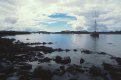
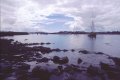
This was my original attempt to scan this frame of Velvia 50, using a profiled scanner but not locked exposure (bcause I don't know how to do that without reprofiling the scanner each time). I used curves in Vuescan, 4*multiscan, multiexposure, low dust removal, saved as JPEG. Bit of shadow recovery in Aperture.
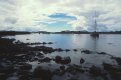
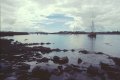
This is the same file in Aperture after using the Natural Grey white balance, eyedropper on the big rock near the centre:
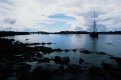
This is the rescan, trying to use the advice from the thread, ie scan as flat as possible with as much information as possible (curve flat diagonal [EDIT: got this completely wrong, curve for the image below was wildly out!], histogram black and white points as near the end of the info as possible), saved as 48-bit TIFF, colour channels separately adjusted in Aperture, some shadow recovery, lots of highlight recovery (but still clearly not enough), white balance using natural grey eyedropper on the same rock (I wasn't going to do this, but it was if anything even more magenta):
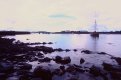
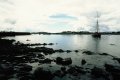
This is not an improvement!
Any advice on what's going wrong, or rather, what I should do better?
I'm happy to put the 40 MB TIFF in my Dropbox and PM a link if anyone wants to try their hand...
You can't actually calibrate a scanner for colour negative films as the orange mask differs between each film. For slide though you definitely can by using IT-8 targets, and I would highly reccomend using them if you want to get scans similar to the original slides without extensive colour correction. I don't want to open another discussion about IT-8 though as every time it ends up as practically an argument between those who use it and those who don't over whether it's necessary to get good scans. In reality you can get good scans with or without it, but IT-8 makes it much more easier and convenient (when it is used properly).
For colour negative I use the lock exposure and mask colour options on a piece of the film leader (locking the exposure ensures that the maximal shadow detail is captured) in Vuescan to remove the individual orange mask colour, and using those settings then scan the pictures on the roll, making sure that none of the shadows/highlights are clipped (basically as flat as possible) and I don't apply any levels (the 'none' colour mode in Vuescan); I do usually use multi-pass scanning (2-6 passes) as I use a dedicated 35mm scanner that can reposition the head precisely unlike flatbeds and that helps reduce any noise that the scanner may induce.
I then import into Photoshop Elements, adjust each colour channels shadow/highlight levels until just before clipping is introduced, and then introduce some contrast using an S curve (I scan in 16/48 bit colour and try to keep it in 16/48 for as much as possible). I don't usually need to do anything else apart from a small amount of unsharp mask.
For slide the process is near identical, but I always use the same locked exposure value to ensure that the scanner profile adjusts the scan correctly (Vuescan's IT-8 profiling is basic so I used Lprof to create the profile and apply it to the scan afterwards). Aside from adjusting the levels and adding some sharpening that's all I need to get scans very similar to the original slides
This was my original attempt to scan this frame of Velvia 50, using a profiled scanner but not locked exposure (bcause I don't know how to do that without reprofiling the scanner each time). I used curves in Vuescan, 4*multiscan, multiexposure, low dust removal, saved as JPEG. Bit of shadow recovery in Aperture.
This is the same file in Aperture after using the Natural Grey white balance, eyedropper on the big rock near the centre:
This is the rescan, trying to use the advice from the thread, ie scan as flat as possible with as much information as possible (curve flat diagonal [EDIT: got this completely wrong, curve for the image below was wildly out!], histogram black and white points as near the end of the info as possible), saved as 48-bit TIFF, colour channels separately adjusted in Aperture, some shadow recovery, lots of highlight recovery (but still clearly not enough), white balance using natural grey eyedropper on the same rock (I wasn't going to do this, but it was if anything even more magenta):
This is not an improvement!
Any advice on what's going wrong, or rather, what I should do better?
I'm happy to put the 40 MB TIFF in my Dropbox and PM a link if anyone wants to try their hand...
Last edited:


 CS1407PMXA01r v1

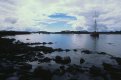
 If I don't send it off for pro scan I might send a couple of frames to


 ChrisVelvia