- Messages
- 19,708
- Name
- Darren
- Edit My Images
- Yes
What else could I do at 2-4am in the morning......
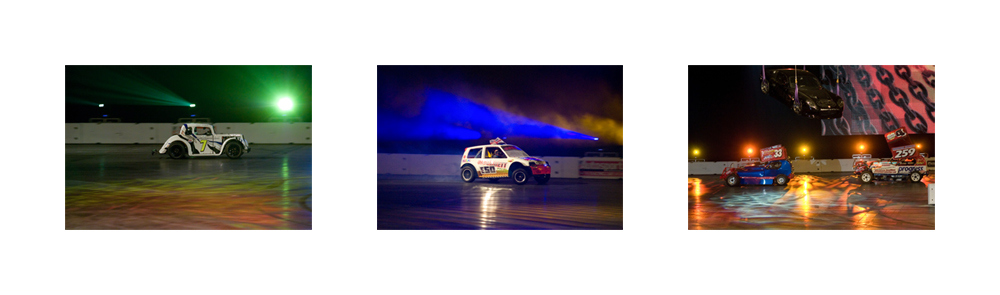
One script to create Triptych collages for Photoshop.
This is a stand alone script. Just place it into your Photoshop SCRIPTS directory (before you start photoshop), which is located at.
MAC
APPLICATIONS::Adobe Photoshop CS3 (or CS2): resets:
 CRIPTS
PC
C:\Program Files\Adobe\Photoshop\Presets\scripts
or
C:\Program Files (x86)\Adobe\Photoshop\Presets\scripts
Basically you then run Photoshop as normal but in the scripts menu there will be an entry TRIPTYCH. Select this and the script runs.
You will be presented with a UI screen to input your preferred image size, border size, border colour (or clear for transparent) and click the tick if you want to change it to vertical from horizontal.
Now click the final tick box for whether you want to select each picture or use the first 3 in a directory...
Then click [OK].

You will be be given a directory selector box. Select the directory with your pictures in (if there are more than 3 it will just select the first 3)
Then hey presto it will go ahead and do it for you...

Enjoy
All pictures are reduced by the same ratio so, for best results, pick 3 pictures the same size.
You may want to use it for the competition
DOWNLOAD : Triptych.ZIP
One script to create Triptych collages for Photoshop.
This is a stand alone script. Just place it into your Photoshop SCRIPTS directory (before you start photoshop), which is located at.
MAC
APPLICATIONS::Adobe Photoshop CS3 (or CS2):
resets:CRIPTSPC
C:\Program Files\Adobe\Photoshop\Presets\scripts
or
C:\Program Files (x86)\Adobe\Photoshop\Presets\scripts
Basically you then run Photoshop as normal but in the scripts menu there will be an entry TRIPTYCH. Select this and the script runs.
You will be presented with a UI screen to input your preferred image size, border size, border colour (or clear for transparent) and click the tick if you want to change it to vertical from horizontal.
Now click the final tick box for whether you want to select each picture or use the first 3 in a directory...
Then click [OK].
You will be be given a directory selector box. Select the directory with your pictures in (if there are more than 3 it will just select the first 3)
Then hey presto it will go ahead and do it for you...
Enjoy
All pictures are reduced by the same ratio so, for best results, pick 3 pictures the same size.
You may want to use it for the competition
DOWNLOAD : Triptych.ZIP

 Brilliant idea mate, only prob is, I cant get the pc version to work, it creates the background colour then just sticks one picture in top left hand corner and thats it. The layers pallete seems to be showing that its put all 3 in same place, so when you merge them, just the one picture. Can take a screen shot if that helps. I have run it twice, I don't think I am doing anything wrong, but its not yet 5am so I might be