THE PP GAME!

OK.. here goes.

Please remember, comments are merely based on my preferences as I saw the image in my mind when I took it, although anything successful (IMO) that wasn't like I saw it, will also be recognised.

Rhodese:

Fabulous attention to detail in recreating 120 FP4. The only thing that shatters the illusion is the low resolution of the RAW as it was taken on a Canon 350D. The tonality and grain structure really is redolent of FP4 in Rodinal. The retouching is superb and all traces of my filthy sensor have been dealt with (yes I did clean it :)... Pollen was a real problem that year). The grey layer dodge and burn is subtle, and the re framing to the square format is nicely done. I'm not convinced by flocking the bird(s) as they all look precisely the same. There's no attempt at doimg anything dramatic, and the overall effect is believable. There is a distinct lack of blacks though, and a well exposed and printed piece of FP4 would have far more luscious blacks than that. May be a monitor calibration issue. Overall though, this is really well done.


TheDrift-:

The added sky itself adds a great deal of drama, and the retouching adds the whole lost temple, Lara Croft, Indiana Jones thing quite well. What lets this down for me is the extreme detail extraction which not only makes it look like a piece of graphic art (In itself, not necessarily a bad thing), but the same treatment isn't apparent in the sky, which makes the whole ensemble weaker IMO. The sky is added quite skilfully with only minimal artefacts and give away signs.

Farmerjim:

I really like this... although I shouldn't. It really isn't my thing at all :) The only thing I can find fault with technically though, the hardness of the edge to the area that the print has "curled" from. It would be softer in reality. There really is something captured very well here... the use of the Dragon Rapide speaks loudly of a time when British Colonialism in the region was at it's peak. You can almost see the gentlemen in white linen and pith hats :) It's got the elegance we associate with the time and point in history. Jolly good show old chap!

Dr-O:

I love the processing of the underlying image... it's got the colours and tones redolent of the light you see prior to a tropical storm captured beautifully. I'm sorry though... that rain ruins it for me. It doesn't look like rain. If it was raining that heavy, you should have faded everything back, as visibility would have been severely reduced due to aerial perspective. I can't look at the hi-res version as I get a "bad panda" message from Flickr when I try (Flickr is down at the moment), so can't comment on the finer points of the work. If that rain wasn't there..........

GardenersHelper:

A very detailed, and precise workflow. I suspect much of that workflow is giving very small incremental gains however, which do not hide the fact that it's a VERY tight crop from a 6MP RAW and quality has suffered. You've done wonders with what is a flawed RAW file due to what is now almost ancient technology :) Skillfully executed by someone who clearly knows what they're doing, and has a good command of Photoshop. Not sure you've convinced anyone the sky was blue though :)

Solo man:

Clean, unpretentious and simple. Confusing workflow though: Why increase highlights? It has removed sky detail and made it fairly white and featurless. Treatment of the foliage is nicely done.


OK.... I'm really agonising over two images here. Rhodese has done a superlative job, but Farmerjim, despite being the usual digital Smörgåsbord has really captured something of the pre-war colonial postcard vibe. I honestly can not choose between them... LOL But I have to.... and I'm giving it to Farmerjim. It's a break from tradition for me, but despite Rhodese's work being technically more accomplished, I FELT something when I looked at Jim's... and all opinions about processing aside... that is what a great image does... makes you feel.. takes you somewhere.

Over to you Jim :)

Here's what I did... sorry... but it was 8 years ago, so I have no idea what I did :) I know however, that the sky was FAR more foreboding than the RAW shows, despite my 1/3rd stop under-exposure. Frmo appearance, I've probably dodged and burned the sky on a soft light blended grey layer, and mixed a green filtered mono layer with luminance.

ZkmPoYn.jpg
 
Last edited:
Well done Jim :clap:. Liked the vibe from it and Rhodese's old school image was damn fine too. Good round from all really:)

Thanks for feedback David- I know what you mean about the rain- but it's been a couple of years since I used it so that's all I had eyes for:naughty:- I even forgot my original idea such was the focus:D.

I did think about darkening everything but then I would have lost the vibrancy- really it was just inappropriate but good fun:D

Still, time to focus on colours for a bit for me, skills lacking there- I look at Nick's images and think 'where does he get those wonderful toys?'. So, does your software go up to 11 Nick? Think mine is broken:p
 
Nice one Jim. Very nice one.

Super commentary on everyone's work David; a good read and thought provoking. Thanks. (And you're right about the sky of course. :))

I look at Nick's images and think 'where does he get those wonderful toys?'. So, does your software go up to 11 Nick? Think mine is broken:p

I have to say that each round there is at least one rework, and often (like this time) more, that makes me think "where do they get those wonderful ideas?" Visions I would never have thought of; eye-opening, enchanting, delightful.

I do so like this game.
 
Well done Jim..... I really liked your edit....

Thanks for the feedback David.....
 
Thanks David and thanks to y'all for the congrats:)
I thought I'd overdone it but had good fun trying out new techniques.
Had the floods out this morning so I'm late in posting, I'll put something up ASAP.
 
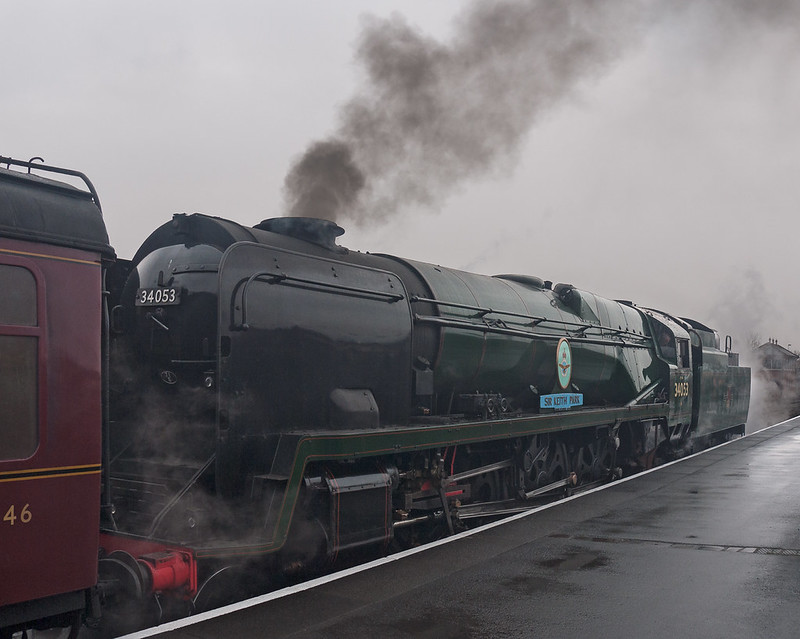
Right-o my little chick-a-dees, here's one from last years Spring Steam Gala on the Severn Valley Railway.
I've posted the JPG but think you'll be struggling to get the shadow detail back using that but who knows!


P1020597
by Farmejim, on Flickr

Here's the RAW

http://speedy.sh/kqnK3/P1020597.dng

Good luck, I'll be calling the shots on Tuesday.
 
Well done Jim(y), missed the last one again, but hopefully I'll get an attempt in at the train over the weekend :)
 
Congratulations Jim, it was well deserved.
Many thanks for the kind words David, coming from you it is appreciated.

I live about a half hour drive from the SVR and I’m ashamed to say that I have only visited once, many moons ago. I was toting a Canon A1 and a 50mm/1.4 (I still have them.).
Note to self, “I must revisit the SVR.”

Jim I’m afraid it’s another mono from me, well sepia.

Opened in ACR, auto, open in PS.
Crop 3x2, copy layer.
Switch the background layer off.
Make a selection around the front of the engine separating it from the carriage, continue up until the selection is above the height of the carriage, continue the selection across to the edge of the canvas , include all the image to the left of the engine. Cut. Removing the carriage.
SAVE.
Now for the naughty bit, Google for SVR and Sir George Park locomotive images.
On finding suitable pictures load them into PS and select the bits I want, copy and past the selections into new layers, then drag the layers into the main image.
Slide the bits into position stacking them as required, i.e. bumpers and side plate beneath the engine but above the sign and platform. Fine-tune the positions with transform, mask bits not needed, Tidy up……a lot.
SAVE.
Create the wall bottom left, from the bricks under the bumper.
Bring in some steam from a steaming kettles shoot I did, humpty dumpty years ago.
Generally mess about until all the composites looked OK.
Flatten.
SAVE.
Convert to mono,
New layer.
In the new layer drop a grey grad at 40% from the top to the top of the engine, pull another up at an angle from bottom centre right up to the edge of the platform. Adjust the layer opacity a little.
New layer, fill with 50 shades of gray, “Oh no” I mean 50% grey, and change the blend mode to soft light.
Using black to burn and white to dodge, paint with a low value soft round brush into the grey layer.
When happy with the shading flatten.
SAVE.
Add a Sepia/Photo filter adjustment layer.
Add a Brightness/Contrast adjustment layer.
Flatten.
Select all and add a border using stroke.
SAVE.
Save for web.


CLICK FOR BIG AGAIN TO ZOOM.

Rhodese.
 
In CS2
Clone out modern lamppost above locomotive and dark area of sky on left edge
Select sky and area beyond tender
In Inverted selection
Exposure +1.20, Gamma 0.94
Shadows: Amount 16%, Tonal Width 18%, Radius 30px, Midtone Contrast +20​
Lens correction: Remove Distortion -7.00, Vertical Perspective -6, angle 0.60
Crop
Clone out corner of flower bed

In Lightroom
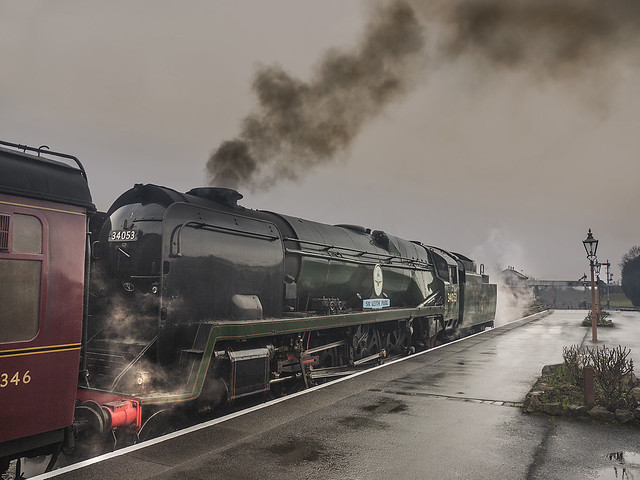
Select sky and area behind locomotive: Contrast 38, Highlights -45, Shadows -100
Select locomotive and carriage: Contrast 26, Shadows 17, Clarity 14, Saturation 19
Sharpen: Amount 68, Radius 2.0, Detail 0, Masking 48
Export JPEG 90 Sharpening Screen Standard


NOT MY IMAGE - farmerjim - Steam locomotive - P1020597-Edit PS1b Export Std
by gardenersassistant, on Flickr
 
Here's me effort

open in ACR

Screen shot of adjustments


Jims pp game -Train
by Phil D 245, on Flickr

then open in E11

Crop, slight ccw rotation, clone out lamp post over train.
Then cloned out what was still showing of the nearest bloke on the platform and the stone edging round the plants


Jims train pp game
by Phil D 245, on Flickr
 
Now that is a cheeky edit Rhodese- nicely done:D

Looks like I went for a similar crop to the others.

Was tempted to go B&W or try some rain given it was actually wet this time lol but stuck to my guns and went for colour.

In raw- added some shadow to the chimney smoke and increased the Hue on red and green.

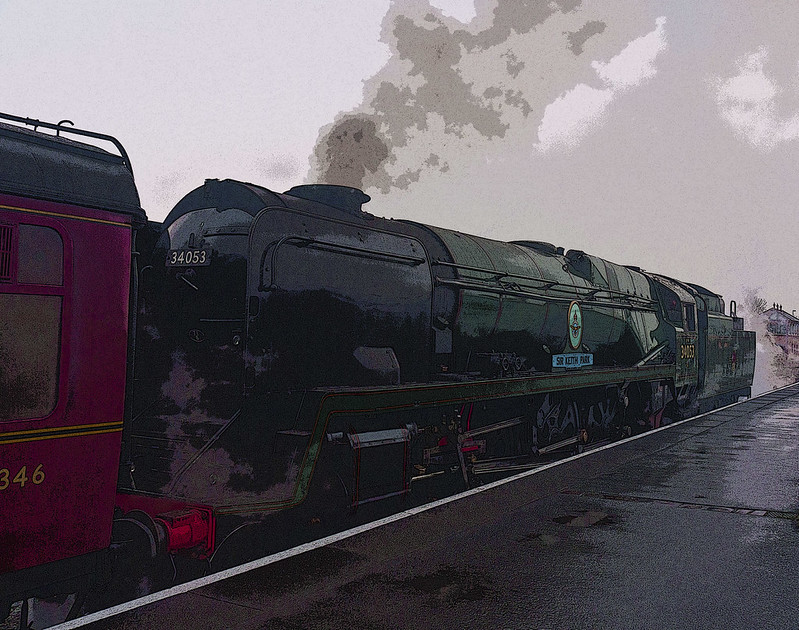
In PS- converted to 8bit after remembering that filters don't all appear. Added poster edges filter.

Next added vibrance adjustment layer and boosted right up.

Cloned out lamppost which I had meant to do before applying filter:rolleyes:

Cropped a bit


Edit72
by Dr_Ozone, on Flickr
 
LR5.5
Maximum Highlight recovery
Maximum Shadow recovery
+20 whites
+10 blacks
applied FP4 grain action

PS CC:
Curves adjustment layer
Local dodging and burning with graphics tablet and pen (using 50% grey layer and overlay).
convert to greyscale
Convert to duotone
added a subtle split copper toning with bleach back effect
back to RGB
8 bit sRGB
save as JPEG quality 12


There was a lot of noise in them there shadows :)
 
Last edited:
Tuesday's here so here are my judgements/critiques.
Not much time I'm afraid as we're in middle of lambing and nowhere to put new-borns as it's too wet outside so this is a quick run-down, sorry.

  • Rhodese. Very clever work here. Removing the coach and some v good splicing in right hand side of Sir Keith. Like the monochrome/sepia look. The steam and smoke are good. Interesting to see Kidderminster station twinned with Bridgenorth!
  • Gardener'sHelper/Nick. A tight crop, but that's OK it works fine. You've removed the lamp post from Sir Keith's boiler, good.
  • Phil-D. Almost the same crop as Nick but you've taken a bit more off the top and with it some of the smoke which is a shame, as us steam anoraks like as much as possible :) You've removed the lamp post, good.
  • Dr.O. An unusual Avante-guard's van approach to the subject matter verging on Warholesc. The effect is interesting but I don't think it's ready for the Severn Valley Railway newsletter.
  • Pookeyhead/David. Very nice monochrome processing with the FP4 grain. The duo-tone and copper/bleach is very subtle and works well. Most impressive smoke (dirty Polish coal!) and I like the sky. Only minus is the lamp post.
I'm awarding this coveted prize to Pookey-head/David. Mainly for the lovely smoke. Well done :clap:

Here's my edit which I did before I got busy so had time to clone away stuff!..................


kiethparkTP
by Farmejim, on Flickr
 
Cheers Jim, I knew it was Kiddie but I couldn’t find a picture with the required attributes, so Bridge”O” had at do.
Well done David, nicely done and well deserved. (y) Now get a move on and let’s be having the next one. I’m all of a shake and need a fix. :help:

Rhodese.
 
Cool! Thanks Jim.

Making dinner.... back soon with a new RAW :)
 
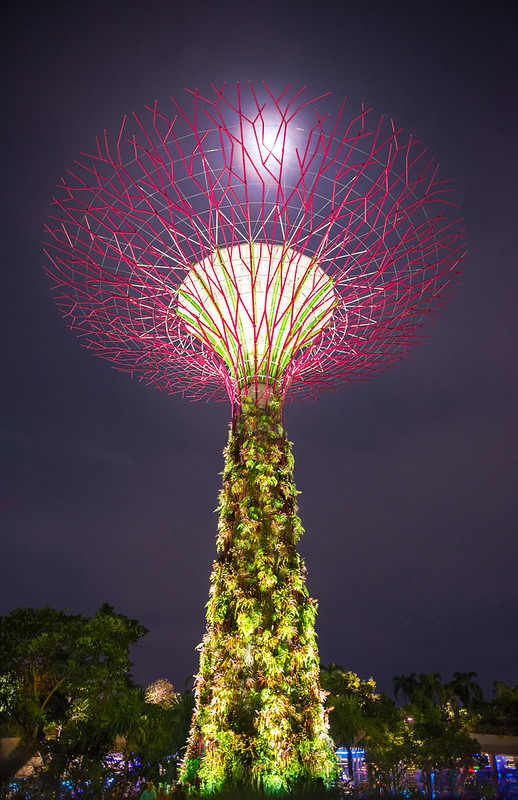
OK... here you go. Again... random 4 figure number generated from a number generator website... fed into the search window in the root directory of my image drive, and the first RAW with a matching number was chosen.

Have fun.

xfDGbeR.jpg


14bit RAW.
https://dl.dropboxusercontent.com/u/23953768/_DSC3136.NEF

I'll call it Friday evening.
 
Well done David.

In Lightroom
Import with sharpening: Amount 25, Radius 1.0, Detail 25.
Highlights -69, Whites +40, Clarity +15, Vibrance +15
Clone out red filaments in sky on left
Select bottom two thirds of tower: Highlights 19
Remove Chromatic Aberration
Rotate -1.4

In CS2
Warp to fill in gaps created by rotation
Duplicate layer, apply maximum noise reduction to bottom layer, erase sky on top layer to let noise-reduced bottom layer show, flatten image
Do lots of cloning.

In Lightroom
Select top third of tower: Exposure 1.33
Select tower: Exposure 0.29, Saturation 64
Radial filter around structure at top of tower: Exposure 0.57, Contrast 71, Highlights -26, Shadows 40, Sharpness 100

In CS2
More cloning.

In Lightroom
Export full size JPEG 90 Sharpen Screen Standard


NOT MY IMAGE - pookeyhead - Light tower - _DSC3136-Edit PS1 Cl-Edit PS1a Cl Export Std
by gardenersassistant, on Flickr
 
What to do? What to do?
Random selection or not it’s a toughie. I could not think where to start, then it looked to me as if David had attempted to align the moon with the tower, so here’s what I did.

Opened in ACR hit auto, drag the highlights slider to 50 and then a lens correction, open in PS.
Copy layer.
The bottom left looked strange?
Made a selection of the R/H side of the image then copied and pasted it into a new layer.
Flipped horizontal and moved across lining up the red fretwork.
Flattened, made a rectangular selection of the now “double moon” area transformed it until there was one. Filled the gaps created using the clone tool.
A slight smart sharpen, a colour zap was added using a Vibrancy/Saturation adjustment layer.
The main subject was not central so a 3x2 crop was applied to centre it.
Select all and add the border with stroke.
Save.
Save for web.


CLICK FOR BIG, AGAIN TO ZOOM.

Rhodese.
 
This is mine..........
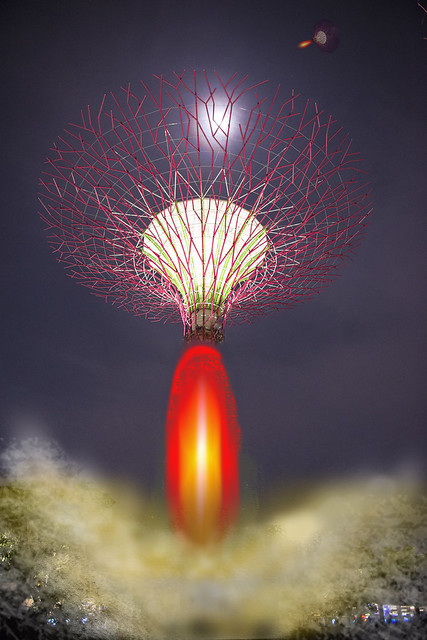
I'd got no idea what this thing is, still got no idea so decided it must be some sort of alien craft.

That being the concept the rest was easy, well concept easy, execution not as simple as I thought.
The idea was to ignite the hidden rocket engine and blast it back into space to rejoin the mother-ship.

Opened ACR and left it on default options then in PS I built up the rocket flame in one layer by painting in red then yellow in the middle and then using motion blur and warping it a bit.
I thought the smoke would be easier than the flames but it's not. That was 2 layers, one for grey and one for yellowish orange but it didn't look that good.
Finally copied the space craft and pasted it in space as the Mother-ship.
Sorry to barstardise your image David but it had to be done.


return_to_mothership
by Farmejim, on Flickr
 
Now that is a cheeky edit for here Jim;). I like the engine blast.

Still in colour mode. Not a fan of lightroom- been trying to use it again but much prefer ACR and PS.

Used spot healing brush in LR to clone out bit at the left edge and top right but for whatever reason LR produced some blob like remnants and I had to do it properly in PS using the clone stamp
Added contrast via adjustment brush
With shadows set to+29 brushed over trees at bottom

Adjustment layer for channel mixer and upped the red to +168%- just in case it wasn't obvious :p
Added vibrancy layer but took it off after deeming effect negligible
Sharpened and reduced noise

Quite light touch really- other than the slight red tint:D


Edit74
by Dr_Ozone, on Flickr
 
Will close this later tonight... bit busy at the moment.
 
OK.. not many entries for this.

Nick:
Really nice tones.. subtly done. Well thought out process. Can't really fault it... except for one thing... the radial sharpen filter has left a very noticeable circular area of increased noise.

Rhodese:

Yes.. it was my intent to get the moon in the middle :) I had to lean over a bench and use Live view upside down to get this... took a couple of attempts. The next shot... 3137 is bang on.... Oh well.. that's random selections for you. :)
Almost identical results in colour and tone. Very high quality of noise control without trying to remove it all (always impossible on high ISO shots without actually making the image look soft and woolly if you go too far).

Dr_O:
Not normally keen on radical colour changed from the original one, but I really like this.. just a really simple process too.

Jim:

LOL.

Apart from Jim's they're really simple processes that are mostly so subtle it's hard to decide. Jim's is outrageous as usual, and made me chuckle.

I think I'm handing this one to Dr_O. Simple.. effective, and striking result.

Nice work all.

Over to you Doc!
 
Ah-ha, awesome, thanks David:)

Will have a trawl through some images and post one up, likely be tomorrow morning though.
 
Forgot to include my edit.

mynq852.jpg
 
Nice one Davd, I see you avoided the temptation to use photo 3137 as your base:p

Ok, apologies for delay folks some slight technical issues with remembering where to upload files etc as well as finding a pic.

See how this goes, handheld and taken rather hastily on borrowed kit (although ironically it was my old camera I gave to a mate so poor excuse I guess lol)- you'll need to make do as best you can anyway.


Wreck
by Dr_Ozone, on Flickr

Raw:
http://www.megafileupload.com/en/file/499368/-DSC7817-NEF.html
 
Nice one Davd, I see you avoided the temptation to use photo 3137 as your base:p

The random finger of fate decides what I post.. unfortunately. I kind of enjoy wondering what a random selection will throw up though Keeps it interesting :)
 
It's a great idea- I really like it although I need to get the rest of my house in order first:p

I forgot to say when I'd call it- Wed evening- around 19.00 sound fine?
 
LR5:
-40 highlights
remove CA
gradient on sky with +15 clarity
export as 16bit TFF
cropped some space from the right.

PS CC:
add black and white adjustment layer filtered on reds and greens to increase tonal separation in rusty wheelhouse and trees.
faded B&W layer back and recovered colour with a saturation adjustment layer
Added 50% grey layer set to soft light and dodged and burned clouds.
Photo filter (warm up) set to 10 for very subtle warm up
8bit
sRGB
Save as JPEG quality 12.

Click for big
 
Last edited:
Cheers for the crit David. (y)

Well done Dr. :clap:

I had a dangerous page warning from the download has anyone else? or is it just me “again

This one is a bit of a change in as much as, well it’s a half-decent picture to start with.

So off we go.

Open in ACR, auto, and change WB to cloudy to make it warmer. I do like a bit o warm on a cold winter’s day. Open in PS.
Copy layer.
Make a selection of the foreground rocks then copy and paste into a new layer, flip horizontal.
Move the selection over to the L/H corner. Add a mask and tidy the blend.
Warp within transform and alter the tones with colour balance. Dodge and burn to further the disguise from the originals.
Merge the rocks layer with the background copy layer.
SAVE.
Select the sky and refine the edge by 150 pixels, output to selection, within a levels adjustment layer bring the L/H slider in to almost meet the histogram.
Reselect and invert the selection, refine the selection as before and again in a levels adjustment bring the R/H slider in to meet the base of the histogram.
SAVE.
Fill a new layer with 50% gray, change the blend mode to soft light then drop a black 40% grad from the top to the sea/skyline. Pull another grad up from the bottom to the front of the boat.
With a soft round low value brush, paint black to burn and white to dodge, bring out the different shades throughout the picture.
Still in the grey layer, change the foreground colour to that tiny speck of blue in the sky, paint on the water.
Flatten
Select all and add the border using stroke.
SAVE.
Save for web.

CLICK FOR BIG.


Rhodese.
 
A fair cop with the noise David. :) I was only looking at the image screen size before posting (I was going to post 1100 high and then decided not to) and only noticed the horrible noise after posting. :oops: :$ Seemed to remember the rules don't allow changes, so that was that!
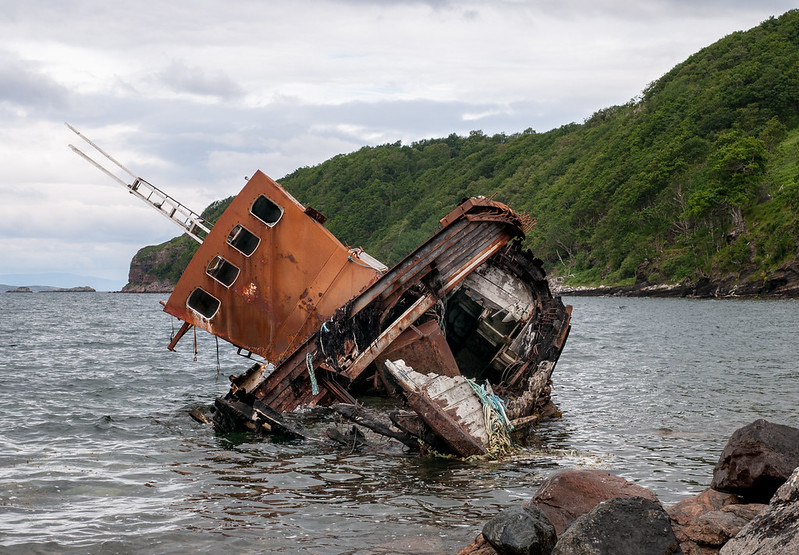
Nice one Dr. Ozone, both your winning edit and the image to work on.

I had a dangerous page warning from the download has anyone else? or is it just me “again

No, but I did get a "not accessible" error several times. Had to leave it for a while.

Anyway...

In Lightroom
Crop
Shadows +21, Whites +21, Blacks -31, Clarity +10, Vibrance +10
Adjustment Brush:
Sky: Contrast 74, Highlights -100, Saturation 12
Boat windows: Shadows 93 Noise 100
Boat, large dark area: Shadows 100, Sharpness 29, Noise 81
Boat, small dark area: Shadows 7
Boat, small dark area: Shadows 83
Boat, s3 mall dark areas: Shadows 21
Boat, light parallelogram: Highlights -100, Saturation 50​
Radial Filter:
Bridge: Saturation 62, Sharpness 57
Small light area on bridge: Highlights -100
Hull: Shadows 29
Hull: Saturation -31
Rocks at bottom right: Saturation -26​

Export JPEG 90 Sharpen Screen Standard


NOT MY IMAGE - Dr Ozone - Wreck _DSC7817 Export Std
by gardenersassistant, on Flickr
 
Wow, you guys are quick off the mark. Great work from all so far- I predict it's going to be a tough one to call:confused:. Wouldn't have it any other way though:D

Rhodese- link seemed fine- I have sophos and no warnings. I did also put it on kim dot com's mega site but then it mentioned about keys and cryptography/ with or without the link etc and basically required too much thought so stuck with the original one.
 
I keep getting "Error, time-out" when trying to connect to megafileupload :( May try editing jpeg.
 
Back
Top