THE PP GAME!

It’s quarter to ten and there’s no- one in the place sept m…. Here we go again; this is so unnerving no matter how many times I have to do it.

Darren,
It’s a nice interpretation the sky is good, although the sea and foreground are not as warm as I would like and alas, the horizon is sloping.
I have not forgotten that splendid Buzzard, I think you have to practice your technique a little more. When viewed at the original size the blend is not good. I have no experience of Painshop Pro so cannot advise on a better way of cutting out and blending.

Graham,
You know what; you have all but the same edit as me.


Nick,
I know it was a dreary uninspiring image, with basic faults to be sorted but you have turned it into a half decent seascape, well done, I like it.


Sponner.
Yo know ahr ta mek summut dramatic dow ya.
I love mono; It’s all I did for years using film. I like the sky, I like the sea, do I like the foreground? I don’t know. It may be a grade or two too far; I will have to think about it.

Phil
Another nice effort, but sadly it has no umff.


I put this one up as it had that lazy photographer look about it. Under exposed, on the pi….scun…….not level, sensor marks, generally uninspiring.

Now for the comeuppance. The winner is Graham, it’s nice and bright and has a warmness that I like, and my number two is sponner.

Well done, over and out.

My edit,
Its similar to Graham’s but I have emphasized the sharks.


CLICK 4 BIG.

Rhodese
 
Bloo-y hell Jim, we overlapped and and I can’t go back, I do like it, could you please do a write up on the importing of the girl. Oh and by the way, toons are out. Yes, I spotted im.

Rhodese.
 
Last edited:
yay :banana:, Cheers Rhodese... Possibly a tad warmer than I would have made it for myself, but we must use our knowledge of the judger to our advantage!

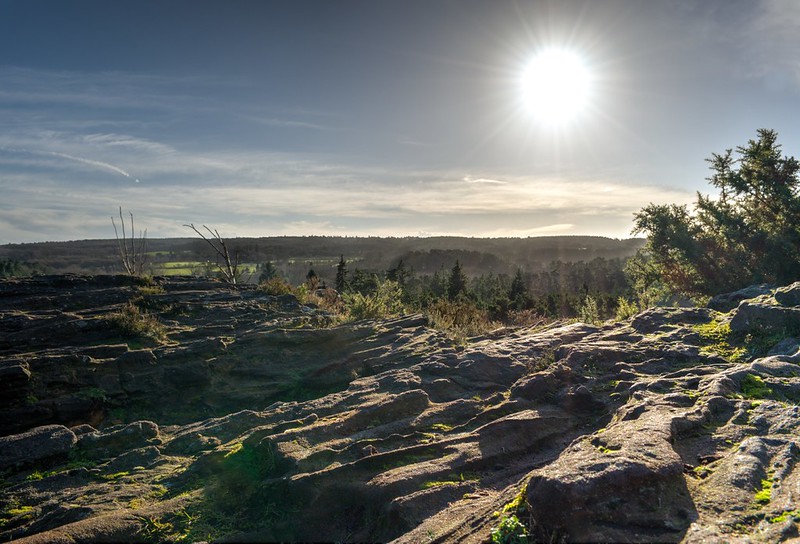
A bit of winter sun for us all here.....

Shot at ISO 100, which means there is a surprising amount of detail that can be pulled from the shadows without getting too noisy. However, I did bracket (+ / -2 EV) (handheld I'm afraid, as it was a lunchtime stop off mid walk), the -2 doesn;t add anything worthwhile (IMO), but I'll put the +2 link in as well.

Judging is going to have to be Friday afternoon.

Sorry about the lens flare too - I have bought a hood now!

kyx2.jpg


0EV RAW https://www.dropbox.com/s/e5edyzqe5ug04ag/DSC_8755.NEF

+2 EV (brighter) RAW https://www.dropbox.com/s/oe9zwvjrrzhej83/DSC_8757.NEF
 
Well done Graham:clap:

Bloo-y hell Jim, we overlapped and and I can’t go back, I do like it, could you please do a write up on the importing of the girl. Oh and by the way, toons are out. Yes, I spotted im.Rhodese.

Homer was a bit larger this time:)
The girl was just copy and paste into a new layer, used blur and noise (add) filters to replicate rest of shot.
Didn't realise there were sharks, I should have looked carefully, thought they were blooming gulls:)
 
Jim the gulls are behind the rock ;) , when I was in assessment mode I did comment that folk had not cloned them out :) , then changed my mind and said nothing, as my sense of humour is not to everyone’s liking.
The sharks are a pigment of my infatuation. I used the smudge tool, and dodge and burn to change the shape of a wavelet.

I’m struggling with Graham’s new test :confused: , my edit looks ok in PS but when viewed on the web it's way way too dark.

I’ve had this trouble before and it looks like I’ve got it again. :exit:

Rhodese.
 
Last edited:
Well done Graham and sponner.


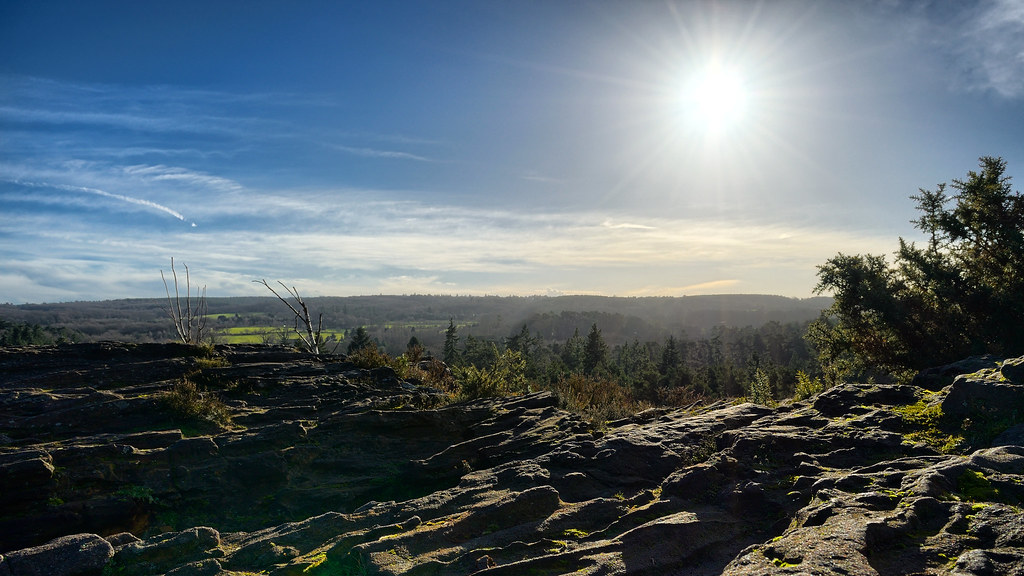
NOT MY IMAGE - overbez - Sun in sky DSC_8755_7_tonemapped PS1 Cl-Edit-2 PS1 Sm sRGB8bit
by gardenersassistant, on Flickr

Load both images into Photomatix and tone map using Contrast Optimizer method with defaults.

Save as tif and load into CS2. Clone out lens flare.

Save as tif and import into Lightroom.
Temp +12. Whites +62.
Apply radial filter to left of sky, Exposure +0.19. Apply radial filter to darken a small area of the foreground, Exposure -0.48.
Select sky, , Exposure -0.30, Clarity +48.
Select lower band of sky, Exposure -0.30, Clarity +79.
Select the midground in the centre of the image, Exposure -0.30, Contrast +38, Highlights -64, Shadows -52, Clarity +67.
Select four smaller (overlapping) areas of the midground and reduce the exposure in three of them and increase the clarity in the other one.
Lens vignetting Amount +21 (reverse vignette), Midpoint +27.

Send to CS2.
Blur a small area of cloud in the sky that had become artefacted.
Convert to sRGB, 8-bit. Save as JPEG Image Quality 10.
 
Here's mine.

Used the 8755 version.
Opened with ACR
Here's screen-shot View attachment 4356

I used the graduated filter again to try and get the sun how I wanted it bu didn't manage it.
In PS I cloned out the lens flares and used the highlights/shadows slider to fine tune the exposure.
Sharpened and ran noise reduction.
Still not happy withe the sun and surrounding area I decided to fill it with some nice sunny yellow.
Added an eagle.
Resized for Flickr.
Not happy with the sun, it looks very artificial but must get on with other projects!

Click for larger...

DSC_8755
by Farmejim, on Flickr
 
Yo know ahr ta mek summut dramatic dow ya

I'm assuming that is brummspeak ;)

Proper languauge would be

"they dusna arf noo ow mek summat dramatic dunna thee"
 
Me a Brummie? nar. I'm a Black Country YAM YAM. :)
Bilston born an bred, strong in the arm and thick in the yed.

Rhodese.
 
Last edited:
Using the dark RAW.
Open in ACR, auto, open in PS.
Remove lens flares with content aware.
Copy layer, open a hue and saturation adjustment layer, and knock up the master sats to 50.
Open another layer adjustment and add a 35% warm (85) filter. Mask the clouds.
SAVE.
New layer fill with 50% grey and change the blend mode to soft light.
Set the foreground colour to red then with a soft round pressure sensitive brush, set at 20% opacity, 20% flow, in airbrush mode, start to paint the sky. Continue painting, adding dark blue, yellow and orange.
SAVE.
In the same layer add colour to the sun and sunbeams, paint a little extra warmth onto the rocks.
Dodge the darker parts of the foreground using white.
Flatten.
Select all and add the border using stroke.
SAVE.
This next move is a little strange; it’s something I have done on occasions when an image is nearly there but not quite and I don’t know what to do. You may think it a fudge but it sometimes works.
Re-open in ACR hit auto; pull the exposure slider back to zero.
SAVE.
Save for web.


CLICK IMAGE FOR BIG AND AGAIN TO ZOOM.

Rhodese.
 
friday afternoon it is....

nick, nice detail in the foreground - only one to use both files - interesting.... I think a bit more colour in the sky for me, also the sun appears (ever so slightly) as a circle with rays coming off it, rather than a blend of bright into the blue... Nice work on the FG and flare gone too.

Phil - lovely and colourful sky, sun blends in well, nice contrast in the forground, and yep - two flares taken care of.

Jim - loving teh eagle, looks right at home there, I did consider (briefly) trying to clone out those trees on mine.. Issues with the sun.. say no more. (y) for posting though. Needs a bit of a colour boost for me.

Rhodese... nice work on the sky and the sun, not completely sure about the red in the sky, coming across a tab dark in the rocks maybe.. probably more true to life that way. but. :thinking:

All fine edits, excusing Jims sun I could pick any of the other three.

By the smallest of margins, I think the blue of the sky swaying me.... is Phils edit.

Heres mine,


Blended the three files (-2, 0 and +2) not that I needed the -2 as I pushed the highlights up to brighten the sun.

cropped the bottom flare out too, to give a wider aspect.

Over to you please Phil.. (y)
 
Well done Phil.

nick, nice detail in the foreground - only one to use both files - interesting.... I think a bit more colour in the sky for me, also the sun appears (ever so slightly) as a circle with rays coming off it, rather than a blend of bright into the blue... Nice work on the FG and flare gone too.

Thanks Graham. As soon as I saw Phil's version I realised I was making a mistake automatically jumping in to use multiple files just because I've got Photomatix now; Phil's sun struck me instantly as sooo much better to my eye, and the rest was just fine too. I hadn't even thought of trying to use a single image. What with that and other examples of single-image use in this and earlier rounds, I think I may have learnt a very useful lesson. Well, I hope so. :)
 
Thank you Graham, again, that was unexpected :)

Nick, cheers for the comments also :)

I'll get an image and link to a raw up after mi tea :D
 
Congrats Phil :clap: a fine edit and your sun is brilliant, please excuse the pun :)
Thanks for the critique Graham, my sun is pants:runaway:
 
Cheers Jim :)


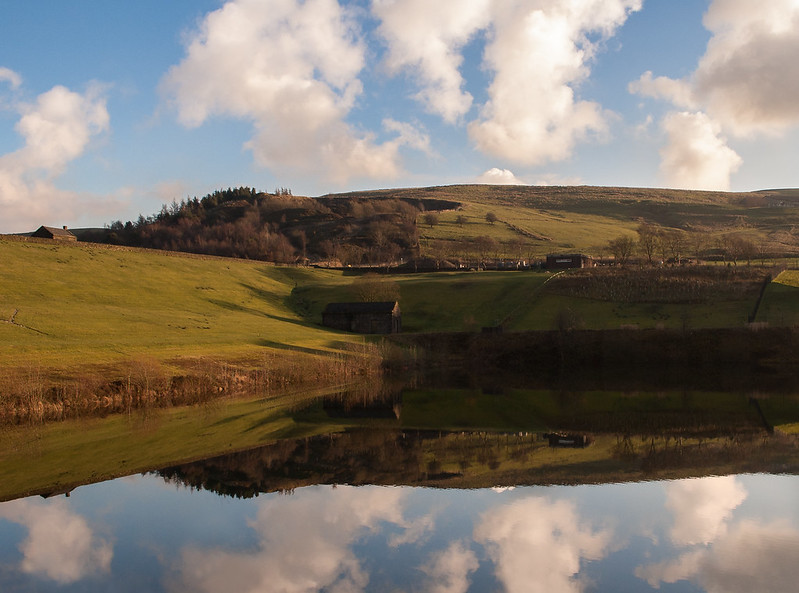
Took this on Monday with Lynns D70 that I bought her for Christmas. ( I know, generous to a fault :D)

I quite like the camera, being able to adjust aperture and s/speed on separate dials and having a lot more buttons at your finger tips instead of going into the menu. ISO was 320, does it look a little noisy? Apparently she'd altered it by mistake :rolleyes:

I'll call it Monday tea time :)


DSC_1120
by Phil D 245, on Flickr

Link to raw

https://www.dropbox.com/s/sd83a8kiy6fhq1m/DSC_1120.NEF
 
In Lightroom
Temp 6550, Tint +10. Vibrance +7
Rotate +0.2
Select sky: Clarity +36, Saturation +3
Select reflection of lighter area of hillside: Exposure +0.29, Clarity +12, Saturation +31

In CS2
Do some cloning at the bottom of the scene

In Lightroom
Crop
Select sky: Clarity +21, Saturation +43
Select reflection of sky: Exposure +0.76
Whole image: Sharpen Amount 37, Radius 1.0, Detail 25, Masking 69
Select reflection of darker area of hillside: Saturation +100
Clone out a tiny bright dot (reflection of a window?) on small building near water, and the dot's reflection.

Export full size to JPEG 90 with Output Sharpening Standard.


NOT MY IMAGE - Phil-D Lake DSC_1120-Edit PS1 Cl - Edit
by gardenersassistant, on Flickr
 
LR5
Lens profile and CA removal
Slight sharpen
-15 highlights
+15 shadows
Slight rotation
Export as 16bit TIFF

PS CC
create black and white adjustment layer with reduced blue and cyan filtration, and increased yellow and green filtration.
reduce opacity on black and white adjustment layer to 80%
add saturation adjustment channel, and increased saturation to recover colour.
Cloned out branches and stuff at the bottom
Cropped to make it slightly more panoramic in aspect
applied sRGB
saved as JPEG max quality.

Click for big etc.
 
pplake-1.jpg


lift shadow area in LR4
brush over some more shadow lift in the shaded area
sharpen scenic pre-set
touch of clarity.
darken blues a little
slight tilt down to the left a degree or two
cloned out branches at the bottom in faststone.
 
Last edited:
Well done Phil.

Open in ACR, auto, open in PS.
Copy layer.
Select all, edit, transform, and rotate.
The triangular gaps on the sides and top, that were created by the rotation. Fill with content aware.
Use crop to add more space to the bottom.
SAVE.
Select the sky just below the skyline; refine the edge with a 10-pixel feather.
Copy and paste into a new layer.
Image, adjustments, exposure, bring the exposure down to match the original sky reflection then edit transform and flip vertical.
Move the new sky down and line up at the overlap, add a layer mask and blend in the join.
Flatten; crop to remove excess space at the bottom.
SAVE.
Add a hue/saturation adjustment layer and up the saturation.
Add a vibrance layer.
Add a 25% warm (85) filter, layer.
Image, mode, 8-bit channel.
On the copy layer, select the water and contract the selection by 10 pixels then feather by 10 pixels.
Add a ripple filter.
Deselect.
Image, mode, 16-bit channel.
SAVE
Now most importantly, on the little building centre/left, nearest the waters edge. Spot out the gull and its reflection, then spot out the plane.
Flatten.
Select all and add the border using stroke.
Deselect.
SAVE.
Save for web.


CLICK4BIG.

Rhodese.
 
Here's me go......

Started with ACR, here's the screen shot............
View attachment 4715 click for huger version

Then in PS straightened it and cloned out the shrubs on the bottom (oo-er, that sounds rude:))
Used shadows/highlights to get exposure to my liking.
I cropped off some of the right and removed the block-house on the left and sharpened and ran noise reduction.
Thought it would look better with a square format so added some canvas and used content aware to fill but this gave some very strange results and resorted to cloning the clouds back in.
And here is the result.....

DSC_1120
by Farmejim, on Flickr
 
Last edited:
Ok.......so I'm a couple of hours early, but I can't see anyone else submitting an entry now.

I'm going to have a go at saying what I like/dislike, if anything, about each entry, instead of just announcing a winner.

Its impossible for me to be too in depth, a lot of the techniques used I don't even understand :D

Seems most edits are very similar, even mine that I did when I posted up the raw...... So.....here goes........

Firstly, all entries, as usual, are very good (y) it certainly doesn't make for easy judging :help:

Nick- Crop could be a little too square for me,but good cloning, colours look how I would like them (y). Looks a little dark in the shadows and I definitely thought it needed a bit of cw rotation, which you've missed :)

David- on my cheapo laptop screen it looks to lack a little colour and seems a bit cold , me and warming, I can't seem to help miself
Love the clarity, crop,cloning and the cw rotation (y)

Sponner- I like it (y), colours, just how I'd like them. Like the way you've managed to bring the detail out in the far bank, crop, cloning, cw rotation, good :)

Darren- Colour wise it looks similar to Davids, again,looks a little cold :thinking: good cloning and crop though :) but you also missed the CW rotion that I thought it needed

Rhodese- Colour wise looks similar to Sponners, I like it (y) crop,cloning and you got the rotation in, just looks a tad dark :thinking:

Jim- I like the clarity, colours , not too keen on the crop though, the reflection in the water looks too much for me. Cloning out the building on the right, far bank, was a brilliant idea :clap: wish I'd thought of that :D

Phew........have I done yet! :D

Right, the winner for me is Sponner, edited just how I'd like it, the clarity in the far bank shadows was the clincher, well done! :clap:

Here's my attempt


Kitcliffe reflection
by Phil D 245, on Flickr
 
Last edited:
yikes, off to find am image, cheers :) (And surprised I found some other's better than mine, wish I had thought to clone that building out too)

Thanks for the feedback, I like this game because it is so interesting to see other people's take on editing and then to see other peoples feedback.
 
Last edited:
Thought I'd go for a Kodak High Speed 35mm film with normal red filter look.

LR5

Perspective correct.
Lens profile
remove CA
-70 highlight
+20 shadows
-20 blue luminance
export as 16bit TIFF

PS CC

Channel Mixer adjustment layer (-50red, +200 green, -70 blue)
Select green channel, and apply heavy gaussian blur
Fade Gaussian blur to 30
Add mid grey layer (128, 128, 128) and set to overlay to add grain as a separate layer
blur noise layer slightly
Dodge grass to brighten even more by dodging the overlay grey layer.
Clones out wires and birds.
8bit
sRGB
Save as JPEG quality 12

Click for big
 
Last edited:
Well done sponner. Nice edit!
Good feedback Phil. Thanks.

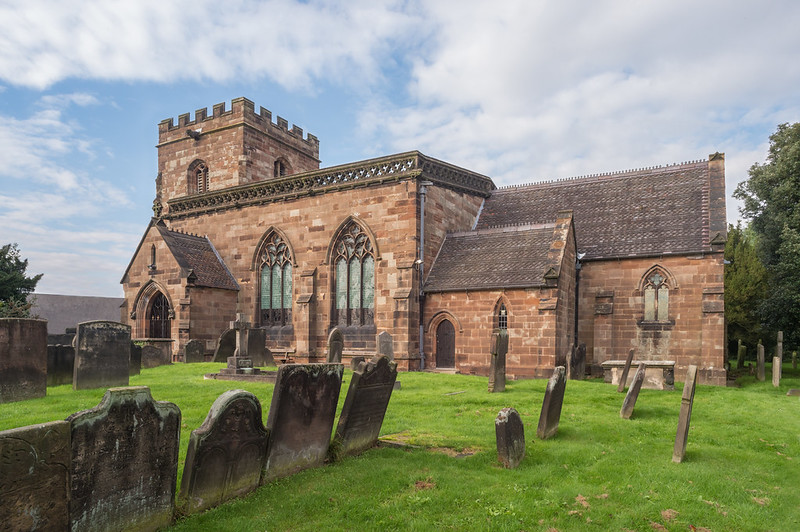
In Lightroom

Temp 5650
Highlights -83, Shadows +52
Clarity +20, Vibrance +20
Orange: Saturation +20, Luminance -27
Transform: Distortion +21, Vertical -20, Rotate -0.6
Remove Chromatic Aberration
Select sky: Highlights -100, Shadows -100, Clarity 12, Saturation 31
Select right hand pair of windows: Exposure -0.29, Contrast 100, Highlights 88, Shadows -64, Clarity 2, Saturation 33
Crop

In CS2

Clone grass into bottom left hand corner where the perspective/rotation had left a gap.
Clone out cables and part of tree on left, sign on door railings, bird, lightning conductor and several ? dust spots in the sky.
Clone to extend roof of left hand building down.

In Lightroom

Sharpen Amount 71, Radius 1.0, Detail 25, Masking 89
Export full size. Output sharpening Standard. JPEG 90


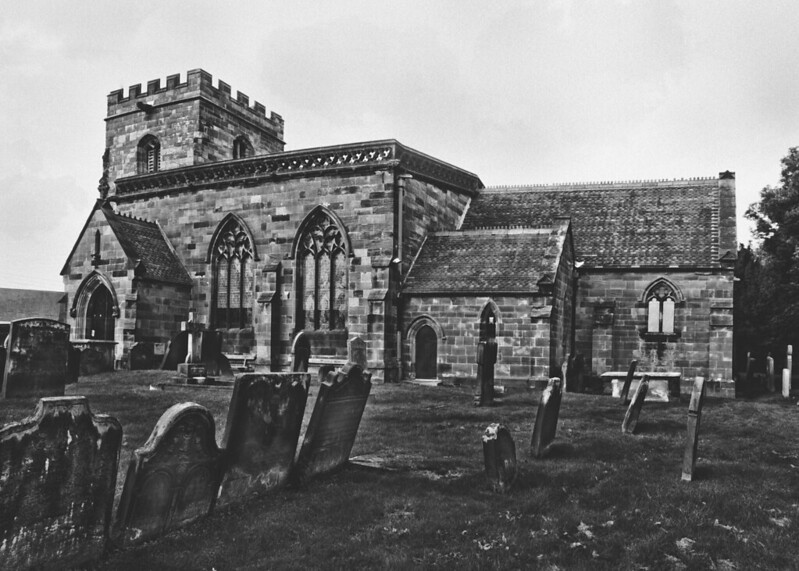
NOT MY IMAGE - sponner - church - NJS_3002-Edit PS1a Cl - Edit Export Standard
by gardenersassistant, on Flickr
 
Last edited:
Just scrolling down the page looks like some great edits here these days so allow me to even things up:p

Anyway, long time since I've done anything and trying to get back into things. Easiest to start with what I didn't do- I didn't use liquify:D

Once I'd updated ACR I was good to go although made note to self that if I buy a newly released camera I'll be screwed as that was the last update apparently for my version.

In ACR changd to greyscale
upped the fill light and blacks a touch
painted some contrast in the sky
In PS, duplicate background, straightened a touch but as I couldn't remember how to do it without the ruler which wasn't doing it for me, transforming with perspective was a bit and hit and miss
Added some clouds with some custom brushes I made a couple of years ago- wasn't convinced so painted some grey with low opacity into the sky as well.
Added a gradient- didn't like it, took it off
Added levels, played about a touch
Was a bit dark so dodged a bit of the shadows/midtones to lighten backs of gravestones and door
Cloned out the stray bits of tree but then cropped them out anyway so time well spent:rolleyes:
Added some noise and dust/speckle to try and get some grain. Probably should have added grain in ACR as seems better. Not convinced it worked very well
Did a bit of sharpening as well


Edit62
by Dr_Ozone, on Flickr
 
Well Dr O sounds like you had a really good time
animated-smileys-jumping-020.gif
 
Well done Sponner... :thumbs:


Made 3 exposures (-2, 0, +2) in ViewNX2
Merged in SNS-HDR
Opened in Lightzone
Added local contrast to bring out detail in bricks
PS to correct vertical perspective distortion
crop, clone grass / headstone some into missing lower corners created
clone out birds / dust spots
clone out security light and camera
B&W conversion
Back to lightzone for tiny bit of split toning
 
Jim this one could do with Quasimodo shouting from the roof?

WATER, WATER :)
 
Jim this one could do with Quasimodo shouting from the roof?

WATER, WATER :)
You trying to be funny John? Got plenty of water here already!! :):) Although I do remember a Simpsons episode with Homer as Quasimodo, now where is it.............................
 
Well done sponner,:clap:
Sponner has this been put up elsewhere? I just have that feeling of Deja-Vu.

Any road up, for something different, and just for a bit of fun.

Open in ACR, auto and drop the exposure by a further 4 stops, open in PS.
Copy layer, copy layer,
Drop the exposure again until the sky is just visible.
Add a mask and then paint back the church and gravestones, adding and subtracting until it felt right.
New layer, fill with 50% grey, paint in the windows and door with yellow. With white selected highlight the tops of the stones and the grass, then lighten the church. Make a triangular selection in front of the light, feather by 20 pixels and fill with 1% white.
Add the moon
Flatten.
Add the border.
Save.
Save for web.


CLICKFURABIGUN.

Rhodese.
 
Hers my effort, struggled with the perspective a bit.

Opened in Paintshop Pro X6
Set Highlight Recovery to Normal
Adjusted
brightness +6
Shadows +10
Highlights +10
Saturation - More colourful +24
Focus - Sharper +62
Adjusted perspective
Run Local tone mapping Strength 15
Adjusted White balance to make warmer
Sharpened again
Adjusted contrast +15
Removed Noise created by editing
Saved as Jpeg


NOT MY IMAGE - The PP Game Edit 14
by DazJamesPhotography, on Flickr
 
Hers my effort, struggled with the perspective a bit.

Glad I'm not the only one. Vertical rulers eventually said that various verticals were vertical, but my eyes insisted they weren't (the tower in particular). I gave up eventually.

There's an issue I find quite interesting here - should you make verticals truly vertical, or arrange them so they look correct? I'm interested partly because I've encountered something similar with horizontals. My eyes want the far coastline of the Severn Estuary to look horizontal but it isn't (depending on which direction you look in and the angle of view). So should I distort reality or have an image that looks wrong? I've wondered about that quite a lot. Not been able to reach any conclusions though.

BTW - is it ok to talk here about PP issues arising from the game?
 
Glad I'm not the only one. Vertical rulers eventually said that various verticals were vertical, but my eyes insisted they weren't (the tower in particular). I gave up eventually.

There's an issue I find quite interesting here - should you make verticals truly vertical, or arrange them so they look correct? I'm interested partly because I've encountered something similar with horizontals. My eyes want the far coastline of the Severn Estuary to look horizontal but it isn't (depending on which direction you look in and the angle of view). So should I distort reality or have an image that looks wrong? I've wondered about that quite a lot. Not been able to reach any conclusions though.

BTW - is it ok to talk here about PP issues arising from the game?
Absolutely Nick, as far as I can see ( haven't been playing for that long), the PP game is about learning and improving our skills, or lack of them in my case:)
As for the vertical perpendicular, going up and all that stuff with this particular shot, I have had real probs!
 
Well Dr O sounds like you had a really good time
animated-smileys-jumping-020.gif

Haha, yes- a mixture of frustration and pleasure as I remembered some things. Long way to go to emulate anyone here but it's all good. Just looking forward to getting into it all again now that life is a bit more sorted again:)
 
Back
Top