THE PP GAME!

Tricky one Rhodese....

Opened in ViewNX2,
Deleted the file so can;t check what i did.
Exposure +2 (I think)
contrast down a bit
sharpening 3
highlight protection max
shadow protection about mid way

In PS
Lens correction to try to reduce vignetting
horizontal flip :whistle:
gave it a bit more white space around
couldnt keep the horizon line strong, so created a new grey straight line over the bit that I did have
sampled colour off original, gaussian blur to match, levels and opacity to suit
clone part boat out
dodge tool to brighten around the outsides
about 50% desaturation

Picasa for white vignette

 
Thanks for the test Rhodese.

I like b&w so thought that this would be a good candidate for that process.

I opened in ACR View attachment 3903

Then in PS I converted to B&W using Silver Effex but in truth didn't do much more than I would have done if I'd converted in PS, (I went back and did it again using PS and got same results.)
Then used shadows/highlights to reduce the highlights a bit. I wanted nothing more than the boats and reflections but then liked the look of the horizon as being more distinctive so darkened that a tadge.
Cloned out all the buoys and cropped and straightened 0.5 degs.
There's some noise introduced with my messing around but not too worried about that!

Result here, click for larger.

BOATS17
by Farmejim, on Flickr
 
Here's my effort, tbh, I really didn't have a clue with this Rhodese :thinking:

open in ACR, screen shot of adjustments


boats17 screen shot
by Phil D 245, on Flickr

Then cropped it down to this and clone out the objects to the left


BOATS17-1
by Phil D 245, on Flickr

Now I know I've lost a lot ( ok most :rolleyes:) of the reflections but thought I'd try it any way :)

Does anyone know why the finished image looks a different colour to the screen shot? :confused: It didn't look that yellow when I was working on it

I've noticed it before, all I've done from ACR is open image to E11, crop, clone and save to jpeg
 
Last edited:
Does anyone know why the finished image looks a different colour to the screen shot? :confused: It didn't look that yellow when I was working on it

Colourspace??

your edit is saved in SRGB IEC61966-2.1, your screen shot has no colour space / profile applied to it.

Ask David or Nick if you want to know more. ;) (Sorry if my terminology is slightly off too).
 
You know what; I can remember pressing the shutter release on the series of shots this came from. I must have taken a hundred or more on the day, all sorts, these, kayaks, one man and his boat types, “gulls” on buoys. The light was coming from all directions; the mist was like a giant diffuser softening to the point thinning the image, little dapples of stronger light creating a halo of double vision around things. The pole in this one for instance, the mist, it never lifted, the exposure for this shot was 1000” x f5.6 x ISO100.
Right from the off I knew what I wanted, the whole scenario screamed,” Minimalist, high key, mono.” The kind of image popular in the late 70s early 80s, you know the kind of thing, a bare lone wind bent tree, in the middle of a snow covered field.
I did take them in colour…… just in case.

Shut up Rhodese and get on with it, you ramble on like an old man remembering. “Oh” I am an old man remembering.

So,

Nick,
This is "Oh" so smooth a lovely separation between the water and the sky. Good job Nick.

Sponner,
A tight crop that works well with the exception of the outer buoy and the pole spoil the symmetry of the boats and their reflection.
I like the way you retained some of the texture in the foreground water.

Graham,
Graham please forgive my bluntness but this is not your finest hour, it’s all over the place. There is heavy banding in the sky, the bottom right is blocky and the line of the horizon has burn marks along it.
Graham what’s gone wrong, your work is usually of a high standard a winning standard.
It might be my screen; maybe someone will advise if this is the case.

Jim,
Jim you have done a fine job on this, I can just see the mountains on the horizon, the ripples on the water and like me, you saw it in black and white, …. Not high key but hay, that’s OK. I would have lost the pole though, it has a halo.

Phil-D,
Phil, a nice enough effort but I think losing the foreground was a mistake as was keeping the pole.

Darren,
A square crop is nice; the development is good I can see the mountains. The noise (Grain) adds to the feel. Again, that pole steals the eye.

Well we all know what comes next the difficult bit,
Right from the start for me bits had to go, the pole being foremost on my list, it unbalanced the composition, the line of the horizon is important for depth, as is the reflections.
The exposure and processing for me is secondary, as if it had been film I would have had a blitz on all but the boats and reflections.

However, going against all I have just said and despite that pole. (I had a shot with a gull on it).

The winner is …… TARAR ….. Jim, with Darren as #2.

Well done Jim, over and out.

My edit.

It has been sometime since I did this, so suffice it to say that it is an over exposure, crop and dodge and burn.


CLIK4BIG.

Rhodese.

 
Last edited:
Thankyou Rhodese - This was about my 4th edit on this one..... I had a vision of what I wanted, but I couldn't get it to do it. If I got the horizon right everything else went, and if I got the other bits right, the horizon had disappeared, and compositionally I wanted the boats smaller, and less central than they were. I tried to fudge it - but it didn't work.

I could have sat it out, but I vowed a while back to have a crack at every round.

Thanks for the honesty. (y)
 
Thanks Rhodese. I like you edit, it's what I initially started to do but kept on messing with it! :)

I'll sort a pic out for you lot in a min.
 
Graham,
I know what you mean about passing, you pass, then you see what others submit and think I could do better, whether you could or not is another question.
I’m glad you did enter, it shows, non of us are infallible, your entries are usually of a much higher standard.
That’s enough brown nosing for today. ;) Now where’s that Farmerjim.

Rhodese.

"Oh" there you are, we overlapped.

Rhodese.
 
Last edited:
I’ll start it with a quickie
ACR, contrast +20, clarity +30, open in PS.
Rotate.
Invert.
Convert to B&W, H/C blue filter.
Select all, stroke 30 pixels for border.
SAVE.
Save for web.


CLICK4BIGANDBIGGER.

Rhodese.
 
Last edited:
OK - Try and redeem myself a little. ;)

Lightzone,

added detail
added local contrast
upped saturation and downed luminosity
selected just the greens, upped sat and lum

(Toolbar screenshot HERE)

PS

rotate, crop, added vertical perspective adjustment in attempt to add some depth

 
Thanks Rhodese :), I did wonder if the crop was a mistake

Well done Jim (y)

Colourspace??

your edit is saved in SRGB IEC61966-2.1, your screen shot has no colour space / profile applied to it.

Ask David or Nick if you want to know more. ;) (Sorry if my terminology is slightly off too).

Thanks Graham, to be fair, its not really a problem, I was just a bit curious :)
 
I haven't played this either often, or in ages.. so here goes

Rotate to emphasise diagonals & strengthen composition
LR5 Desaturate a bit to remove blues and calm down dead orange grass
Sharpener Pro, focus to 100% to mitigate OOF text
A bit of spot removal on some of the brightest dead grass
ColorEfexPro slight bleach bypass and various contrast manipulations to try to make it feel a bit more norturnal & melancholy, plus strong vignette
LR5 Add a little bit of green tone to the highlights
Finish with another round of sharpening

(edit.. Some sizes on Flickr look way oversharpened and some look fine. Does Flickr do something nasty?)

 
Last edited:
Grrr... never had time to have a crack at the boat image...LOL I was looking forward to that!

Well done Jim!
 
I haven't played this either often, or in ages.. so here goes
Simon, your Flickr image is coming up 404 not found. Can you check the settings, are they set to private?
I'd like to see your image large. :)
 
Grrr... never had time to have a crack at the boat image...LOL I was looking forward to that!

Well done Jim!
Thanks David, still time to have a go on this one although I don't think it's as interesting as the boats was.
 
Import into Lightroom and rotate 90 degrees. Send as tiff to CS2. (CS2 can't read this type of RAW file.)

In CS2 use Skew to straighten the writing. Save as tiff.

In Lightroom
Crop along the top where the Skew caused a band of duplication.
Select the grassy areas and apply Highlights -100, Shadows -100, Clarity 57, Saturation 60.
Export as JPEG with Standard output sharpening.


NOT MY IMAGE - FarmerJim - Gravestone - DSCF3410-Edit-PS1skew -Edit export standard
by gardenersassistant, on Flickr
 
Thanks for all the entries folks, you know how to make my life hard don't you?:eek:

After I set this I wished I hadn't ! :)
It's not a shot I was going to use and there's two ways of looking at it for editing.
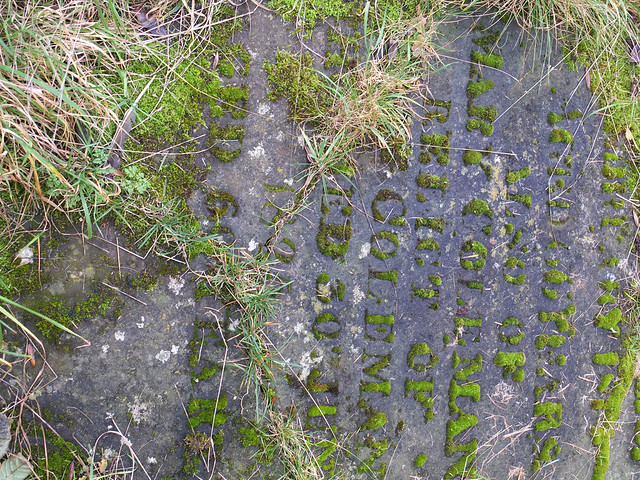
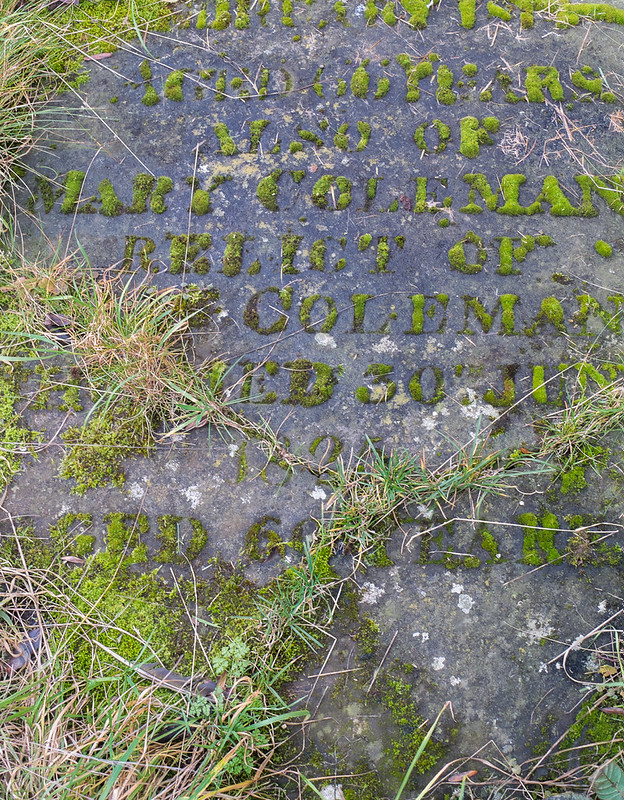
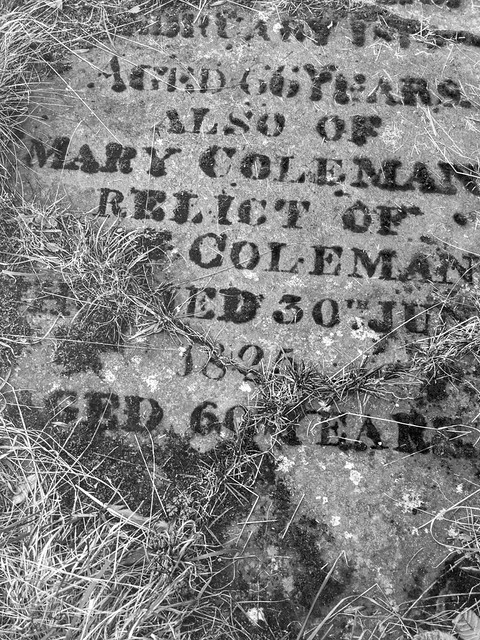
  1. A gravestone with writing on it, try and emphasise the letters and get a record of who, when and where.
  2. A gravestone with writing on it, try and edit for colour and composition.
There-in lies the problem I now face because I saw it as #1 option and was going to be looking for the way the lettering was brought out. Most of you have gone for #2, composition and colour.

Rhodese. I like what you've done, the letters are very bold but I don't like the red border!

Overbez. You did get a pasting from Rhodese last time didn't you Graham :) I'll be gentler. You went for the #2 approach, the alteration in perspective works and the cropping brings the grass tussocks into prominence. The top letters stand out.

Juggler. Interesting rotation, I wouldn't have thought of that! The stone colour is good and there's a good element to your composition with the grassy tussocks standing up giving a 3D effect.

Phil-D. The lighter green/yellow hue makes it more of a spring type shot than a winter one. I think it needs more contrast tho' to give the image a bit more oomph. (technical term there:)) The letters stand out well.

Proud2btaff. The bluish tint gives the shot a macabre and menacing look, the tone-mapping has not been over-done.

Gardenershelper. A straightforward edit apart from straightening the lettering which is good and the words standing out quite well but like Phil's I feel it lacks punch.

Like I said at the start, judging this is hard and on reflection I wish I'd chosen something else.
So, results are 1st place Rhodese because that's the edit I made, (almost). 2nd place juggler for an interesting composition.
 
Thanks Jim that’s much appreciated. Have a :beer:on me. Jim this will have to stop people will talk. :LOL:
Jim you have put me in a quandary now, it’s not easy picking stuff to test the testers. I don’t take many RAWs these days, the jpegs off the X20 are better than I can produce, so why spend the precious time I have left faffing about when I can be faffing about on TP.

Graham by Jim’s remark, I hope you don’t think there was anything personal in my criticism. I assure there was not.

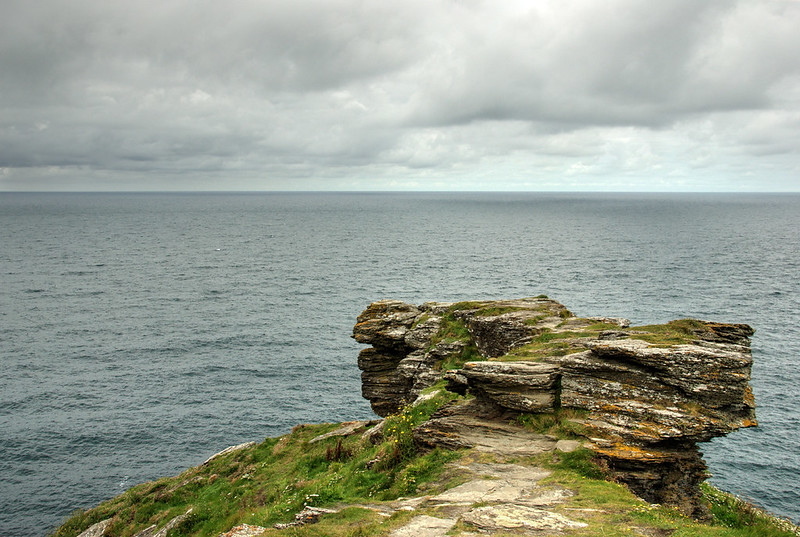
For today’s exercise. I think another from my favourite part of the world, Cornwall.

Good luck.

2264-1390053815-67f54ecd149127f48da1905054dbb87d.jpg


LINK TO RAW. https://www.dropbox.com/s/fgasdey45nicrvn/_DSC0191.NEF

Rhodese.

I will call it Teusday morning.
 
Last edited:
Thanks Jim that’s much appreciated. Have a :beer:on me. Jim this will have to stop people will talk. :LOL:
There's no favouritism here I can assure you!

Here's my edit by the way......................


grave
by Farmejim, on Flickr

Phew, glad that's out the way. Just had cuppla pints of Timmy Taylor's Landlord :beer:. Ready for anything now:)

PS Had to look it up but a RELICT is an old word for widow, learns something new every day I does! :)
 
Last edited:
Here's my attempt then.

Thought I would try something new today so I attempted to add something from one of my images to this image.

Opened in Paintshop pro X6
Run One step photo fix
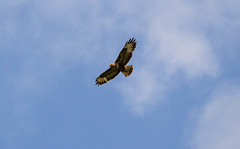
Grabbed my photo below off Flickr (would liked to have used something like a Puffin but don't have any)


Buzzard 3
by DazJamesPhotography, on Flickr

Cut Buzzard out of image
pasted as new Image into Paintshop
Resized till happy.
Cut image and pasted as new selection into Rhodeses Image
Smudged as good as I could to blend in the background to the blue of my image.
Run Local Tone Mapping
Removed noise trying not to loose quality
Saved as Jpeg
Uploaded to Flickr


The PP Game Edit 12
by DazJamesPhotography, on Flickr
 
Last edited:
No attempts at any tricks or coverups this time...

Lightzone

lift exposure 0.5
Increase WB to warm slightly
lift shadows / reduce lighlights / add detail with relight tool
select only the foreground rock, add local contrast, (amount 125, rad 1.8)
select only greens, inc sat and luminance
relight tool on sky only to add depth

PS
Clone out large dust spot in sky
desat sky by 50%

Straighten and crop to put sky as top third, and have rock enter from lower left corner.

 
Well done Rhodese :clap:

Cheers for the feedback Jim :)
 
Well done Rhodese and Jim.

In Photomatix, Contrast Optimiser Tone Mapping with default values.

In Lightroom

Level horizon.

With opacity 90%, clone out spot in sky.
With opacity 42%, use clone to damp down several bright areas.

Select the sky: Shadows -71.
Select a band of sky just above the horizon: Contrast -100
Select three dark areas on the rocks: Turn up exposure for all three and shadows for two of them.
Select three light areas around the bottom edge of the image: Turn down highlights.

Saturation +36 for Aqua.

Sharpen: Amount 80, Radius 1.1, Detail 0, Masking 100.

Export to JPEG: Sharpen for screen, Standard; Compression 90.


NOT MY IMAGE - Rhodese - Promentory _DSC0191_tonemapped6 - Edit4 export standard
by gardenersassistant, on Flickr
 
Went through several otions before settling on this

ppsea-4.jpg


Lightroom 4
set black and white point
increased shadows, sharpening and clarity
crop to make promontory more prominent
level horizon
grad filter on sky to bring out cloud detail.

Topaz adjust
Tried a pseudo hdr increasing the blueness, didn't like it

Topaz BW
converted the previous attempt to mono and quite liked it after fiddling with the adaptive exposure boosting blacks and whites.

Faststone
cloned out dust spot.
 
Last edited:
:help: Anyone having trouble uploading from flickr? when I click the 'more ways to share' it just turns red and no options show :thinking:
 
Is there a link to your flickr in your sig? (Reason I ask is that sigs don't seem to be showing at the moment, not for me at least.)

Yes Nick, but it only shows on one post per page on TP. Its ^^^^^^^^ higher up and appears to be working :)
 
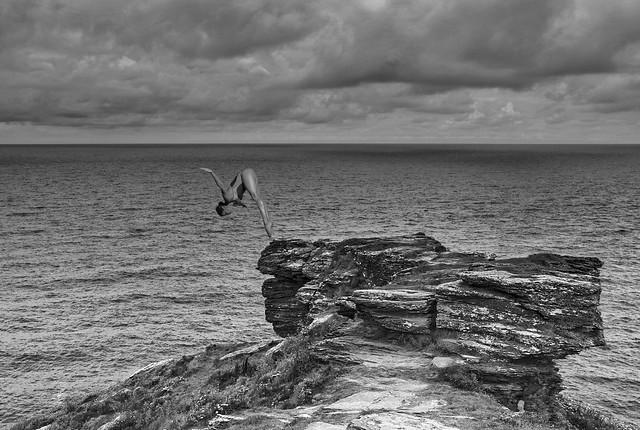
Some very nice b&w edits on this one so far. I've gone the same way....

Opened with ACR, View attachment 4214 Here I used the graduated filter to get more detail in the sky and retain exposure of the rock.

In PS I converted to B&W and straightened the horizon out to stop the water flowing away.
There was an intense gull hunt and cull then I decided that a humanoid was needed so found a shot of a diver and inserted that. ( Ihope she lands in the sea and not flat on her face on the rocks :))
Cropped a bit and resized for Flickr.
On reflection I think I cropped too much sky.


_DSC0191
by Farmejim, on Flickr
 
Back
Top