THE PP GAME!

Nice one Matt :thumbs:

Now don't keep us waiting too long for your photo :nono:

 
Wow, some great edits here so thanks for choosing mine. My personal fave was DayDreamer's I think, lots of techniques there.

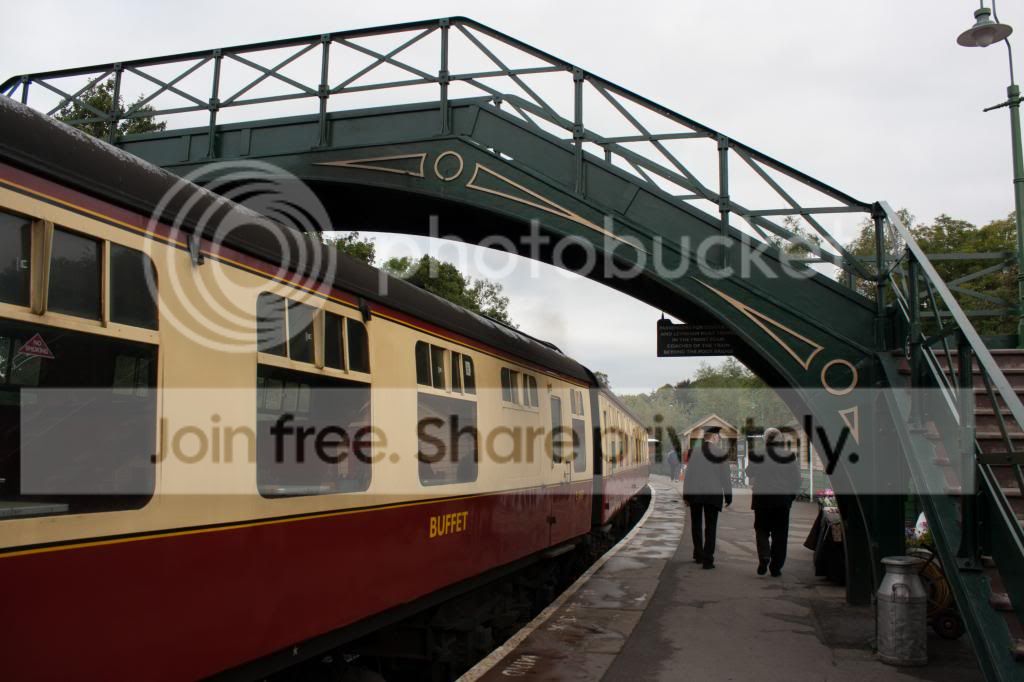
So, from my collection of badly exposed and blurred photos we have this one, from a recent trip to the Pickering Steam Railway, North Yorkshire.

Let's say Sunday evening for this one?

Raw file -
https://www.dropbox.com/s/z4z7s2p7is6wy0k/IMG_6162.CR2

Jpeg -
IMG_6162.jpg
 
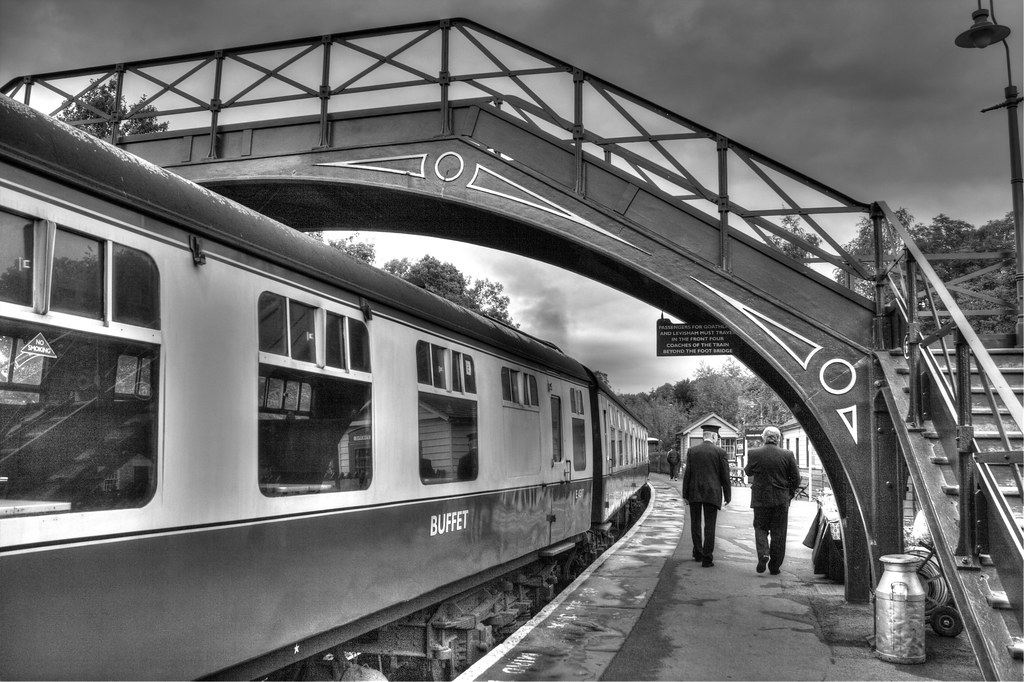
Went with B&W

Lr5,
Expo +
Shadow+
Highlights-
Cloned out the Lamp post
Clarity brush to windows and sky
Contrast to sky and smoke
Vignette

Ps
Added old film action overlay

15 min's

FEEDBACK OK


Train Station copy by HS-uk, on Flickr

H
 
Last edited:
started off wanting to retreive the sky, and bring back some detail in the shadows

so made 3 exposures in DPP (-2, 0 and +2EV)
blended them with layers and masks
sky above bridge, sky below bridge seperately
increase midtone contrast, reduce brightness and increase saturation
mask for train
mask for milk churn :eek:

then blended the +2EV train over the exposure blended version at 50% overlay
then into picasa for focal zoom effect :eek: centred on leading part of train
saved as seperated then back to PS to mask off all the "static" parts (platform, bridge, sky etc).
2 vignettes and border.

Most of my lunch hour.... feedback welcome. :thumbs:

(Click for bigger)

 
Nice Graham, love the movement

H
 
Congrats Mat, well done. :1st:

I’ve seen countless shots like this and love them, they were always (and probably still are) a favourite in the clubs, I have done loads on the SVR.

My edit, before I drift off into a nostalgic saga of the days of long ago, (deep sigh) :'(

Open in ACR, hit auto and set WB to cloudy, open in PS.
Copy layer.
Crop. (Don’t want to work on stuff I’m not going to use)
With the type tool selected, set the foreground colour to that of the buffet lettering.
Select a font similar to that on the coachwork, type the new wording.
This appears in a new type layer.
Select copy and paste the type in the type layer into a new layer. Bin the type layer.
Using the transform tools, size and skew, move and manipulate the words to suit.
SAVE.
On the background copy layer, I removed the” Buffet” sign using the spot removal tool.
Still on the background copy layer, make a rough selection of the sky parts, feather by 25 pixels.
(Note that to add to any selection, have the second box from the left on the top bar highlighted.)
Add a levels adjustment layer; it looks like a crown in the adjustments pallet.
Move the R/H slider in until the sky makes an appearance.
In the mask on the adjustment layer using the brush tool and with the foreground colour set to black and the background set to white, paint the bridge and other bits back in.
Use the “X” key to swap to white and paint back any mistakes.
SAVE.
Back on the background copy layer I used the sharpen tool to sharpen the sign and the two men, then dodged and burned the rolling gear and platform.
I dropped a 20% grad from the top to the skyline and up from the bottom to the men, I then added a warm filter at 30% to the image.
Added a border using stroke.
SAVE.
Save for web.

FEEDBACK OK.

TP-TRAIN-WEB.jpg


Rhodese.
 
Last edited:
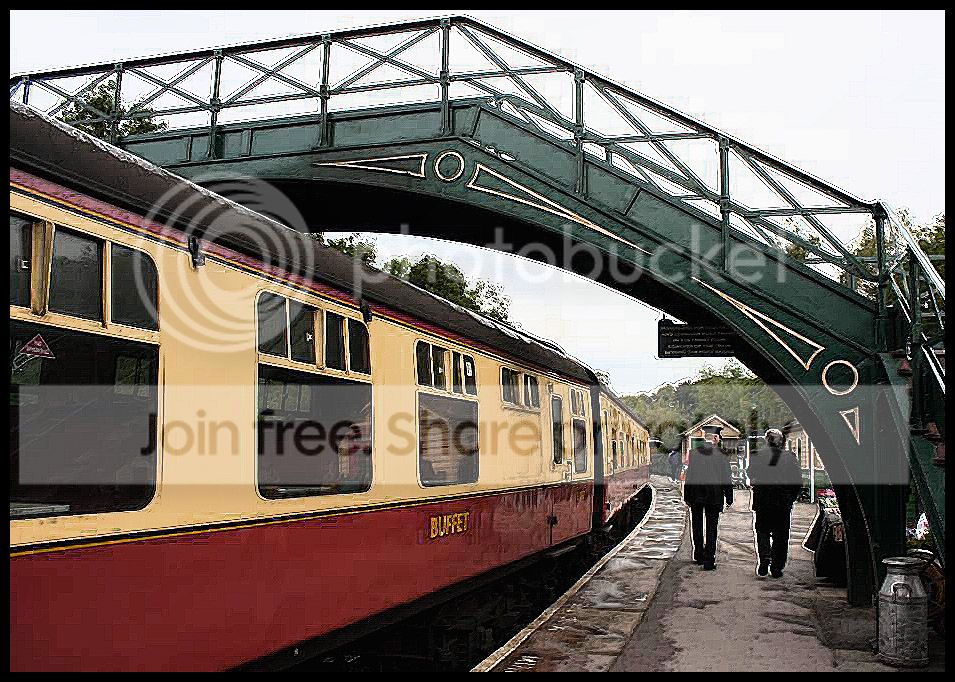
I decided to go for a straight edit trying to enhance the 'end result' as much as possible & unusually 'for me' no 'letting my hair down'.

All done in an equal mix of PE10 & LR but a new sky in PE10 but lower opacity than the original so it looks more natural & hope you don't mind this (new sky) Matt?

Then into LR where I tweaked a few sliders but where I used the brush a lot with about a dozen different points to dodge, burn, saturate with the aim of get the train & bridge colours richer, the milk churn more 'standy outty', even the glass on the train windows were individually brushed to get them richer. Not forgetting brushing a little on the red phone box reflection & fiddling the sliders after brushing the underneath of the train to bring out that detail.

Overall sharpened a little then a very very slight border in Picasa.

 
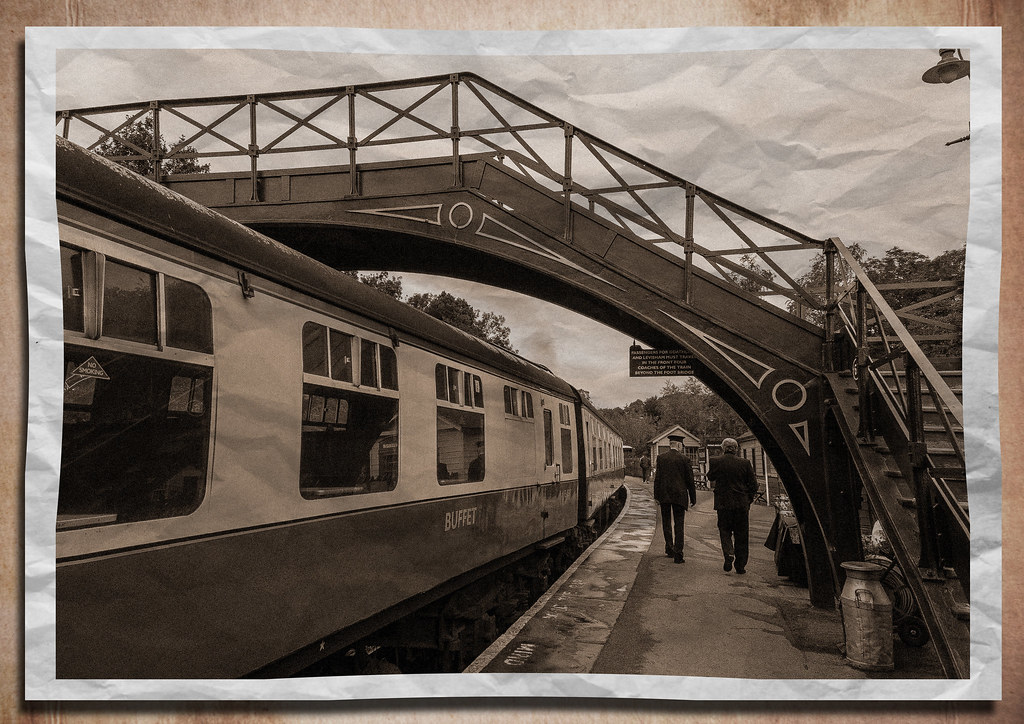
and mine
convert to sepia
add noise
multiply with a creased paper template
lighten
place on backround leaving a border
spherise 15%
add drop shadow
done
similar to my last old one so apologies for that

ppgame by flying giraffe, on Flickr
 
Some really good edits so far. I'll give full comments on Sunday, keep em coming!
 
I think everyone has done very well so far

H
 
last minute entry:


IMG_6162-1 by btyreman, on Flickr

opened the RAW in LR5:
cloned out the lamppost on the right side,
changed to Black & White mode,
contrast -39
highlights -100
Shadows +63
Whites +19
Blacks -25
Clarity +18
Tone Curve: Highs +46, Lights +17
Split Tone added for sepia effect,
Sharpened,
Lens Correction profile applied and removed all chromatic Aberration,
Post Crop Vignette added.
 
Tick tock, come on I'm bored :tumbleweed:

H
 
OK, time to call this one. Thanks to all who entered, what I like about this game is learning from everyone elses editing techniques and this part of the thread didn't disappoint.

Helen - very nice, I thought there would be some B&W ones and I think the overlay suits this and gives it an old look

Graham - brought the sky back nicely and the milk churn looks ace. I like the blurred motion effect and good skills masking it to the train, but it might be a bit out of place in this particular scene with the two guys walking so close to the track.

Rhodese - love the vintage feel of this with the slight sepia tint and good work getting the details back.

John - kind of the look I was going for with my edit but mine ended up B&W, you've kept the great colours of the train and bridge. Nice sky, and I never even noticed the reflections in the windows until your edit.

Walter - I like what you were going for here and I think the sepia tint suits it, but unfortunately that ink filter looks like jagged lines and CA.

Neil - unusual - I like it. Good B&W on it's own but the crumpled paper effect and border really adds to it. Your second B&W one is also good but there seems to be patches of light by the people and dark in the sky over the bridge, I think I prefer the sepia tone of the first.

Ben - I like the effect the blue tint has on the sky but to my eyes the rest of the scene looks a little cold. Well done on getting the detail under the train back.

And the winner is.... John. Lovely grainy effect with lots of detail and colour.

My edit. I was going for the old fashioned, grainy, warm look.

10223675263_5b59799d15_c.jpg
[/url]
Pickering Steam Train by mattb1976, on Flickr[/IMG]

ACR - auto toned and upped clarity. Into PS and cloned out lamp post and some figures by the conductor's left shoulder.

Into Topaz Adjust and the Surreal filter. Decreased some sliders to lessen the effect, reduced noise and added border.

Into Topaz B&W, Sepia preset.

Feedback OK, and over to you John.
 
Well done John :thumbs:

Matt, like it :)

H
 
Thanks Matt :thumbs:

And thanks Helen & Ben :clap:

Now on the case trying to find a piccy :suspect: :gag:
 
Sorry no jpegs even though the camera (Cannon G15) does take them. From my last trip to Dartmouth but some months ago. I have struggled to find anything as my usual workflow is to save - process - then dump the originals. And not been able to take any new photos for quite a while.

I will take the first entry as your one you wish to enter with but feel free (Neil) to 'have a go' with the other :clap:

Will call Wednesday later morning.

To get full sized - click on each photo which takes you to Photobucket - then click the magnifying glass bottom right hand corner - then click the magnifying glass again in bottom right hand corner - by now you should have full sized jpeg showing in your browser then right click & save as (your name). I think I was fiddling with the WB as straight from camera definitely aren't so cool :lol:


Last edited:
John
Not sure what's going on but can't open the file, it downloads :shrug:

H
 
John
Not sure what's going on but can't open the file, it downloads :shrug:

H

Are you sure you're clicking each of the actual photos. Just tried it & working fine for me - how about anyone else - any problems?
 
Are you sure you're clicking each of the actual photos. Just tried it & working fine for me - how about anyone else - any problems?

Yes, if a save it from here (right click) it's fine but a small file
Do the same from pb and it downloads but nothing showing when I try to open :shrug:

H
 
Yes, if a save it from here (right click) it's fine but a small file
Do the same from pb and it downloads but nothing showing when I try to open :shrug:

H

Just tried again from my desktop instead of my laptop & again no problems :thinking: If you PM me your email addy I could send them as attachments one is 3.2mb & the other 3.9mb.

I've just added a bit more detail in my first post if that helps.
 
Last edited:
John it was awesome! Will take me weeks to sort these island pictures lol! Cathy

Glad you enjoyed it & if I win again you had better let me use a few of your pics as I have 'nowt' much in the bag :)
 
Morning John and the rest of the crew. This is my first attempt at this "game" and I've not been a member long so excuse me if I break any rules.
I'm using CS6.
In order of actions
  1. Colour match - neutralise
  2. Clone out extra benches
  3. Sharpened
  4. Tonemapped with Photomatrix
  5. Redid Shadows/Highlights
  6. Added 10% to bottom of canvas so I could add bench leg.
Should have done the last first I know but....d'oh!:bang: and I cloned out the bird s#*t but forgot to save. Schoolboy error!
10266274414_09d0c897bb_z.jpg
[/url] PPwork1 by Farmejim, on Flickr[/IMG]
 
Last edited:
Well done John. :thumbs:
John there are two ways to overcome the problem of picture stock, 1... Take more pictures and two… don’t win.
May I suggest the later, giving us "also ran’s" a look-in. :D
Nar only joking. :lol:
A lovely sunny day in Dartmouth.
Summer seems a long way off on a cold and rainy Octember day.

Greetings Jim, Jim your cloning skills are to be commended.

My edit.
Open in ACR, auto, open in PS.
Copy layer.
Crop adding to the bottom and RH side.
Fill the bottom using content aware, make good the bench leg.
SAVE.
Fill the RH side with content aware, tidy up the anomalies.
Clone out bird droppings and odd bits.
Dodge and burn.
Increase vibrancy and saturation.
Flatten.
Select all, stroke for border.
SAVE.
Save for web.

FEEDBACK OK.

TP_M_ON_B_WEB.jpg


Rhodese.
 
Last edited:
here's mine:


bench_guy-1 by btyreman, on Flickr

from the large jpeg in LR5:
-exp,
-contrast,
+whites,
+shadows
-blacks,
+++clarity,

changed to BW mode,

split tone: green and yellow

lens correction applied then 'auto' on in perspective correction,

cloned out the tree leaves on the top left,

sharpened a lot,

created several filters for the sky and borders of the image,

used a final clarity brush on the person on the bench (is that you john)????

anyhow then final output sharpen and resize for 1024 jpeg,

feedback is good,

thanks, BEN.
 
Last edited:
Morning John and the rest of the crew. This is my first attempt at this "game" and I've not been a member long so excuse me if I break any rules.

Hi Jim & welcome to the game :wave:

And what a start and, as Rhodese said, you have shown us some excellent cloning skills :thumbs: So hoping you become a regular. Only one little thing is you need to say if you want feedback when the winner is selected but not 'pixel peeping' type of feedback. John
 
Well done John. :thumbs:
John there are two ways to overcome the problem of picture stock, 1... Take more pictures and two… don’t win.
May I suggest the later, giving us "also ran’s" a look-in. :D
Nar only joking. :lol:
A lovely sunny day in Dartmouth.
Summer seems a long way off on a cold and rainy Octember day.

I would love to take more pics but the Pain Consultant changed my medication in July & that was the last time I took a camera out :( But the good news is that the terrible pain I have been suffering has become bearable but the downside is feeling permanently drugged. Sodding side effects.

Octember :lol: :lol: :lol: :lol: :lol: :lol:

And you've done a nice bit of cloning :thumbs:
 
Last edited:
the person on the bench (is that you john)????
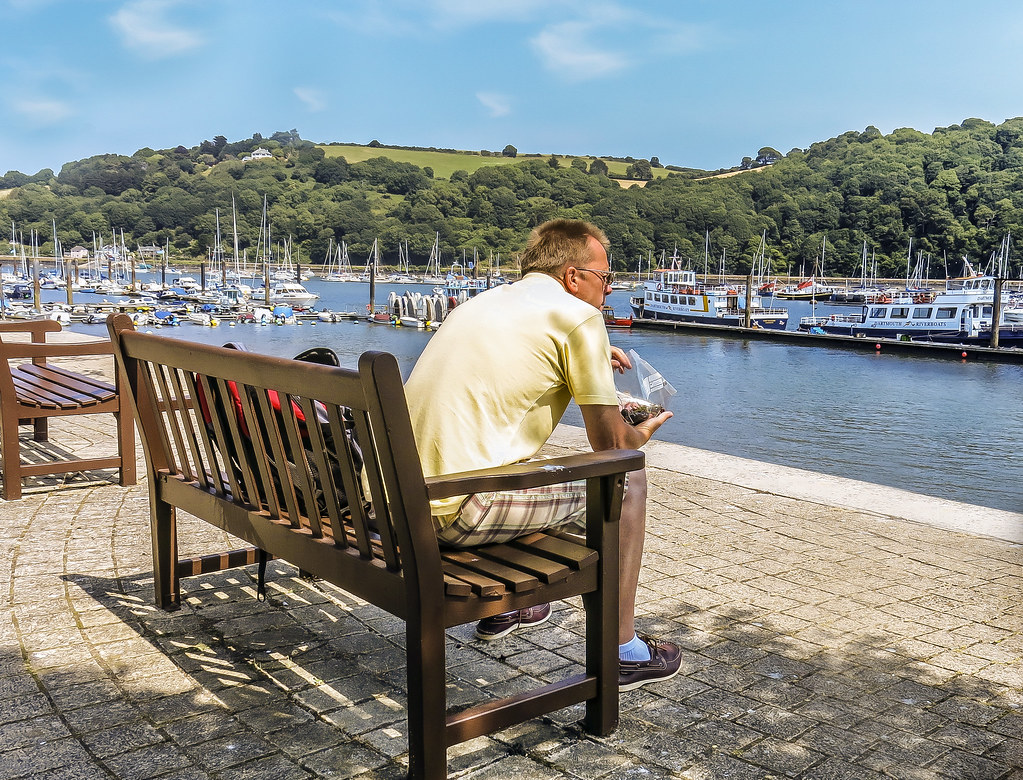
Na!!! I never wear shorts my legs are too skinny & I'm still vain :cool:

Nice edit - I've been trying mine but stuck for what to do :thinking:
 
Last edited:
Back
Top