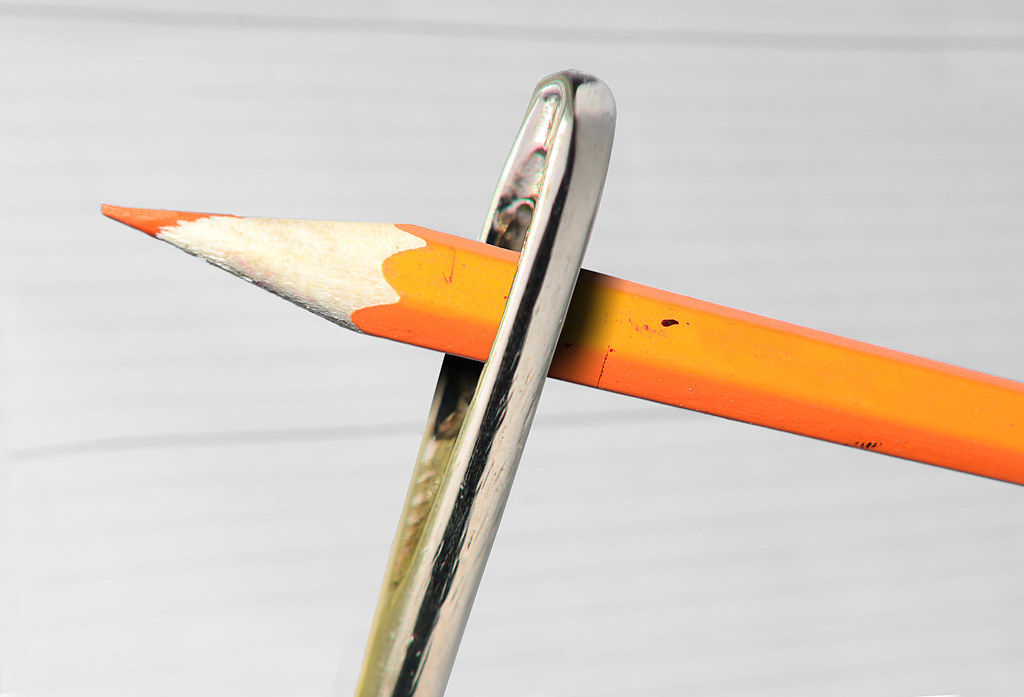
Congratulations Graham another notch on you graphics pen.
I’ve chosen to go with the first option, purely because it is different and I need the practice with this type of image.
Opened both in ACR, the pencil I did nothing with, opened in PS.
The needle I dropped the exposure ½ a stop upped the contrast and whites 15, black -5, clarity and vibrance +10. I also dropped the temperature to 5000. Opened in PS.
Made a selection of the pencil copied into a new layer, deleted the background layer.
Made a copy of the needle layer.
SAVE.
Moved the pencil into the needle layer copy. Dropped the opacity of the needle so it did not distract from the pencil but I could still see where it was under the pencil.
Using the warp in transform, I reshaped the pencil over the top of the needle.
SAVE.
I then added a mask to the pencil layer, and made a selection on the pencil layer around the needle feathering by one pixel.
With the foreground colour set to black and the background set to white and using a soft round brush, I masked the pencil from the front of the needle, using the X key to swap back and forth between black and white to correct any mishaps.
SAVE.
Using the burn tool, I created the eye by over burning the mid tones and cloned in a bit of the pale wood as a highlight. The mouth line was a burning of the mid tones too.
Bring the needle opacity back up to 100%, check and correct any anomalies.
Create a new layer on the top of the stack; make a border-using stroke.
Flatten
SAVE.
Save for web.
At least that's what I think I did.
Rhodese.











 .
.