THE PP GAME!


Click for bigger.

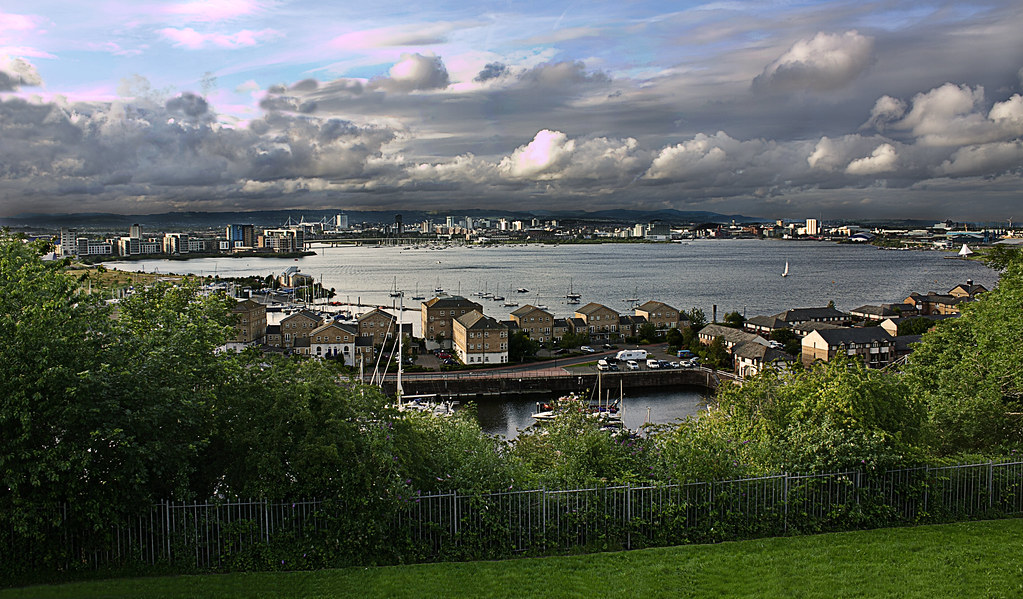
Open the first copy and drop exposure 1.5. Save.
Open 2nd copy
Clarity and vibrance +50.
Select and cut the sky from the first copy, paste into 2nd copy.
Burn the midtones on the horizon to blend the sky into the land.
Select the grass and move it up to the fence. Clone to fill in the gaps and blend out any lines in the grass.
Hue/saturation layer to up the green of the bushes slightly.
Select and apply a curves layer to the water to darken it.
Another curves layer to lighten the hedges with everything else masked.
High pass sharpening.
Crop.
 
Last edited by a moderator:
Yet another mono from me folks.

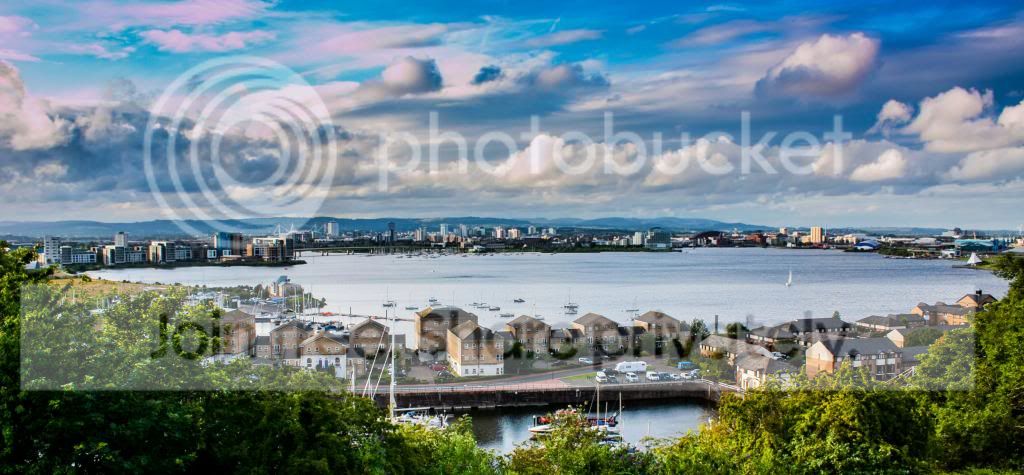
TP-CARDIFF_WEB.jpg


Open in ACR, hit auto, open in PS.
Open second copy in ACR, no adjustments, open in PS.
Move second copy on top of first copy then delete original second copy.
Drag lock on background layer into bin, re-name layer, sky.
Open a mask on layer one.
Enter the mask and using a large soft round brush, mask the burnt out sky.
Flatten image.
SAVE.
Convert to mono.
Crop to panorama format, dodge and burn.
Save and re-open in ACR, hit auto, re-open in PS adding a border using stroke.
SAVE.
Save for web.

Rhodese.
 
Last edited:
20120715-IMG_0062_zps48dbddf6.jpg


in LR4:
Cropped
Increased the clarity, contrast, shadows, saturation
Decreased the highlights, whites, blacks
Used graduated filter and decreased the exposure, highlights, shadows

It took about 15-20 min :)


Mostly camera raw adjustment brush to paint a couple/three different exposures for different areas.
A touch of extra clarity and saturation in some areas and a little contrast tweaking.
Then into photoshop and a high pass sharpen and that's it!
Took about twenty-odd minutes but I was watching game of thrones through it all so was distracted.
 
edits-2013-06-07.jpg


Some nice edits here and great to see the sky has been rescued in every one.

Time for the judging.

overbez - Great sky with a warm cinematic feel. Perhaps needs a tiny bit more punch?
Flying giraffe - Super dramatic sky with a painterly feel.
Pookeyhead - The first of the black and whites. Good stuff and like the fact you've brought out the wispy clouds near the top-left.
Matt - Good edit but the pinkish hues in the sky are too vivid and catch my eye - see Neil's for the pink hues in the clouds.
Rhodese - Second black and white. Overall I like it but after viewing the sky I wander round the buildings and would like to see a bit more brightness in them.
SMAM - Good contrasty image but as Matt's the pink parts in the sky are a little too strong. (Is it from the graduated filter?)
Chuckles2k3 - Like the sky but feel the distant buildings are a little too dark and lacking a touch of colour.

And the winner is:
overbez

Well done!

And my edit in LR4:
20120715-IMG_0062%20edit.jpg


Lens correct, drop exposure, inc contrast, crop, fiddle with shadows highlights black whites etc.
Black and white - adjust blue hues to emphasis horizon. 2 grad filters to the sky.
Bit of localised burning to areas of the water and dodging to some of the buildings.
Vignette.
 
Last edited:
Nice one Graham especially as it was more difficult than it first looked :clap:


Not much done to this one.

Basic raw sliders. Fill light all the way up. Clarity and Saturation up. Slight exposure adjustment.
Sharpened.
Curves layer to the water to darken it.
Dodge and burn on some of the clouds.
Crop and vignette.
 
Fiddled in each of LR4 PE10 & even Picasa.

Initially thought of several different copies to fiddle with each & then merge back but stayed with just tackling the one shot.

A lot of brushwork so can't remember what & how much.


Again fiddled with in LR4, PE10 & Picasa.

Tried making her a blue rinse with bright red lipstick but went down the more dignified route :lol:

In PE10 & tackled the background with more contrasting colour then lens flare added then light effect added.

Then in LR4 with lots of brushwork to try & give a more 3d look.

All took about an hour as I kept going down the wrong routes with the landscape shot tearing my hair out - really :gag:


Well done Graham a nice edit that.
This time I’ve tried to keep the low warm light feel.
TP-SUN-WEB3.jpg


Open in ACR, auto, open in PS.
Split picture into five layers, foreground, sea, sky, middle distance and far distance.
SAVE.
Worked on each applying levels and curves, and a lot of dodging and burning.
Saving at intervals.
Flatten, paint the sun, apply a warm filter.
SAVE and reopen in ACR hit auto again, I feel this evens things up that might have gone awry.
Add a border with stroke.
Save for web.

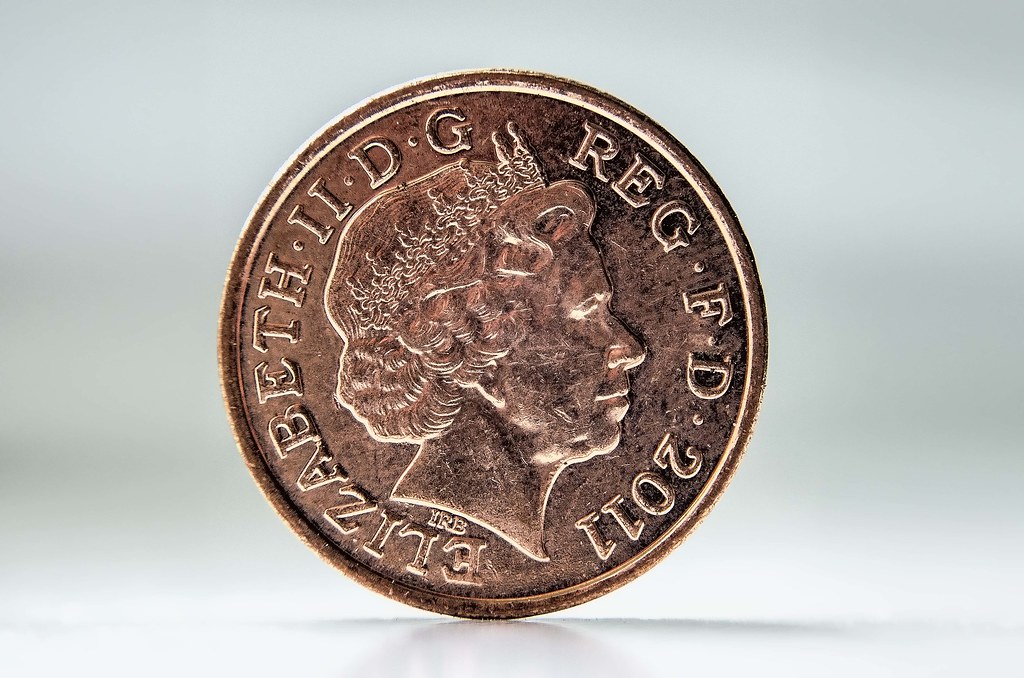
Coin.

TP-COIN-WEB.jpg


Open in ACR, Open in PS.
Select coin copy into new layer, delete background layer.
Copy layer a few times, move layers about, rotating and resizing, adjust brightness and contrast on layers.
Select all and add a border with stroke.

Rhodese.
 
Last edited:
DSC_4499.jpg


In LR4:
increased shadows, whites, blacks, contrast, clarity
used graduated filter and lowered the exposure and highlights,
increased the saturation, shadows, clarity
done!

took about 20-30 min :)
 
the hour of judgement is upon us.......

numbers may be down this round (everyone out in the sun over the weekend i guess!), but the quality and imagination certainly were not. :thumbs:

_matt_, thinking the WB cooling a bit would have helped here - nice natural looking edit though.
Neil - good work on the clouds, I though they were the easy part of it though
John - Interesting crop - left the sun a bit too central though..
as for your treatment of the penny..... Was wishing I hadn't have said I'd judge the first entry from each, 'cos this would have been a winner for me (also, I'd have preferred it with the slight shadow left in under the coin)
Rhodese - great imagination and effort with the coins, also loved the landscape, and was in first place when I checked in this morning

BUT last minute entry from SMAM takes the prize for me, most closely resembling what I saw when I was there - great bright foreground and love the way the sun has blended into the bright sky around it. :thumbs: But still kept the darkness of the clouds. (still needs straightening though I think :lol:).

Here's mine..... going to revisit it to try to lose the circle of the sun......

dsc4499dev0hdr4nighttif.jpg
 
Well done to us all that entered especially when the temptation may have been to get out over the weekend. But I think the quality of the edits put others off as they knew they wouldn't stand a chance :cool:

But a special well done to SMAM a very well deserved winner for what (to me) was a difficult edit :thumbs:
 
Thanks Graham :)

Thanks John, i have to admit it was a difficult image to edit :)
 
Now then SMAM is it on a tripod, on a timer taking you having a snooze on the bench :lol:
 
summit different
convert to b/w in raw and adjust colour sliders
straighten and sharpen
use skew to get columns upright and crop
adjust contrast to give a gritty look
adjust curves and slight hdr
done!


_DSC0090 by flying giraffe, on Flickr
 
CLICKIT FOR BIGGER


Not so subtle HDR from 5 exposures.....
most sliders (contrast, micro-contrast, micro-details) very near to max :lol:
lots of distortion correction in PS, vertical and barrel
crop
clone out man and child from bench
 
In LR4 played with sliders, corrected levels, distortion & perps.

Lot of brushwork on various parts to saturate, clarify, burn, etc.

Opened in PE10 & applied a slight orange filter then finished off with a touch of HDR.

30 minutes fiddling :thumbs:

 
Well done SMAM.

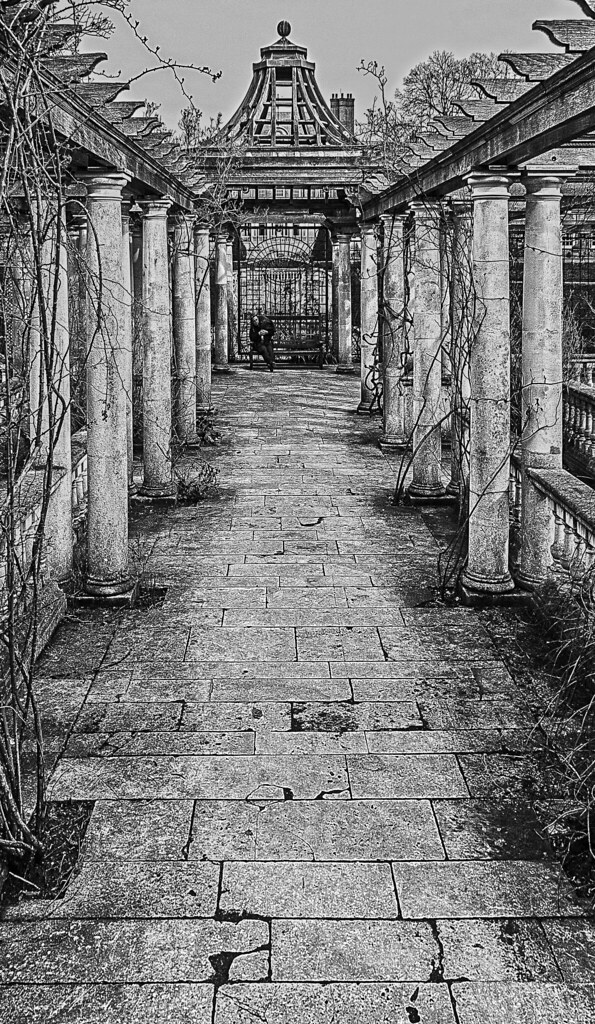
I didn’t know what to do with this, so it’s an exercise in having a bit of fun from me.

Open in ACR, auto, open in PS.
Copy layer, straighten using the straighten tool in crop, aligned along slab lines.
Adjust perspective with transform pulling out the bottom.
SAVE.
Select the second pillar in on the right, copy and past into new layer, move forward and resize, copy this layer and move this copy to the left hand side of the image.
On the first copy adjust for being upright, adjust the size and move into position, mask and erase anomalies.
Do the same with other copy after flipping horizontal.
Erase twigs and wire on the first copy clone in additional stain and such.
SAVE.
Flatten, crop.
Copy layer, convert to mono, add 45% grad to top and bottom.
Change blending mode to multiply, add a mask and mask the man, bench, grating area.
Dodge and burn paving.
Create a new layer below the mono layer, apply a sky blue grad to top third and reveal through the mask.
Flatten.
Add a border using stroke.
SAVE.
Save for web.

TP-PILLARS-WEB.jpg


Rhodese.
 
Last edited:
OK!
its extremely hard to choose a winner as all of the edits were great and i think they all deserve to win but rules are rules and i have to choose one :)

Flying giraffe: a good black and white edit but i think it has too much noise
DayDreamer: nice edit but i was looking for something cold and less saturated :)
Rhodese: you've done a great edit but it would have been better if u pushed the clarity a bit more and made it more detailed (in my opinion)

And for the winner overbez.... your image had the right details and saturation (for me) you have cloned the man without leaving a spot but i would have preferred it if you would have left him there
well done Graham and its over to you:thumbs:


I will post the edit I've done tomorrow ...:
DSC0090.jpg


In Lightroom:
Decreased exposure, highlights, shadows, whites
Increased contrast, clarity
i think that's it :)
 
Last edited:
nice one Graham, sorry about the noise, that was the effect i was going for, all grungy lol
 
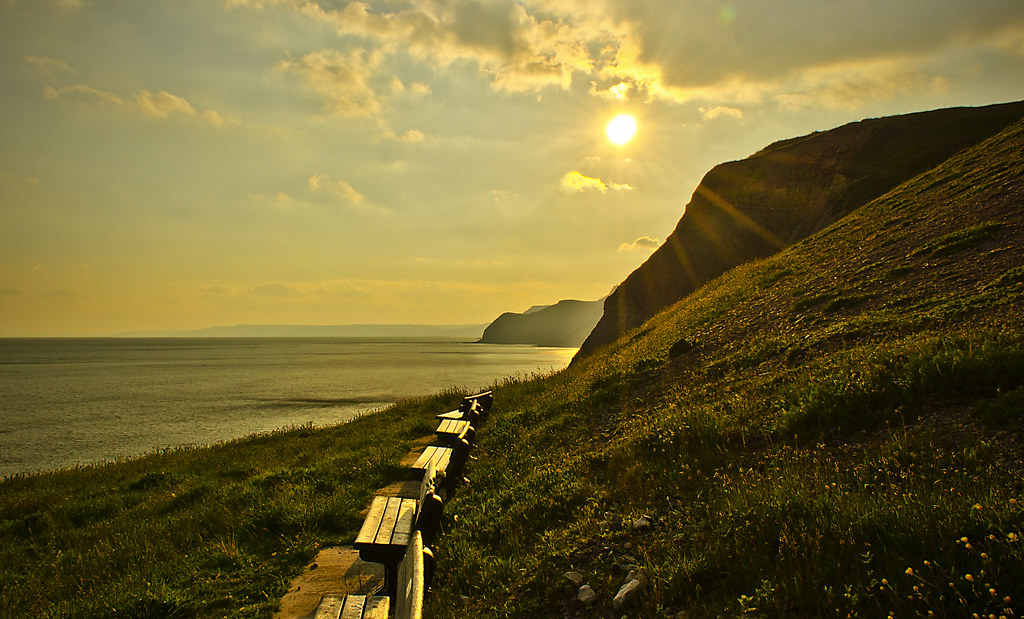
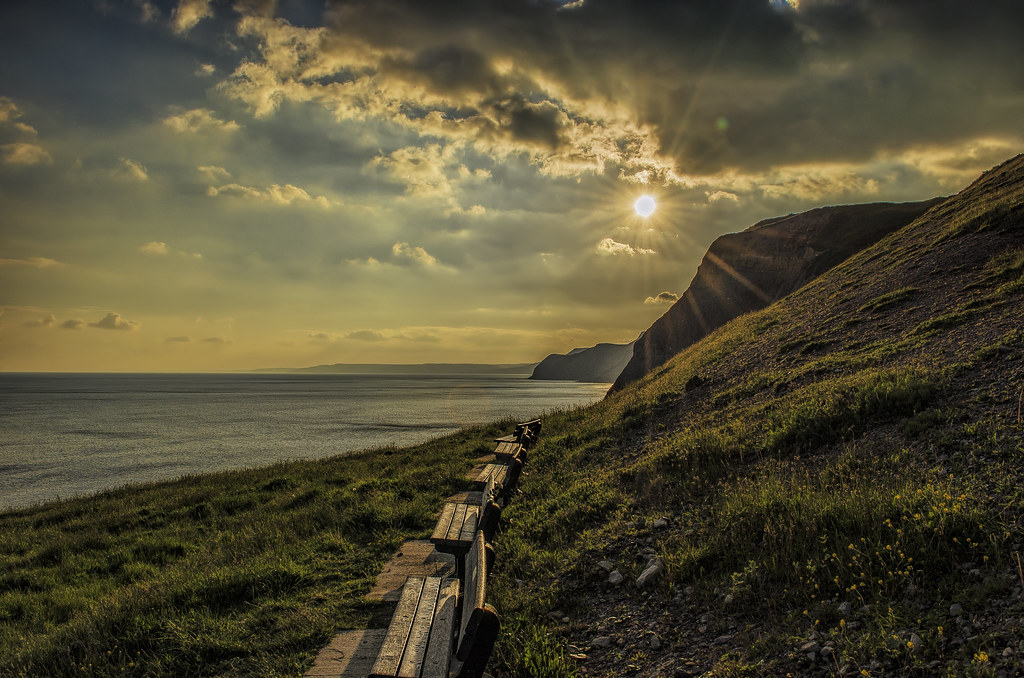
CLIFF SHOTS CORRECTED - "Correct exposure and +2 EV added too"


Thanks SMAM, have to admit that was rather unexpected.... Normally if I push any slider all the way to the end, I normally pull it back a touch.... Let my hair down a little on this last one though!! Sorry about removing the chap and the child though.

Okaaaay..... Lets give you all something different, I appreciate not 100% the raison d'etre of this thread, but close enough for me.
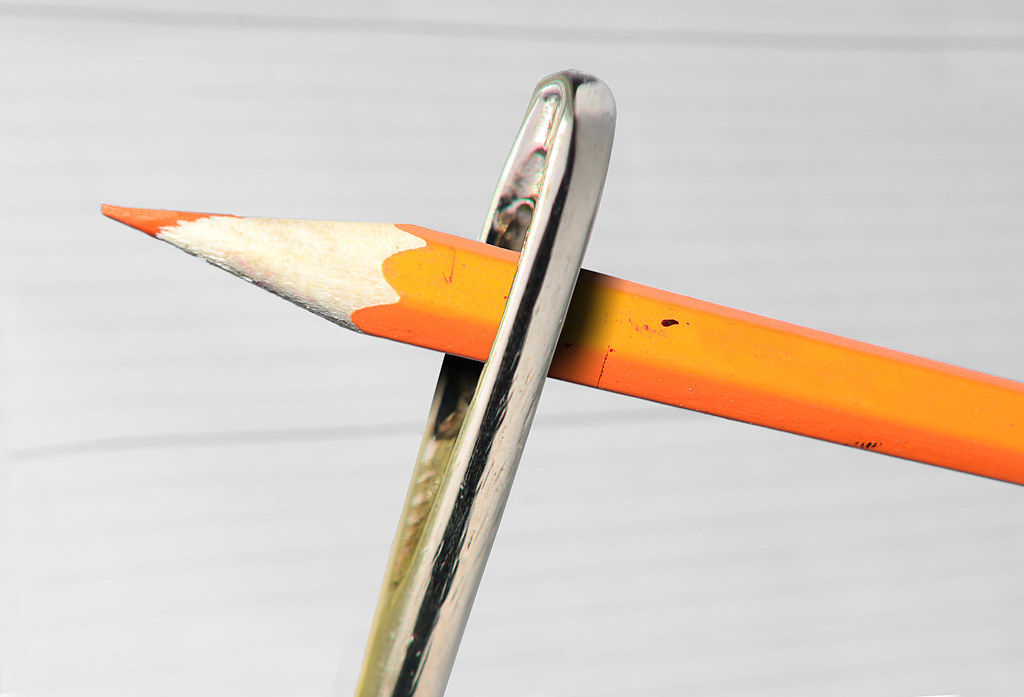
Ordinary pencil shot with kit lens at 55mm, sewing needle shot with 50mm prime reversed on the end of my 55-300. (At 220mm to get through the vignette caused by the prime). Giving 4.4X magnification :D, with tiny DOF :'(.
Hopefully the idea will be obvious about what I intend you to make happen... :thumbs:

needle2dev02.jpg

http://speedy.sh/FQjGe/DSC-5095.NEF


needle2dev03.jpg

http://speedy.sh/pybRX/DSC-5118.NEF


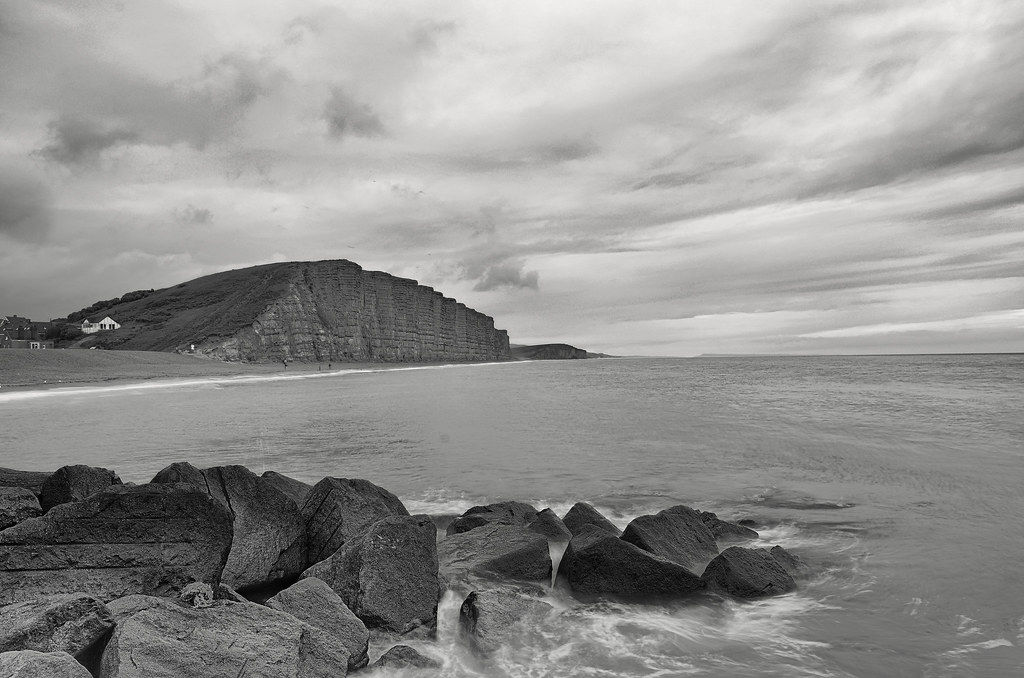
Anyone not wishing to indulge my childish games, :nuts: can play with the cliffs at West Bay, Bridport. Took 3 shots bracketed to try to get extra movement in the water round the rocks, all three below.

You can of course work with just the mid exposure if you don't want to download all three. :thumbs:

dsc4270wt.jpg

http://speedy.sh/ZBGSc/DSC-4270.NEF

1dsc4269awo.jpg

http://speedy.sh/ZBRcc/DSC-4269.NEF

1dsc4271.jpg

http://speedy.sh/rtJZz/DSC-4271.NEF


Sorry, but I can't call this one until Sunday afternoon / early evening... So plenty of time, winner picked from any image submitted - (I shall be favouring the macro efforts though, so any cliffs will have to be pretty special, ;))
 
Last edited:
Well done Graham for winning again - getting a bit of a habit with you - might have a word with the mods & get you banned for a temporary period to give us lesser mortals a chance ;) :lol::lol::lol:

Me is really stupid not helped by the fact I don't use a DSLR with a zillion lenses so really don't get your clue as quoted below. Can I have another clue please sir :notworthy:

"Hopefully the idea will be obvious about what I intend you to make happen... "
 
Can I have another clue please sir :notworthy:

"Hopefully the idea will be obvious about what I intend you to make happen... "

For my 52 project, on the theme of "size", (No peeking!!), I wanted to make something go through the eye of a needle, having no camels to hand, I thought I could make a pencil fit (with the aid of Photoshop).........

Correct cliff shots uploaded now. Sorry everyone!

.
 
Last edited:
I've not had time to visit this thread for ages, but really need to get back in practice with the PP thing!

Correct cliff shots uploaded now. Sorry everyone!

I've already edited the original, :bonk:


Tweaked in ACR, reduced sat on the orange blob in the window on the beach and increased exposure. Also reduced some noise. Opened in CS5.

Did a levels adjust (and masked) on the rocks, then again on the sky and horizon.
Reduced more noise in Topaz denoise,
Cloned out what looks like a car shadow on the cliffs
Given a high pass sharpen.
Added a little sun burst.
 
Congratulations Graham another notch on you graphics pen.

I’ve chosen to go with the first option, purely because it is different and I need the practice with this type of image.

Opened both in ACR, the pencil I did nothing with, opened in PS.
The needle I dropped the exposure ½ a stop upped the contrast and whites 15, black -5, clarity and vibrance +10. I also dropped the temperature to 5000. Opened in PS.
Made a selection of the pencil copied into a new layer, deleted the background layer.
Made a copy of the needle layer.
SAVE.
Moved the pencil into the needle layer copy. Dropped the opacity of the needle so it did not distract from the pencil but I could still see where it was under the pencil.
Using the warp in transform, I reshaped the pencil over the top of the needle.
SAVE.
I then added a mask to the pencil layer, and made a selection on the pencil layer around the needle feathering by one pixel.
With the foreground colour set to black and the background set to white and using a soft round brush, I masked the pencil from the front of the needle, using the X key to swap back and forth between black and white to correct any mishaps.
SAVE.
Using the burn tool, I created the eye by over burning the mid tones and cloned in a bit of the pale wood as a highlight. The mouth line was a burning of the mid tones too.
Bring the needle opacity back up to 100%, check and correct any anomalies.
Create a new layer on the top of the stack; make a border-using stroke.
Flatten
SAVE.
Save for web.

At least that's what I think I did.

TP-PENCIL-WEB.jpg


Rhodese.
 
Last edited:
Rodese - a nice job you've dome there :thumbs:

I've had a go but my big stumbling block is when I use the 'erase' command (unless I am missing a technique) it is ruddy hard to get a clean straight line so gave up :thinking:
 
Blimey Marsha - staight in there, good rescue of an underexposed image :thumbs:

Suspected this might be up your street Rhodese...

John, Does "click on a start point, hold down shift, click an end point" do anything for you?? This draws a straight line between the 2 points in CS2.

Or select an area with the straight line you want included first (polygonal select tool will let you have a straight edge). and then erase only within this selected area.
 
Graham - thanks for sharing your 'knowhow' & yes both of your tips work so I am learning something today :thumbs:
 
here's mine:


rock_sea_mountains1024sRGB by btyreman, on Flickr

CLICK FOR LARGE:
http://farm8.staticflickr.com/7375/9033074849_d2550bf93c_o.jpg

opened all 3 NEF files in PSE10,

played with layer opacities until I was happy then merged layers,
used some burning and dodging on the rocks,
created a high pass filter layer with low opacity and exported as a TIFF

opened in LR4 and warmed up the white balance,
applied a filter to the sky which reduced highlights and exposure,
used lens correction and removed chromatic aberration which in this case made a huge difference to the windows on the white building,
sharpened quite drastically and removed some colour noise,
cloned out some sensor dirt marks,
applied a post crop vignette,
then finally opened in Color Efex and used the 'Film:Vintage' effect set to 5% which warmed it up and stopped it looking too grey and boring.

exported as jpeg...phew

this one took me about an hour.
 
Last edited:
Rodese - a nice job you've dome there :thumbs:

I've had a go but my big stumbling block is when I use the 'erase' command (unless I am missing a technique) it is ruddy hard to get a clean straight line so gave up :thinking:


John in this instance I used the polygonal lasso for quickness to make the selection of the pencil.
I find its best to zoom in to75/100% to be able to see the nooks and crannies. I did the same for the needle.
I invariably contract the selection by one or two pixels and then feather by the same amount, I feel it softens the edge and helps the blend.
To tidy up a selection I go in close and using the “add to” and “subtract from” selection boxes on the tool options bar at the top of the workspace, the second is add to and the third subtract.
In the later PS’s the quick selection tool is good used in conjunction with refine edge.
If it’s a critical selection, then the pen is the tool for selections but it’s too fiddly for my crooked and bent hands, and old habits die-hard.
You may find it an advantage to use a mask instead of deleting/erasing as you can swap and change from black to white to mask or reveal parts of an image, in the case of this image the pencil.
 
Last edited:
John in this instance I used the polygonal lasso for quickness to make the selection of the pencil.
I find its best to zoom in to75/100% to be able to see the nooks and crannies. I did the same for the needle.
I invariably contract the selection by one or two pixels and then feather by the same amount, I feel it softens the edge and helps the blend.
To tidy up a selection I go in close and using the “add to” and “subtract from” selection boxes on the tool options bar at the top of the workspace, the second is add to and the third subtract.
In the later PS’s the quick selection tool is good used in conjunction with refine edge.
If it’s a critical selection, then the pen is the tool for selections but it’s too fiddly for my crooked and bent hands, and old habits die-hard.
You may find it an advantage to use a mask instead of deleting/erasing as you can swap and change from black to white to mask or reveal parts of an image, in the case of this image the pencil.

Thank you so much for sharing your expertise - I really do appreciate it :clap:
 
My explanation will have to follow tomorrow as I'm too knick knacked now.

Tom hopefully I will take a look at the pencil & needle shots :eek:

 
Never done this sort of thing so well well out of my comfort zone but hey I've had a go with a spare hour, or two, generally fiddling & learning even more about how to use PE10, etc.

As last night I am overdosed on computer so will have to do the explanation another time but if I can remember it as it became very very very very long winded :gag:

 
Well done everyone....

Especially to Marsha who was working from an image (at least) 2 stops underexposed - great recovery..
Rhodese - even better than i expected from you here - great "twist" applied.
Ben, fabulous edit of the cliffs - currently residing as my desktop wallpaper :thumbs:
John - love the sky in your cliff edit - but the full size image is awfully noisy / grainy... dunno if this is photobuckets evildoings or not??

BUT it seems your needle and pencil has caused anyone else to give up on this challenge.... very well done for taking up the challenge and going so far out your comfort zone you probably had to get the bus back.. :lol: Made me feel a bit inadequate that I only managed to get one through the eye. :)

Hope you learned some tricks you can put to more profitable use one day, and I hereby declare you (John - Daydreamer) as my winner. Seems an old dog can learn new tricks. :naughty:

Here are my two edits...


and
 
Thanks Graham much appreciated as I learned from you and also Rhodese to try things not previously attempted :thumbs:

Yes my cliff edit has gone very seriously weird. I do like adding deliberate grain & other stuff to make some of my own PP'ing to my style/tastes but this did go wrong. I suspect it's something to do with lR4 presets I've been making where I may have the odd slider or two off the scale :lol:

I will get digging especially to see what RAW's I have :gag:
 
Right two to get your teeth into. Try one, or both, & I want to pick based on best edit at whichever you go for. I will close at 8.00 p.m. this Wednesday & get my conclusion up by 8.30 p.m.

Sorry only Jpg for motorbike & link for RAW for other will be up soon (now up).

To get jpg (for either image) click on the actual image which then opens in the Photobucket web site - then & click in bottom right hand corner just off the image - then once again click on the bottom right hand side of that image which then opens the full size on either image for full sized Jpg - then right click on image to choose 'save as'.

Only the water view image is available as RAW link here:

https://www.dropbox.com/s/wl42t8lvwb9d40t/IMG_1869.CR2


Last edited:
Back
Top