THE PP GAME!

David when will you be calling this one?

I hope to put an edit in but zero energy over past few days :(
 
It's only been up since 07:00 this morning, so if you want to put one in I'll wait. Most of the others let it run for a couple of days... so get some kip... have a crack at it tomorrow :)
 
here's my crack at it. 2 edits for you;


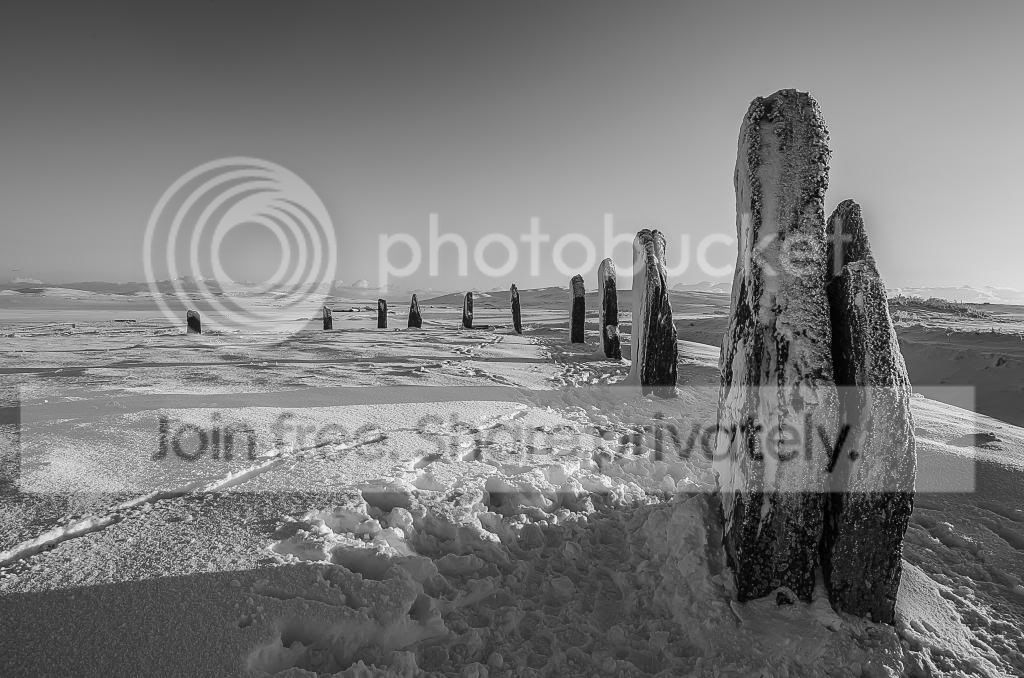
_DSC1944-2 by btyreman, on Flickr

opened RAW in LR4;

cropped,
added 2 filters to the sky to saturate and darken it slightly,
the filter on the right is to tone down the overexposed area,
converted to B&W,
increased contrast,
decreased highlights,
increased whites,
increased shadows a bit,
decreased blacks,
pushed up the highlights in the tonecurve,
played around with the colours in black a white mode until it looked good,
sharpened quite a lot,
added some grain and saved to jpeg.


_DSC1944 by btyreman, on Flickr

same as the first except decreased the saturation and increased vibrance a bit, also the highlights didn't need to be as bright. The white balance is also deliberately slightly blue/cold

 
Last edited:
Last edited:
After looking at this for a while I decided "I'm going to do something different with this!". Wanted to have a bash at bringing the clock forward on this one...

544178_10152703947380305_592099973_n.jpg


Took a little while actually...

In ACR...

-I brought the exposure down a bit more level with highlights, lights, shadows, contrast and exposure sliders.
-I made it warmer by adjusting the WB to the right.
-Increased the saturation.
-Used the adjustment brush tool to make the foreground lighter as if it had been lit with flash.
Upped clarity.
-Used adjustment brush to reduce clarity in the sky.

In PS:
-Added stars by using the noise filter + levels adjustment layer and reduced opacity.
-Added moon by filling a circle and making that a semi-circle then added glow and reduced opacity.
 
Last edited:
I had a go at this...
My edit, done in Lightroom 4...
Firstly, I adjusted it using the horizontal slider, to alter the perspective slightly, and then cropped it to allow for that...
I used the graduated filter on the sky
I adjusted the blacks, the clarity, the temp and the blue slider and tweaked the exposure and contrast
Also used the tone curve tool to finish off

I also tried flipping it horizontally.... so will add that one too.


Last edited:
That's interesting.. almost monochrome.

I'll call this one tonight I think.. been lots of goes at it.
 
Imagine a totally mad artist (amateur (me) that is :nuts:) with paints, brushes & paint all over the place splashing & splattering the stuff all over in a totally random way. Right that is exactly how I edit any photo. I really have tried to be more disciplined and feel so guilty when putting an edit in that I can't remember what I did.

This is most definitely the same again as I have fiddled in CS4, PE10, LR4, PIcasa & gave up in Snapseed. NO pre-sets used (extra points for me Dave?????) but as is my style so many brushes in LR for dodge, burn, exposure, saturation, etc, etc for every single slider option.

I also went along every bit of the horizon trying to bring out the hills & even buildings that aren't immediately visible.

Like Phil I was trying to work out something different but settled on the 'sultry sexy' look :lol:


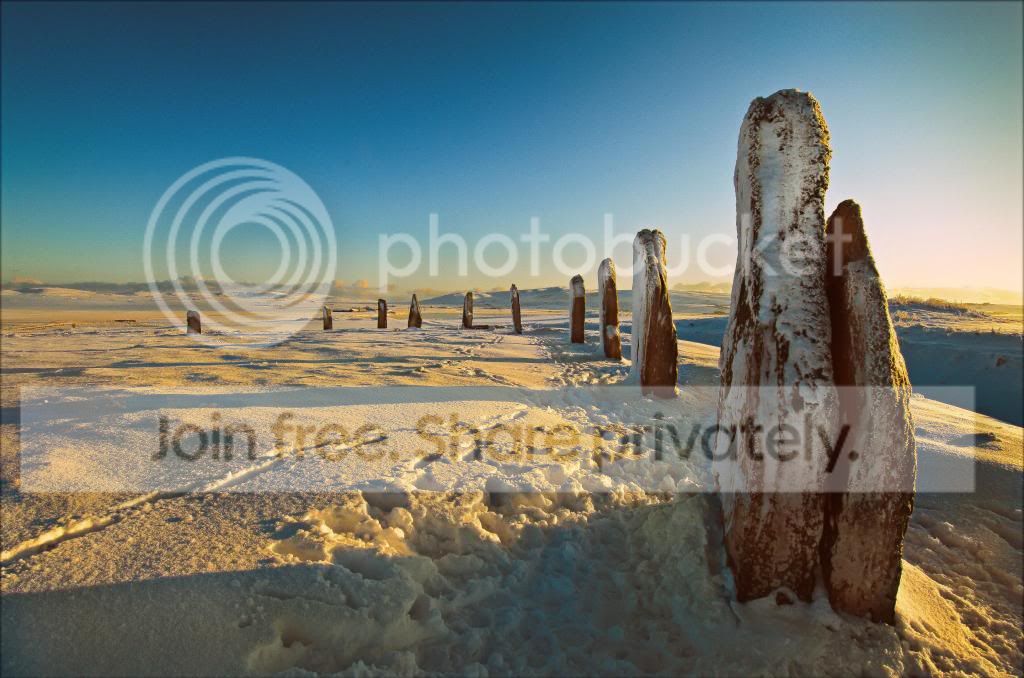
TPRocksinSnow_zps00d993e0.jpg
 
here`s mine
....................
did the sky till it looked better,...............
.........................

Not only great edits Neil, but clear and descriptive explanations on how you achieve them... :nuts:
 
Not only great edits Neil, but clear and descriptive explanations on how you achieve them... :nuts:

Lol, its because I did a few things and time I come to write the list I have forgotten, I do know that I did it in raw so that I didn't get too much banding, I think I reduced the temp so the whole pic was bluer, then saved that as my sky jpeg and burnt through the snow jpeg (I think) lol
 
another quick edit
increased clarity
reduced vibrance
reduced saturation to zero
sharpened
ps for high pass filter with hard light overlay
done

snowyscene_zpsa33c0cb3.jpg
 
here's my crack at it. 2 edits for you;

http://www.flickr.com/photos/bentyreman/8576145744/
_DSC1944-2 by btyreman, on Flickr

opened RAW in LR4;

cropped,
added 2 filters to the sky to saturate and darken it slightly,
the filter on the right is to tone down the overexposed area,
converted to B&W,
increased contrast,
decreased highlights,
increased whites,
increased shadows a bit,
decreased blacks,
pushed up the highlights in the tonecurve,
played around with the colours in black a white mode until it looked good,
sharpened quite a lot,
added some grain and saved to jpeg.

http://www.flickr.com/photos/bentyreman/8575051283/
_DSC1944 by btyreman, on Flickr

same as the first except decreased the saturation and increased vibrance a bit, also the highlights didn't need to be as bright. The white balance is also deliberately slightly blue/cold

Didn't realise we were allowed to up our chances by offering two edits??

Please stick to one :)
 
Didn't realise we were allowed to up our chances by offering two edits??

Please stick to one :)

It has become quite common since I've been reading the thread. It does give us the chance to try ore than one style & when I have been the one putting up the photo for edits I positively encourage more than one as it makes it more interesting?

Similarly I have more than once put up a choice of two photos - I guess it is important to let the thread evolve to get more to take part as it had had moments where the number of entries has been very low.
 
Last edited:
OK.. thought long and hard about this. A tough call, but after walking away and coming back and looking again... and again... I think the winner is....


Rob L


I like the added warmth, the punch and the general feel and atmosphere. Others had dealt with that awkward sky better if I'm honest, but Rob's caught the atmosphere of the place best IMO, and the localised sharpening of the stones was quite a nice touch.

Well done :)


So over to you Rob..
 
Last edited:
It has become quite common since I've been reading the thread. It does give us the chance to try ore than one style & when I have been the one putting up the photo for edits I positively encourage more than one as it makes it more interesting?

Similarly I have more than once put up a choice of two photos - I guess it is important to let the thread evolve to get more to take part as it had had moments where the number of entries has been very low.

I'm big on fairness. So in sport of fairness...one must indicate which of the edits they are entering for the competition.

Otherwise it becomes:

1) unfair as advantages comes into play.
2) a game of where do we draw the line?

As a competition between us, there is no real argument to be put forward that one person can enter more than one edit as their entry. Pretty straight forward as to why.

Edit: just to confirm I'm not being unfair in stating this, it was in the original rules...
 
Last edited:
Wow, quite surprised to win that one, there were some great edits there I thought.

Thanks David, I agree about the sky, I wasn't happy with it myself.

I'll try and dig something out tommorrow.
 
other people have done it...why not? you said nothing :thinking:

I was on sabbatical :)

Let's just play by the rules and not try to bed them... point is, it has always been one entry per person, I see no reason to change that.

It's quite simple:

A clear indication of what should be considered as an entry sad any others are again, clearly indicated *not for entry*.
 
I was on sabbatical :)

Let's just play by the rules and not try to bed them... point is, it has always been one entry per person, I see no reason to change that.

It's quite simple:

A clear indication of what should be considered as an entry sad any others are again, clearly indicated *not for entry*.

look I understand the rules!!! I just don't like the way you have conveniently spotted me doing double posts and yet accept other peoples double posts and it is obvious you have NOT looked at past posts before making the decision. It's corrupt.
 
Wow, quite surprised to win that one, there were some great edits there I thought.

Thanks David, I agree about the sky, I wasn't happy with it myself.

I'll try and dig something out tommorrow.

It was the one that was closest to how I saw it in my mind when taking the shot. Others were indeed good. Lee's was good.... but made it look really cold and hostile, yet in reality the sunlight was quite warm. The texture on the stones was lost in the RAW, and you brought it back out. The brilliant sunlight made the snow blinding white, something lost in the RAW as I had to make sure no highlight detail was lost. Stuff like that.

I liked Overbez's too, but that sky banding and the fact that the image was very dark made me prefer yours. I did like the processing though... just too dark.. sky bands.. working in 16bit would have cured that.
 
Wow, quite surprised to win that one, there were some great edits there I thought.

Thanks David, I agree about the sky, I wasn't happy with it myself.

I'll try and dig something out tommorrow.

It was the one that was closest to how I saw it in my mind when taking the shot. Others were indeed good. Lee's was good.... but made it look really cold and hostile, yet in reality the sunlight was quite warm. The texture on the stones was lost in the RAW, and you brought it back out. The brilliant sunlight made the snow blinding white, something lost in the RAW as I had to make sure no highlight detail was lost. Stuff like that.

I liked Overbez's too, but that sky banding and the fact that the image was very dark made me prefer yours. I did like the processing though... just too dark.. sky bands.. working in 16bit would have cured that.

Well done Rob, your edit was very good, I liked Overbez's too.

Having read everyone's else's editing detailing, most of which went over the top of my head...I realised my lack of editing knowledge meant I had to try it differently...hence the altering perspective by bringing the stones to the front more, and concentrating on limiting that dark sky...it left it looking cold as David pointed out... I was stumped on how to improve it after that :lol:...
I'll have to practise more....
 
look I understand the rules!!! I just don't like the way you have conveniently spotted me doing double posts and yet accept other peoples double posts and it is obvious you have NOT looked at past posts before making the decision. It's corrupt.

Lets just calm down and play the game as it should be played eh? No need to get heated!
 
The original idea was one image per person with nothing really added (as opposed to the other thread), I can see where theres two original images it's fair to enter two entries, but I think otherwise it could be seen as unfair, and where does it stop,
Lets try and keep this going, it's been good fun and educational, it'd be a shame to see it spoiled by bad feelings.
 
The 2 edits is a good way to bump the thread when it's quiet, which hopefully brings new people to the game, as has been said there has been times when people are busy and haven't time to put an edit and the thread can then become very quiet
 
I liked Overbez's too, but that sky banding and the fact that the image was very dark made me prefer yours. I did like the processing though... just too dark.. sky bands.. working in 16bit would have cured that.

Cheers David - appreciate that. Does seem everyone raised their game for that last round - judging must have been tough!

Another part of the rules is that with the decision - you post up your own edit of the image too..... :thumbs:


Regards one edit per person.......... I think it's often hard to decide which of your own edits you prefer - and that can be harder than creating them in the first place. I do agree with the one edit per person (for the purposes of the competition), and that submitting 2 could be seen as attempting to load the dice in your favour.

Perhaps one "entry" edit, but post up "not for entry" edits if you really want to share an alternate version.

But I also think more entrants = a greater the variety of edits, and also a greater variety of files posted up to be edited. :thumbs:

Come on Rob - whatchagot for us.
 
Just to add my 2 pence, personally it is tempting to submit more than one approach, but I think sticking to one actually improves my pp skills by having an idea in my head of what I want to achieve and trying to get there.

Anyway, this is my offering:


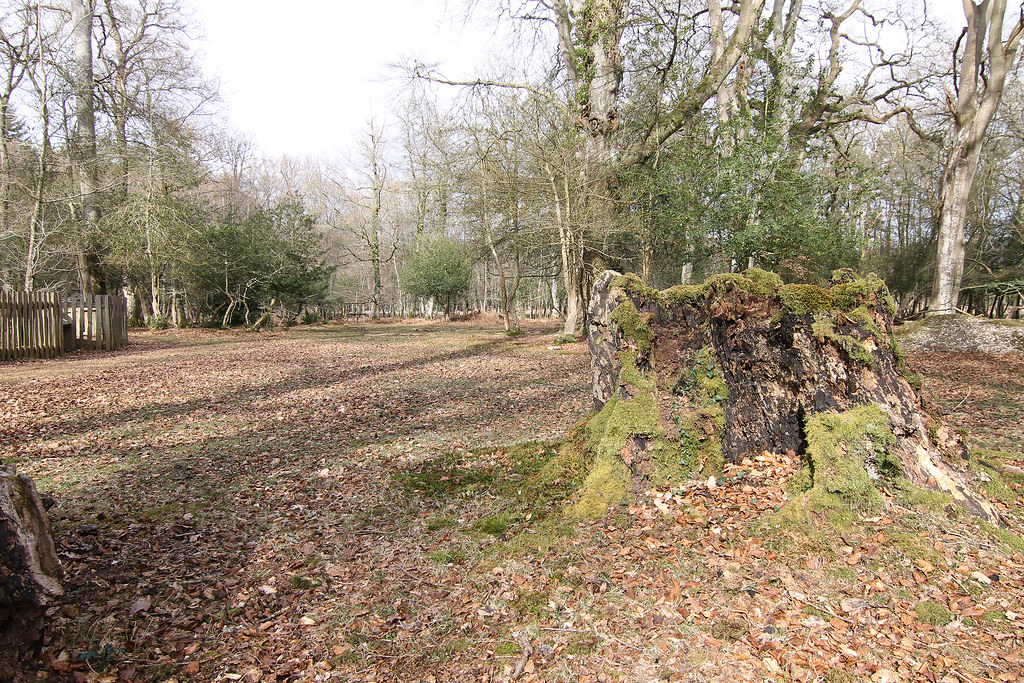
IMG_4465 by R0b L, on Flickr

The skys blown in the jpeg but intact in the raw: https://www.dropbox.com/s/axfzjmfitu8nopj/IMG_4465.CR2

Good luck everyone, and I hope there's plenty of entries and I have just as hard a job picking a winner as David. :thumbs:

EDIT: I'll close this Monday night.
 
Last edited:
Bottom line is folks, we all want to have other people edit our photos, it supplies inspiration and a new take on something you probably would not have seen yourself.

We should all have a fair opportunity in winning this prize.
 
Another part of the rules is that with the decision - you post up your own edit of the image too..... :thumbs:


AArrgh!... didn't realise.... I'll edit this post when I find the edited version.


[edit]


This is how I did mine.

EbiE01y.jpg


Sorry I have no recollection of what I did.
 
Last edited:
OK.. here's my entry.

Highlight recovery in LR4
Lens profile added in LR4
Chromatic aberration removed in LR4
Exported as 16bit TIFF
Crop
Levels in PS
Mono adjustment layer made with yellow brightness increased, and green brightness decreased.
Layer blended the two using saturation.
Very slight high pass filter layer with hard light blend.
Manual darkening of shadow areas using burn tool set to shadows and 10%

Done.

Dyp0qjz.jpg


Time spent = 7 mins approx.
 
Last edited:
well done for the last edit rob, here`s my attempt at yours
opened raw and lowered exposure to get some detail back in the sky
increased clarity which for me gives a nice sharpness and saved a copy for sky
then i did the same with the rest of the shot, basic sliders, and increasing the greens a tad
i then saved 2 copies, one minus 2.60, and another minus .40
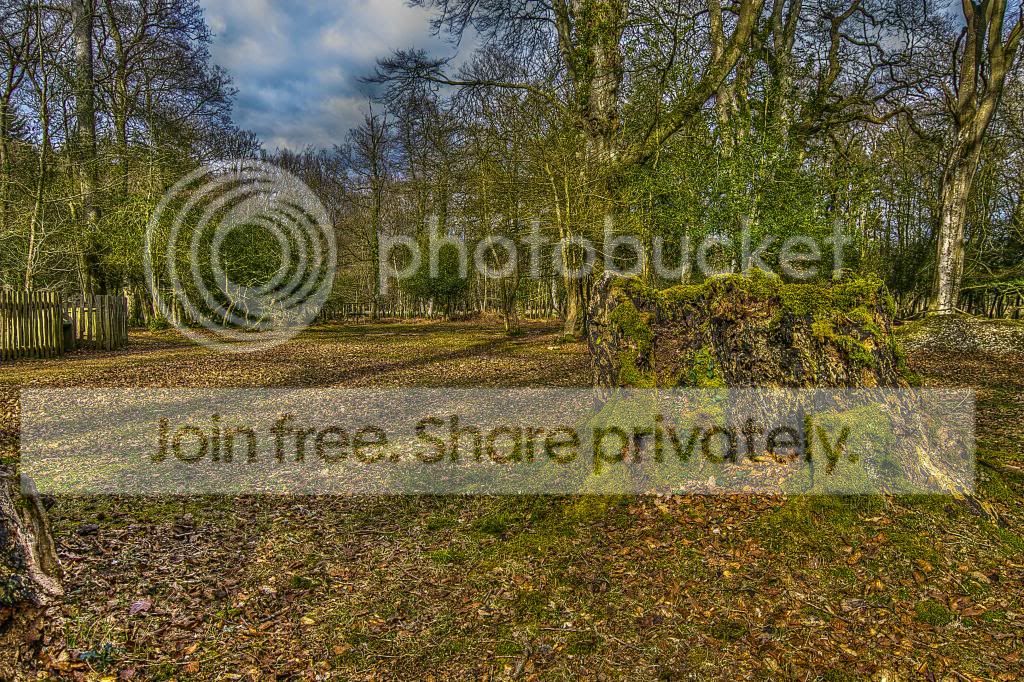
opened these in photmatix for some naughty hdr combining
then into ps where i burnt through the original saved sky as i dont like hdr`d sky`s
high pass sharpen, soft overlay, nothing too harsh
finished!
may be too over the top for some, marmite (i love marmite!)


ppgame_trretrunk_zps99d615a8.jpg
 
Last edited:
Ok, I tried this one as well....
Done in Lightroom4.... I went for a warmer look.
I firstly cropped it, then adjusted the exposure down, and the contrast up.
Decreased the highlights, whites and blacks, and increased the shadows and vibrance slightly.
Did some dodging(or is it burning?) on that stump... darkened it a bit...
Decreased the clarity a lot...and adjusted the tone curve...and the sliders for all those colours...
And, sharpened a bit...

EDIT..... Time taken 10 minutes to PP it, and about 10 minutes to decide if I liked it or not.

 
Last edited:
Here's my go...

581688_10152708709710305_643106857_n.jpg


Opened in ACR;
-Reduced exposure by 1 stop.
-adjusted sliders slightly just to make it a little more even with it's own light.
-Used adjustment brush to apply localised EV, clarity and saturation.

Opened in PS:
-Re-opened in ACR and applied a heavy vignette.
Put that layer on top and erased what I didn't want.
-Dodge & burn'd areas.
-Applied local sharpening to the tree stump.

Total time: around 20mins *perhaps this is useful to know as well??? Maybe good to add this to everyone else's, this way we can get an idea of how long it would take to go from xxx to xxx*. All those in favour?
 
I agree with that. Edited mine.
 
Back
Top