
and please use their services
You are using an out of date browser. It may not display this or other websites correctly.
You should upgrade or use an alternative browser.
You should upgrade or use an alternative browser.
THE PP GAME!
- Thread starter Phil Young
- Start date


DayDreamer
Suspended / Banned
- Messages
- 3,739
- Name
- John
- Edit My Images
- Yes
Really nice edit Shaun & believe me, or not that 'was' the way my mind was going - to reduce the dominance of the background - but b****r it as you beat me to it 
Help I need some inspiration
Help I need some inspiration

- Messages
- 4,407
- Name
- Marsha
- Edit My Images
- Yes
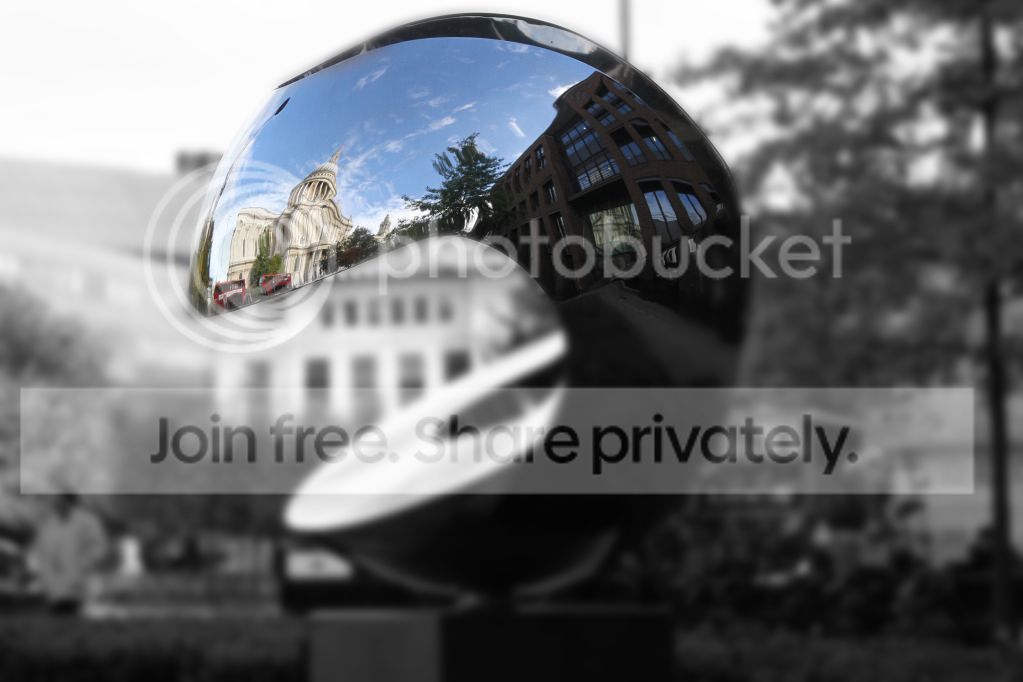
Oooo that's clever Shaun, could I be so rude as to ask what you did? We like to know details to aid others learning, not so we can steal your ideas 
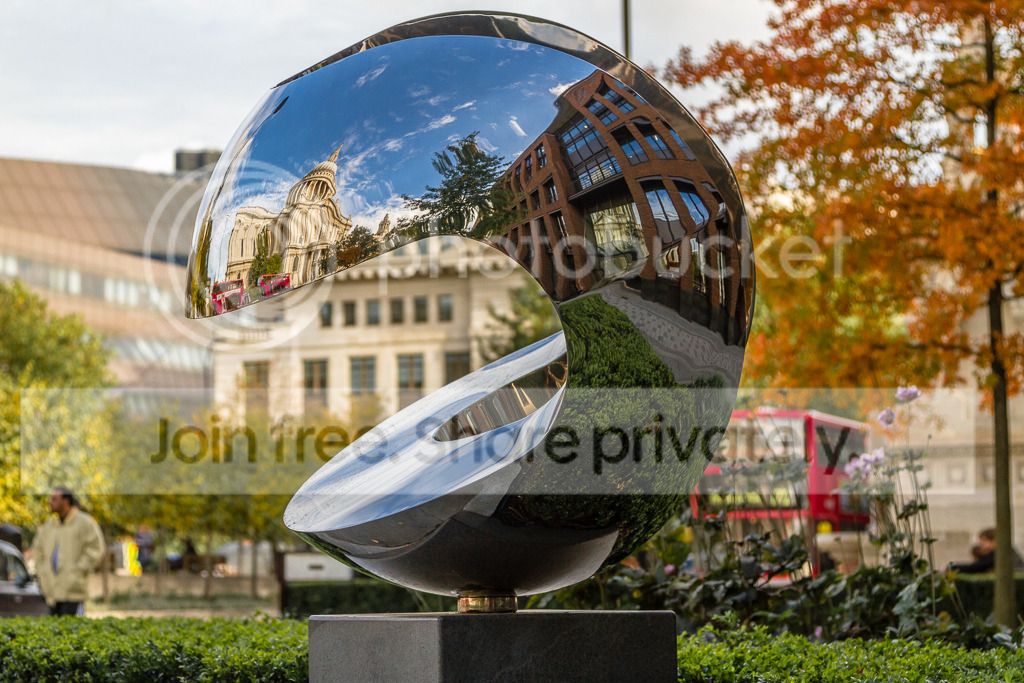
There must be other ideas out there Have I chosen a difficult shot again? I thought this had lots of potential?
DayDreamer said:Help I need some inspiration
There must be other ideas out there
Have I chosen a difficult shot again? I thought this had lots of potential?
TheDrift-
Suspended / Banned
- Messages
- 376
- Name
- Shaun
- Edit My Images
- Yes
@ daydreamer great minds lol 

@ Goblin yeah sorry should have said...um let me think..
um think that was about it...
@ Goblin yeah sorry should have said...um let me think..
- Few quick adjustments in ACR brought back highlights up'd shadows
- used quick selection to select the reflective thingy (sorry dont have a better name for it)
- Decided that didnt do a very good job so path'd it
 put on mask in new layer
 - blurred bottom layer (had a play around here that produced some really bad results so in the end went for a simple blur
 )
) - reduced vibrance and sat (on bottom layer)
- hue sat layer checked colourize selected a yellow brown tone and put on low opacity to tine image (on bottom layer)
- on top layer increased vibrancy & sat,
- added contrast
- added sun on a whim
- added vignette
- sharpened
- finish
um think that was about it...
Last edited:

symmetricalOCD
Suspended / Banned
- Messages
- 478
- Name
- Ben
- Edit My Images
- Yes
thought I'd be cheeky and post 2 this time. (two balls are better than one)
01/
opened RAW in LR4:
colour temp 6786 to warm it up
Highlights -100
Shadows +100
Clarity +18
tonecurve: set to medium contrast
Highlights +38
Darks +18
Saturation:
Red-27
Orange +30
Yellow +12
Green -64
Blue +30
Purple +51
Magenta -48
Luminance:
Orange +28
Green +40
Sharpening +21
noise reduction, in the colour noise +35
lens correction enabled,
saved as jpeg.
02/
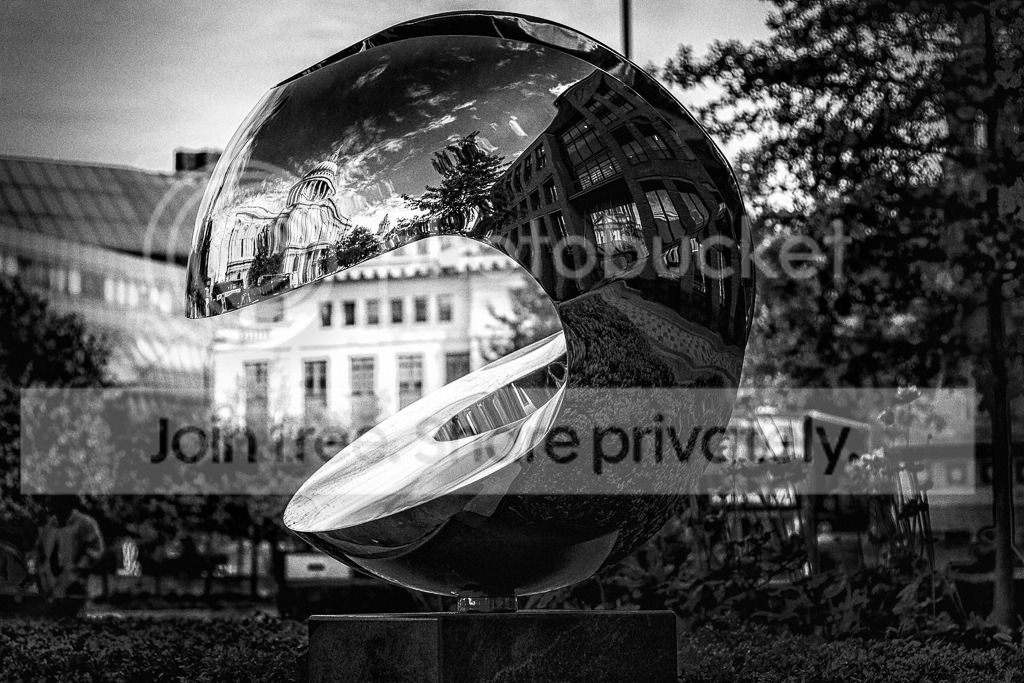
using image no1 in silver fx pro, manually adjusted until it looked good.
01/
opened RAW in LR4:
colour temp 6786 to warm it up
Highlights -100
Shadows +100
Clarity +18
tonecurve: set to medium contrast
Highlights +38
Darks +18
Saturation:
Red-27
Orange +30
Yellow +12
Green -64
Blue +30
Purple +51
Magenta -48
Luminance:
Orange +28
Green +40
Sharpening +21
noise reduction, in the colour noise +35
lens correction enabled,
saved as jpeg.
02/
using image no1 in silver fx pro, manually adjusted until it looked good.
Last edited:
DayDreamer
Suspended / Banned
- Messages
- 3,739
- Name
- John
- Edit My Images
- Yes
There must be other ideas out there
No the shot is fine -- NO it is very good -- I like it

I am a man & as all men do I moan all the time :nuts:
Ben your edits are really good as well

Last edited:

Flying giraffe
Suspended / Banned
- Messages
- 1,189
- Name
- Neil
- Edit My Images
- No
here`s mine, by the time i got round to it it got dark
im away from next week so wont officially enter as i cant put one up
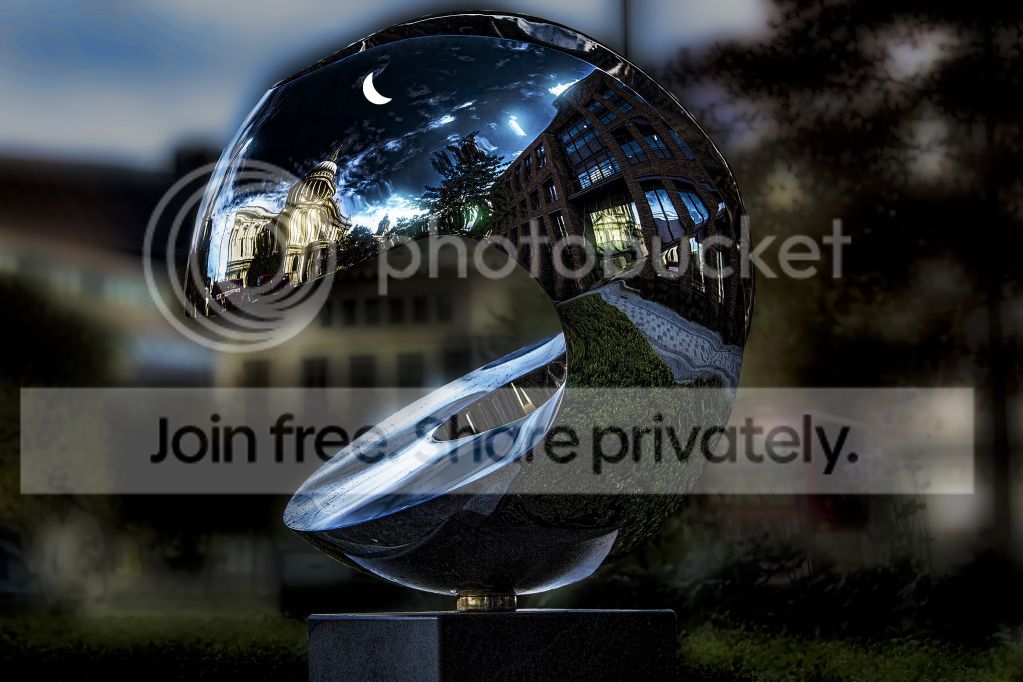
im away from next week so wont officially enter as i cant put one up
Last edited:
DayDreamer
Suspended / Banned
- Messages
- 3,739
- Name
- John
- Edit My Images
- Yes
There's been some excellent 'sensible' edits leaving me nowhere to go apart from my wacky side  :nuts:
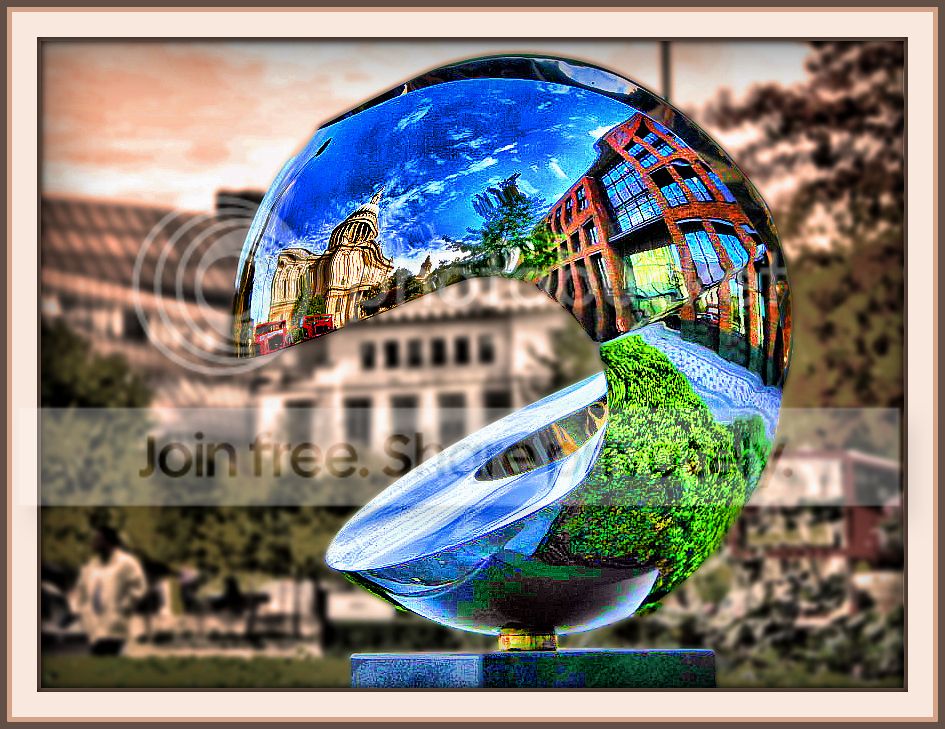
Cropped to at least get a different look.
Run through a little HDR work in ReDynamix.
Selected statue from background to work on each. Statue to go very saturated 'pop'ish' - well OTT.
Background given orange filter, some blur & some desaturation.
The whole given border treatment x twice but picking colour for inner and out border lines to match colour in pic.
Looks like a tribute to PacMan to me.
As I said no sensible edit from me this time but may look at another but what
:nuts: Cropped to at least get a different look.
Run through a little HDR work in ReDynamix.
Selected statue from background to work on each. Statue to go very saturated 'pop'ish' - well OTT.
Background given orange filter, some blur & some desaturation.
The whole given border treatment x twice but picking colour for inner and out border lines to match colour in pic.
Looks like a tribute to PacMan to me.
As I said no sensible edit from me this time but may look at another but what
DayDreamer
Suspended / Banned
- Messages
- 3,739
- Name
- John
- Edit My Images
- Yes
here`s mine, by the time i got round to it it got dark
Could be a theme started here - snowing, raining, bonfire night

Flying giraffe
Suspended / Banned
- Messages
- 1,189
- Name
- Neil
- Edit My Images
- No
Could be a theme started here - snowing, raining, bonfire night
it could well suit a snow globe effect
DayDreamer
Suspended / Banned
- Messages
- 3,739
- Name
- John
- Edit My Images
- Yes
it could well suit a snow globe effect
Tempted to put a bone in it's mouth -- argh -- is it an alien
- Messages
- 4,407
- Name
- Marsha
- Edit My Images
- Yes
used quick selection to select the reflective thingy (sorry dont have a better name for it)
Tempted to put a bone in it's mouth -- argh -- is it an alien
 I've no idea what it is. There are all these shiny globe things dotted around the cathedral! They make great reflections though!
I'm loving all the edits so far. John your whacky version makes it look like a funk motorbike helmet!
Ben I'm loving the B&W conversion, that silver fx pro works a charm!
Last edited:


swanseamale47
Suspended / Banned
- Messages
- 10,876
- Name
- wayne clarke
- Edit My Images
- Yes
I've gone for something a little different, all done in camera raw.

- Messages
- 4,407
- Name
- Marsha
- Edit My Images
- Yes
Whoops sorry I finished early last night but forgot to post :bonk:
I had issues choosing again, but the tones & detail in Bens (SymmetricalOCD) B&W conversion won it!
Here's mine.
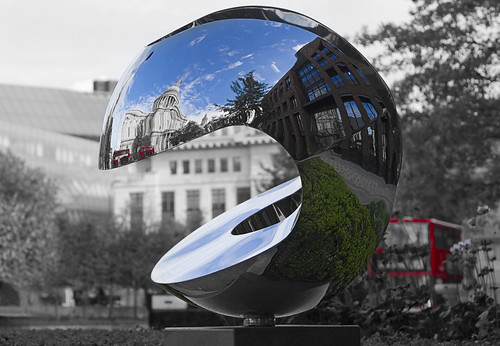
I opened twice in ACR to convert to B&W, one with only greens and blues highlighted? enhance and the other with reds. Opened both in PS and copied one onto the other, then masked out which bits I didn't want.
Cloned out the lamp post sticking out the top and the man in the bottom right corner.
High pass sharpen on the shiny globe after a tweak to the levels.
Over to you Ben.
I had issues choosing again, but the tones & detail in Bens (SymmetricalOCD) B&W conversion won it!
Here's mine.
I opened twice in ACR to convert to B&W, one with only greens and blues highlighted? enhance and the other with reds. Opened both in PS and copied one onto the other, then masked out which bits I didn't want.
Cloned out the lamp post sticking out the top and the man in the bottom right corner.
High pass sharpen on the shiny globe after a tweak to the levels.
Over to you Ben.
Last edited:
swanseamale47
Suspended / Banned
- Messages
- 10,876
- Name
- wayne clarke
- Edit My Images
- Yes
Well done Ben.
symmetricalOCD
Suspended / Banned
- Messages
- 478
- Name
- Ben
- Edit My Images
- Yes
wow thanks again!, I'm going to be going out to get some autumnal like shots and will post something later on this evening.
DayDreamer
Suspended / Banned
- Messages
- 3,739
- Name
- John
- Edit My Images
- Yes
 And a very well done from me as well :1st:
- Messages
- 4,407
- Name
- Marsha
- Edit My Images
- Yes
I liked all the edits, I didn't know (although it seems obvious now) that you could do SC in ACR until I saw Wayne's edit! In fact Wayne came a close second because of the SC!
Just wish I could duplicate what you lot can do!
Just wish I could duplicate what you lot can do!
symmetricalOCD
Suspended / Banned
- Messages
- 478
- Name
- Ben
- Edit My Images
- Yes
here's one of many from Lyme Park today....
preview:
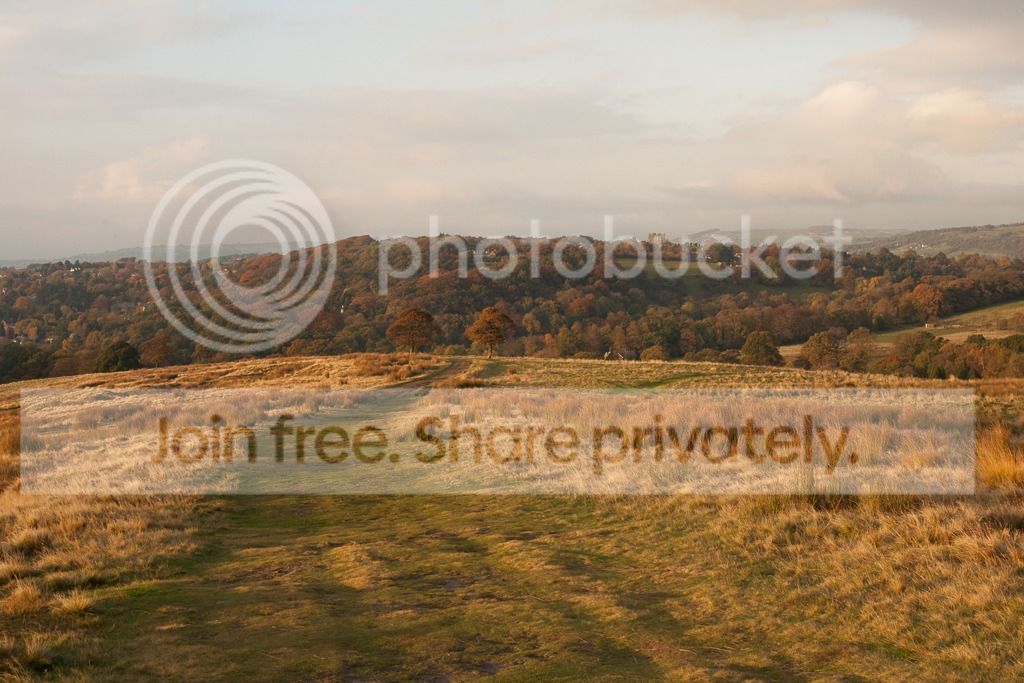
link to the DNG file here: https://www.dropbox.com/s/5xs7hl2374ygvr4/TP_LP_lyme.dng
looking forward to all your edits, can't wait to see them
preview:
link to the DNG file here: https://www.dropbox.com/s/5xs7hl2374ygvr4/TP_LP_lyme.dng
looking forward to all your edits, can't wait to see them
- Messages
- 4,407
- Name
- Marsha
- Edit My Images
- Yes
Whoa did you have sunshine today? Couldn't see squat down here for the mist & fog!
symmetricalOCD
Suspended / Banned
- Messages
- 478
- Name
- Ben
- Edit My Images
- Yes
Whoa did you have sunshine today? Couldn't see squat down here for the mist & fog!
for about 20 minutes the sun came out luckily for me in the golden hour, I love it when that happens. The rest of the day was cloudy lol

livewires71
Suspended / Banned
- Messages
- 131
- Name
- Dean
- Edit My Images
- Yes
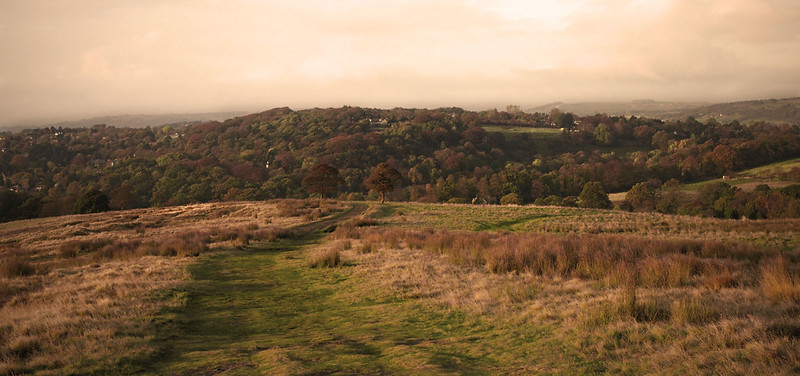
Thought I Had better get in early this time as all the best ideas had gone by the time I had got on to the last one.
TP_LP_lyme
I didn't have all the Raw adjustments for some reason so couldn't do much with that.
Cropped to a panoramic view
Vignette
the normal Levels adjustments to bring out the details in the foreground
Created 3 layers 1 for the foreground,background & Sky
Adjusted the lighting in the background to bring out the autumn colours
Applied a Sepia & Warming filter to the sky
Sharpened slightly
TP_LP_lyme
I didn't have all the Raw adjustments for some reason so couldn't do much with that.
Cropped to a panoramic view
Vignette
the normal Levels adjustments to bring out the details in the foreground
Created 3 layers 1 for the foreground,background & Sky
Adjusted the lighting in the background to bring out the autumn colours
Applied a Sepia & Warming filter to the sky
Sharpened slightly
Last edited:
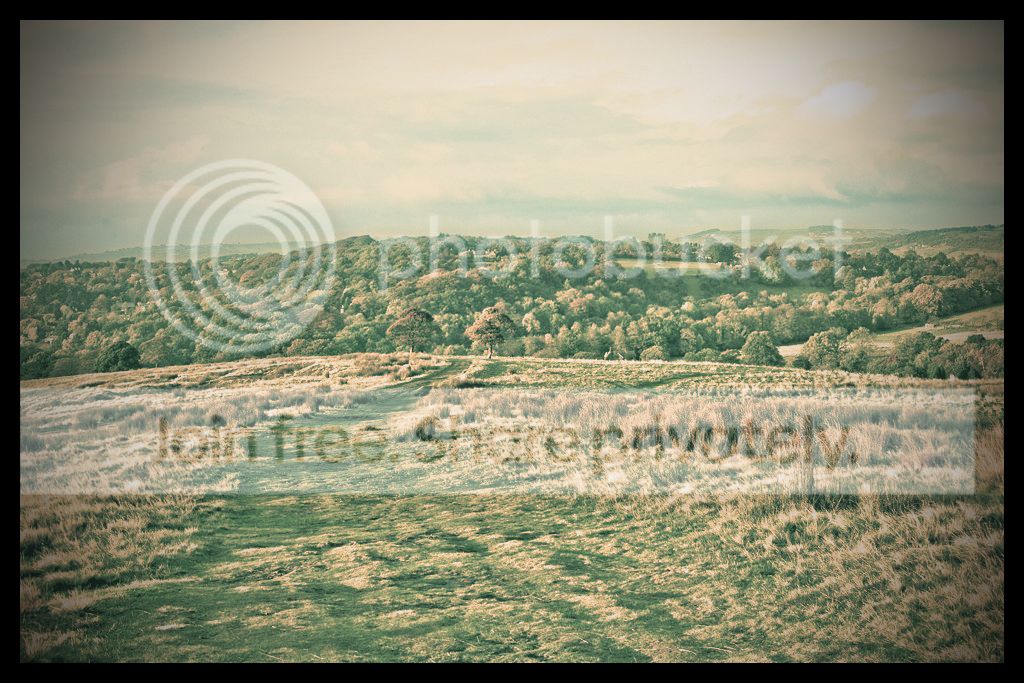
symmetricalOCD
Suspended / Banned
- Messages
- 478
- Name
- Ben
- Edit My Images
- Yes
any more entries? I'll announce a winner on Monday next week
DayDreamer
Suspended / Banned
- Messages
- 3,739
- Name
- John
- Edit My Images
- Yes
any more entries? I'll announce a winner on Monday next week
It is exactly the type of shot I really enjoy doing and so I will try very hard to put one in but I am still dogged by a bad back and can't sit easily for long even at my laptop
symmetricalOCD
Suspended / Banned
- Messages
- 478
- Name
- Ben
- Edit My Images
- Yes
It is exactly the type of shot I really enjoy doing and so I will try very hard to put one in but I am still dogged by a bad back and can't sit easily for long even at my laptop
ouch, sounds bad. Hope you get better soon John
DayDreamer
Suspended / Banned
- Messages
- 3,739
- Name
- John
- Edit My Images
- Yes
ouch, sounds bad. Hope you get better soon John
Well thank you Ben
- Messages
- 4,407
- Name
- Marsha
- Edit My Images
- Yes
I've had a quick go but not had chance to finish it, working this weekend hasn't helped! I hope to get a version up by Monday.
swanseamale47
Suspended / Banned
- Messages
- 10,876
- Name
- wayne clarke
- Edit My Images
- Yes
I'll try and put one up but with 2 weddings and a theatre rehearsal this weekend I doubt I'll have much chance

Mr G
Suspended / Banned
- Messages
- 2,392
- Name
- James
- Edit My Images
- Yes
Haven't really done much on here  Couldn't sleep clocks went back so here is my effort...
Added some tone compression, added a red photo filter,reduced opacity,erased bits out of the foreground,added some clarity and saturation,then adjusted the levels...

Couldn't sleep clocks went back so here is my effort...Added some tone compression, added a red photo filter,reduced opacity,erased bits out of the foreground,added some clarity and saturation,then adjusted the levels...
swanseamale47
Suspended / Banned
- Messages
- 10,876
- Name
- wayne clarke
- Edit My Images
- Yes
Ok heres my effort.
Mostly done in camera raw, then into photoshop proper for some burning and dodging mostly around the track area. Then a good dollop of sharpening for a bit of "grit".

Mostly done in camera raw, then into photoshop proper for some burning and dodging mostly around the track area. Then a good dollop of sharpening for a bit of "grit".


DayDreamer
Suspended / Banned
- Messages
- 3,739
- Name
- John
- Edit My Images
- Yes
Will add text later as had enough sitting at laptop.
PS Will also try and upload the right pic as just realised I uploaded a 'work in progress'
PS Will also try and upload the right pic as just realised I uploaded a 'work in progress'
Last edited:
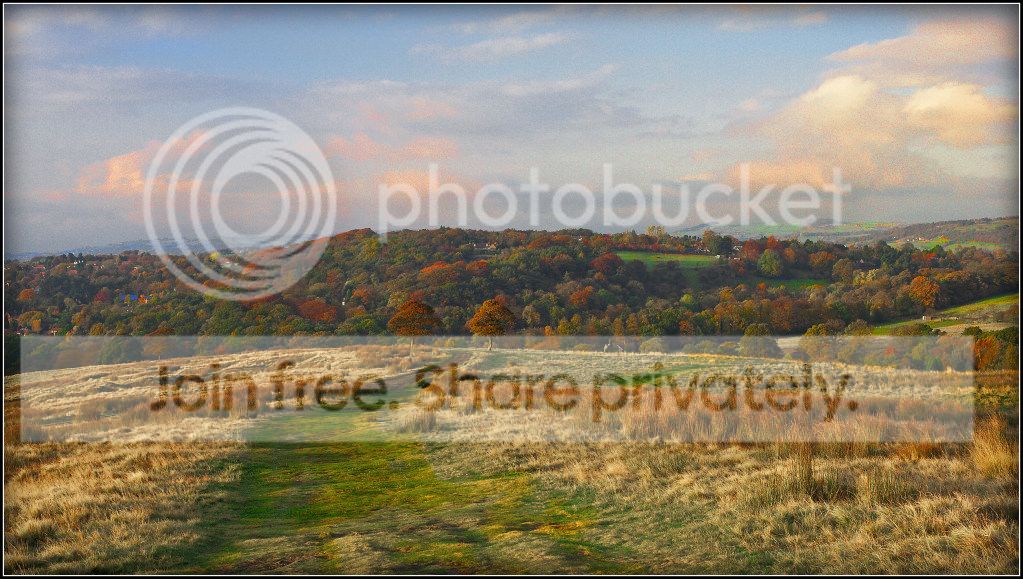
My first go at this game. I was trying to make edit fit with context of scene and time of day shot. Wanted to bring out warm colours of landscape

I opened RAW in LR3 and warmed by altering WB. Applied graduated filter local adjustment to bring out detail in sky. Opened in PSE10 and applied NR to sky then sharpened foreground with High Pass filter. Fiddled a bit with levels and brightness/contrast.
I opened RAW in LR3 and warmed by altering WB. Applied graduated filter local adjustment to bring out detail in sky. Opened in PSE10 and applied NR to sky then sharpened foreground with High Pass filter. Fiddled a bit with levels and brightness/contrast.
Last edited:
- Messages
- 4,407
- Name
- Marsha
- Edit My Images
- Yes
Here's mine, I experimented, never used the sharpening bit in ACR before (why I don't know) and tried something new in PS!

Opened in ACR and given basic tweaks, then:
Sharpening:
Amount 69
Radius 1.0
Detail 25
Masking 70
Noise reduction:
Luminance 45
Luminance Detail 50
Luminance contrast 0
Colour 52
Colour detail 50
Opened in PS.
Did some burning on the mid tones on the sky and distant horizon.
Flattened.
Did a bleach bypass (taken from September Practical Photography magazine):
Levels layer white point to 200
Blended using multiply
Convert to B&W opacity reduced to 40%
Curves layer out 166 input 100
Group the layers and opacity reduced to 50%
Then cropped and saved.
Photobucket seems to have drained the colour, here's the same shot on Flickr for comparison:

Opened in ACR and given basic tweaks, then:
Sharpening:
Amount 69
Radius 1.0
Detail 25
Masking 70
Noise reduction:
Luminance 45
Luminance Detail 50
Luminance contrast 0
Colour 52
Colour detail 50
Opened in PS.
Did some burning on the mid tones on the sky and distant horizon.
Flattened.
Did a bleach bypass (taken from September Practical Photography magazine):
Levels layer white point to 200
Blended using multiply
Convert to B&W opacity reduced to 40%
Curves layer out 166 input 100
Group the layers and opacity reduced to 50%
Then cropped and saved.
Photobucket seems to have drained the colour, here's the same shot on Flickr for comparison:
Last edited:
DayDreamer
Suspended / Banned
- Messages
- 3,739
- Name
- John
- Edit My Images
- Yes
Marsha - Isn't it frustrating when the image on here doesn't look like the one on your own computer. On here - looking not so good - that is
- Messages
- 4,407
- Name
- Marsha
- Edit My Images
- Yes
I know John. On my PC at home the one on Photobucket looked really dull, on my phone they look identical :bonk:
But then it might have been because I looked at the one before by Spillage and that is really saturated compared to mine
But then it might have been because I looked at the one before by Spillage and that is really saturated compared to mine