myotis
Suspended / Banned
- Messages
- 4,503
- Name
- Graham
- Edit My Images
- No
The article you linked doesn't match what Fuji has said.OK guys, mystery solved ... I don't blame you that you don't know how raw date Vs color profiles work(joke but true) .. I was googling further and found this

Fujifilm raw files and why they can look underexposed in Darktable
Many users of Darktable are Fujifilm camera users, and thankfully Fujifilm raw files work nicely with Darktable. However, I had some comments from Darktable users where they say that Fujifilm files…onecameraonelens.com
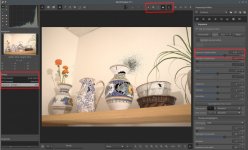
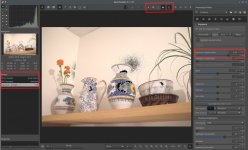
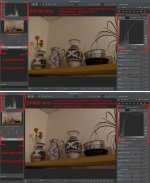
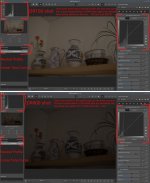
and indeed .. I had there DR400 which is underexposing photos ... On Canon or Nikon cameras this feature works differently and it doesn't affect the RAW (ie notice here for example)
lesson taken, solution:
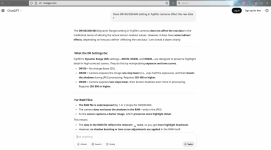
DR400 is severely damaging the raw data because Fuji camera underexpose with it images by 2 stops ... So if you're shooting to both RAW and JPEG make sure that your recipe (https://fujixweekly.com/fujifilm-x-trans-iii-recipes/) is not employing DR400 ...
I am shooting many years but I've never noticed this with any other camera .. as I said, I returned from vacation and found all shots taken crippled and damaged by underexposing ... this is just the real thing .. I've tested it now .. it's DR400 .. no need to look further .. this is just something that shall be avoided if you want to use RAWs as well
Fuji describe the DR correction, used with raw files, as exposing for the highlights and then lifting the gain in the shadow detail so it isn't underexposed. That is why it only works at ISOs above base, because it selectively changes the gain
The Nikon highlight weighted metering does something similar with raw files but I've never seen Nikon explain how it works. The Nikon Active D lighting only works with Jpegs and the Nikon raw processing software. I don't know how Canon works.
I use DR with Fuji and highlight weighted metering with Nikon regularly, and while it doesn't seem to "underexpose" (loses shadow detail), the correction can compress the tonal range, which, if you have a lot of light areas in the picture these can come out a bit dark.
I think this might be what has happened with the image you posted.
But, based on the histogram nothing appears to be underexposed or overexposed, it just has a compressed tonal range. Which is what the DR tool is meant to do., but if you start with a flattish image, theDR tools can "overcorrect" the tonal range, which then needs expanded in processing.
In Capture One I would use the levels slider to expand the tonal range, and then adjust the overall bightness with the gamma adjustment, which adjusts the overall brightness without affecting the white and black point.
I am sure you could do something similar with LR.
I tend to be lazy, and just leave DR or highlight weighted metering on pretty well all the time, but it should probably be used more selectively. I just find it easier to correct a file with a compressed tonal range than one with blocked shadows or blown highlights.


 .. I can absolutely recommend it .. these guitars have quality and feel of 2+ more times expensive instruments .. It's almost an investment, Vola is very young brand and they will be only more expensive over the time (if they will maintain the quality)



 hem on level where you want them ...


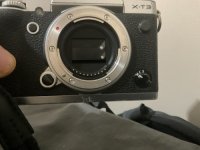
 I recently sent an X-T2 for a shutter release issue, it cost just over £100 which I thought was well worth it.