There is an online Depth Of Field calculator that a lot of people use, including myself. Depth of field differs depending on which camera format you are using, which focal length, which f/stop and the distance to the subject.
You just plug in data for the above and out will pop the values for nearest point of acceptable focus and farthest, and the total DOF that gives you. Here is the calculator....
http://www.dofmaster.com/dofjs.html
As I used an 85mm lens vs your 100mm lens I had to move in a bit closer to get similar framing. In fact I should have shot 15% closer than you did, but I don't know how far away you were so I just guessed.
What you may find interesting is that if we were both set up at the correct equivalent distances and matching apertures our DOF would have been the same. e.g. Assuming you were shooting from 100" away with your 100mm lens I would have had to shoot from 85" away with my 85mm lens. If we both shot at f/8 look at the DOF figure for each scenario....
Data and calculations for my lens....
Data and calculations for your lens....
See that in both cases the DOF is 7.43". That should be sufficient to cover some tomatoes, even the ones stacked in the bowl, but you do need to be very careful about where you place your focus as you will be needing a lot of that DOF. If you focused on the tomato nearest to the camera you would be wasting almost half your DOF in the thin air in front of it (3.58" to be precise). Your useful DOF would only be the 3.85" behind your point of focus. So you need to choose how far into the scene to focus, very carefully. That is why Live View at 10X magnification is so useful. You can focus manually or automatically with absolute precision. Contrast detect AF is good for this sort of thing, if you don't want to focus manually, but you must place the focusing reticule very precisely on a suitable target.
It's also worth pointing out that when you reach the DOF boundary things don't suddenly switch from sharp to soft. The only point at which things are truly sharp is the point/plane on which you focused. Anything in front of or behind that point/plane will become progressively softer the further away it is from the plane of focus. All that the DOF figures indicate is the point at which that softness will become unacceptable when viewed at certain magnifications. I think that magnification is meant to be a 9"x6" print viewed from 10", or something like that. If you enlarge more than that, and/or view from a shorter distance, then that changes the DOF boundaries. For a 17" widescreen monitor the DOF calculations should hold good for viewing at about 20" from the screen.




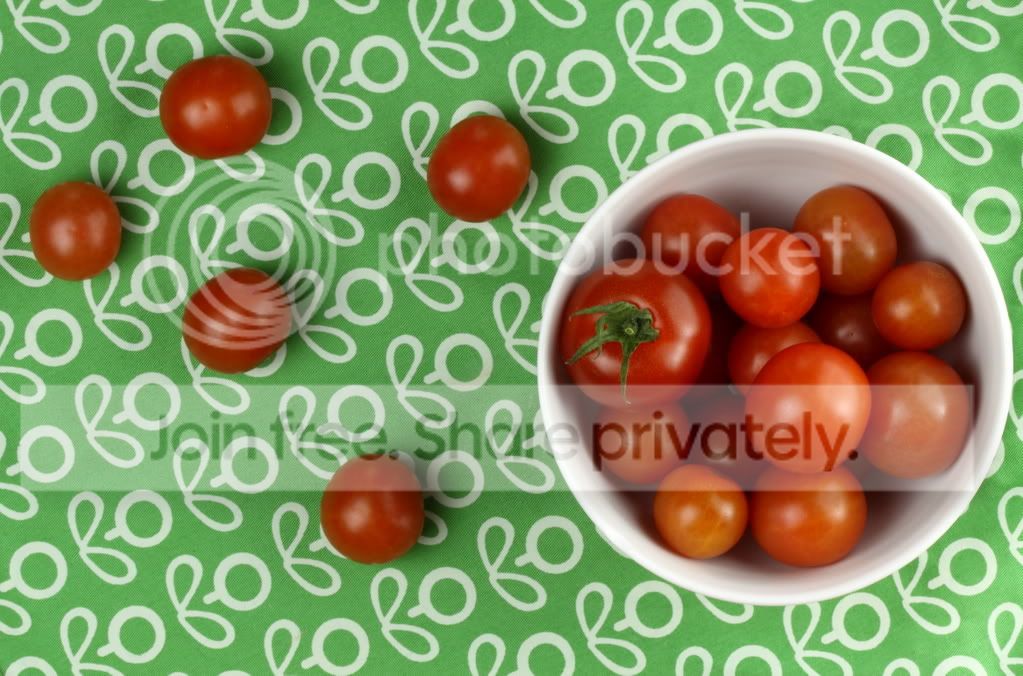
 ). I tried to make the tomato about the same size in the frame as yours. My shooting distance for this was 69" giving a DOF (at normal reproduction sizes) of almost 5".


