Scratch Disc Head Scratcher

Blured eyes

Suspended / Banned
Messages
95
Edit My Images
No
With help from this forum I have my new i5 16GB pc on its way with a samsung evo 250gb SSD and a 1TB Standard HD, OS and programs and working files will be on the SSD
I have an old photoshop 7 and my question is is there still a need to select the other HD as a scratch disk given the SSD
 
I would not, it just slows it down.
 
This will be for my new(er) cp and that will have 16gb ram so I hopefully wont be running out of ram.
Don't think I need to then but if did can it be just on the other hard drive or is it best to make another partition for it with nothing else in it and if so how big should it be.
 
Can I just check what you understand by a scratch disk? There should not be any need to use the HDD for anything other than storage.
 
In the old days my understanding was that you used to assign a non-system disc if you had one & i've always done that. These days with lots of RAM commonly available, scratch space may be less needed. Except that camera files are also getting bigger, so when you start to work on them, add layers, etc ...

If PS had to over-run available RAM & use the scratch, processes could really bog down ...
 
Hence surely the answer is very simple, don't use the hdd but the SSD. Also no need th mess about with partitions, that was another from the days of slow hard drives. As per my original answer just use the SSD. And as others suggested, changes are it will never get used.
 
I presume that by scratch space you mean a paging file which you can disable from the control panel (Win 7).

If you have 16GB like I do then you can disable it otherwise it will assign 2-4GB on your SSD.
 
I presume that by scratch space you mean a paging file which you can disable from the control panel (Win 7).

If you have 16GB like I do then you can disable it otherwise it will assign 2-4GB on your SSD.
No, he's talking about Photoshop, not Windows itself. You're confused.
 
Last edited:
The best scratch disk is none at all:

RAM is much faster than SSD* which is quite a bit faster than HDD. This is why it is recommended to get as much RAM as you can - the moment the contents of RAM have to be swapped to disk there is a massive performance degradation as the data is copied to/from disk.

At startup, Photoshop will reserve a chunk of RAM for its use. If it runs out of RAM, it will start to use the scratch disk instead of asking for more RAM from the operating system.
This is different to most programs - they tend to ask for RAM as it is needed (and release it when finished with) letting the OS worry about capacity and swapping to disk.

There's a dead easy way to tell if the scratch disk is in use - at the bottom of the opened file window there's an info bar - this can be set to Efficiency.
At 100% there's no need to worry. Lower than 100% means you need more RAM. You can either increase the amount of RAM that Photoshop is allowed to use and be careful what else you run at the same time, or get some more RAM.
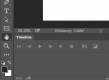
Screen Shot 2016-02-10 at 22.00.31.png

So if you have an SSD and a HDD available, the SSD is always going to be the better option even if it is also the OS boot drive.

*RAM is of the order of thousands of times faster than SSD.

 
Last edited:
Thanks for all the replies
So its no scratch for me then, but that is a good reminder to maybe tell PS to use more Ram than it gives itself as default
 
Hence surely the answer is very simple, don't use the hdd but the SSD. Also no need th mess about with partitions, that was another from the days of slow hard drives. As per my original answer just use the SSD. And as others suggested, changes are it will never get used.

Not sure how disk.paritioning has ever helped with slow disks.
For my two penneth, I still.tend to keep the OS and files in separate partitions, so that I can blow the OS away without the worry of recovering/overwriting 'owt important
 
Back
Top
