The best scratch disk is none at all:
RAM is much faster than SSD* which is quite a bit faster than HDD. This is why it is recommended to get as much RAM as you can - the moment the contents of RAM have to be swapped to disk there is a massive performance degradation as the data is copied to/from disk.
At startup, Photoshop will reserve a chunk of RAM for its use. If it runs out of RAM, it will start to use the scratch disk instead of asking for more RAM from the operating system.
This is different to most programs - they tend to ask for RAM as it is needed (and release it when finished with) letting the OS worry about capacity and swapping to disk.
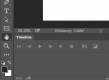
There's a dead easy way to tell if the scratch disk is in use - at the bottom of the opened file window there's an info bar - this can be set to Efficiency.
At 100% there's no need to worry. Lower than 100% means you need more RAM. You can either increase the amount of RAM that Photoshop is allowed to use and be careful what else you run at the same time, or get some more RAM.
So if you have an SSD and a HDD available, the SSD is always going to be the better option even if it is also the OS boot drive.
*RAM is of the order of thousands of times faster than SSD.




