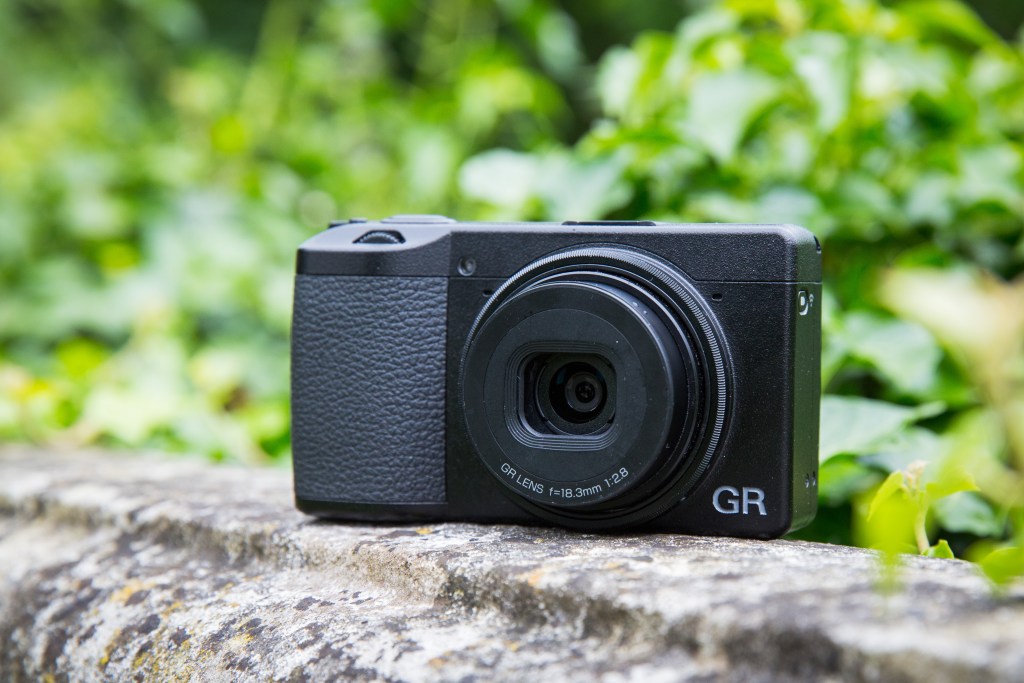
Ricoh GR III Owners Thread

Hi guys. I've just had a disaster. Bought a lovely used GR III today in mint condition for £599 from Park Cameras and only 311 shutter count. However, I've kind of broken part of the camera and only had it 5 minutes! :facepalm: It has this filter over the front of it. https://www.amazon.co.uk/JJC-Filter-Ricoh-III-Camera/dp/B07VYQY3NV

Before I knew anything about the filter, i.e, before I saw that Amazon link, I tried to unscrew it and the whole front part, (the filter and the cover that goes over over the lens has come off. I sort of got it back on but can't get it to seat properly and a tiny 2mm long spring has fallen out which I've stuck to sellotape to save losing it. The lens doesn't retract fully now. Well it does with the front part removed so at least the mechanism still functions normally. Here's a gallery of my catastrophe.
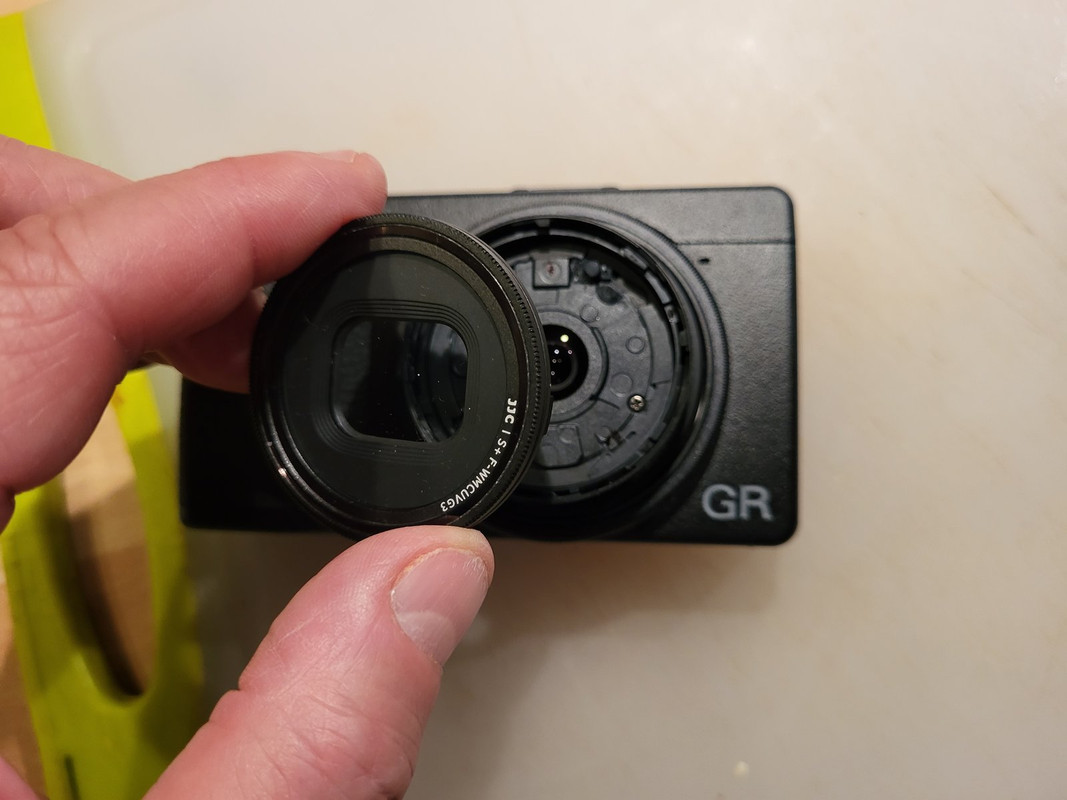

Don't know what to do now. I think it has a 6 month warranty but I don't know what I could say to the shop to make it look it wasn't my fault. So I'm probably going to have to pay for a repair. So much for my bargain. :( Does anyone know what it might roughly cost?
 
Hi guys. I've just had a disaster. Bought a lovely used GR III today in mint condition for £599 from Park Cameras and only 311 shutter count. However, I've kind of broken part of the camera and only had it 5 minutes! :facepalm: It has this filter over the front of it. https://www.amazon.co.uk/JJC-Filter-Ricoh-III-Camera/dp/B07VYQY3NV

Before I knew anything about the filter, i.e, before I saw that Amazon link, I tried to unscrew it and the whole front part, (the filter and the cover that goes over over the lens has come off. I sort of got it back on but can't get it to seat properly and a tiny 2mm long spring has fallen out which I've stuck to sellotape to save losing it. The lens doesn't retract fully now. Well it does with the front part removed so at least the mechanism still functions normally. Here's a gallery of my catastrophe.


Don't know what to do now. I think it has a 6 month warranty but I don't know what I could say to the shop to make it look it wasn't my fault. So I'm probably going to have to pay for a repair. So much for my bargain. :( Does anyone know what it might roughly cost?
Don't waffle (lie!) to the supplier!
The filter is obviously an add-on and designed to be screwed on and off - if it wouldn't unscrew without breaking the front of the camera, there is a fault.
If it is faulty you have recourse with the supplier.
Simply tell them that you didn't want the filter fitted, unscrewed it and the whole front came off.
 
@Merlin5 I've never heard of that sort of filter arrangement. The GA-1 adapter with filter attached is (I believe) the recognised way.

P1011624-630x420.jpg


I'm a little surprised Park Cameras sold it like that.
 
Don't waffle (lie!) to the supplier!
The filter is obviously an add-on and designed to be screwed on and off - if it wouldn't unscrew without breaking the front of the camera, there is a fault.
If it is faulty you have recourse with the supplier.
Simply tell them that you didn't want the filter fitted, unscrewed it and the whole front came off.

Thanks gramps. You're absolutely right. I'm getting ready to return to the shop with the camera and I will say exactly what you said. Hopefully they'll accept that and either refund me or repair it at their expense.

@Merlin5 I've never heard of that sort of filter arrangement. The GA-1 adapter with filter attached is (I believe) the recognised way.

P1011624-630x420.jpg


I'm a little surprised Park Cameras sold it like that.
Hi David. Yep, I was looking on YouTube last night and came across a video showing that adapter. To be honest, this filter stuck to mine would be useful keeping dust out. But I don't know if it reduces image quality, and secondly, I would have had no idea it was stuck down with glue. I should have been able to unscrew it.
 
Thanks gramps. You're absolutely right. I'm getting ready to return to the shop with the camera and I will say exactly what you said. Hopefully they'll accept that and either refund me or repair it at their expense.
Let us know how you get on. :)
 
Let us know how you get on. :)
Great result thanks to your advice, gramps! Told them there's an add-on glass filter I didn't want, and that when I tried to unscrew it the whole of the front came off. They said "Oh yes, that's definitely broken and would need a new assembly which would be expensive so we'll refund you". They were really nice about it. No querying it or finger pointing and I got my refund of £599. Even better, they have another used one in excellent condition for me to pick up tomorrow and same price. :D Credit to Park Cameras, great service I must say.
 
Last edited:
Great result thanks to your advice, gramps! Told them there's an add-on glass filter I didn't want, and that when I tried to unscrew it the whole of the front came off. They said "Oh yes, that's definitely broken and would need a new assembly which would be expensive so we'll refund you". They were really nice about it. No querying it or finger pointing and I got my refund of £599. Even better, they have another used one in excellent condition for me to pick up tomorrow and same price. :D Credit to Park Cameras, great service I must say.
Great news, glad it worked out okay. :)
 
Great result thanks to your advice, gramps! Told them there's an add-on glass filter I didn't want, and that when I tried to unscrew it the whole of the front came off. They said "Oh yes, that's definitely broken and would need a new assembly which would be expensive so we'll refund you". They were really nice about it. No querying it or finger pointing and I got my refund of £599. Even better, they have another used one in excellent condition for me to pick up tomorrow and same price. :D Credit to Park Cameras, great service I must say.

Great news to hear, good on Park Cameras.
 
Well done Lee, I'm pleased.

Extra pleased to hear that Park Cameras are playing fair. I bought from them, GR3X new, last week, and that was the first dealing I've had with them.
 
Great news, glad it worked out okay. :)

Thanks gramps. :) I'm glad they accepted that I thought it should be unscrewed and they didn't query me trying to unscrew something that was glued on. But I didn't know it was glued until after it broke. So, a lucky escape here.

Great news to hear, good on Park Cameras.

Cheers Dave, yes, good company. (y)

Well done Lee, I'm pleased.

Extra pleased to hear that Park Cameras are playing fair. I bought from them, GR3X new, last week, and that was the first dealing I've had with them.
Thanks David. Ah cool, you also bought from them. Yes, I bought a camera bag from them last year that I really wanted and none were online. Nice people there. How you liking your GR3X? I was considering it but think I prefer 28mm and the ability to use 35mm in crop mode.
 
Thanks David. Ah cool, you also bought from them. Yes, I bought a camera bag from them last year that I really wanted and none were online. Nice people there. How you liking your GR3X? I was considering it but think I prefer 28mm and the ability to use 35mm in crop mode.

I'd been into Park's West End shop a number of times, never bought anything.

Thought long & hard about getting a Ricoh ... GR3 vs GR3X, watched loads of videos on the subject. Eventually bit the bullet on the latter: X.

I probably would have gone in and bought from Camerworld in Wells Street, they let me play with one a few months back. But they're currently out of stock. Looked online, bought from the first company I felt I knew, that were in stock!

I'll never know if 40mm is better than 28mm. You just have to work with what you've got. I like a bit of reach!

BTW, the GR3X, 40mm crops to 50 and 71mm. I currently have the, one & only, Fn button configured to crop mode; don't know if I'll keep it like that. Perhaps I should put crop out of my mind.
 
Last edited:
Here's a 71mm pre shot crop ...


AL9nZEXDsxT48mT4gq6AcEghwe1cH6hSucIiPHaXFEU7JtEfQqTot09a3WeIdhtWxTy_mTP8z3pTTinTuHfkQscSR6294u5mifheCvT1fcN0UgQPE3-F7qBO-lEg9LpbTn0u0u3SHhQy5uLuGbsfZfXayL90Cw=w721-h1081-no

That's a very nice shot, David. (y) I can go up to 50mm crop mode on the GR3 but not 71mm. But to be honest, 50 and 71mm don't really suit me because I like to get closer for street photography rather than getting into the longer zoom ranges. I think I'll mostly use 28 and 35mm.
 
I can go up to 50mm crop mode on the GR3 but not 71mm. But to be honest, 50 and 71mm don't really suit me because I like to get closer for street photography rather than getting into the longer zoom ranges. I think I'll mostly use 28 and 35mm.

Looking forward to seeing your shots taken with the GR3 ... being a Pentax shooter I have a soft spot for Ricoh.
 
Still on macro mode GR III

Time Piece by Rohan, on Flickr

Pocket Watch Chief by Rohan, on Flickr

Chief by Rohan, on Flickr
Nice. GR III does good macro, Dave!

Looking forward to seeing your shots taken with the GR3 ... being a Pentax shooter I have a soft spot for Ricoh.
Cheers Mike. Well, I bought another GR III today in excellent condition from Park Cameras for the same price and it has just over 400 shutter count so also very good! It doesn't come with the stuck on filter and protective metal cap so I'll buy a protective cap for it. It does however come with an original Ricoh battery and original wrist strap.

The problem with the strap is that it's no good to me as its not adjustable to tighten around my wrist and I'd be worried about it slipping off and the camera hitting the deck. What do you think about this one?

https://www.amazon.co.uk/Ringke-Par...locphy=1006886&hvtargid=pla-524578042760&th=1

It's adjustable and also thin which I think will keep it pocketable. I have a peak design cuff strap which is very strong but it's quite chunky and I think would add too much bulk for pocketability.
 
Nice. GR III does good macro, Dave!


Cheers Mike. Well, I bought another GR III today in excellent condition from Park Cameras for the same price and it has just over 400 shutter count so also very good! It doesn't come with the stuck on filter and protective metal cap so I'll buy a protective cap for it. It does however come with an original Ricoh battery and original wrist strap.

The problem with the strap is that it's no good to me as its not adjustable to tighten around my wrist and I'd be worried about it slipping off and the camera hitting the deck. What do you think about this one?

https://www.amazon.co.uk/Ringke-Par...locphy=1006886&hvtargid=pla-524578042760&th=1

It's adjustable and also thin which I think will keep it pocketable. I have a peak design cuff strap which is very strong but it's quite chunky and I think would add too much bulk for pocketability.

Cheers Lee, yes the GR series are pretty damn good on macro.
 
Tie a knot in it!
Actually yeah, just tied a knot and that works quite nicely. :facepalm: :D I'm used to being able to slide the piece of metal on my peak design cuff strap to tighten it with as much or as little play as I need around the wrist and I usually have it so there's hardly any gap. There's no way it'll ever slip off.

I've made a knot in the Ricoh strap where I'm able to get it over my hand and wrist but where it seems fairly secure. I tested shaking it off (over my bed for safety) and it seems fine. I'll see how I get on.
 
Hey guys, I've been playing around today with settings. I've set the 35 and 50mm crop mode to the movie button on the left so that's quite handy if I need to instantly change. And holding macro and rolling the front wheel changes snap focus distance on the fly, so a nice couple of quicky shortcuts.

Now, I want to have both snap focus and back button AF set up so I can go between either. I've set my Fn button to AF so that becomes my back button focus button.
I've set Touch AF to Full Press Snap and Focus to Continuous AF. Is that the way to have both? Or should Focus be set to snap? Snap focus is what I want to use the most.

What I really want is just to press the shutter button and it executes snap focus. And to press the Fn button for it to use AF and again using the shutter button to take the picture. Is that possible?
 
Last edited:
wow, big question!

Personally, I don't think this is the camera for back button focusing. But may have a rethink.

Interesting you are using the movie button for anything ... cropping, yeah, why not!

I'm unsure about Snap Focus, I'll probably give it a go, configuring the Fn button to different distances. (if possible)

Hmmm ...
 
wow, big question!

Personally, I don't think this is the camera for back button focusing. But may have a rethink.

Interesting you are using the movie button for anything ... cropping, yeah, why not!

I'm unsure about Snap Focus, I'll probably give it a go, configuring the Fn button to different distances. (if possible)

Hmmm ...
Yeah, I'll never record movies and apparently the quality is terrible. I was watching a video of someone going through all his GR III settings and he assigned his movie button to crop mode so I copied him. :D. Try pressing macro at the top of the rear wheel while moving the front wheel, it instantly changes snap distances, you don't really need to set Fn for that. :)
 
I think I'll assign auto exposure lock to the Fn button.
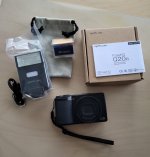
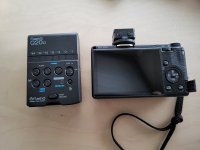
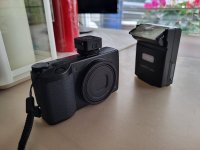
I received my wireless flash unit today. Once I've figured out how it works and set it up I'll be using it out on the streets. Should be interesting. :)

20221121_122704.jpg


Flash 2.jpgFlash 3.jpg
 
Last edited:
I received my wireless flash unit today. Once I've figured out how it works and set it up I'll be using it outon the streets. Should be interesting. :)

What you need is an assistant to hold the flash for you. Someone who knows where to stand to light the side of the subject for you .... whilst looking innocent. ;)
 
What you need is an assistant to hold the flash for you. Someone who knows where to stand to light the side of the subject for you .... whilst looking innocent. ;)
Haha, good idea. :D (y)
 
I think I'll assign auto exposure lock to the Fn button.
Interesting thought.

Auto has been a no no for as long as I can remember. But, when out on the street, why not take a shot with considered settings, tap the Fn button, take another on Auto, and you might get lucky with a better exposure!

Is that what you have in mind Lee?
 
POWER SAVING TIP ... for street:

don't turn camera off between shots, push the DISP button to turn off the screen, I think it can be configured to go off after one push, push again and it will come on.

No display saves a lot, keeping the lens out ready for your next shot saves power too.

There is a dust shake off mechanism in the lens, that can be disabled but the lens in/out action is still noisy and shaky.
 
Last edited:
Interesting thought.

Auto has been a no no for as long as I can remember. But, when out on the street, why not take a shot with considered settings, tap the Fn button, take another on Auto, and you might get lucky with a better exposure!

Is that what you have in mind Lee?
Actually David, I didn't end up assigning AE Lock to Fn. What I've done instead is assigned 'Enable AF' to Fn and now I can get auto focus with a green box by pressing Fn, and I still have snap focus on the shutter. I know I can have half press on the shutter to autofocus but I'm used to back button focus and kind of prefer it. I've assigned AE Lock to the ISO button on the rear wheel.

Regarding your power saving tips, yes, the DISP button for screen display on and off is a good call. I did mine last night.

Menu: Customise Settings: Shooting Info. Display: LCD Display, and of the four boxes, just tick the first and fourth one and leave the middle two unticked.

Another power saving tip I found out is in
Menu: Setup (bottom one with the spanner or wrench icon) I've set 'Power Button Lamp' to off. This disables the green illumination around the on/off button.

Also, and you may already know this, but I found out that you can turn the camera on by pressing the play button without the lens extending.
 
Last edited:
Actually David, I didn't end up assigning AE Lock to Fn. What I've done instead is assigned 'Enable AF' to Fn and now I can get auto focus with a green box by pressing Fn, and I still have snap focus on the shutter. I know I can have half press on the shutter to autofocus but I'm used to back button focus and kind of prefer it. I've assigned AE Lock to the ISO button on the rear wheel.

Regarding your power saving tips, yes, the DISP button for screen display on and off is a good call. I did mine last night.

Menu: Customise Settings: Shooting Info. Display: LCD Display, and of the four boxes, just tick the first and fourth one and leave the middle two unticked.

Another power saving tip I found out is in
Menu: Setup (bottom one with the spanner or wrench icon) I've set 'Power Button Lamp' to off. This disables the green illumination around the on/off button.

Also, and you may already know this, but I found out that you can turn the camera on by pressing the play button without the lens extending.
Thanks for that ... will make sense of it later.
 
A little walk around Shepherds Bush today, shooting JPEGs in double crop mode = 71mm equiv. Then cropped again into squares in post.

I think I could have done more with the first one if RAW, to bring out the faces better. Anyway, none of them are award-winning, all a rushed and random.

AL9nZEXhZ_ZPY5OFafZHgFzRx9XAoVRPSZ-oH0KbyVkj4vi7tgfEXK2rnk5VVTlix4EIqjBkP83EUNIUHohPJ5RefBCG2vS9iie_WTkTk6r00JPGFcVv3jWpWGaFHbDd_BYHs0AdVza8V-Xrq2oChCvsxQvntQ=s879-no


AL9nZEWcR3f0V5QiEK-s8kY4UbzqOeGCrQAP7mj7mG3fK0sVlV_itZwZxVAiXlECnR70qxfikS8NzBTpbhqlFMrWNmWjLMjF3QDDVQ5irevaPFIIFGQjxEPMsMp_MWSdajL45e9mw0jgPmozs_9NWhv31XkXfw=s879-no


AL9nZEUKd7zxe3LPX0-7q_OUQSZHD-WB9TqRRl-wiVD2FPlb6ucJn7uB7UD3xsdoMWO4F343_CvdiaAI2NvDlddb7xbzDK9SA9IwNjcwC4vZiluFX2bVZBPtKCATmeMcY3Kt2eHmUPUm5l1HhRYvx30WQRd6Hw=s879-no


AL9nZEWIyKx6GyxlHbCLSCjY54HNXo1w1nN0igUX4hDuVa6VAbYAJoON2e6Mtur99eSiopwChmwSCIF8_J32VqjP9Yz_bzfmtoSFyzswI9bT2WvFUcVYDgWPA6Y2VBKS4u2eZjRixaZcr_XBmfKgKsHF1fJnIw=s879-no
 
^ ^ ^
I was hoping, as squares, they would fit across the webpage, but no.

I find myself, when doing this kind of shot with little Ricoh one handed, sometimes going landscape, but more often shooting portrait orientation.
 
Menu: Customise Settings: Shooting Info. Display: LCD Display, and of the four boxes, just tick the first and fourth one and leave the middle two unticked.
and on the same page .... I'm so pleased to get rid of that Level Line on the shooting screen.

And those four boxes on the top line ... what's the fourth one for?

Also, and you may already know this, but I found out that you can turn the camera on by pressing the play button without the lens extending.
Yep I do that with 1 or 2 of my other cameras

I've set 'Power Button Lamp' to off. This disables the green illumination around the on/off button.
hmmmm ... not sure about that, maybe in future. I'm plugging into USB for uploading photos (needs to be ON), and for charging (needs to be OFF). I'll probably get a charger and a card-reader.

Thanks Lee, keep the tips coming :D
 
and on the same page .... I'm so pleased to get rid of that Level Line on the shooting screen.

And those four boxes on the top line ... what's the fourth one for?


Yep I do that with 1 or 2 of my other cameras


hmmmm ... not sure about that, maybe in future. I'm plugging into USB for uploading photos (needs to be ON), and for charging (needs to be OFF). I'll probably get a charger and a card-reader.

Thanks Lee, keep the tips coming :D
Ah yeah, the horizon level thingy. I've left mine enabled just to try and hold the camera as level as possible.

I played around with the top line by unticking them all and then ticking just one box at a time to see what each one controls. Each tickable box controls different on screen information, such as the top row of text and bottom row of text. So if they're all ticked then each press of the DISP button incrementally turns off each bit of information and it takes about three presses to completely turn the display off. The fourth one turns the display off completely. By disabling the second and third box only and having just the first and fourth ticked it lets the display turn off with just one press and turn back on with one press. :)
 
Ah yeah, the horizon level thingy. I've left mine enabled just to try and hold the camera as level as possible.

I played around with the top line by unticking them all and then ticking just one box at a time to see what each one controls. Each tickable box controls different on screen information, such as the top row of text and bottom row of text. So if they're all ticked then each press of the DISP button incrementally turns off each bit of information and it takes about three presses to completely turn the display off. The fourth one turns the display off completely. By disabling the second and third box only and having just the first and fourth ticked it lets the display turn off with just one press and turn back on with one press. :)
(y)(y)(y) ... all making sense now.
 
Back
Top