I use a nice small aperture to ensure a great DoF, manual exposure, manual focus and a cable release. Level your tripod up before you start otherwise as you pan round you'll do so in an arc vertically meaning you have to crop out the middle of the resulting panorama. Set up in portrait, set your exposure up and shoot a test shot.
Once you're happy with the exposure stick your hand in front of the lens and take a shot, when you're back home you'll see the hand shot and know that is when your panorama shots start, then rotate around overlapping each shot. After your last shot take another with your hand in front of the lens so again you know which shots to process.
I shoot in raw, make the adjustments I want to the first shot (usually the furthest left for me), then copy the adjustments to the resulting files. From there I export the files as Tiffs to a new folder, then open that folder in Bridge, select all the files and tell it to merge them in Photoshop.
Here is one of mine from the Lake District earlier in the year, made up of 12 portrait shots, at one point it reached 1.37Gb in size!
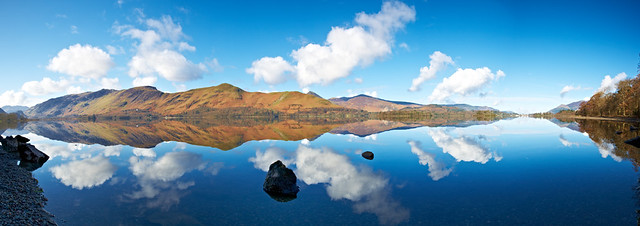 Derwentwater Reflections Panorma
 by
mark_mullen, on Flickr




 - glad i wasnt the only one.