
The Duke of Bork
Suspended / Banned
- Messages
- 265
- Name
- Phil
- Edit My Images
- Yes
Stonechat, also from yesterday.
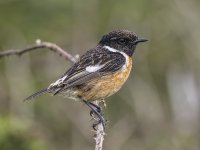


.... I'm curious what lens and camera you shot this on please.

 Into the woods by Stephen Lee, on Flickr
 Bluebell woods by Stephen Lee, on Flickr
 Woodland path by Stephen Lee, on Flickr
OM-1, 300mm f4 + 1.4TC.... I'm curious what lens and camera you shot this on please.
 1 by AdamcSki, on Flickr
 2 by AdamcSki, on Flickr
 3 by AdamcSki, on Flickr
 4 by AdamcSki, on Flickr
 5 by AdamcSki, on Flickr
.... These are great! In my opinion the backgrounds are absolutely fine and show the context of the shots as park bench (or similar).Testing out some new settings on the camera over at the park. I try and test them with the dog running towards me as I find those images are the ones cameras strugle with the most.
Need to go to some better areas where it is quiet for better backgrounds.
At the moment though very happy as the hit rate on these is much, much higher than my S5ii.
I've been playing with the settings and for the first time ever I've assigned a custom function..... These are great! In my opinion the backgrounds are absolutely fine and show the context of the shots as park bench (or similar).
Did you use Tracking? I assume you used C-AF.
.... Those are the settings I would have used too but not as a custom mode in my case.I've been playing with the settings and for the first time ever I've assigned a custom function.
This is using C-AF with tracking and the sensitivity at +2. Subject tracking set to the cat/dog with eye tracking also.
Shot with the electronic sequential setting.
.... Allocating your preferred group of settings to any of the C1/2/3/4 modes saves a huge amount of time from doing it all by deep diving into the Menu.I've never set a custom mode in my life so thought I'd have a go. I usually just use Ap mode and auto everything else.
 Dandelion clock by Stephen Lee, on Flickr
Testing out some new settings on the camera over at the park. I try and test them with the dog running towards me as I find those images are the ones cameras strugle with the most.
Need to go to some better areas where it is quiet for better backgrounds.
At the moment though very happy as the hit rate on these is much, much higher than my S5ii.
Thank youLovely set of pet style captures Adam, liking all of these pic's very much.

 Heron in Llangefni by Terence Rees, on Flickr[/URL]
 Kite Surfer & Terns by Terence Rees, on Flickr[/URL]
 Molly by Terence Rees, on Flickr[/URL]
 Molly by Terence Rees, on Flickr[/URL]
 Lligwy Bay Rocks by Terence Rees, on Flickr[/URL]
Yep had one a year or so ago ,lovey sharp lens but it’s big and I didn’t find much use for it .i also had the 56mm 1.4 that’s one I regret selling as it was a superb night time lens and could virtually see in the darkAnyone own or used the Sigma 16 mm F1.4 at all?
 Large Red Damselfly, Isle of Man by Pete, on Flickr
.... That is fabulous! The Damselflies are showing in my garden in coastal West Dorset but not close or settled enough to photograph but any day now the opportunities will come and I'll be able use a very similar setup to yourself ~ OM1 ('mk1') + 90mm Macro + MC-14 + Godox V1Pro + AK Diffuser Pro ~ The lens and flash are all new to me but I have been practicing on dandelions and snails.The Damselflies are finally coming out over here. I had brought both cameras with my on my walk yesterday so got the chance to have a pop at one with the flash and diffuser on the macro.
This Large Red Damselfly is 4 shots put together in Helicon. om1 + 90mm + godox flash + ak diffuser.
On a separate note I have been really struggling to get consistent sharp photos with the om1 mk ii. The focusing across a burst of shots just isnt there and bird detect even though looked like it worked wasn't focused properly when looking at photos on a pc. So I removed the 1.4tc off the 300mm and instantly got a big jump in AF performance. That is very odd though as there is not a massive AF difference using the same lens setup on my om1.
f5.6 is the sweetspot on M4/3Im not much of a landscape tog but think it’s something I can explore further. I’m assuming you’ll still stick with circa F8 ish for landscape on the OM1? How do people get on with high resolution mode and landscapes? Or do you focus more on bracketing and HDR merges?

Check this outIm not much of a landscape tog but think it’s something I can explore further. I’m assuming you’ll still stick with circa F8 ish for landscape on the OM1? How do people get on with high resolution mode and landscapes? Or do you focus more on bracketing and HDR merges?
I have used HDR merges on my S5ii so have some idea of its working - I will however watch the video right now as I wait for the wife to finish work.
.... Thomas Eisl is extremely good but all this is far too complicated for my purposes!

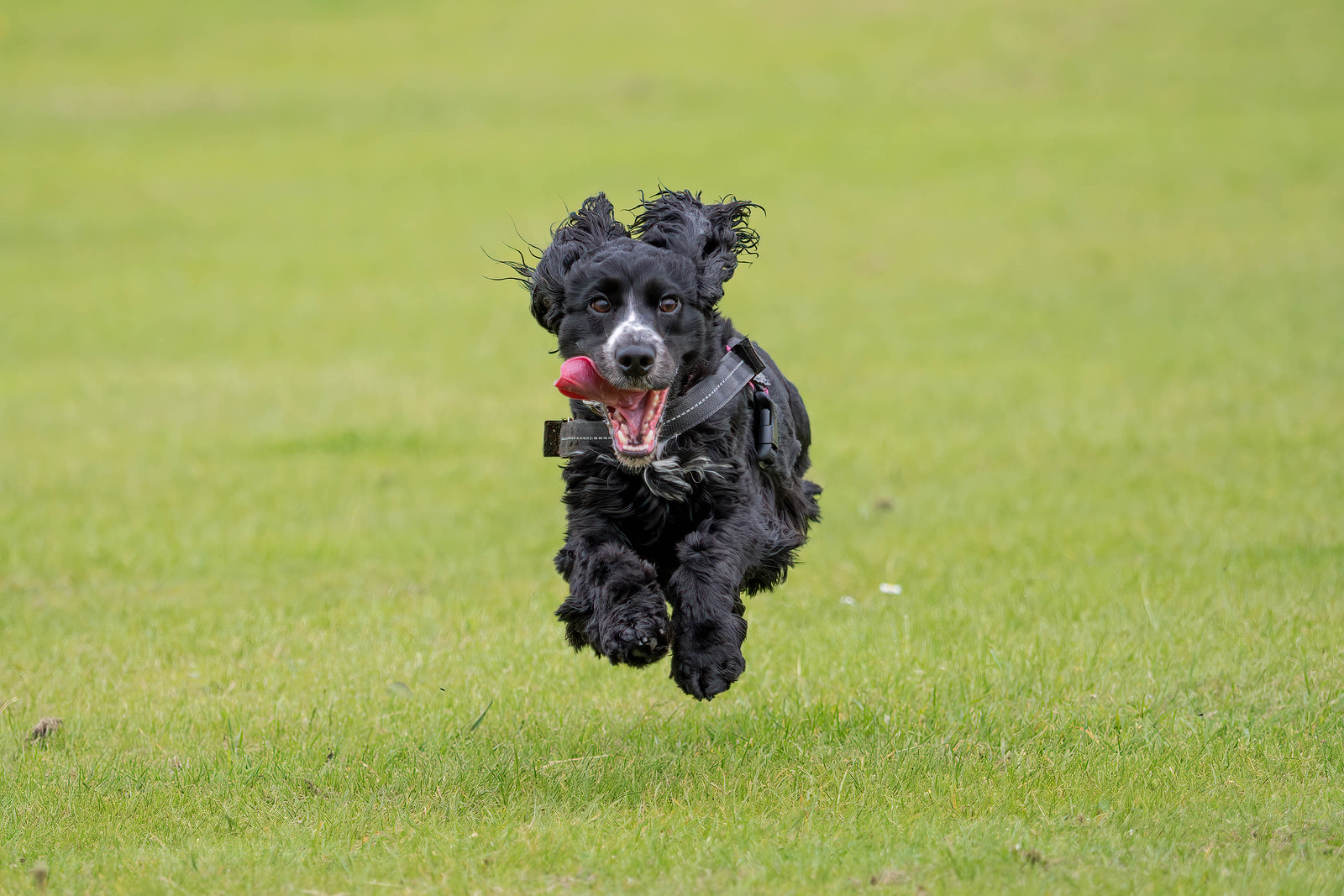


Those are great images.I find the OM-1 a breeze at capturing our two Cocker Spaniels in full flight. These were with the 40-150 F2.8 and out of a total burst of around 700 images, for the ones where I got the dogs actually in the frame, only about 25 were slightly blurry - a pretty amazing hit rate.
If the OM-1 shot better video i.e. 422, 10 bit with built in colour profiles - (not just HLG and OM-Log) as well as much better video AF and tracking, then I really believe I'd probably only use my OM-1 for most of my shooting. It's just that Video is now more and more part of what I shoot, and my Nikon Z and Sony A7RV (and even the A6700), knock the OM-1 into the weeds when it comes to video - sadly
Out of interest what settings do you use for your running dogs?I find the OM-1 a breeze at capturing our two Cocker Spaniels in full flight. These were with the 40-150 F2.8 and out of a total burst of around 700 images, for the ones where I got the dogs actually in the frame, only about 25 were slightly blurry - a pretty amazing hit rate.
If the OM-1 shot better video i.e. 422, 10 bit with built in colour profiles - (not just HLG and OM-Log) as well as much better video AF and tracking, then I really believe I'd probably only use my OM-1 for most of my shooting. It's just that Video is now more and more part of what I shoot, and my Nikon Z and Sony A7RV (and even the A6700), knock the OM-1 into the weeds when it comes to video - sadly
I have never used OM Workspace. I import into LR Classic and work from there. To use Workspace would add an extra processing step, but I ‘m interested to hear if I’m missing out on something.Do any of you import or work on the OM raw files in OM workspace prior to loading into Lightroom or photoshop type editing tools? I use LR (not classic) but read that importing the raws and touching them up in OM Workspace first and then exporting as a tiff file will help improve quality?
I’m none the wiser so thought I would ask.
No idea, I just read it on some forums.I have never used OM Workspace. I import into LR Classic and work from there. To use Workspace would add an extra processing step, but I ‘m interested to hear if I’m missing out on something.
Out of interest what settings do you use for your running dogs?
 ), shutter priority with shutter set to a minimum of 1/2000 sec -I think that's about it ?
Similar to mine then, although I can get away with slower shutter as she is a little lazy lolNothing special, AF-C with tracking - set to animals. A medium sized focus box, with all the focus settings set to default. Continuous shooting at (I think) 10 fps (rarely need to go any faster (and never even tried pro-capture
.... I only use OM Workspace to preview and cull my images when uploaded from my cameras. I then Move the selected shortlist as unconverted RAW files to ON1 Photo RAW for editing before Exporting as TIFF to Affinity Photo 2 for labelling and then JPEG to subject folders.No idea, I just read it on some forums.
I use the web based LR - never got on with LRC and because I have my Asus linked to my screen at home and my MacBook Pro downstairs, it allows me to log in and mess around with images.
I've downloaded OM Workspace (what fun that was) and just had a quick look on the Asus Laptop. Not sure if I will bother on the MacBook.
If you folks just use LR then I can't see why there would be a need but I'm always willing to have a look. To me it reminds me of Affinity Photo Raw Developer


