New [stolen] image search tool from Google

LongLensPhotography

Th..th..that's all folks!
Suspended / Banned
Messages
18,695
Name
LongLensPhotography
Edit My Images
No
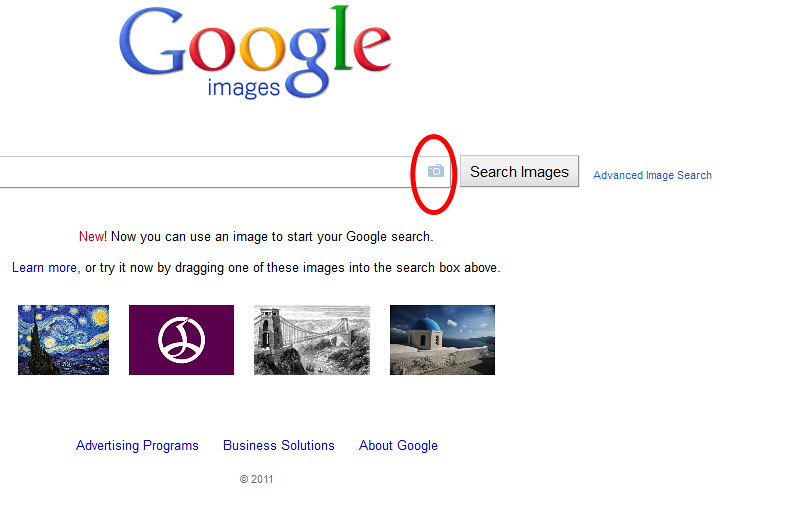
Google just introduced a new image search tool. It can read image URL, or an uploaded file. More importantly it is much more effective than TinEye - it found much more of mine.

Try it http://images.google.com/

I am off to writing a few invoices :wave:
 
I've never noticed that image upload button before. Might give it a try to see what it comes back with.
 
Verrryyy interesting... Just a question for techy guys out there, is there any way of finding out when an image was added to a website? I've found one of mine acting as a page headline banner on a shop website... Clearly they'll be earning money from said website, so I could do with preparing an invoice taking into account the unauthorised usage between today and the date it was added to their site...
 
Most entertaining and far better than Tineye.

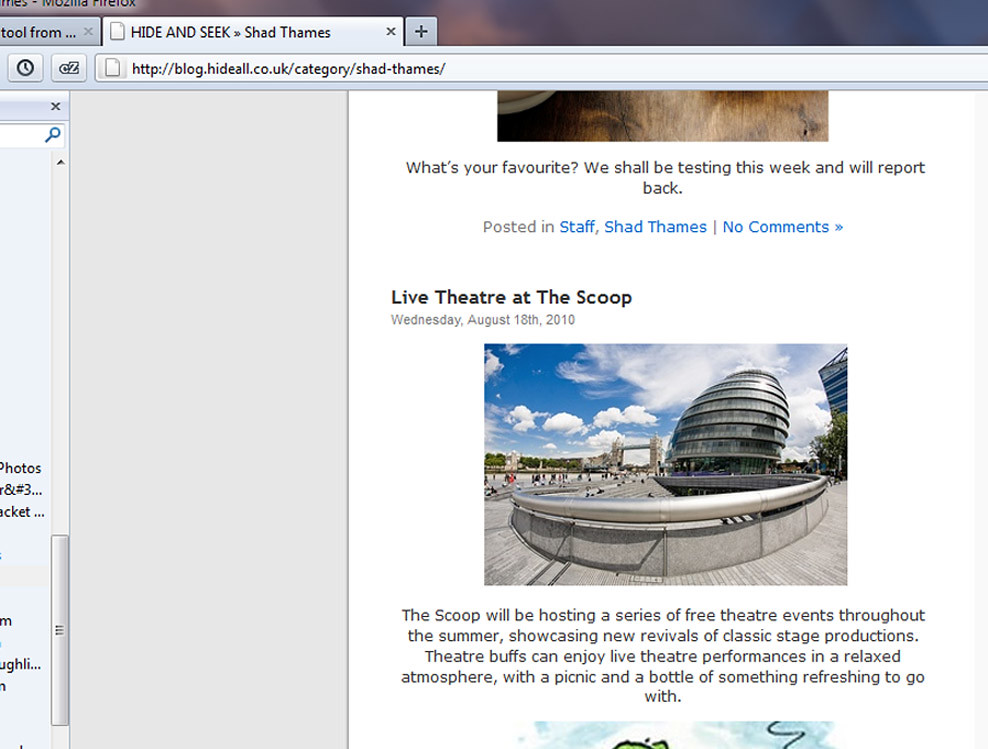
I've just discovered that one of the shops round the corner from where I work have been using an image of the GLA Building taken by me in their blog.

I quite often shop in there too, it's a nice shop.

I shall have to pop in and have some words tomorrow. :D

edit: oh, and an Italian car dealer is using two of my photos of Volkswagens in a Flash slideshow on their home page... :suspect:

edit: make that three italian car dealers!
 
Last edited:
Most entertaining and far better than Tineye.

I've just discovered that one of the shops round the corner from where I work have been using an image of the GLA Building taken by me in their blog.

I quite often shop in there too, it's a nice shop.

I shall have to pop in and have some words tomorrow. :D

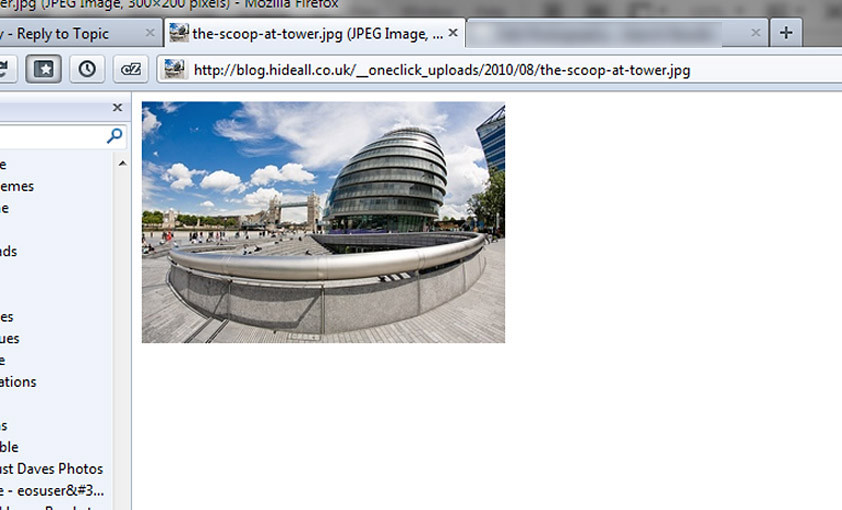
Oh and its dated 9th August 2010, get a screen shot, its even hosted by them

hers a screen shot

5864332187_bdfae34da7_b.jpg


Dave
 
Last edited:
Ta for that

A global media organisation are using a photo of Ewan MacGregor *** I took.

and I'm now up to six Italian car dealers using my pics.

edit: Now up to fourteen of 'em. Seems I'm popular in Italy. :bonk:
 
Last edited:
I must be missing somthing here point me in the right direction please I must be missing the correct button on the google page all I see is the normal image search page

:help:

Matt
MWHCVT
 
I must be missing somthing here point me in the right direction please I must be missing the correct button on the google page all I see is the normal image search page

:help:

Matt
MWHCVT

http://images.google.com

Click on the little camera icon at the end of the text search box, paste in a URL of one of your images.
 
You can also drag & drop an image from your computer directly into the box, quite useful.
 
Ta for that

A global media organisation are using a photo of Ewan MacGregor *** I took.

and I'm now up to six Italian car dealers using my pics.

I made a mistake rob sorry if you down loaded the 2nd image I put a credit on as you would, so I removed that and did a new screenshot, so you may nees a full refresh of your browser CTRL+F5 :thumbs: to get the modified correct image
 
Last edited:
Are you searching per
Individual photo?? It would take forever!
 
Are you searching per
Individual photo?? It would take forever!

Yeah, but start with photos of yours that have received the most interest (eg flickr views, comments, etc) or seem like they could be used like a stock photo :)
 
I made a mistake rob sorry if you down loaded the 2nd image I put a credit on as you would, so I removed that and did a new screenshot, so you may nees a full refresh of your browser CTRL+F5 :thumbs: to get the modified correct image

It's OK, I have my own screenshots ;)
 
Maybe this is a mac/safari thing but all I get is the big, grey 'search images' button and the blue 'advanced image search' link next to it no camera icon...

Picture_1.png
 
Last edited:
I get the camera logo on mac/safari but it doesn't find any of my images, even ones I know are on Flickr, my blog and forums.
 
So, two images, each being used as page banners at 780 x 260 on thirteen commercial web sites and 480 × 214 in a Flash banner on another.

How much is that worth? :)

[I may have to rope my cousin's Italian husband in for translation of a letter]
 
Last edited:
So, two images, each being used as page banners at 780 x 260 on thirteen commercial web sites and 480 × 214 in a Flash banner on another.

How much is that worth? :)

Lots :lol::lol::lol: name your price (£***) + time and expenses :thumbs:

GOOD OLD GOOGLE :clap:
 
Last edited:
Maybe this is a mac/safari thing but all I get is the big, grey 'search images' button and the blue 'advanced image search' link next to it no camera icon...

Works for me with Safari 5.0.5 on OS X 10.6.7.
 
easy if you use firefox or chrome.. download the extension at the bottom of this page and you just right click your image to seach google

http://www.google.com/insidesearch/searchbyimage.html

lost count of the amount of mine on blogs and tumblr... also FB and we 'heart' it.. been busy filling out DMCA's to them had plenty removed via that way

the BBC have used one of my (unsold) getty images - have had to send the details over to them.. doubt they'll chase it up!
http://www.bbc.co.uk/iplayer/episode/b0103zph/Womans_Hour_Weekend_Womans_Hour/
 
Works for me with Safari 5.0.5 on OS X 10.6.7.

Just opened up Chrome (which I didn't even know I had installed) and it's there - I'm on Safari 4.0.2.... just done an erase and install on my MBP so obviously haven't applied relevant updates yet - my bad!!! doh!! :)

Now just have to work out how to bypass the magnify icon in Flickr that appears when you move the cursor over an image - can't drag'n'drop otherwise....

Today I feel stoopid....
 
Last edited:
Nothing new, Google Images has been around for ages.

Even got a couple of mine on there, posted on other forums.

D in W
 
Now just have to work out how to bypass the magnify icon in Flickr that appears when you move the cursor over an image - can't drag'n'drop otherwise....

From flickr image Click Actions/ View All Sizes :thumbs:

easy if you use firefox or chrome.. download the extension at the bottom of this page and you just right click your image to seach google

The extension is not compatible with Firefox 5, as yet :(
 
Back
Top