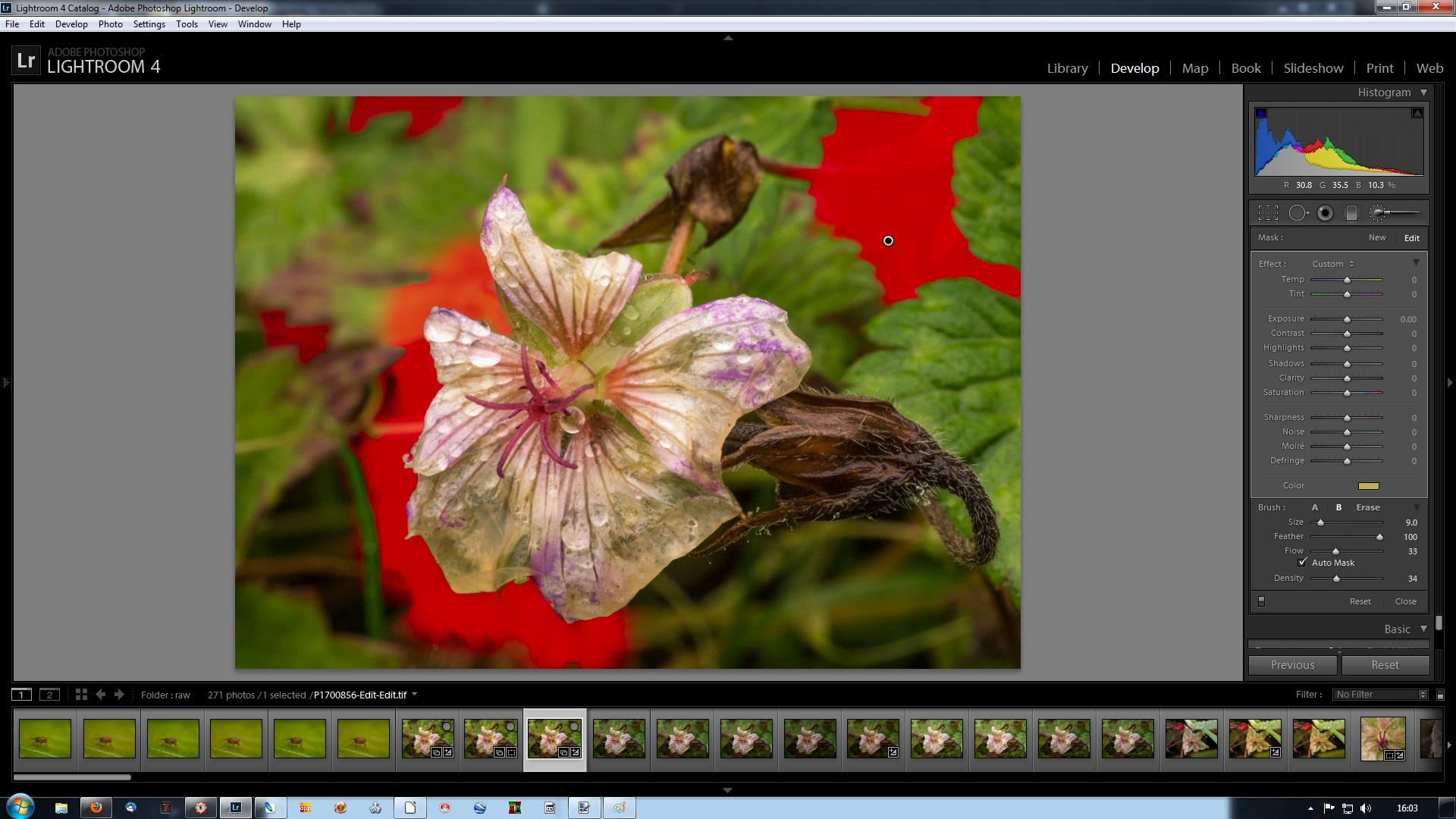
I note that its a .cr2 file that Photoshop has as its name (whether this is actually the RAW file or just a name I don't know) when read into LR, this is then returned as a TIF file back into LR.
I'm afraid you've lost me here. My sequence is:
Load raw files from camera into file system (using Faststone) and make backup copy on external drive.
Compare, select and process ("first half PP") in Lightroom.
Send across to Photoshop as tif.
"Second half PP" in Photoshop to produce a JPEG for screen viewing (900 pixels high)
If printing (rare for me), undo output sharpening and resize, and resharpen for printing, with no resize. (Or more often, only decide some time later to print, and at that point reprocess from the original.)
Don't save the Photoshop version (other than the screen-ready and, optionally, print-ready JPEGs).
In LR4, delete the tif (which is, conveniently, what is selected when I go back to LR).
I suppose the difference is that I don't use Lightroom to keep my images organised, and I regard the tif files as disposable temporary files, so I'm not passing anything back to Lightroom from Photoshop.
I see .rw2 rather than .cr2 as I am using a Panasonic camera, but the only time is see .rw2 is incoming to the file system and then on into Lightroom.
Can you use your noise reduction plugin (which one out of interest?) directly in LR, I know many of mine work this way and using control points you can get pretty close to masking. Often for my subjects they remove a lot of the detail in the surrounding environment so LR seems to be pretty good for me in this respect (used minimally).
No, my Noiseware plugin doesn't work in Lightroom.
I have tried trial versions of Nik DFine and Topaz DeNoise in LR4. I'm sure they are very good, and I rather like DFine, but my stumbling block was
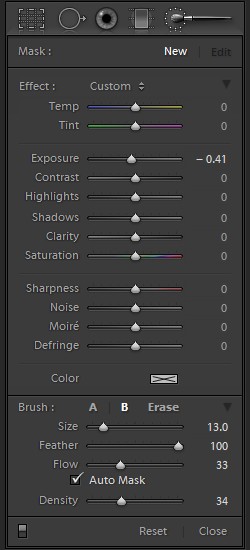
(a) not being able to make a selection in Lightroom using Lightroom's clever auto-mask brush, and then apply the noise reduction to that area (like I can with making a selection in Photoshop and then applying Noiseware to the selected area), and
(b) even if that had worked, with LR4 not having the capability to invert selections it would still have meant doing the selection twice, rather than making it once, working on those areas, then simply inverting the selection and working on the rest.
So the only way I have (very recently) found to make NR (and sharpening) work (at the output stage) how I want them to is to use layers and masks in Photoshop. So I only use the default sharpening when importing the images into Lightroom, and currently I'm not using any noise reduction at all in Lightroom.
I'm still in the early stages of experimenting with this. I've just put up my first run through with raw images
here at flickr, and as you can see they range from ISO 160 to ISO 3200 (1 image at ISO 160, 10 at ISO 800, 2 at ISO 1600, 6 at ISO 3200). Up until now ISO 800 has been my self-imposed maximum ISO with my G3, but when I was recently persuaded to try raw I wondered if it would enable me to work with higher ISOs. So once I had decided to seriously try raw I needed some raw files to work on and so went out into the garden to get some. As is evident from the shutter speeds, the light was not very good, and there weren't many nice subjects around, animal or vegetable, and it was rather breezy. So it is a bit of a technical set. But it has provided fodder for lots of experimentation with Lightroom, add-ons, techniques etc with some not very wonderful quality source files. And the lowish IQ was fine by me, because good quality source files are easy to deal with - its the not so good ones, which is most of what I end up with, that I need to sort out how to deal with.)
Like you I use it to keep my photos tidy and for that initial RAW development and cropping.
I don't think I'll be using Lightroom for file management. I have an organisation using the bare file system and associated (manual) file management processes that work for me, independent of any particular software that I may use, change to, drop etc. I don't think I'll be changing that. But I'm only doing this for myself, so I don't have editors, clients, deadlines etc to be concerned about. So if for example it takes a while to find a particular image (because I'm not using metadata) that isn't a problem for me.
Syncing images is great, I've got a fair few images to submit to an editor this week and its great knowing I can get consistency across images from the same set. Its even better that I know this is almost a one click operation!
I haven't tried syncing yet. I can understand that it would be brilliant for sets of images where the capture environment was sufficiently stable, but I'm not sure it would work for my stuff, where the capture environment can change a lot as I poke around in the undergrowth, changing the amount and direction of the available light, turn flash on and off, change the flash direction and diffusion arrangements, turn towards and away from the sun (the sun, ha! I should be so lucky), use different magnifications, move from dark to light subjects etc etc. 90 - 98% or so of my images get thrown out without seeing any sort of PP, but those that do get PP tend to get individual attention. I do sometimes get a run of images of a particular subject in the same conditions, and I can see that syncing is something I should try for those.
I agree with you regarding the develop module apart from one bit, the first thing I need to select is which Camera profile is used as a starting point which is dependant on subject matter. I can obviously drag this to the top but haven't as of yet. Do you not use this part of the dialogue box?
No. I just start every time with the standard settings.