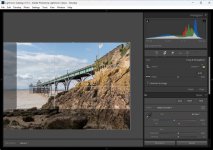
Lightroom; is it just awful?

Status
Not open for further replies.
CC

Maybe I should give classic a go (I did many years ago).

To be honest, if your product is that good, you need a classic version, does ring alarm bells.

Should say my normal workflow is Bridge into Photoshop but Adobe can’t be arsed to make an ARM version.
Are you on Windows?

According to Adobe, Bridge has been native silicon on Mac since version 13 (Oct 2022). I had to look the date up, as I couldn't remember when it appeared in the release notes.
 
It’s a fair point about once it’s in PS then it’s no longer RAW. It’s probably also the reason everything then feels quicker.

It's also the reason masking and cloning etc work better in PS than LR.
Will tweak the CPU settings and see if I can improve. To be honest, it’s only when I’m travelling and need to edit on the go. Main editing machine is a Mac Studio; tempted to try LR on that as that won’t have performance bottle necks.
 
CC

Maybe I should give classic a go (I did many years ago).

To be honest, if your product is that good, you need a classic version, does ring alarm bells.

Should say my normal workflow is Bridge into Photoshop but Adobe can’t be arsed to make an ARM version.
Not tried CC in a while, it was terrible then and sound like not much better now.

Classic is very good, but you need to be using it as a Catalog as well as an editing tool. One of its powers is keywords and catalog management. I can do about 95% of editing in Classic and then some in PS
 
Maybe I should give classic a go (I did many years ago).

To be honest, if your product is that good, you need a classic version, does ring alarm bells.

So called Classic is proper lightroom, designed originally to run as standalone on a computer just like Photoshop. The product now called lightroom is a relatively recently designed separate piece of software intended originally for mobile computing using the cloud for storage. I understand there has been a degree of convergence, but they are different for different ways of working.

Adobe have been unhelpful with their naming.
 
Adobe have been unhelpful with their naming.
Absolutely. When I started my subscription package after finally binning my standalone Version 6 due to upgrades elsewhere, I immediately went to Lightroom thinking I was getting an updated version of my SO. My first reaction was something along the lines of 'wtf is this?! It doesn't do anything that I want it to'. Then I found LRC was what I wanted. Of course, like many people new to CC in those days, Lightroom Classic sounds like an old package that is on the verge of retirement, a bit like a classic car or motorcycle—old, but worth cobbling together parts to keep it going.

Yes, they could definitely update its name to something like Lightroom Desktop or Lightroom Prestige (you can tell I never worked in marketing) to make it sound like a current, and fully-supported project.
 
Are you on Windows?

According to Adobe, Bridge has been native silicon on Mac since version 13 (Oct 2022). I had to look the date up, as I couldn't remember when it appeared in the release notes.

Mac desktop, Windows laptop, and using the laptop at the mom.

Adobe are just lazy; there has also been an issue with Lightroom for over a year that the edit in photoshop command doesn’t work on ARM. Pretty shocking.
 
Mac desktop, Windows laptop, and using the laptop at the mom.

Adobe are just lazy; there has also been an issue with Lightroom for over a year that the edit in photoshop command doesn’t work on ARM. Pretty shocking.
Thanks, that would explain it. I'm all Mac, and although I still regularly use Lightroom, I round trip to PS from Capture One.

After saying that I still regularly use LR, I don't think I've used LR for at least six months, maybe even a year.
 
Being pedantic, ACR isn't Lightroom. ACR is a plugin for Photoshop and Bridge.

Lightroom uses the ACR processing engine, which has been around longer than Lightroom, and over the years the interfaces have been increasingly similar, and may well be the same nowadays.

But historically, ACR has tended to get new features before LR gets them (e.g. a recent example would be DenoiseAI), and have minor differences in the controls.

if you don't need cataloguing, using ACR as a plugin with PS, is a much simpler workflow.

Can you import multiple images (ie 50) at once in PS? And can you apply profiles or lens corrections or colour grading to them all in one click? And can you export them all in one go?

Or does each image open individually in PS? I don't open RAWs in PS btw When I open (copied) jpegs in PS to resize for uploading, I have to resize, size to fit screen, add signature, merge layers and then close and save each image individually.
 
Reset ("reverting") just discards all of your edits done while in PS. It doesn't revert it to the original raw data as it was when first opened in ACR, any edited data is fixed/lost. If you changed the exposure/crop/etc in ACR that is permanent unless you start over again in ACR. I.e. if you open the image in the camera raw filter all of the sliders will be zeroed out and the original raw edit cannot be reset. Even subsequent uses of the camera raw filter are lossy inside PS.

You're not making sense to me unless you are talking about changes made in one session so I think this is a communication problem.

Just to be clear to anyone reading this and so as not frighten people off using ACR. If you process a raw in ACR you can absolutely return to the original raw file without losing data. You can absolutely process it over and over again without losing data.
 
Can you import multiple images (ie 50) at once in PS? And can you apply profiles or lens corrections or colour grading to them all in one click? And can you export them all in one go?

Not something I know much about, but you can batch process in PS, and run "workflows" (I think this is what they are called) in Bridge, which will run ACR and Photoshop in the background. And you can create "droplets" which are icons on the desktop that you can drag multiple files onto for Photoshop to run actions on.
Or does each image open individually in PS? I don't open RAWs in PS btw When I open (copied) jpegs in PS to resize for uploading, I have to resize, size to fit screen, add signature, merge layers and then close and save each image individually.
I've seen people create Bridge workflows for this, where, they write a workflow that does what you say, including saving in multiple file sizes, for different purposes, and saving into different folders, where all they do is select the files in Bridge and click on the workflow button.

It's not the way I use Photoshop, but as a toolbox, Bridge, ACR and Photoshop seem capable of providing some smart workflow tools, that are potentially more customisable and powerful than LR. And there are some smart plugins available where a market has been identified: e.g https://gregbenzphotography.com/web-sharp-pro-panel. or https://goodlight.us/writing/print/print.html

Given that you get LR and PS for the same subscription, I would mix and match using whichever program best suited my workflow. But I suspect the Bridge, ACR, PS combo is much more powerful in terms of efficient workflows than most people are aware. Maybe, more powerful than LR.

I am happy using PS as a "Plugin" for Capture One, so other than using a few "paid for" actions and plugins in PS, I haven't really studied the workflow tools that PS offers.

 
Not something I know much about, but you can batch process in PS, and run "workflows" (I think this is what they are called) in Bridge, which will run ACR and Photoshop in the background. And you can create "droplets" which are icons on the desktop that you can drag multiple files onto for Photoshop to run actions on.

I've seen people create Bridge workflows for this, where, they write a workflow that does what you say, including saving in multiple file sizes, for different purposes, and saving into different folders, where all they do is select the files in Bridge and click on the workflow button.

It's not the way I use Photoshop, but as a toolbox, Bridge, ACR and Photoshop seem capable of providing some smart workflow tools, that are potentially more customisable and powerful than LR. And there are some smart plugins available where a market has been identified: e.g https://gregbenzphotography.com/web-sharp-pro-panel. or https://goodlight.us/writing/print/print.html

Given that you get LR and PS for the same subscription, I would mix and match using whichever program best suited my workflow. But I suspect the Bridge, ACR, PS combo is much more powerful in terms of efficient workflows than most people are aware. Maybe, more powerful than LR.

I am happy using PS as a "Plugin" for Capture One, so other than using a few "paid for" actions and plugins in PS, I haven't really studied the workflow tools that PS offers.

That makes Lightroom sound a much simpler workflow tbh

Workflows? Droplets? Icons? Actions? Sounds not as easy to me ;) But then, we are all different in how we work and how we edit.
 
You're not making sense to me unless you are talking about changes made in one session so I think this is a communication problem.

Just to be clear to anyone reading this and so as not frighten people off using ACR. If you process a raw in ACR you can absolutely return to the original raw file without losing data. You can absolutely process it over and over again without losing data.
Hmm, I open PS, click on my .NEF file to open it - it opens in ACR and i make any adjustments - then click open and it is then opened in PS with the primary adjustments from ACR applied, in this process ACR / PS creates a sidecar file holding the adjustment data that I have made, if I delete the sidecar file the .NEF file ( RAW) is exactly the same as before - no changes are made to the RAW file itself, the changes are held as data in the sidecar file at all times and applied within ACR/PS/LR when i open the file in that software. The raw file is not changed in any way as far as i can see.
 
That makes Lightroom sound a much simpler workflow tbh

Workflows? Droplets? Icons? Actions? Sounds not as easy to me ;) But then, we are all different in how we work and how we edit.
But we have wandered well away from the point I was making, and my response was trying to answer your specific question. These are tools in the Bridge/ACR/PS workflow that you can use to speed up and automate your workflow if you want to. Workflow enhancement tools that aren't available in LRc, and would speed up/automate the operations you asked about.

I specifically mentioned using a catalogue in my post, because LRc "forces" you to use a catalogue, which adds to the complication for people who have no need for a catalogue and Just want to just click on a file stored on their hard drive and start processing it.

This isn't how I work, but a recurring complaint from people who just want to "process" their pictures is that they have to go through this "catalogue" process. This adds extra files to your hard drive, and for many it adds confusion over where their files are now stored as the terminology used refers to "importing" your files into Lightroom.

Once you learn how to use the tools that are available in Bridge/ACR/LR, you can have the benefits of advanced processing tools, along with a potentially more efficient workflow.
 
You're not making sense to me unless you are talking about changes made in one session so I think this is a communication problem.
I'm talking about the issue with PS vs LRC; not ACR vs LRC... ACR and LRC are essentially the same program/engine.

If you process a raw in ACR you can absolutely return to the original raw file without losing data.
I said from the beginning that you can always revert to the original raw file in ACR ("start over").
Yes you always have the original raw file if you don't delete it. And you also have the ACR edits if you do not delete the xmp file that is automatically created (which is also more data/storage not needed when using LR).

But if you open the raw file into PS (from ACR or LR), all of the previous edits are baked into the no-longer-raw image being edited within PS.
 
Last edited:
If lightroom had all the functions of photoshop , it would be more complicated, its main jobs are cataloging, grading images , minor adjustments. Which inch it does perfectly
 
I use Lightroom on an M1 IPad Pro and also my phone. No issues for me.
Aside from having to give Adobe money.
 
But we have wandered well away from the point I was making, and my response was trying to answer your specific question. These are tools in the Bridge/ACR/PS workflow that you can use to speed up and automate your workflow if you want to. Workflow enhancement tools that aren't available in LRc, and would speed up/automate the operations you asked about.

I specifically mentioned using a catalogue in my post, because LRc "forces" you to use a catalogue, which adds to the complication for people who have no need for a catalogue and Just want to just click on a file stored on their hard drive and start processing it.

This isn't how I work, but a recurring complaint from people who just want to "process" their pictures is that they have to go through this "catalogue" process. This adds extra files to your hard drive, and for many it adds confusion over where their files are now stored as the terminology used refers to "importing" your files into Lightroom.

Once you learn how to use the tools that are available in Bridge/ACR/LR, you can have the benefits of advanced processing tools, along with a potentially more efficient workflow.

We are going to have to agree to disagree on this one ;) :)

I plug my camera in, LR opens, I click the 'folder' that I want them in (I can create a new folder there in LR too), then I click 'import' and they are then transferred to the folder on my harddrive and also loaded in LR ready to edit as a full batch. I will go through them, crop/rotate etc, edit with a profile, HSL, curves, etc to all images at once. I can then switch the PC off, go have my tea, switch it back on , open LR & all those images are exactly where I left them to carry on editing/sorting. If I want images from last week, I click the 'folder' on the left side and they are all in the bottom timeline ready to edit/re-edit/add keywords/etc You find your files, with keywords and star ratings etc from LR - There's no need to open your external harddrive, and double click on 'Photos' > '2025' > 'July' > 'Birding' > 'Chew Valley Lake' > 'Tits' etc etc

If you open 12 images in PS, get as far as cropping & the missus shouts out to go shopping and you have to switch the PC off, when you open PS later that day, do you have to re-open all those 12 images again to carry on? <<<< genuine question btw, because obviously I don't use PS in that way.

And when people say LR doesn't have the power of PS....... Yes, it doesn't have the portrait retouching & layers etc, but most people could easily do the majority of their work with the LR tools I would guess. I even do all of my night sky Milky Way with LR - no PS, no external editing programs or anything.

As always though, it's interesting to read how other people work with their editing (and photo taking) :)

I started with (a crack copy of) Photoshop 7 back in the day :) We used to take photos of our cars & lower them, change wheels & tint the windows :) Early 2000's?

I started with Lightroom 2 I think. Then 3, 5 & current.
 
If lightroom had all the functions of photoshop , it would be more complicated, its main jobs are cataloging, grading images , minor adjustments. Which inch it does perfectly
I’d just like decent cropping.
 
We are going to have to agree to disagree on this one ;) :)
I'm not sure what we are disagreeing about.
I plug my camera in, LR opens, I click the 'folder' that I want them in (I can create a new folder there in LR too), then I click 'import' and they are then transferred to the folder on my harddrive and also loaded in LR ready to edit as a full batch. I will go through them, crop/rotate etc, edit with a profile, HSL, curves, etc to all images at once. I can then switch the PC off, go have my tea, switch it back on , open LR & all those images are exactly where I left them to carry on editing/sorting. If I want images from last week, I click the 'folder' on the left side and they are all in the bottom timeline ready to edit/re-edit/add keywords/etc You find your files, with keywords and star ratings etc from LR - There's no need to open your external harddrive, and double click on 'Photos' > '2025' > 'July' > 'Birding' > 'Chew Valley Lake' > 'Tits' etc etc
Very much the same as I do, except it's Capture One most of the time rather than Lightroom, but I have used Lightroom since the beta version of the first release. But this is isn't about my workflow, it's about the reasons other people use a Bridge/ACR/PS workflow. And while it wouldn't suit me, because I need a catalogue, I can understand why other people prefer this approach.
If you open 12 images in PS, get as far as cropping & the missus shouts out to go shopping and you have to switch the PC off, when you open PS later that day, do you have to re-open all those 12 images again to carry on? <<<< genuine question btw, because obviously I don't use PS in that way.
I don't think I ever work on more than one image at a time in PS, but when you re-open it, the files you were working on reopen where you left them. Edit: Actually, I think I'm wrong with this, I'm not sure that it does.
And when people say LR doesn't have the power of PS....... Yes, it doesn't have the portrait retouching & layers etc, but most people could easily do the majority of their work with the LR tools I would guess. I even do all of my night sky Milky Way with LR - no PS, no external editing programs or anything.
If you look back this thread, I've already said that many many people do all their processing in Lightroom and happily manage without PS. edit: it wasn't this thread it was the one on dodging and burning ;-(

However, when I round trip into PS, I usually regret not going into PS earlier, as most tools "just work better" in PS compared to C1 or LR, and for me, the layers allow for a much more logical processing workflow. Some things are definitely better done when you have access to the raw data.
As always though, it's interesting to read how other people work with their editing (and photo taking) :)

I started with (a crack copy of) Photoshop 7 back in the day :) We used to take photos of our cars & lower them, change wheels & tint the windows :) Early 2000's?

I started with Lightroom 2 I think. Then 3, 5 & current.
 
Last edited:
Spent 8 years working at Getty, very much aware of the process.

If the cropping and tweaking were as quick and responsive as photoshop, it would be awesome. Why they didn’t just lift the whole features from Ps I do not know.

Maybe it’s just me and my wonky eyes but I really miss the draw to straighten tool from Ps!
I'm using LR classic on a desktop and the draw to straighten is in the crop tool function
 
I’d just like decent cropping.

I'm not sure what you mean by this? Just drag the tools at the edges of the image to where you want them to crop. If you want a specific ratio in every picture then there's a bunch of the obvious ones available as pre-sets, and the option to create custom dimensions if that's useful. For fine levelling adjustment and tilt correction then there's the transform tool section, and that also allows for easier fine angle adjustment if you want something more precise than the draw-to-straighten tool.

Crop.jpg
 
Still use Lightroom classic here - not sure if the new one ‘Lightroom cc’ or whatever it’s now callled has the cataloging of classic

Anyway I find it a necessary evil - it’s slow, it eats ram, preview creating takes forever and slows the whole thing to a crawl even on my new machine…. But what else is there?

I also have 20 years of catalogues photos with Lightroom specific edits that may or may not be stored in the xmp files…. So I’m stuck with it.
 
I've read through this thread and have seen a few misconceptions about Bridge, ACR and Photoshop. At a basic level Lightroom could be seen as Bridge and ACR. ACR and Lr use the same underlying editing 'engine' underneath, but with minor interface differences.

In ACR you can set a preset that is applied by default, applying camera profiles, lens profiles etc, same as in Lightroom. I think that can be camera specific too.

If you select a number of RAW files in Bridge, when they open in ACR, you can make the same change to all the files at once by selecting them first. As long as you click Done on the files you were editing, when you open any of those files again, they will be in the way they were last edited. This is the same for working on a single file, as long as you click Done, the changes are written to the XML side care file. Lightroom does keep all the edits, but also keeps the history too. I think you have to tell Lr to create and write changes to an XML file, as it won't by default. So any editing changes will only be seen via Lr. If changes are written to the XML file, you can open the file in Bridge and ACR to see the same changes.

When in ACR, if you open a RAW file(s) as an Object into Photoshop from ACR, you can come back to ACR at any time to make changes to the RAW file, and after you make the changes, when you click OK it will go back to PS and update the underlaying image with the changes. Sometimes this can work well, sometimes it may not, it will depend on what the editing has been in PS. If you do some cloning on the original version of the RAW file on a layer above, make any changes to the RAW file back in ACR to colour or levels, when that is updated back in PS, those cloned parts may not match any more.

One of the reasons I don't like editing on Lr is because of the way it handles levelling images. In ACR you can zoom into the image to draw a line with the ruler, and be quite accurate. That stopped being able to be done in Lr years ago. You can still user the ruler, but you can't zoom in to draw the line. If anyone knows how to zoom in use the ruler in Lr, please tell me how. I have no problem in ACR.

If have made any mistakes above, please point them out.
 
In what way is the cropping deficient in Lightroom?
In non classic it doesn’t have the draw a straight line to set the rotation angle that PS does. Apparently Classic has this.

If non Classic has it then be great to see it.

This whole Classic vs not also highlights just how badly Adobe have messed this up.
 
No! I have LR Classic and have used it since V2. It is a dream to use and I used most of its facilities. Nothing else comes close to LR and speed is no problem if you have a decent PC.

Dave
 
I never use Lightroom. Always Photoshop. But for various circumstances, I have no choice but to use for the next week.

Christ alive, it’s awful. Slow, buggy, and a generally terrible interface.

Am I missing something? Surely it can’t actually be this bad?

I couldn't work without LR !!! Its FAB for me, and now I rarely use PS

Weird eh
 
Just edited and output 641 photos from a shoot, all with a minimum of 3 masks, some as many as 11, generally as just Dodge & Burning (radial & linear grads)

All exported as high res Print files; low res 1600px longest Web use and low res Web use watermarked

All from LR, none needed PS at all - simples :)
 
No! I have LR Classic and have used it since V2. It is a dream to use and I used most of its facilities. Nothing else comes close to LR and speed is no problem if you have a decent PC.

Dave

Depends what your volume is and speed requirements I guess - I’ve got a new laptop with 32gb, dedicated rtx graphics and 2 ssds - I can’t remember the exact specs but it was fully researched - a 2k laptop - and it’s still slow to build previews and progressively gets slower through an editing session of an hour or more and editing 100 of images.

If you need to do 10 or 15 and are not under time pressure maybe but for me it’s quite painful still even if the De-noise and generative ai are now 5-10 second jobs
 
I never use Lightroom. Always Photoshop. But for various circumstances, I have no choice but to use for the next week.

Christ alive, it’s awful. Slow, buggy, and a generally terrible interface.

Am I missing something? Surely it can’t actually be this bad?
Awful? Must be your PC or laptop
 
For me its LRC all the way. After Paint Shop Pro (donkeys years ago) I thought I must get Photoshop - it cost an arm and a leg - but I just couldn't get on with it. Most of the things i wanted to do seemed to be hidden away in menus and sub-menus. Then I became aware of Lightroom , tried it and I was away! For me it was just so intuitive, and mostly still is. When it became subscription only I moved over to DXO Photolab but I couldn't get on with that either so I went back to Lightroom. It is much better program now than it was before the subscription model was introduced so i don't mind the monthly payment.

The only problem I find with it now is that AI Denoise is rather slow on my machine. The estimated time is usually 2 minutes per file and sometimes it seems longer. So i'm used to going to make some tea while it does its thing! Not ideal......... but I'm not going to update my PC for that minor inconvenience.
 
I’d just like decent cropping.

There's really not a problem with cropping in LRC. You are used to doing it one way in another program and can't get the hang of doing it a different way. There is a large element of this in using any software and then suddenly having to learn your way around new software. But my move to LR (ages ago) was such a lightbulb moment that some software MUST be more intuitive for some people but not for others.
 
In non classic it doesn’t have the draw a straight line to set the rotation angle that PS does. Apparently Classic has this.

If non Classic has it then be great to see it.

This whole Classic vs not also highlights just how badly Adobe have messed this up.
I think a lot of your problems stem from using what was originally called LightRoom Mobile (which then became LightRoom and what was LightRoom became LightRoom Classic).
Adobe have done a lot of work to add functionality to the 'mobile' version, and it's a vast improvement on the early versions, but it is still not as complete as the 'Classic' version.
If you are working on a laptop or PC, there's no real reason to use the 'mobile' version, unless you also do a lot of edits on a tablet/phone, and want to stick to a single interface for ease of use.
 
Those who are finding it slow must have very underpowered computers because it is clearly not slow for many of us. As far as I can see cropping in LR Classic is identical too cropping in PS.

Dave
 
Those who are finding it slow must have very underpowered computers because it is clearly not slow for many of us. As far as I can see cropping in LR Classic is identical too cropping in PS.

Dave
Laptop certainly powerful enough; 32GB, 2TB SSD etc. The cropping and RAW changes are slower than PS.

What I will do when I am back is try LRc again with my whole photo database of 750k photos. Be interesting to see how it handles that.
 
Status
Not open for further replies.
Back
Top