JPEG - And Data Loss

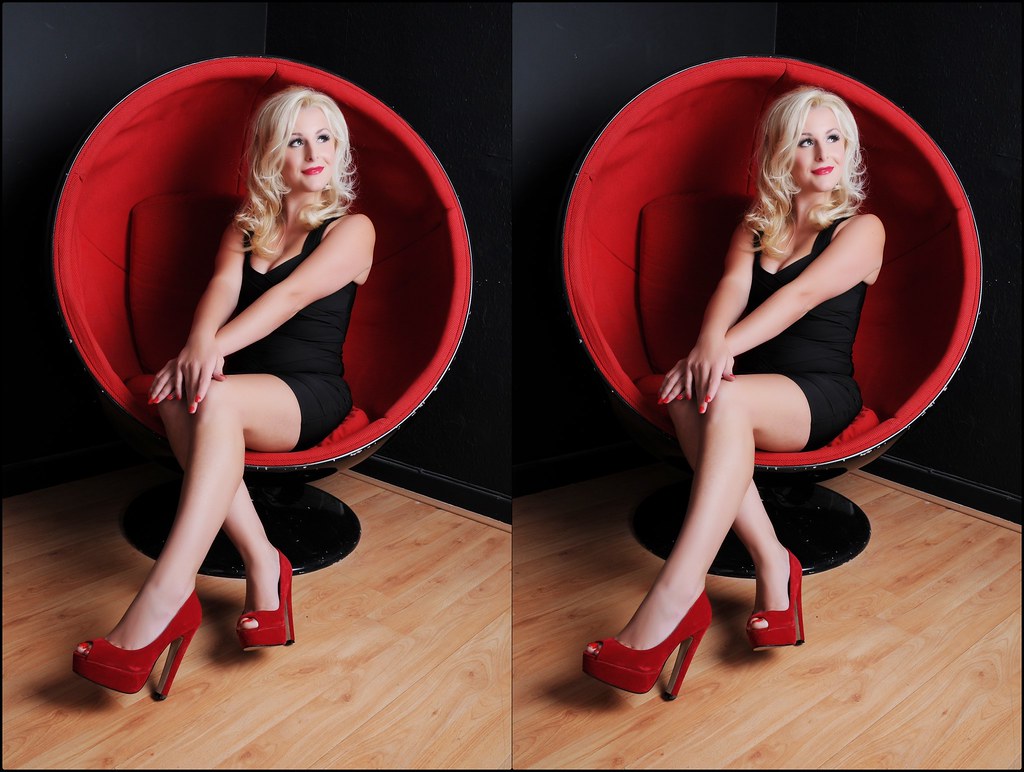
Which image has been saved only once

  • Left Photo

    Votes: 14 20.0%
  • Right Photo

    Votes: 42 60.0%
  • Cannot Tell

    Votes: 14 20.0%

  • Total voters
    70
  • Poll closed .
Pookeyhead said:
I used the ones he posted on here. I've found the same with my own images though. By the time I reach 10 re-saves, it's ruined. I've no idea how Matt managed 50 saves with so little degradation, but I can not replicate it. It is also not consistent with how JPEG compression works.

Seeing you versions I'm not sure myself :thinking:
 
For the people that say they can't tell the difference from the samples that MWHCVT posted, can you at least see any kind of difference between the 2 images? Like colour or sharpness or whatever.
 
graphilly said:
For the people that say they can't tell the difference from the samples that MWHCVT posted, can you at least see any kind of difference between the 2 images? Like colour or sharpness or whatever.

TBH, after wrestling with wrapping paper and sellotape, plus having to endure 'Made in Chelsea', I've given up caring about lossy file types :)
 
I'm the first to acknowledge I'm far from the best when using PP, but mainly using auto fix in PSE9 and auto levels in Canon DPP they still preferred the jpegs.

I may have too as auto doesn't do a great job.

Having said that, they were the only one out of all the people who saw the photos that preferred the jpegs. Just their taste I suppose. I have done raw shots at many events to see if I can improve the look by much, but I really like the jpeg IQ out of my 5D3, and by the time I've finished there doesn't look much in it.

Depends what you're doing with the images. An event or sports tog won't need the RAW capability - Medium quality jpg is fine for that (I've shot events and that's what I use) but when you need the detail in your images there's only one choice for me to get the maximum detail - RAW also allows for very simple white balance correction and you can recover far more information from highlights and shadows in the event of an error or if you want to shoot HDR then RAW is essential.

These raw vs jpeg arguements will go on for as long as camera manufacturers make the technology available, but really the are about as pointless as the Manual only vs AV/TV/P/ debates. Most people wont change what they shoot because someone else is telling them to.

That's totally wrong Stuart - The shooting mode doesn't matter - you set an exposure and get an image. But if you shoot RAW you will get the best quality at that exposure and if you've maybe under or over exposed you can much more easily recover that error. It's a fact that a 14 bit lossless compressed RAW file holds far more information than an 8 bit lossy compressed jpg - It's down to you if you need that additional information - My choice is to keep that information rather than throw it away but that is a choice for the individual.

Jim, what was the image like after only 2 or 3 changes and saves. I've got over 40K jpeg photos on my hard drive and I've never needed to alter any of them more than 3 times at the most, normally only once. By that amount the quality loss will be negligible anyway.

I absolutely agree here Stuart, a few changes made no real difference. I do that with the jpg images that come from my RAW files. The argument for using RAW is not so much for me about the compression on saving though. It's about the ease of being able to edit the images and recover errors - more so in tricky lighting where you may miss exposure - RAW gives far greater latitude for editing and recovering errors.

Very much a personal choice and depends on what you're shooting.
 
Last edited:
I used the ones he posted on here. I've found the same with my own images though. By the time I reach 10 re-saves, it's ruined. I've no idea how Matt managed 50 saves with so little degradation, but I can not replicate it. It is also not consistent with how JPEG compression works.

So your experiment is completely flawed! How can you begin to compare images processed from a 1024x640 pixel start point with results from Matt's original which is more likely to be in the region of 6000x4000?

I dare say that even Matt's originals show a little artefacting at 100% but how many people have that (100%) as their final result? Pixel peeping is rarely rewarding and serves only to disappoint in many(?most?) instances.
 
So your experiment is completely flawed! How can you begin to compare images processed from a 1024x640 pixel start point with results from Matt's original which is more likely to be in the region of 6000x4000?

I dare say that even Matt's originals show a little artefacting at 100% but how many people have that (100%) as their final result? Pixel peeping is rarely rewarding and serves only to disappoint in many(?most?) instances.

I've repeated the results with full res images too... same effect. Smooth gradients suffer perceptibly after only 3 re-saves. I do have the advantage of a true 10 bit display on a 10 bit panel on a hardware calibrated screen though... maybe I'm just seeing things others can not.

Whether it's images, video, or audio... lossy compression should NOT be used in the editing workflow. If you need a compressed final, then it's the last stage in the workflow. This is just good practice in all of these industries.

Only use JPEG if you need a fast workflow, or shoot thousands of images. Otherwise... what is the point? Just shoot RAW... it's hardly difficult, and with 32GB cards being so affordable, it just makes no sense to shoot JPEG for the vast majority of people.
 
Just tried this in Elements 7 - open (latest version of) image, "save as" <new version>, close. Repeated 12 times, each time saving as a highest quality JPEG.

By the end, the quality looked absolutely pants, especially in shadow areas. I hate to think what it would look like after 50 re-saves.

I don't know why this didn't happen in Matt's example but I urge anyone who's curious to try it for themselves, it's easy enough to do.
 
Last edited:
Matt's image is severly reduced in size therefore reducing the effects of the re-saves. Not sure exactly what he was doing either but I think we've all came to the same conclusion.
 
Matt's image is severly reduced in size therefore reducing the effects of the re-saves. Not sure exactly what he was doing either but I think we've all came to the same conclusion.

Jim, I'm not daft, the saving was done with a full size file not a web size file..
 
Jim, I'm not daft, the saving was done with a full size file not a web size file..

I appreciate that - It would have been unrecognisable with a web sized image. What I mean is when saving for here you used a much smaller file than the original - The image linked wasn't that high a resolution either (unless I missed it).
 
Last edited:
I get a virus warning when trying to download Photoscape?!
 
Well I am now leaning towards that it's a software editor issue, I too have used photoscape and saved this image 20 times, seems fine to me :thinking:


Save edits test 20 by Ballpix Photography, on Flickr


Photoscape is clearly caching the image then. If so, this is not consistent with most image editors, and certainly not Photoshop. Photoscape is not doing anything magical that others are not, as the JPEG standard is.. well.. a standard set by the Joint Photographic Experts Group.
 
Hmmm, virus's....... maybe your too sensitive in your settings? Used it for around 3 years and only had to claim back 6 times for the bank being cleared out and a new laptop every 3 months is standard isn't it?


A major part of that is said in jest though ;)
 
Eset wont let mw access the page.. Normally quite accurate bug could be a false positive feedback
 
I said left...but truthfully I can't tell.

Nice thread Matt - I've always thought jpeg compression was more theory than practical.

Ditto on which was the single save.
Certainly over the evolution of software for PP, the algorithms used for compression have equally evolved.

Either of the two Matt's put up would be very acceptable, but there's an easily distinguishable difference, even at their thumbnail size as showing.
The right has a darker sky, and the magenta and blue colours have bloomed.
For me, this is indicative of multiple compressions removing the subtle shading of the left's.
In isolation you'd not be any the wiser, but how there's votes for "no difference", I can't fathom, unless they're all viewing this on their phone or mini-tablet!

Good fun nonetheless. :clap:
 
Yes but then you changing the image which invalidate the comparison :shake:

Exactly, change just one parameter keeps it constant.
Introducing other parameters is pointless, even if you were to &#8722;2 on one, then +2 on the next save, and so on.
Those values are not absolute, so there'll always be some variance introduced.
 
Anyone else tried this with something other than Photoscape, e.g. Photoshop, Elements, GIMP etc?
 
Last edited:
Well I am now leaning towards that it's a software editor issue, I too have used photoscape and saved this image 20 times, seems fine to me :thinking:

I can see a clear difference on the flooring, and somewhat on the skin, of an enrichment of the colour in the right image.
Almost like using a warming effect by changing the colour temperature of the WB.
Easy way to see if it's just me or actuality, would be to put those images into your chosen editor, as layers.
Switch one off from view, and see if there's a change.
If so, there you have it.
 
Last edited:
Anyone else tried this with something other than Photoscape, e.g. Photoshop, Elements, GIMP etc?

Mine was with Photoshop
 
Mine was with Photoshop

Yes, thanks Jim, perhaps I should have said "Anyone else except Jim, David (Pookeyhead) and myself".

Looking at Matt and Phil's results with Photoscape, it definitely appears that Photoscape hasn't re-compressed the file to the same extent as other image editing s/ware during each "save as". I wonder if it looks for changes to the image and if none are found then it reduces the amount of JPEG compression, or if it simply doesn't apply further compression to subsequent re-saves of JPEG files? I don't know, but something's going on as both Matt and Phil's examples show - they clearly haven't suffered the usual generational degradation usually associated with JPEGs. I think we have an anomaly!
 
Last edited:
Anyone else tried this with something other than Photoscape, e.g. Photoshop, Elements, GIMP etc?

Yep. read the thread. :)
 
Yes, thanks Jim, perhaps I should have said "Anyone else except Jim, David (Pookeyhead) and myself".

Looking at Matt and Phil's results with Photoscape, it definitely appears that Photoscape hasn't re-compressed the file to the same extent as other image editing s/ware during each "save as". I wonder if it looks for changes to the image and if none are found then it reduces the amount of JPEG compression, or if it simply doesn't apply further compression to subsequent re-saves of JPEG files? I don't know, but something's going on as both Matt and Phil's examples show - they clearly haven't suffered the usual generational degradation usually associated with JPEGs. I think we have an anomaly!


It's clearly caching the file... it has to be. I can see no difference between those two images above. If you can, maybe it's slight colour variations across your monitor screens. JPEG is JPEG regardless of which program is using it. Photoscape is clearly caching the file so when you resave, it's actually not RE saving at all... it's just saving the same cached file each time. There's no other explanation. There's no anomaly at all.
 
Yep. read the thread. :)

Read the first line of my reply to Jim. :)

As for the rest if your reply, whatever the mechanics (which neither of us know), Photoscape isn't working in the expected way when it comes to saving JPEGS. You can split hairs as much as you like Mr Pookey but to me that's an anomaly. :)

Anyway, that's a minor point. I'll stop before we disappear down an argumentative little rabbit hole... :)

(PS You do realise that, on the whole, we're in agreement on this, right? :thinking: :lol:)
 
Last edited:
(PS You do realise that, on the whole, we're in agreement on this, right? :thinking: :lol:)

Absolutely! I'm just making some points even more clear... that JPEG... as a compression standard, DOES degrade the image even after a handful of re-saves.. clearly, Photoscape is working in a way that the last image is cached somehow, and it's doing a fresh save each time.

I just didn't want anyone thinking they can safely re-save away to their hearts content, because in every other piece of software I've ever used, 3 re-saves at max quality starts to degrade fine gradients... and then it's game over for most images.


I replied "read the thread" in answer to you asking whether anyone else has tried this in another programme.. not realising you meant anyone else except me.... or at least that's what I think you meant... either way, I had no issue with anything else :)
 
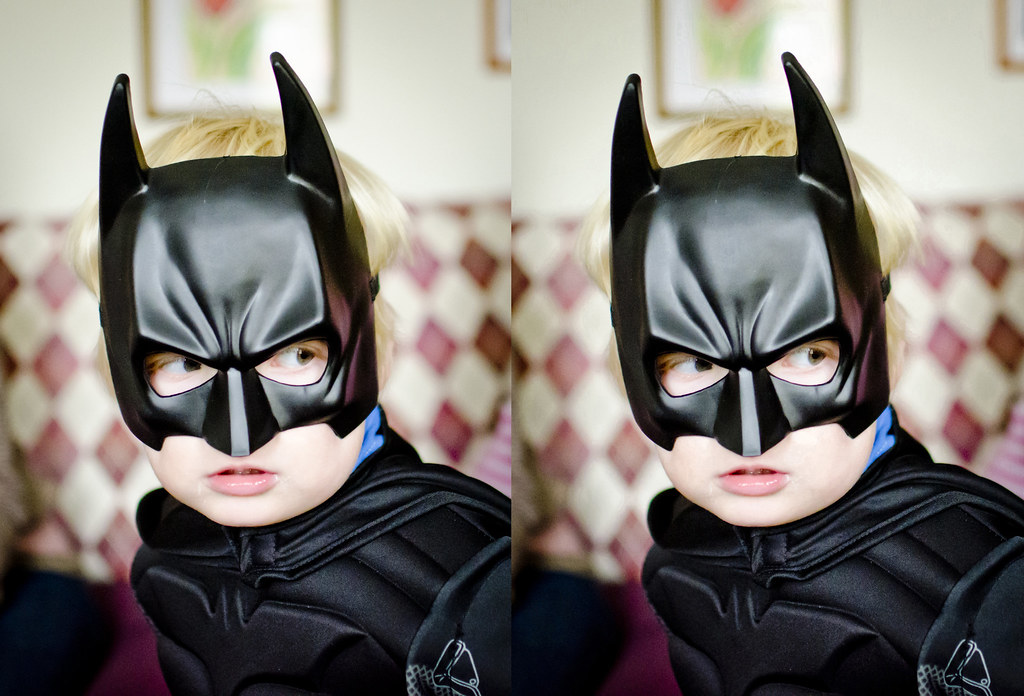
Just wanted to see what the crack was with this data loss malarky:


full size by Pat MacInnes, on Flickr

Original exported image direct from LR3 on left, same image but OPEN > SAVE AS JPEG >CLOSE done 10 times

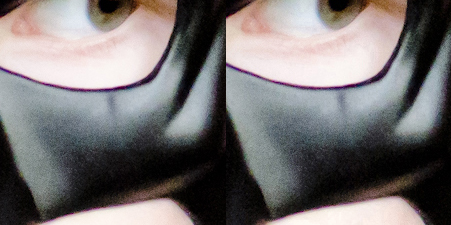
And the same but at 100%...


100% by Pat MacInnes, on Flickr

Not sure I can see any difference...
 
With what program?

Anyway.... you've chosen a high detail area... less compression will be taking place here... look at the white of the picture frame in the background, and the tonal gradation of the wall. Ruined!
 
Last edited:
With what program?

Anyway.... you've chosen a high detail area... less compression will be taking place here... look at the white of the picture frame in the background, and the tonal gradation of the wall. Ruined!

CS3

Oh yeah, I can see it now.... a day in the cold has made me sloppy :)
 
Last edited:
Well as everyone else was trying it decided to have a test myself.

50 saves in CS5

This is full size and the saved version looks terrible...even worse when zoomed in.

8288778163_0c38fae53e_c.jpg
[/url][/IMG]

Odd thing is when looking at detail it looks a bit like those photoshop filters than convert a photo into a sketch/line drawing kind of thing

8288808657_7565ebd546_c.jpg
[/url][/IMG]
 
Last edited:
Steve's example does indeed look shocking. However, if the twin image is the start image (well, the left one of the pair) at full size, I'm not surprised. What does surprise me is that the multiple saved one looks more like oversharpening than JPEG artefaction. Odd that the whole WB appears to have changed too.

Pat's example shows what I would expect with regards to JPEG artefaction but appears to be more a colour bit depth problem than the blockiness usually associated with artefaction.
 
Steve's example does indeed look shocking. However, if the twin image is the start image (well, the left one of the pair) at full size, I'm not surprised. What does surprise me is that the multiple saved one looks more like oversharpening than JPEG artefaction. Odd that the whole WB appears to have changed too.

Yes, I don't understand why it has changed that way. Maybe because the original image had been PP using a bleach bypass?
 
Back
Top