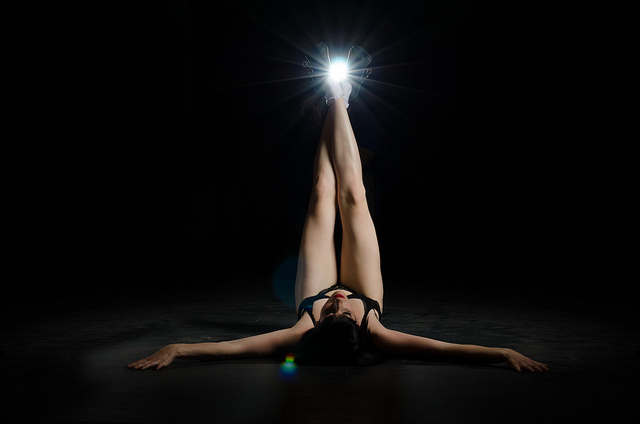
How would you edit this? I'm lost....

HappySnappy1977

Suspended / Banned
Messages
692
Name
Dean
Edit My Images
Yes
Hi,

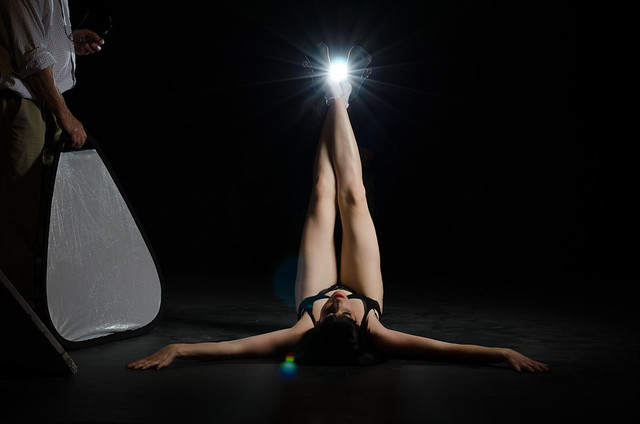
I took the picture below at a shoot yesterday and I think it could be a winner. It came out exactly how I expected it to and I'm really happy with it except for one thing. I need to know how to edit the "phantom person" coming out of the background!!

Not at all worried about the 2 flare spots as I wanted them in the shot or the chap throwing some light back onto the model who is easily cloned out. I'm not even too fussed over the disruption to the spotlight type spill on the floor to the left of the image as I'm sure I can sort this but I really want to get the chap that's holding the flash in the background out of the image while still keeping the integrity of the flare and starburst (if that makes sense!)

Can anyone help with a step by step as my PS skills are not that great. I have LR4 and PS6.

Thanks (I hope) in advance :-)
7972768044_e1721d9979_z.jpg
 
In Photoshop

Use the paint brush tool...press alt to sample the black background and then paint over the phantom with the colour picked from the sampler ....crude but quick and easy

aaaaa.jpg
 
Last edited:
That sounds far too easy?

I can't see on my iPhone screen but has that got him from within the flash flare by her feet?

When you zoom in on photoshop he's really obviously there and I know the model will want this image printed large for her portfolio.

Cheers if it really is that easy....

Dean
 
Just had a look on a lappy screen and he's still very much there. It's the chap in the background I'm bothered about NOT the chap with the reflector (he's easy).

If you look closely you can see him in the background holding the flash. He has a blue top on.

Thanks for the edit though :-)
 
Sneaky almost invisible person!
Should be doable with the right tools.
 
Yes I'd like to think so, but how!

Dean
 
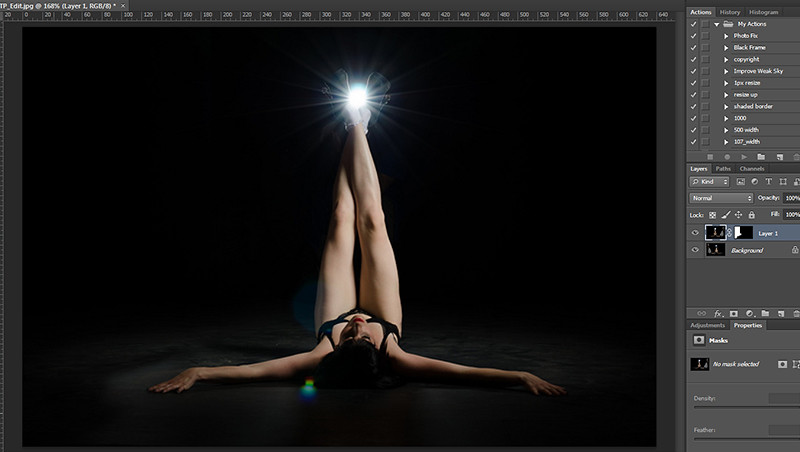
I copied the image flipped it then masked the right side and brushed out

7974108318_667a26c9a4_z.jpg


Layers it needs a bit more work though only took a minute

7974108148_145b04c530_b.jpg
 
Last edited:
Hi Dave,

That seems to have done it! thanks that's exactly what I envisioned when I took the image. I was actually assisting at the time but I know the model and just saw the image in my head and knew I had to do it. I had very little time to indulge myself so did it as best as I could. If it were my shoot I would've used a tripod for the flash and a boom to kick back the light on the left side. As it happens I don't think he was doing an awful lot anyhow light wise.

I know I'm going to seem thick here and tbh I probably am a little thick when it comes to PP but could you go through that with me again please?

I understand the flip bit but literally a step by step on the rest. Sorry to seem stupid!

Pp is the next big learning curve for me and it seems the biggest hurdle yet but I will pick it up!!

At the moment I try to get it right in camera and know basic editing (levels etc) but I need to understand more what I can do with the two (very expensive!) PP tools I've got.

Thanks in advance :-)

Dean
 
just looked again on the laptop and he's still there Dave. it's the chap holding the flashgun behind her legs I want to get rid of. The chap with the reflector was easy (although your way gives a better result!)

Would burn work or would it get id of the effect too?

Dean
 
Hi Dean

Doh I hadnt seen the guy behind yes I think burning would get rid of the man, dont know why I never noticed him :bang:
 
That's ok. Just trying your trick with regards to the left side as it looks tidier than my cloning. Once I've created the layer how do I flip it individually of the background?
 
I made a copy of the layer then flipped it, then added a mask and then with black as my foreground colour I used a brush to erase the right side, :thumbs:
 
That's where I was going wrong! I was trying to do it within the same image instead of creating a new image to copy over.

Cheers :-)
 
Can you pst a bigger image? I'll be easier to work on a bigger shot.
 
Thanks for all your advice guys, I've learnt a lot today.

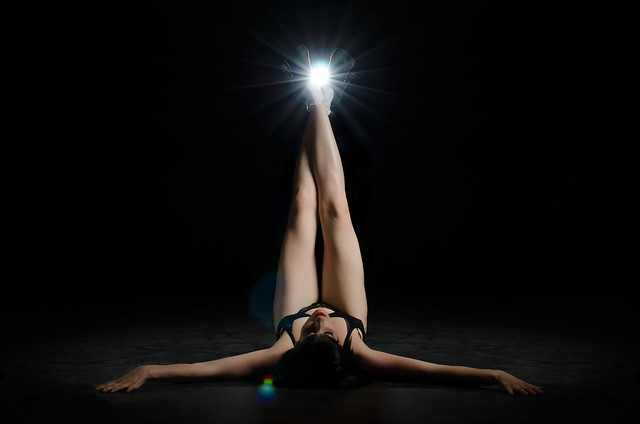
The finished image...

7975689970_c42ff7955b_z.jpg


I'm sure somebody could have done better but I'm happy with the results.
 
Thanks for all your advice guys, I've learnt a lot today.

The finished image...

7975689970_c42ff7955b_z.jpg


I'm sure somebody could have done better but I'm happy with the results.

Nice image. I had to turn the exposure up by 8 stops just to get a hint that he was there :)

Have you considered removing the flare on her left thigh and to the left of the head.
 
Nice image. I had to turn the exposure up by 8 stops just to get a hint that he was there :)

Have you considered removing the flare on her left thigh and to the left of the head.

Personally I'd remove it as well.
 
I kinda like the flare but for no other reason other than that it's what I envisioned when I took the image.

I'll give it a go and see what I think....

Thanks again guys :-)
 
Back
Top