HELP! Need to see examples of scans from 35mm negatives, please.

Indeed there are other benefits as you say, I just don't think they are so important/relevant to our OP.


Well my recommendation is pretty straightforward - YES it is worth scanning yourself, whether or not you develop yourself. Particularly for your intended use. As the previous poster has said, HDTV is not that hi-res at all. You need not splash out on a Nikon Coolscan if you don't want to, you'll get away with far less expensive options.

I've never used those cheapo 5mp ish film scanners so I can't recommend them.

There are a lot of reasons why someone would still shoot film today. But if you take a pragmatic, business-like approach to rationalize and justify shooting film, you may never find out what those other reasons are.

At the top of the list for me is the fun and challenge of shooting mechanical cameras. It's all a labor of love. Intangibles that don't compute well on a balance sheet.

:thinking:

OK, I'm slowly coming around to your way of thinking guys ;).

Thanks again for the generous input (and that applies to everyone who has posted here, BTW :)).
 
Just wanted to pop back and say a big thank you to all of you for the fantastic response to my original question.

Having dug around and done a little head scratching :thinking:, I have come to the conclusion that a flat-bed scanner capable of holding 35mm/120mm negs would be the best way forward for me, as I could use it for document and print scanning as well. The (cheap) dedicated negative scanners don't really seem to offer even a fraction of the image quality of the better flat-bed machines - only the few in the £500-£1,000 bracket seem to do that and that is simply far too much money for me to spend on what is, after all, just a side-line to my digital photography hobby :|.

I have elected to go for the Epson V500 model and have already ordered one from Amazon (Germany), as their customer service is second to none (online) and I can easily return it if there is a problem :).

The next step is to get on with developing my own film, but I have another thread going on that topic already :D.

Cheers folks!
 
Last edited:
I use a V500, as do a few others on here. Great choice! Film is just better :)
 
I use a V500, as do a few others on here. Great choice! Film is just better :)

You've no idea how relieved I am to hear that first part, Danny :D. Your MF shots on Arcos 100 are stunning.

I have a feeling that I'm about to embark on a very loooooooooong journey here :lol:.
 
:) thanks for the compliment, always nice to hear!

It's a fun journey, and less difficult/complicated than you may think. I'm 100% film now

Ps. Acros should be one of the first things on your shopping list, easily my favourite film right now, be sure to give it a go!
 
Last edited:
Another +1 for the V500, you will be very happy with it :)
 
Yep, the V500 is a fine scanner. I wish it could scan 24 frames at a time but it's fast enough. My only gripe is that the holder for 120 only fits two 6x6 frames.
 
:) thanks for the compliment, always nice to hear!

It's a fun journey, and less difficult/complicated than you may think. I'm 100% film now

Ps. Acros should be one of the first things on your shopping list, easily my favourite film right now, be sure to give it a go!

You know, Danny, yesterday I was sitting here counting up all of the pros and cons :thinking: and told myself that by the end of the day I was going to make a firm decision to go either one way or the other with film - get into processing and scanning my own, or sell off my two SLRs and some of my MF (manual focus, not medium format) lenses and just never look back :|.

As you can see, I went with the more 'adventurous' option. Having been able to get all of my developing/scanning questions answered here, I realised that it was far from 'impossible' for me to be able to handle and as you said, there was fun to be had along the way :naughty:. I'm always up for a bit of that.

Regarding the Arcos 100, I've had a roll in the fridge for over a year now :lol: and have just ordered another one. Since picking up my first SLR, two years ago, I've only actually managed to get two rolls of film developed. Other rolls have been half exposed and then taken out before selling on the cameras. It was mostly the cost of the processing which put me off taking in half a roll to be done. It also put me off using the film cameras unless I saw what I thought was 'an image worth paying for' :suspect:. That was a mistake! As soon as my mind begins to work in that way, I tend to look more negatively at my subject and find reasons for not photographing it at all :bang:.

Now that I will be able to develop negs myself (and might even start to look forward to that part of photography), I will probably find myself shooting a lot more freely - that can only be a good thing, right ;)!?


Another +1 for the V500, you will be very happy with it :)

I'm sure that I will, Rob. I just have to find somewhere to put it now. My 'minimalist bachelor pad' doesn't really allow for much clutter - 'gadgets' are OK though, I suppose :lol:.

Yep, the V500 is a fine scanner. I wish it could scan 24 frames at a time but it's fast enough. My only gripe is that the holder for 120 only fits two 6x6 frames.

I didn't really check, as I'm not shooting MF (yet :naughty:), but can the V500 also take single 6x7 negs? I hope so.

Anyway, from what I've read (and seen on You Tube), scanning is still a pretty slow process all round. Lucky that it's only a hobby for me and so time isn't money.


BTW, are all of you film buffs nocturnal creatures? (Look at the times of your posts :D).
 
Last edited:
1. Yes we're a strange breed, lol.

2. Yes to 6x7 on the V500, I shoot with an RZ67, the V500 can handle up to 6x9 I think, maybe even bigger.

So what MF camera you going for? :)
 
FruitFlakes said:
Yep, the V500 is a fine scanner. I wish it could scan 24 frames at a time but it's fast enough. My only gripe is that the holder for 120 only fits two 6x6 frames.

Look at my home made holder in the better scanning thread: that's space enough for three 6x6 or two 6x7 frames.
 
1. Yes we're a strange breed, lol.

2. Yes to 6x7 on the V500, I shoot with an RZ67, the V500 can handle up to 6x9 I think, maybe even bigger.

So what MF camera you going for? :)


:gag: Nooooooooooooooooooooooooooooooooooooooooooooo !!!

Please don't start me off on that one :D! A week ago, I had big ideas about going 'small' and getting myself a little rangefinder :naughty:. Now you evil people are trying to get me to sacrifice comfort and convenience in the name of immeasurably superior image quality :'(!?

;)
 
Time to quote a catchphrase from a popular carbonated beverage advertisement :)

Try it....you might like it lol

If the quality you're looking for is medium format, then you have little choice. I used to shoot pretty rapidly with my dslr, the inconvenience of MF has slowed me down, but, is responsible for me being a better photographer.
 
Here are some that are straight off the minolta 5400. Latter 3 were processed by peak processing and scanned the day I got the negs. It was a film that had been in the camera for a while. I have noticed the crud factor is generally worse on the beginning and end of a roll so shots taken in the middle tend to need less work.

Latter 3 are scans to jpg. No messing with noise or grain reduction with vuescan. Saved out to jpg again to squash a bit further. I think smugmug may have further squashed them but they were 20mb jpgs to start with! Can't remember how the dog picture was processed. That was a max spielman dev I think.


They're all exceptionally boring pictures, sorry!

I should rescan a strip from the Peak devved ones on the epson flatbed for comparison. I'd also like to see whether lower res epson produces more easily usable results.
 
Please don't start me off on that one :D! A week ago, I had big ideas about going 'small' and getting myself a little rangefinder :naughty:. Now you evil people are trying to get me to sacrifice comfort and convenience in the name of immeasurably superior image quality :'(!?

;)

You can get a rangefinder in medium format. They are of course physically larger than a 135 format but very light and just as easy to shoot as the smaller format. My M7II with one of my wider lenses weighs less than 95% of the DSLRs outfitted with a zoom lens out there.

I'd also note you get less grain if that is a goal with 400 film on bigger negatives. I believe I've posted these before but here are some examples of handhold 400 film both with my M7II and 500C/M


400TMY


Last edited:

BTW, are all of you film buffs nocturnal creatures? (Look at the times of your posts :D).

Thats the only time we are allowed near computers, when the normal people arent on :D
 
You can get a rangefinder in medium format. They are of course physically larger than a 135 format but very light and just as easy to shoot as the smaller format. My M7II with one of my wider lenses weighs less than 95% of the DSLRs outfitted with a zoom lens out there.

I'd also note you get less grain if that is a goal with 400 film on bigger negatives. I believe I've posted these before but here are some examples of handhold 400 film both with my M7II and 500C/M


400TMY


Wow :eek:!

Yep, that's the sort of image quality that I aspire to. Notice how the highlights on the windows turn from light grey to pure white with none of the 'digitally blown' artefacts that DSLRs tend to produce :naughty: - I like that!

I've read a bit about the Mamiya 6 and 7 and I must admit, if I do ever decide to go along the MF route, I'd much rather pay the extra and get an RF design (like these, or the Voigtlander Bessa III) and be able to shoot hand-held when required.

The only thing that scares me about the Mamiya 7 (apart from the price, obviously ;)) is that (according to Lord K. Rockwell :suspect:) it uses some kind of spot metering only :(. Having been solely reliant on Nikon's matrix metering up until recently and now struggling to learn to 'think like' my Nikon FEs centre-weighted metering, I'm not sure if I could cope with something as fickle as spot metering :shrug:.

Apparently, the Mamiya 6 has centre-weighted metering too and for that reason alone I think that it would be a better choice for me.

Still, we're a long, long way away from the day when I go shopping for one of those, so let's see how it goes with my 35mm exploits first.

Thanks for posting the photos though - they're both excellent :clap:!


Thats the only time we are allowed near computers, when the normal people arent on :D

:D
 
Wow :eek:!

The only thing that scares me about the Mamiya 7 (apart from the price, obviously ;)) is that (according to Lord K. Rockwell :suspect:) it uses some kind of spot metering only :(. Having been solely reliant on Nikon's matrix metering up until recently and now struggling to learn to 'think like' my Nikon FEs centre-weighted metering, I'm not sure if I could cope with something as fickle as spot metering :shrug:.

:D

Thanks. Film compresses highlights. Yes, I don't know why the Mamiya 7/7II is still so expensive. I use a one-degree spot meter even though the Mamiya has a meter built in. I will occasionally use the camera's meter. The M7II meter area in the rangefinder is fixed. The wider the lens you use, the more it acts like a spot meter is the catch.

Take the training wheels off your bike and learn to meter your own scene. :D
 
Last edited:
Thanks. Film compresses highlights. Yes, I don't know why the Mamiya 7/7II is still so expensive. I use a one-degree spot meter even though the Mamiya has a meter built in. I will occasionally use the camera's meter. The M7II meter area in the rangefinder is fixed. The wider the lens you use, the more it acts like a spot meter is the catch.

Take the training wheels off your bike and learn to meter your own scene. :D

Amen to that :thumbs:

:thumbs: Point taken!

Any ideas where I could find a good online guide to metering :shrug:? I'm aware of something called the 'zone system', which Ansel Adams either developed or employed (not sure which), but I don't know how complex that is :thinking:.

Can you guys offer me any pointers, please (to reference sources, I mean)?

Cheers!
 
You could try the ansel adams books, the negative, the camera and the print (not sure about the order of the first two) the first two cover zone system
 
I have "The Negative" and it covers all you'll need to know. But really it depends what you shoot and how you want to expose the shot. If I want a well exposed clean model shot I'll just incident meter with a handheld meter. The zone system is great if you are exposing individual frames like large format, because to use it to its full potential you factor in the development, like to expand the dynamic range of the shot you up developing time to n+1 or n+2, but when you've got 10 frames plus on a roll you can't develop for just one frame really.

Zone system takes time to calculate for each shot, it's not an "on the fly" kind of thing, and requires LOTs of testing and developing to calibrate your equipment and workflow
 
Any ideas where I could find a good online guide to metering :shrug:? I'm aware of something called the 'zone system', which Ansel Adams either developed or employed (not sure which), but I don't know how complex that is :thinking:.

Can you guys offer me any pointers, please (to reference sources, I mean)?

Cheers!

Rob's advise on Ansel's book is a good one. But you don't need to practice the "zone system" per se. You can start off with just the zone system of metering. You can practice compressing and expanding your tones on the negative later as you become more experienced at developing your film. You can do all that to a less accurate degree by trial and error over time shooting the same film and using the same developer. You can also make a densitometer out of a one-degree spot meter. There are instructions on how to do this in books (Phil Davis in Beyond the Zone System) and on the web, I believe. You'll need a calibrated density step wedge to do that.

You can also start off by reading this Wikipedia article on the Zone System
 
Last edited:
Thanks for the pointers, all :).

The Zone system is evidently not what I need to help me understand how to get the most out of my SLR (with its centre-weighted metering system).

In truth, the first two rolls came out fine by just trusting the auto exposure (in aperture priority) and only compensating manually for two or three night scenes, which had a small illuminated subject and a lot of dark sky around :|.

It might actually make more sense to always use CW and no compensation and then at least I will see from my negs where the problems lie :shrug:. Being as I tend to make more 'spontaneous' exposures, I tend not to be bothered to write down settings etc.

Anyway, you've all been very helpful again. Thanks!
 
Thanks for the pointers, all :).

The Zone system is evidently not what I need to help me understand how to get the most out of my SLR (with its centre-weighted metering system).

Not entirely true. It is actually very beneficial for digital shooting as well - more so than digital age induced nonsense like ETTR :)

It teaches you to think of the final image and envisage how this is to be printed/displayed. This lets you decide which zone for example to place your subject and in turn, having spotmeter, you can then measure the scene and know what approaches you can have in digital to achieve this (sacrifice highlights, underexpose and bring the details on in PP, reduce the scene contrast etc).

Have a read of this.

The good understanding (though somewhat technical) about zones can be found in "Way Beyond Monochrome" book where it does explain the contraction/expansion of the zones as you go from the scene to film then to development and then to print.
 
Have a read of this.

As discussed in the comments, the authors of that piece seem to have (I'd say wilfully) misunderstood and misapplied the concept of ETTR.

Their defence seems to be that a lot of other people don't understand it properly too. :thinking:
 
Not entirely true. It is actually very beneficial for digital shooting as well - more so than digital age induced nonsense like ETTR :)

It teaches you to think of the final image and envisage how this is to be printed/displayed. This lets you decide which zone for example to place your subject and in turn, having spotmeter, you can then measure the scene and know what approaches you can have in digital to achieve this (sacrifice highlights, underexpose and bring the details on in PP, reduce the scene contrast etc).

Have a read of this.

The good understanding (though somewhat technical) about zones can be found in "Way Beyond Monochrome" book where it does explain the contraction/expansion of the zones as you go from the scene to film then to development and then to print.

Thanks, I read the article in the first link, but it only applies to digital (as my old film SLRs don't have histograms :|.

What I need to understand is just how CW metering systems work, how to recognise scenes that will throw them and (most important of all) how to know what to do about it :shrug:. Trial and error is an expensive and time consuming way to go about it, so I was just looking for a better source of reference.

Anyway, I'm not shooting anything right now (still sick at home :() so I have some time to keep looking for relevant articles :).
 
As discussed in the comments, the authors of that piece seem to have (I'd say wilfully) misunderstood and misapplied the concept of ETTR.

Their defence seems to be that a lot of other people don't understand it properly too. :thinking:

I think if you dig a little deeper you will find that they understand it a lot better than you do :)

Hint - it is not the only article on a subject of how ETTR is wrong and frankly is not why I referenced it here. It is also the fact that one of them (Iliah) authored two raw converters so I guess he does knows what he is talking about.

They are also quite open so if you have some doubts or want clarifications about ETTR, you can just email them.

Edit: quick search of my bookmarks led to this one amongst the others about ETTR
 
Last edited:
Thanks, I read the article in the first link, but it only applies to digital (as my old film SLRs don't have histograms :|.

My mistake - I should have read it properly that you are talking about SLR not DSLR. CW metering could be of a help too - if you use it with a long lens it practically turns into spot metering. Having a zoom lens, you can extent it to the max, meter the part of the scene like with spot meter, then retract it back to wider angle.

Re: articles - this may be a good start.

Basically you measure the parts of the scene with your spotmeter (could improvise as above) to help you to decide on the exposure. One of the approaches for B/W negative could be as follows. You measure the darkest part of the scene where you want to have details (textured shadows) and lightest part of the scene where you want to have highlights details (textured highlights) or where you want just tonal details (tonal highlights). The textured shadows are visualised as being in a zone 3, textured highlights as being in zone 7 and tonal highlights in zone 8. The difference between the lightest and darkest measurement will give you the DR of the scene that you need to fit into 4 or 5 stops (depends on what highlights you have measured for: zone 8-zone3=5stops). Your measured DR in stops will give you an idea how much you need to expand or contract the exposure for it to fit within your range which is then results in contracted or prolonged development time. Then you expose for shadows i.e. so your measured textured shadows exposure falls in zone 3 (i.e. add 2 stops to it and expose for that - zone 5 is what you expose for). Then in development develop film for highlights i.e. with contracted/prolonged development according to how far measured highlights were far from their target zone (7 or 8).

Example (from the book I referenced in my previous post): measured shadows (zone 3) and tonal highlights (zone 8) of a high contrast scene have a difference of 7 stops. That means that you have to bring the highlights down 2 stops to fit into zone 8 (zone8-zone3-7stops=-2stops) in development. The films usually are marked as N-2 in this case to indicate that highlight contraction of 2 stops is required in development. Similar with expansion - if your measured scene difference is 4 stops between shadows (zone 3) and tonal highlights (zone 8) then an N+1 highlights expansion in development is required (zone8-zone3-4stops=+1stop).
 
Last edited:
My mistake - I should have read it properly that you are talking about SLR not DSLR. CW metering could be of a help too - if you use it with a long lens it practically turns into spot metering. Having a zoom lens, you can extent it to the max, meter the part of the scene like with spot meter, then retract it back to wider angle.

Re: articles - this may be a good start.

Basically you measure the parts of the scene with your spotmeter (could improvise as above) to help you to decide on the exposure. One of the approaches for B/W negative could be as follows. You measure the darkest part of the scene where you want to have details (textured shadows) and lightest part of the scene where you want to have highlights details (textured highlights) or where you want just tonal details (tonal highlights). The textured shadows are visualised as being in a zone 3, textured highlights as being in zone 7 and tonal highlights in zone 8. The difference between the lightest and darkest measurement will give you the DR of the scene that you need to fit into 4 or 5 stops (depends on what highlights you have measured for: zone 8-zone3=5stops). Your measured DR in stops will give you an idea how much you need to expand or contract the exposure for it to fit within your range which is then results in contracted or prolonged development time. Then you expose for shadows i.e. so your measured textured shadows exposure falls in zone 3 (i.e. add 2 stops to it and expose for that - zone 5 is what you expose for). Then in development develop film for highlights i.e. with contracted/prolonged development according to how far measured highlights were far from their target zone (7 or 8).

Example (from the book I referenced in my previous post): measured shadows (zone 3) and tonal highlights (zone 8) of a high contrast scene have a difference of 7 stops. That means that you have to bring the highlights down 2 stops to fit into zone 8 (zone8-zone3-7stops=-2stops) in development. The films usually are marked as N-2 in this case to indicate that highlight contraction of 2 stops is required in development. Similar with expansion - if your measured scene difference is 4 stops between shadows (zone 3) and tonal highlights (zone 8) then an N+1 highlights expansion in development is required (zone8-zone3-4stops=+1stop).

Hi Alexey!

I came here to post something else and have only just seen your latest post. Thanks for that :thumbs:! I'll read it all later and see if I can make sense of it all ;).
 
Well, my new Epson V500 scanner arrived this morning and I have installed the software and fired it up to try see if it can do what I wanted it to do. Quick answer is; it can :naughty:!

Although I know that I will be able to refine my scanning technique by reading the user manual (which seems to an online thing) and learning about all of the settings, I quickly discovered enough to be able to make two test scans of a photograph that was developed, printed and scanned by my local photographic 'specialist' some months ago.

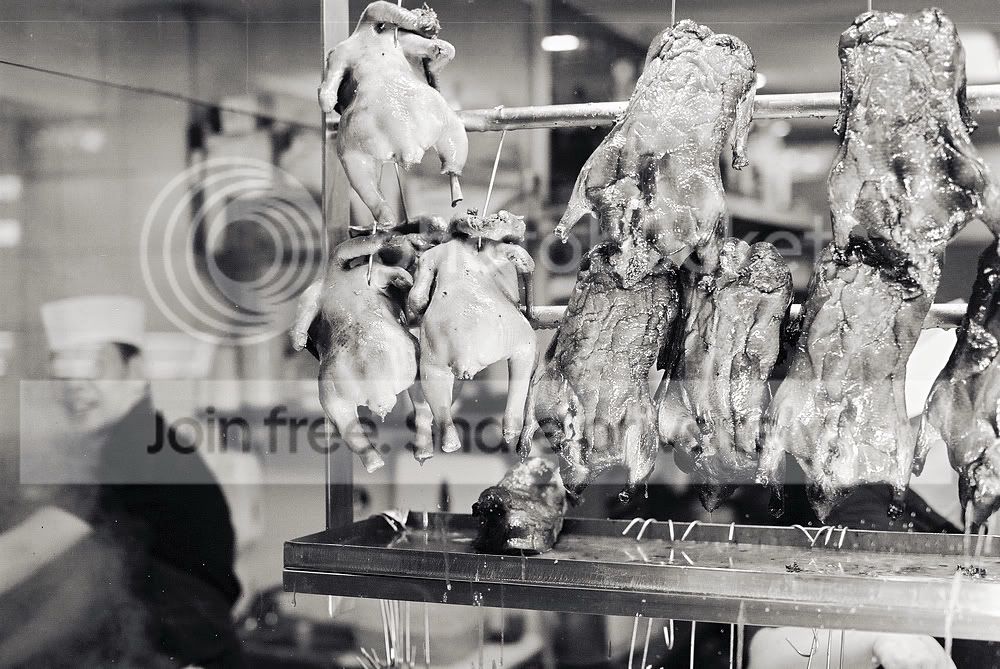
The film was (the dreaded :D) Kodak BW400CN (C41 process pseudo b&w), but I just scanned it as regular 16-bit grayscale. Also, it was a hand held capture, through a slightly greasy and steamed up window - not ideal for a test shot, or is it :naughty:!? Here are the 1000 pixel results (please click on them to judge sharpness/IQ):

1. Photographic store scan.
F1000027.jpg

(Somewhat high on grain and a little 'bright' in exposure terms, but worst of all .. this is the maximum size of the scan :( ).


2. Epson V500 scan of 6"x4" print.
Scan_2011_002_1000.jpg

(Pretty much what I expected from the V500 - sharpened up well and can be printed much, much larger than the tiny scan above it).


3. Epson V500 scan of negative.
Scan_2011_002b_1000.jpg

(This is the one I was scared about seeing. I needn't have been though - it turned out to be even better than the scan of the printed photo! There's more fine detail and it's really easy to work with such a large scan in PP).


Personally (and happily :)), I prefer the scanned negative (#3) by far. Not only is the full DR still all there (some of the highlights were somehow 'flattened out' by the enlarger used for the prints and I couldn't get any life back into them in PP ), but even more exciting than that is the fact that I got all of the picture back :naughty:. Once I finally figured out how to get the Epson to give me a scan of the whole neg, without cropping it down, I was able to just re-crop (and re-tone a little) the resultant scan, using other software :thumbs:. This is a major plus, which I hadn't even considered before.

The print (and scan) that I got back from the shop had been more tightly (i.e. carelessly) cropped cropped and frankly, it had ruined some of my more carefully framed shots :'(. Notice how you can see (in the third picture) that both of the gentlemen working in the Soho restaurant actually have at least one hand each :eek:)!?

So, my initial feeling is that I have found, with your help ;), exactly the right tool for the job. Next step is to get into developing my own film and then I will pretty much self-sufficient, as far as creating affordable b&w digital images to go onto the '35mm Film' page of my website is concerned :naughty:.

Thanks again to everyone who has advised and supported me with this project, so far :thumbs:.

Andy
 
Last edited:
My experience with BW400CN on my V700 was that I got the best results by scanning in 16-bit colour and then doing a greyscale conversion using only the green channel in Photoshop.
 
Back
Top