

- Messages
- 25,725
- Name
- Yvonne, pronounced Eve...
- Edit My Images
- Yes
OK, just opened adobe bridge to find a couple of pics I want to have a play with. Found the 1st one I wanted [a blue and white car from brands last week], but when I double click to open it in CS3 it opens via Camera Raw, thats fine, its a NEF file and thats what its meant to do, but its once in CR its changing all the colours and I cant see why or how. So for instance, a navy blue car goes purple, very purple! A red car goes lumious reddy orange, normal British green grass takes on a tropical rain forest bright green that is painful on the eyes. :shake:
I have gone through all the settings in camera raw and all seem to be at default. I cant open anything, including jpgs in CS3 without them going through CR first [well it seemed a good idea at the time ] nad its changing anything I do!
I can post some screen shots if needs be, but anyone got any ideas what setting I must have changed? I have tried changing between colour profiles once fully opened in cs3, but with no luck.
:bang:
Please, any help appreciated.
edit: btw, I can open jpgs in say Microsoft picture manager and they are fine.
I have gone through all the settings in camera raw and all seem to be at default. I cant open anything, including jpgs in CS3 without them going through CR first [well it seemed a good idea at the time
] nad its changing anything I do!I can post some screen shots if needs be, but anyone got any ideas what setting I must have changed? I have tried changing between colour profiles once fully opened in cs3, but with no luck.
:bang:
Please, any help appreciated.
edit: btw, I can open jpgs in say Microsoft picture manager and they are fine.


 .
.


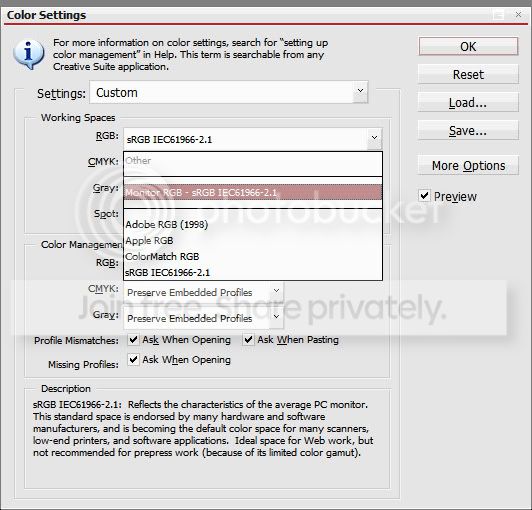

 I think I just worked out why mine disappeared though! pressumable something to do with monitors and calibrators!
 thanks again

