gramps
Suspended / Banned
- Messages
- 44,805
- Name
- 'Gramps'
- Edit My Images
- No
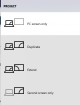
So I am trying to extend duplicate my Dell XPS laptop display via HDMI cable to my Logik TV.
The reason I am doing this is to display the output from my TACX Cycling Training Desktop App which outputs video of a chosen route that is linked to the Smart Trainer.
I have gone through the detecting of monitors and each is correctly detected and identified [1] & [2].
With the TACX Desktop App running on my laptop, I can see the video etc displayed on my laptop screen but all I see on the TV is my laptop's Desktop, not what is actually displayed on the laptop screen.
This, coupled with the fact that when I unplug the HDMI cable all of my Desktop icons are scrambled out of order, is rather irritating! :banghead:
I can't think of what else to try, anyone any ideas please?
The reason I am doing this is to display the output from my TACX Cycling Training Desktop App which outputs video of a chosen route that is linked to the Smart Trainer.
I have gone through the detecting of monitors and each is correctly detected and identified [1] & [2].
With the TACX Desktop App running on my laptop, I can see the video etc displayed on my laptop screen but all I see on the TV is my laptop's Desktop, not what is actually displayed on the laptop screen.
This, coupled with the fact that when I unplug the HDMI cable all of my Desktop icons are scrambled out of order, is rather irritating! :banghead:
I can't think of what else to try, anyone any ideas please?
Last edited: