Hi folks, I hope all is well
Editing images on a monitor, laptop, tablet, phone whatever you use. Do you edit in srgb mode?
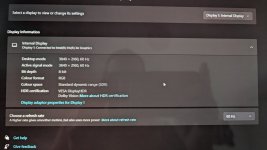
Reason I ask, is my Asus monitor on my laptop is some super oled 4k 100% this that and the other.
My monitor has a fair few choices, Asus standard, srgb, rec 709, DCI P3.
As I've always edited on my laptop I've never really questioned it (I don't print and barely upload to web other than here).
I read that you should edit in srgb mode, so I finished editing an image, left the laptop screen on (in all it's glory) hooked the monitor up, switched that to SRGb and loaded the image on lightroom mobile to compare all three.
The laptop and phone looked similar (pixel 7 pro) but when in srgb mode the monitor looked, well, horrible lol. If I altered the monitor colours, it made the laptop and phone images look really over saturated...so I switched the monitor back into the mode that matches them most closely
Do people here edit on srgb mode? What should I do? Ignore it as my images are for me, or start using srgb mode. I assume any images I've upload for challenges here in the past will have looked completely different on fellow member monitors, depending on the output they have...
Editing images on a monitor, laptop, tablet, phone whatever you use. Do you edit in srgb mode?
Reason I ask, is my Asus monitor on my laptop is some super oled 4k 100% this that and the other.
My monitor has a fair few choices, Asus standard, srgb, rec 709, DCI P3.
As I've always edited on my laptop I've never really questioned it (I don't print and barely upload to web other than here).
I read that you should edit in srgb mode, so I finished editing an image, left the laptop screen on (in all it's glory) hooked the monitor up, switched that to SRGb and loaded the image on lightroom mobile to compare all three.
The laptop and phone looked similar (pixel 7 pro) but when in srgb mode the monitor looked, well, horrible lol. If I altered the monitor colours, it made the laptop and phone images look really over saturated...so I switched the monitor back into the mode that matches them most closely
Do people here edit on srgb mode? What should I do? Ignore it as my images are for me, or start using srgb mode. I assume any images I've upload for challenges here in the past will have looked completely different on fellow member monitors, depending on the output they have...