


- Messages
- 12,095
- Name
- Tom
- Edit My Images
- Yes
Stole this from another forum - it was made by REG that pop in here occasionally.
First there are a number of different programs that will let you access the IRC chatrooms, I personally use Opera, its a nifty web-browser jobby that will let you access IRC chats too
you can download the latest version v9.02 from here: http://www.opera.com/download/get.pl?id=28418
For the sake of this ill assume you know how to install programs onto your pc so ill jump to the part where you have run opera for the first time.
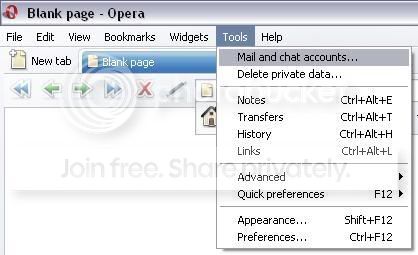
To access the chat rooms click on tools then mail and chat accounts
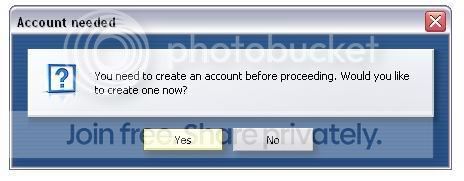
Press next and it will ask you if you want to create an account, press yes again.
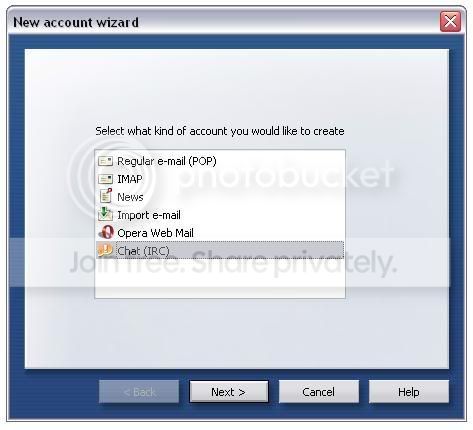
From the list select 'Chat (IRC)'
Insert your name and email address (dont copy mine )
)

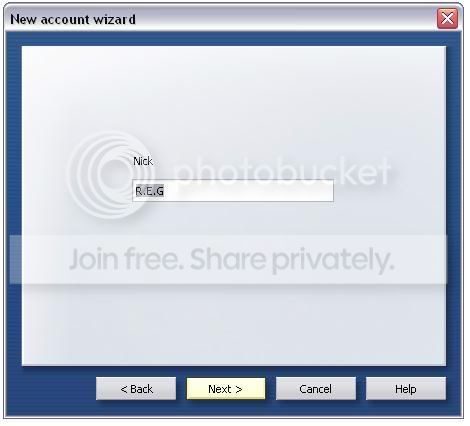
Choose a chat nickname (you can change it later so dont worry about it)
The next step asks you to choose the chat server, ours is not in the list so just delete whichever is in the box and type in 'irc.quakenet.org'
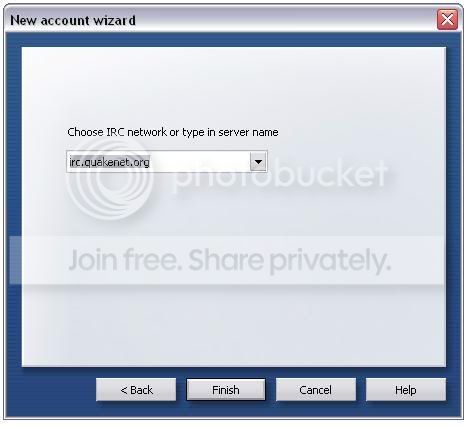
Once you select finish the following image is displayed
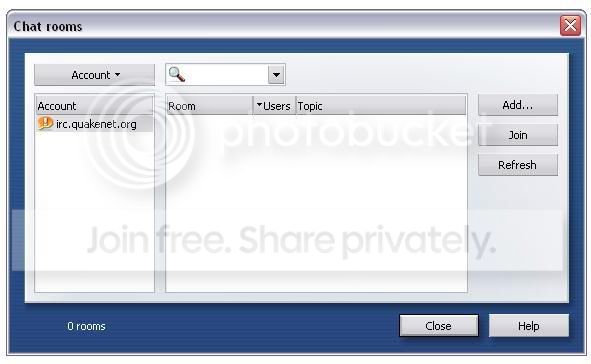
Click on join and in the room name put #froody-cs

Hopefully you should then appear in the room somewhere under your selected nick goodluck, see ya there
First there are a number of different programs that will let you access the IRC chatrooms, I personally use Opera, its a nifty web-browser jobby that will let you access IRC chats too
you can download the latest version v9.02 from here: http://www.opera.com/download/get.pl?id=28418
For the sake of this ill assume you know how to install programs onto your pc so ill jump to the part where you have run opera for the first time.
To access the chat rooms click on tools then mail and chat accounts
Press next and it will ask you if you want to create an account, press yes again.
From the list select 'Chat (IRC)'
Insert your name and email address (dont copy mine
)
Choose a chat nickname (you can change it later so dont worry about it)
The next step asks you to choose the chat server, ours is not in the list so just delete whichever is in the box and type in 'irc.quakenet.org'
Once you select finish the following image is displayed
Click on join and in the room name put #froody-cs
Hopefully you should then appear in the room somewhere under your selected nick
goodluck, see ya there


 :shrug:


 It can be a bit of an arse!


