Before and after

hypnotic

Suspended / Banned
Messages
6,430
Name
Sir
Edit My Images
Yes
Could not find a section for this so thought I would start one.

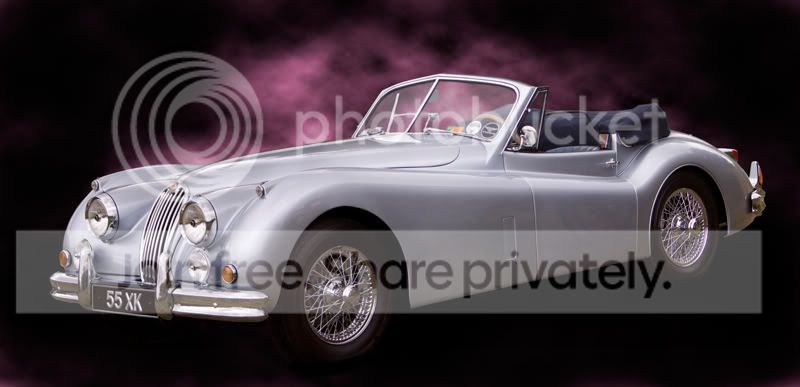
Had an hour or so to kill today and turned two shots from this ...
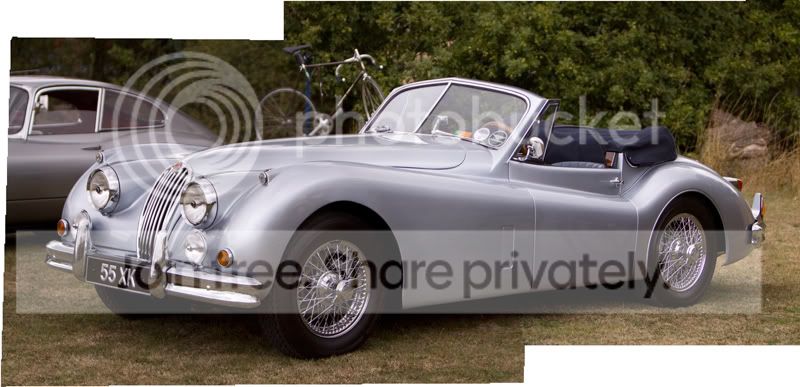

Start-Image.jpg


Into this ...

Car-finished.jpg


I know there are some flaws in it but with a bit more time spent it would look better.

Now your turn .... What have you got?
 
Wow! What a difference, just shows the camera never lies ;)
 
superb .... get it in the transport section for proper crit........not that it needs any
 
Thanks all ... :thumbs:

Would like to see a few more examples then hopefully we might all get some ideas from this.

I am working on another and should get it posted later.
 
Love it Kev, nicely done. How did you do your steam btw.


A very old shot of one of my bikes. not well done but as an idea - I tried a graduated backdrop on this one to give the impression of matching light from above.

Laverdaform.jpg


If I was to do it agin now I'd avoid the reflections of buildings, on the front screen and whatnot in the shadows, and adjust the blinkin mirror so it wasn't folded in, d'oh. :bonk:
 
Nice one Adam ... Where's the original?

"Steam" was a seperate layer with filter-render-clouds added. Then a quick adjustment in hue & sat until I got a colour I liked. Then used the eraser to get rid of bits I did not want.


Keep em' coming.
 
Nicely done but are you happy with the wheel reflection on the door?
 
Nice one Adam ... Where's the original?

"Steam" was a seperate layer with filter-render-clouds added. Then a quick adjustment in hue & sat until I got a colour I liked. Then used the eraser to get rid of bits I did not want.


Keep em' coming.


Gotcha, ta. :thumbs:

The original is somewhere on a hard drive. For reasons I won't go into I can't view that drive right now, so excuse me peeps.

The shot is taken down my mates driveway, nice and low, with the wall to the right and house behind all cut out.
 
Nicely done but are you happy with the wheel reflection on the door?

It was posted mainly as an example of what can be done. There are a few things that can be improved if I spent more time on it.


Very nice, but one or two bits could be done away with IMHO. I think it would be better if we could see through a clear windscreen so all that is being seen could go.


Not sure that a completely black background would work as well.


The main reason for starting this thread was to show people what can be achieved with a bit of work.

I also hoped that a few others would post some more examples.
 
I usually try for subtle changes, but this is one where I had an idea for the finished image that needed a bit of PP to achieve.

152.jpg
 
Awesome effort. You seem to know what you are doing. one thing that i noticed is that you still have a reflection of a wheel on the body. if you could get rid of that it'd make it a tad better imo
 
Awesome effort. You seem to know what you are doing. one thing that i noticed is that you still have a reflection of a wheel on the body. if you could get rid of that it'd make it a tad better imo

Cannot take all the credit. Digital Photo magazine has some good tutorials this month (January).
 
Adam I was bored and had a play :)

Brill lol, great idea, I'll have to have a play with that. :thumbs:... I notice you've nicely exposed the rubbish cutting out too! :lol:

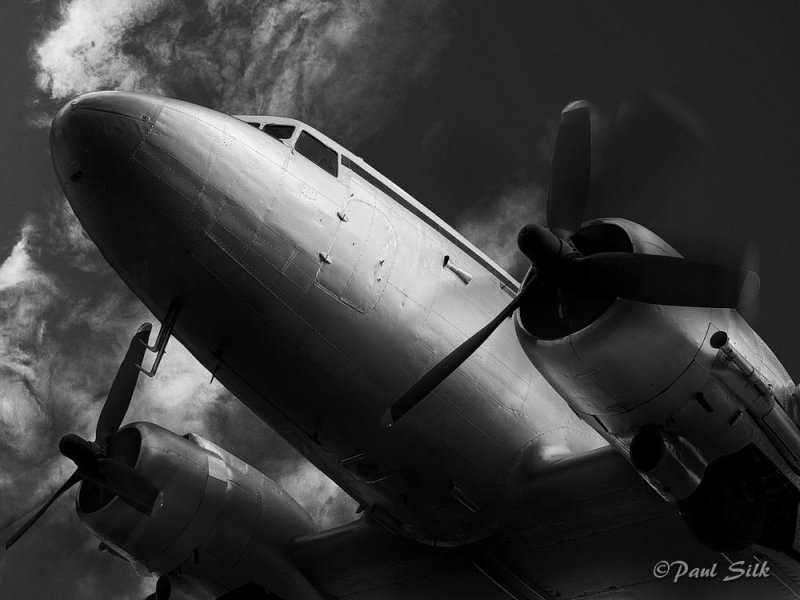
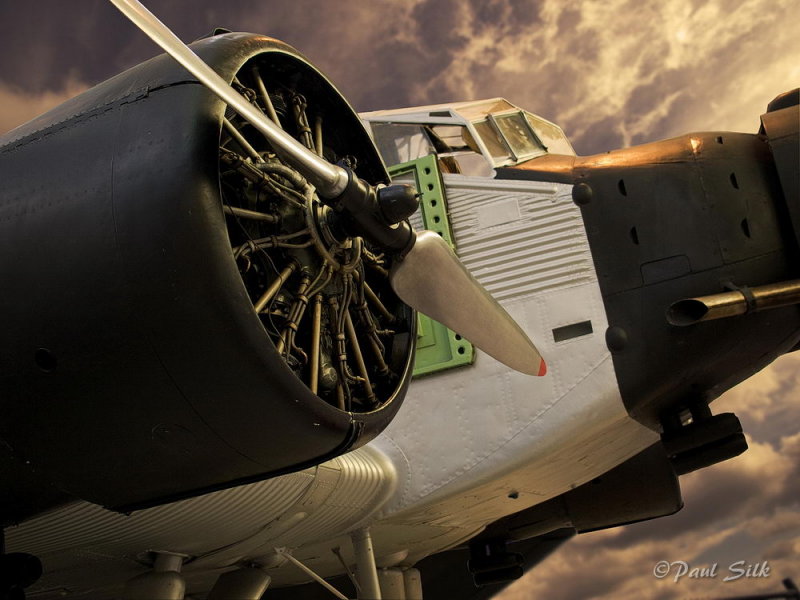
Nice example, heres a couple of before and afters I did from the Cosford RAF Air Museum. :)

Awesome, I'm loving the way you've matched the light direction and colours, nicely done indeed.
 
Love the aircraft. The only bit that doesn't work for me is the prop blur in the first one, as it is inconsistent for the two blades.
 
Helped out a guy on a motor forum who got a new camera!!
Was in work the time I fixed it - so couldnt fix the grainy result in the after!

Before
4160090593_9818ca1519_b.jpg

After
attachment.php
 
Hilton Manchester - retouched this a while back for a club flyer, must have been a while ago as the Hilton was only part built.

retouch_01_a.jpg
retouch_01_b.jpg
 
LOL, just read the DP tutorial, good effort.

Forr me, as has been mentioned, the wheel reflection in the rear door but most of all the angle of the car, it is slightly high at the rear, not sitting flat as per the original, should be easy to correct. Tried this but got wya too frustrated outlining the object !
 
LOL, just read the DP tutorial, good effort.

Forr me, as has been mentioned, the wheel reflection in the rear door but most of all the angle of the car, it is slightly high at the rear, not sitting flat as per the original, should be easy to correct. Tried this but got wya too frustrated outlining the object !

is there a tutorial for this?
 
Right, this is a really interesting thread. I think there's a real need for digital manipulation these days, especially when you need to get a good shot looking a great shot.

Here's my attempt...


48ea4cac300bd3.62577383frogview-gallery.jpg


Which I turned into this...


Natalie-Imbruglia27.jpg


Amazing or what? ;)
 
Right, this is a really interesting thread. I think there's a real need for digital manipulation these days, especially when you need to get a good shot looking a great shot.

Here's my attempt...


48ea4cac300bd3.62577383frogview-gallery.jpg


Which I turned into this...


Natalie-Imbruglia27.jpg


Amazing or what? ;)

Cant see what changed :lol:
 
Hello Kevin "hypnotic",

I was most impressed with the transformation you made to the XK Jaguar - it looks really good and something I would like to try, but I have to confess I really struggle with any digital manipulation.

- one of my biggest issues is how to accurately select the outline - I have tried various methods, but always seem to end up with jagged edges or bits missing!

What process did you follow?

I would also be interested in how you:

- managed to get your steam cloud effect 'behind' the windscreen
- made the windscreen glass clearer (less reflection)

If you have the time, a short "how to" tutorial would be well appreciated.

In awe - Regards


Roy
 
48ea4cac300bd3.62577383frogview-gallery.jpg


Which I turned into this...

Natalie-Imbruglia27.jpg

Nice work ... What did you do? ... :p

Hello Kevin "hypnotic",

I was most impressed with the transformation you made to the XK Jaguar - it looks really good and something I would like to try, but I have to confess I really struggle with any digital manipulation.


- one of my biggest issues is how to accurately select the outline - I have tried various methods, but always seem to end up with jagged edges or bits missing!

What process did you follow?

I would also be interested in how you:

- managed to get your steam cloud effect 'behind' the windscreen
- made the windscreen glass clearer (less reflection)

If you have the time, a short "how to" tutorial would be well appreciated.

In awe - Regards


Roy


Hi Roy ... :wave:

Best thing I can suggest is for you to buy this months (January) copy of Digital photo magazine. It is widely available.

The disk that comes with the mag has video tutorials for doing both the car image and the Stonehenge one. They are fun and easy to follow along with.

It would take me most of the night to try and remember what I did and then type it down ... :D
 
Right, this is a really interesting thread. I think there's a real need for digital manipulation these days, especially when you need to get a good shot looking a great shot.

Here's my attempt...


48ea4cac300bd3.62577383frogview-gallery.jpg


Which I turned into this...


Natalie-Imbruglia27.jpg


Amazing or what? ;)


:eek: OMG! That is the most ugly, brutal, disgusting, horrific, piece of disgraceful **** I've ever seen.

And the top one isn't much better either :nuts:
 
Extreme Photoshop before and after ... :D


[YOUTUBE]<object width="425" height="344"><param name="movie" value="http://www.youtube.com/v/AFwFOH6h4lo&hl=en_GB&fs=1&"></param><param name="allowFullScreen" value="true"></param><param name="allowscriptaccess" value="always"></param><embed src="http://www.youtube.com/v/AFwFOH6h4lo&hl=en_GB&fs=1&" type="application/x-shockwave-flash" allowscriptaccess="always" allowfullscreen="true" width="425" height="344"></embed></object>[/YOUTUBE]
 
Hello Kevin,

Good example posts and amazing what can be done in Photoshop.

- I bought the Digital Photo Magazine you mentioned and had a go at merging a car, but pretty poor results in comparison to yours - I still had that jagged outline I referred to before on the car.

I also found that when I used the polygonal lasso tool, several times it would generate the "line of marching ants" before I had completed going around the whole of the car, and there was no "undo" or going back, so I had to start all over again............... Have you experienced this?

I was using a mouse to select the points, would it be easier or more accurate if I had a Tablet Pen or is that another thing I would need a lot of time to practice with?

Regards

Roy
 
Back
Top