All things related to Apple phones & tablets

  • Thread starter Thread starter stupar
  • Start date Start date
Probably not a problem with regards to the battery as I usually only work with anything plugged into the mains via the charger. The set up is very simple I just plugged the hub into the iPad Pro and the drives & mouse into the hub. The iPad was taking its power from the magic keyboard which was powered from the mains via the charger.
The thing that puzzles me a bit is that Apple say that the longer batteries are kept at full power* the shorter their life but I’ve never seen any advice about what happens if kept on mains power. On mine they run up to 100% and stay there if kept plugged in. You would think there might be a setting for “mains power”.

With these iPad Pro’s like yours I guess a lot of people might be using them on the mains.


* talking of phones but I can’t see why iPads would be different.
 
The thing that puzzles me a bit is that Apple say that the longer batteries are kept at full power* the shorter their life but I’ve never seen any advice about what happens if kept on mains power. On mine they run up to 100% and stay there if kept plugged in. You would think there might be a setting for “mains power”.

With these iPad Pro’s like yours I guess a lot of people might be using them on the mains.


* talking of phones but I can’t see why iPads would be different.

Yes I too have heard the same things about being on full power and equally many things saying they won't be harmed if left on continuous charge, but as you those things were applying to iPhones. But speaking from personal experience I have always used my 2017 iPad Pro in the same way ie virtually always connected to the mains via the charger and the battery is still in very good condition.
 
"Heads Up"

If anyone is using "Pixelmator Photo" on their iPad then there is a new update out today version 2.0.4 with some things that look pretty useful.
 
Well I think I got thr bargain of the century today, I was in CEX browsing games and they had a 5th Gen M1 12.9 iPad Pro 2TB / 5G for £1200 instead of £2200 at Apple.

It's brand new, warranty until Feb 2023 and still eligible to add AppleCare if I want it, that and £230 for a brand new Magic Keyboard too! Woo
 
Well I think I got thr bargain of the century today, I was in CEX browsing games and they had a 5th Gen M1 12.9 iPad Pro 2TB / 5G for £1200 instead of £2200 at Apple.

It's brand new, warranty until Feb 2023 and still eligible to add AppleCare if I want it, that and £230 for a brand new Magic Keyboard too! Woo
That is a fantastic price. Think they may have made a mistake but well done.
 
iOS & iPadOS 15.3 available
 
If anyone has been having trouble with fingerprint recognition it may be that 15.3 fixes it.

I only noticed 15.3 was out when I was checking problems because my iPad Air 3 fingerprint sensor was working intermittently and erasing and setting up a new print took forever instead of being a few seconds. I had tried all the usual resets etc etc to no avail but after updating the new finger setup worked as normal. May yet prove to be a false Dawn of course :(
 
If anyone has been having trouble with fingerprint recognition it may be that 15.3 fixes it.

I only noticed 15.3 was out when I was checking problems because my iPad Air 3 fingerprint sensor was working intermittently and erasing and setting up a new print took forever instead of being a few seconds. I had tried all the usual resets etc etc to no avail but after updating the new finger setup worked as normal. May yet prove to be a false Dawn of course :(


Thanks for the heads up on that Richard. All done & dusted, I don't actually use the fingerprint recognition but I do like to keep everything up to date.(y)
 
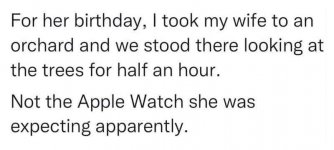
apple watch.jpg
 
The macOS 12.3 and iPadOS 15.4 betas were released to developers on Thursday, and there was a surprise: Apple finally added Universal Control, the much-anticipated feature that was revealed at WWDC21. Late last year Apple announced that the release of Universal Control would be delayed to this spring, so we didn’t expect to see any trace of it until at least March.

 
Currently have a 8gb 13” MacBook M1 and gen 1 MacBook Pro 10.5 inch. Thinking of getting a high spec IPad 12.9 pro or high spec MacBook Pro 16” as want it to last a few years
Tried Lightroom on the MacBook a while ago and was not that impressed,

Thoughts are
MacBook 16” bigger screen
Very quick
Cost roughly double iPad Pro
Bit big in front of telly/take away on week ends

iPad smaller screen
Pen is great
Cheaper
Bit slower?
Better with my feet up on coffee table “watching “ coronation st with wife

Just tried Snapseed on my iPad and thought pretty good, realise Lightroom is more intensive but can I expect Lightroom to be as fast on a new iPad as Snapseed on current ipad?

Other uses are just browsing, little office, little video

Any thoughts, could stick with what I have but have a few £ spare so why not.

Thanks for getting this far and any thoughts (apologies for the MacBook in this thread)
 
Last edited:
Currently have a 8gb 13” MacBook M1 and gen 1 MacBook Pro 10.5 inch. Thinking of getting a high spec IPad 12.9 pro or high spec MacBook Pro 16” as want it to last a few years
Tried Lightroom on the MacBook a while ago and was not that impressed,

Thoughts are
MacBook 16” bigger screen
Very quick
Cost roughly double iPad Pro
Bit big in front of telly/take away on week ends

iPad smaller screen
Pen is great
Cheaper
Bit slower?
Better with my feet up on coffee table “watching “ coronation st with wife

Just tried Snapseed on my iPad and thought pretty good, realise Lightroom is more intensive but can I expect Lightroom to be as fast on a new iPad as Snapseed on current ipad?

Other uses are just browsing, little office, little video

Any thoughts, could stick with what I have but have a few £ spare so why not.

Thanks for getting this far and any thoughts (apologies for the MacBook in this thread)

for browsing and things like that as well as editing on affinity an iPad is great but if you’re intending to download photos onto an external drive from your camera to edit I would definitely go for a laptop (Mac book) rather than an iPad
I found that downloading from sd card reader to external drive via an iPad is painfully slow
 
  • Like
Reactions: nog
He didn't say they'd handled it well

for browsing and things like that as well as editing on affinity an iPad is great but if you’re intending to download photos onto an external drive from your camera to edit I would definitely go for a laptop (Mac book) rather than an iPad
I found that downloading from sd card reader to external drive via an iPad is painfully slow
Just watched a YouTube video and the presenter advised going for a cup of tea whilst down loading :-(
 
Just watched a YouTube video and the presenter advised going for a cup of tea whilst down loading :-(
Yep I left it for ages was so slow
A shame really as the Affinity app on iPad is excellent and once photos are on drive it’s ok , it’s just took so long to get them onto an external drive
I now use my MacBook iPad itself isn’t slow I just wonder if apple throttle the download to an external drive process using iPad for some reason
 
Last edited:
  • Like
Reactions: nog
Many times on here I’ve sung the praises of “Filmic Pro” for my iPhone video work. But I’ve now started using an app that I’ve been using for my stills for some time that as far as I’m concerned produces superior results to “Filmic Pro” and it is “ProCamera”.

I’ve been comparing videos straight out of the iPhone with several apps that I have and “ProCamera” for me clearly produces the most pleasing results. With as near as possible the same settings the files per minute of recording are approximately a third of the size of “Filmic Pro” files. I dare say with “Filmic Pro” files I could do more in editing etc but that’s not what I want to do with videos. I bit of trimming and some transitions and then adding some sound is really all I want to do for my video work and all of this I do in “LumaFusion” on my iPad.

I’ve been using “ProCamera” for my iPhone stills for a time or two and for me at the moment there is no equal, and to have both my stills & video shooting within one app is very convenient and saves a lot of messing about.
 
I've just started a new thread here for discussing photo sharing on various social media sites as there didn't seem to be any existing one. The first post is about a new app (iPhone and Android) called Pidgeon which aims to be an Instagram competitor. Details are in my post, together with a link to a PetaPixel article about it.
 

Mistaken post.

 
Last edited:
I've been following a guy on Flickr that takes some amazing photos just using an iPhone, he also links to a very good blog that he has created about his technique and what he uses etc. I've listed who he is below in case you might like to take a look.

iPhone Fotograaf
 
Last edited:
After some help.. my 10 year old has just changed her iPad (8th gen) password and locked herself out of it. Is there anyway to get around it? She's tried entering her new one but it's not recognising it. It's now on a 1 hour lockout. I haven't used apple products for a few years, so am clueless. It's setup on my apple account, so I have access to iCloud etc.. if that helps!!
 
After some help.. my 10 year old has just changed her iPad (8th gen) password and locked herself out of it. Is there anyway to get around it? She's tried entering her new one but it's not recognising it. It's now on a 1 hour lockout. I haven't used apple products for a few years, so am clueless. It's setup on my apple account, so I have access to iCloud etc.. if that helps!!

Depends what you mean. Is it the passcode (usually numerical, 4 or more character) that you put in when starting up?

If it’s the APPLE ID password she will have go via recovery using whatever alternatice contact methods she has set up. It is possible to knacker an iPad by not looking after your Apple ID (happened to a friend who forgot his password) though May still be usable with whatever currently works.
 
It's saying passcode, but she is saying she put in a new password which was 10 characters long.. it's showing a keyboard as opposed to a numerical keypad..
 
It's saying passcode, but she is saying she put in a new password which was 10 characters long.. it's showing a keyboard as opposed to a numerical keypad..
I’ve just checked. I always just use the “old” type 4 number code but now they offer longer ”numeric” or “alphanumeric” codes. This is on latest iPadOS.

Probably she mistyped or misspelt her new code and made the same error when asked to repeat. Or dreaded caps or caps lock error.

Can’t really help except that if it’s possible to erase the iPad remotely via your iCloud account (problems arise with “find my” if it’s on) then setting it up as a new iPad or restoring from backup or from another device (eg her iPhone) will enable a new passcode to be set.
 
I’ve just checked. I always just use the “old” type 4 number code but now they offer longer ”numeric” or “alphanumeric” codes. This is on latest iPadOS.

Probably she mistyped or misspelt her new code and made the same error when asked to repeat. Or dreaded caps or caps lock error.

Can’t really help except that if it’s possible to erase the iPad remotely via your iCloud account (problems arise with “find my” if it’s on) then setting it up as a new iPad or restoring from backup or from another device (eg her iPhone) will enable a new passcode to be set.

Thanks, yeah not sure what's she done as she obviously entered the password twice to set it up but now can't input it correctly.. She's worried about losing all her Toca Boca stuff!!! I can see I have a 3Gb backup in iCloud, so hopefully that has all her stuff on it..
 
OK, back up and running after doing a wipe and restore.. It's still is saying some account services aren't available until I sign in, which I've done with iCloud ID and also new passcode. It's then asking for old passcode.. If you click forgot iPad passcode it says
"If you can't remember the passcode for "Adam's iPad", you can approve this iPad from one of your other devices signed into iCloud, or you can reset your end-to-end encrypted data

How do I do approve it? I restored it with my windows PC through itunes, but not sure if that's linked..

or

What will be wiped in that encrypted data??


Last backup was from 21st November last year, although all her apps and more importantly her tocaboca info is back!!! She just had to add contacts etc she'd lost..
 
Useful lesson learned for her!!! But I don’t know the answer to your other questions. It may just be taking time to settle down if it’s synched with other devices.
 
Useful lesson learned for her!!! But I don’t know the answer to your other questions. It may just be taking time to settle down if it’s synched with other devices.

Yeah, at least it's working now.. I must see why iCloud wasn't backing it up daily.. I haven't used apple since the iphone 4s, so am well out of the loop..

Cheers for the help..
 
Mistaken Posting.
 
Last edited:
Mistaken Posting.
 
Last edited:
Yes I too have heard the same things about being on full power and equally many things saying they won't be harmed if left on continuous charge, but as you those things were applying to iPhones. But speaking from personal experience I have always used my 2017 iPad Pro in the same way ie virtually always connected to the mains via the charger and the battery is still in very good condition.
Still using an iPad (standard) from 2018 and it's almost exclusively used as an extra monitor to my MacBook, and the battery is just fine. Remarkable devices. If I never update it to the point it becomes slow, I think it could do for ages! Mostly used for Readly and news in bed - and occasional Netflix.
 
Still using an iPad (standard) from 2018 and it's almost exclusively used as an extra monitor to my MacBook, and the battery is just fine. Remarkable devices. If I never update it to the point it becomes slow, I think it could do for ages! Mostly used for Readly and news in bed - and occasional Netflix.
I have an iPad 2 running continuously as a clock (different time zone) or sometime security camera. It works fine for all the other stuff and I’ve lent it out to friends, except the home button is a bit unreliable so I use that floating thingy.
 
I have an iPad 2 running continuously as a clock (different time zone) or sometime security camera. It works fine for all the other stuff and I’ve lent it out to friends, except the home button is a bit unreliable so I use that floating thingy.
Yes they're very hardwearing. I got this in FL back in 2018 (gen 6) but back at the end of May so will keep my eyes open for perhaps a newer one just in case... I do quite like the all-screen Mini that they do now.
 
What does everyone think of Universal Control? Have you tried it yet? Will you use it?

I've not tried it just yet or do I even know how to set it up. But if I can use my "MacBook Pro" via my new "iPad Pro" keyboard I will be very pleased. For some reason the iPad Magic Keyboard (White) is a much better typing experience than my MacBook Pro., and believe it or not the keys etc are exactly the same size though one would initially think they are smaller.
 
Back
Top