All things related to Apple phones & tablets

  • Thread starter Thread starter stupar
  • Start date Start date
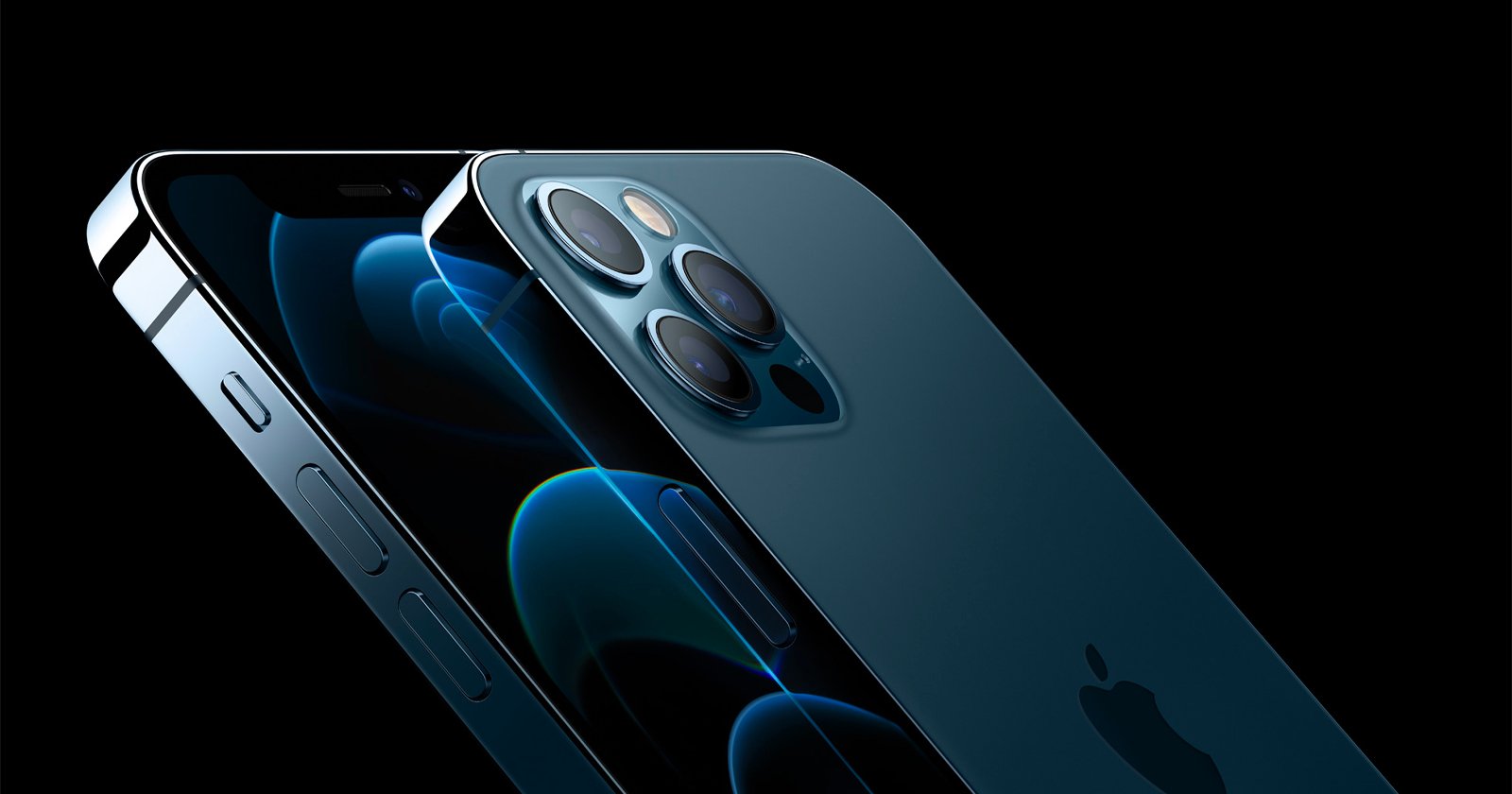
I've been playing around photographically quite a bit recently with my "iPhone 12 pro max" and it never ceases to amaze me at just how good the quality of the snaps from it can be if used properly. A couple of apps that I have installed which are very good indeed are "Skyflow" for time lapse stuff and "CameraPixels" for stills & video. Both of these are well worth a look and below I have included the link to a YouTube video that you might like to look at that includes both of these apps from of a guy that I follow. "Enjoy" :)

View: https://youtu.be/X5Ti39Jfdzw
 
Last edited:
There's a new app from Pixelmator on the App Store: Pixelmator Photo, and it looks like it's got some good features for the low price of £3.49 (half price but will go up at some point). I own Pixelmator Pro on the Mac so I got Pixelmator Photo free, so I assume you would, too.

View: https://www.youtube.com/watch?v=8FYay4-rK94
 
There's a new app from Pixelmator on the App Store: Pixelmator Photo, and it looks like it's got some good features for the low price of £3.49 (half price but will go up at some point). I own Pixelmator Pro on the Mac so I got Pixelmator Photo free, so I assume you would, too.

View: https://www.youtube.com/watch?v=8FYay4-rK94


Thanks for that Garry, just got it now as I do use my IPhone 12 Pro quite a bit.
 
I've been wanting to be able to fire the shutter remotely on my iPhone for some time now and have been looking out for somewhere local that stocks a bluetooth trigger (I have no need for an Apple Watch that will do it) but without any luck. I've seen them on FleeBay for just under four bucks and if all else failed I was going to order one.

Yesterday we made a trip into one of our local towns and while I was looking around Poundland I came across a "Viido Mini Phone Tripod" that they are selling for four bucks (strange price seeings the store is called Poundland) complete with a bluetooth trigger. I didn't expect much but when I got back I set it up and low and behold it works perfectly, and the "Mini Tripod" folds up to give a very useful pistol grip. So if anyone else is looking for such a thing I can thoroughly recommend this cheapie gadget from Poundland.
 
Last edited:
I've been wanting to be able to fire the shutter remotely on my iPhone for some time now and have been looking out for somewhere local that stocks a bluetooth trigger (I have no need for an Apple Watch that will do it) but without any luck. I've seen them on FleeBay for just under four bucks and if all else failed I was going to order one.

Yesterday we made a trip into one of our local towns and while I was looking around Poundland I came across a "Viido Mini Phone Tripod" that they are selling for four bucks (strange price seeings the store is called Poundland) complete with a bluetooth trigger. I didn't expect much but when I got back I set it up and low and behold it works perfectly, and the "Mini Tripod" folds up to give a very useful pistol grip. So if anyone else is looking for such a thing I can thoroughly recommend this cheapie gadget from Poundland.
I’ve always used these from Amazon:

Work with either iPhone or Android (actually both buttons seem to work the same with iPhones).
 

Richard, I've just looked again at mine and it appears to be exactly the same, mine also works with my iPhone using either of the buttons.
 
Last edited:
I posted this over in the phone images thread but I think it’s worth a mention here, it’s not a particularly new thing, it was available in iOS 13 I think:


Edit to add: I’m guessing one could launch one camera app by back-tap and another from the Lock Screen using a Shortcut. Haven’t tried it yet. The obvious drawback to the Degner link is that it makes it more awkward to launch the native app :(.
 
Last edited:
I posted this over in the phone images thread but I think it’s worth a mention here, it’s not a particularly new thing, it was available in iOS 13 I think:


Edit to add: I’m guessing one could launch one camera app by back-tap and another from the Lock Screen using a Shortcut. Haven’t tried it yet. The obvious drawback to the Degner link is that it makes it more awkward to launch the native app :(.
Yes, I think back tap is probably a better way to quickly launch a different camera app from the Lock Screen and leave the native app alone. It’s just a question of making a new “open Halide (or whatever) app” shortcut and then choosing it in Back Tap, 2x or 3x.
 
What are the benefits of the other cameras? I took a look a few years ago and there wasn’t much to tempt me away from the standard camera, particularly as you couldn’t open them from the lock screens.
 
What are the benefits of the other cameras? I took a look a few years ago and there wasn’t much to tempt me away from the standard camera, particularly as you couldn’t open them from the lock screens.
I have had a look at the other camera apps available and can't really see any significant benefits over the standard one.
 
What are the benefits of the other cameras? I took a look a few years ago and there wasn’t much to tempt me away from the standard camera, particularly as you couldn’t open them from the lock screens.

Back in the day, ProCamera was better than the default camera app as it had anti-shake, save as TIF, a tilt meter, and Lux+ - a long exposure mode for night shots. The latest iPhones can do all or most of those things. The Photoshop camera app includes filters called 'Lenses', some of which are OK. NeuralCam includes AI enhancement and upscaling. Various other cameras are integrated with their editing apps and their cloud storage, e.g. the On1 Photo app.
 
What are the benefits of the other cameras? I took a look a few years ago and there wasn’t much to tempt me away from the standard camera, particularly as you couldn’t open them from the lock screens.
I have an iPhone 11 so not familiar with what the latest can do. I think that on some (Halide?) you could save in RAW before the native app allowed it.

Currently some do time lapse, focus bracketing, exposure bracketing. and I think some (Filmic?) have video features that the native app doesn’t have. Its a moving target though :(.

 
Back in the day, ProCamera was better than the default camera app as it had anti-shake, save as TIF, a tilt meter, and Lux+ - a long exposure mode for night shots. The latest iPhones can do all or most of those things. The Photoshop camera app includes filters called 'Lenses', some of which are OK. NeuralCam includes AI enhancement and upscaling. Various other cameras are integrated with their editing apps and their cloud storage, e.g. the On1 Photo app.


Garry, have you actually tried the "Pixelmator Photo for iPhone" yet that you mentioned a few posts ago? And if so your opinions of it would be much appreciated.
 
I have an iPhone 11 so not familiar with what the latest can do. I think that on some (Halide?) you could save in RAW before the native app allowed it.

Currently some do time lapse, focus bracketing, exposure bracketing. and I think some (Filmic?) have video features that the native app doesn’t have. Its a moving target though :(.

I remember some time ago reading that there were other formats that could be saved, but is there that much benefit to be gained?
All photos taken on my 'proper' camera get saved to Lightroom, so there is no extra work in using RAW and an occasional benefit if exposure or white balance needs to be significantly changed, but never felt I was missing out on much by shooting jpegs on the iPhone.

Time lapse may be interesting, but regarding exposure and focus bracketing - I have found the focus and metering great, so have never really needed the extra controls. But I do wish the exposure compensation slider was much quicker.
 
I remember some time ago reading that there were other formats that could be saved, but is there that much benefit to be gained?
All photos taken on my 'proper' camera get saved to Lightroom, so there is no extra work in using RAW and an occasional benefit if exposure or white balance needs to be significantly changed, but never felt I was missing out on much by shooting jpegs on the iPhone.

Time lapse may be interesting, but regarding exposure and focus bracketing - I have found the focus and metering great, so have never really needed the extra controls. But I do wish the exposure compensation slider was much quicker.
It probably doesn’t apply to any on TP but if an iPhone is your sole/main camera (which must apply to many given the numbers sold) then these things may be very important. Or where the phone cams are used professionally making movies etc.

Apple’s ProRAW is quite different from RAW since it includes all the computational stuff as I understand it, though obviously that’s available to the native app so I don’t suppose third party apps offer any advantage tgere,
 
It probably doesn’t apply to any on TP but if an iPhone is your sole/main camera (which must apply to many given the numbers sold) then these things may be very important. Or where the phone cams are used professionally making movies etc.

Apple’s ProRAW is quite different from RAW since it includes all the computational stuff as I understand it, though obviously that’s available to the native app so I don’t suppose third party apps offer any advantage tgere,

Pro Raw I have found to be excellent Richard, and far better than standard Raw. The only problem that I have found is not with the taking side of things but the processing etc as not all processing apps/software recognise the files fully yet and only treat them as a standard DNG file, ie leaving out all of the computational part of the file.
 
Garry, have you actually tried the "Pixelmator Photo for iPhone" yet that you mentioned a few posts ago? And if so your opinions of it would be much appreciated.

Not yet, George. I had a quick look at it but there were a few things it didn't have that Snapseed does have, so I doubt that I'll end up using it that much.
 
Not yet, George. I had a quick look at it but there were a few things it didn't have that Snapseed does have, so I doubt that I'll end up using it that much.


Many thanks for that Garry, I also wondered if Snapseed (which I also have) recognises the Pro Raw files fully, as I've mentioned above a lot of the apps only recognise them as standard DNG files leaving out all the computational stuff.
 
Many thanks for that Garry, I also wondered if Snapseed (which I also have) recognises the Pro Raw files fully, as I've mentioned above a lot of the apps only recognise them as standard DNG files leaving out all the computational stuff.

I don't know, George. I tried opening one in Snapseed and it just sat there with a spinning icon for more than 10 minutes. I just gave up and pre-processed it in On1 Photo Raw. This is on an iPad Mini 6, but it should still have enough RAM and processing power for this job. When I next get round to doing some photo editing, I'll try it on the old iPad Air 3 and see if that improves things, though I doubt it. I would guess that it would load and convert the DNG to its own native format then use the embedded JPG data to apply the settings, as On1 Pro Raw does. I tried loading one into Luminar AI and the photo appeared, looking the way I'd taken it, and then a second later it went dark, as if the program had loaded the JPG data to display while it was loading the raw data. So if I want to use Luminar I'm going to have to pre-process in Photo Raw. I expect Luminar will get feedback about that and change it.
 
I tried loading one into Luminar AI and the photo appeared, looking the way I'd taken it, and then a second later it went dark,

I get exactly the same when using Affinity, It just shows as a dark file etc. I also have Liminar AI on my MacBook pro which I very seldom use and On1 which I've yet to try with a Pro Raw file. It seems that the Pixelmator Photo for iPhone however does recognise the Pro Raw files.
 
So it does! Thanks.

I've just downloaded it Garry, I got it for free as I already have it on my iPad. It's worth a look and try out though and has quite a few useful bits.
 
Last edited:
I've just downloaded Garry, I got it for free as I already have it on my iPad. It's worth a look and try out though and has quite a few useful bits.

Thanks, George. I'll get around to checking it out in the New Year as I've got too much to do then. Its AI functionality could be good, although the iPhone does pretty well on its own.
 
"Heads Up"

Anyone using the "ProCamera" app on their Cell Phone or iPad then there's quite a large update out that looks pretty good. I've not had a chance to have a play with it yet but it does look interesting with some new features.
 
"Heads Up"

Anyone using "Pixelmator Photo Pro Editor" for iPhone or iPad then there's a new update out today.
 
I guy that I have been following quite a bit recently is "David Addison" that shoots pretty much all of his stuff on an iPhone (I posted a link to him a little while ago). You might want to give this one a look as well.

View: https://youtu.be/qv9yl9cM1QA
 
Thanks, George. Here's another phone photographer, Robert Clark, who's also pretty good with a regular camera. Here's a page of his mobile shots; click the other links to see his other work:


Many thanks for that Garry, I'll give him a look a bit later.
 
Last edited:
As I have gone all Apple here PC Iphones and tablet, put in an order for the IPod Touch for all my music.

That sounds like a positive result Dave, if I'm honest I didn't know Apple still produced the "iPod", Congrats's & Enjoy.
 
That sounds like a positive result Dave, if I'm honest I didn't know Apple still produced the "iPod", Congrats's & Enjoy.

Thank you George, I think it might be their last one but with it all updated 7th generation Ipod Touch.
 
I've been going on a bit about a guy I follow called "David Addison" who snaps pretty much everything on an iPhone. Here's a link to one of his vids on "Snapseed" which I know @garryknight uses quite a bit. If you're interested its well worth a look.

View: https://youtu.be/1PWlNC_kGuo
 
I've been going on a bit about a guy I follow called "David Addison" who snaps pretty much everything on an iPhone. Here's a link to one of his vids on "Snapseed" which I know @garryknight uses quite a bit. If you're interested its well worth a look.

View: https://youtu.be/1PWlNC_kGuo
I think he he does a good job, gets to it without unnecessary deviations.
 
Because at this moment in time for some reason I'm unable to get into my Flickr A/C on my MacBook Pro I have reverted to using my new iPad Pro which I can still get into my Flickr A/C on.

For the first time today I thought I would try and plug in some external hard drives (three in all) and all non SSD that I use for storing all of my snaps on together with an external mouse which I prefer to use instead of the track pad and all via a single four port USB hub.

I didn't hold much hope of the iPad Pro having enough power to drive all of those things together especially as two of the external drives are non powered from the mains, but much to my surprise not only will it drive them but the unit absolutely flies at loading the snaps etc via the Files.

I wonder, could this be my new way of working ? If its not then its a very close contender.
 
Because at this moment in time for some reason I'm unable to get into my Flickr A/C on my MacBook Pro I have reverted to using my new iPad Pro which I can still get into my Flickr A/C on.

For the first time today I thought I would try and plug in some external hard drives (three in all) and all non SSD that I use for storing all of my snaps on together with an external mouse which I prefer to use instead of the track pad and all via a single four port USB hub.

I didn't hold much hope of the iPad Pro having enough power to drive all of those things together especially as two of the external drives are non powered from the mains, but much to my surprise not only will it drive them but the unit absolutely flies at loading the snaps etc via the Files.

I wonder, could this be my new way of working ? If its not then its a very close contender.
Without quite knowing how you set all that up, I would have thought the unpowered drive may be hammering your battery in the long run?
 
Without quite knowing how you set all that up, I would have thought the unpowered drive may be hammering your battery in the long run?

Probably not a problem with regards to the battery as I usually only work with anything plugged into the mains via the charger. The set up is very simple I just plugged the hub into the iPad Pro and the drives & mouse into the hub. The iPad was taking its power from the magic keyboard which was powered from the mains via the charger.
 
Is the 4 port hub powered?

No David, with the exception of one of the drives being powered everything is unpowered. The iPad Pro was powered from the magic keyboard which is plugged into the mains via the charger.
 
Back
Top