2024 M4 Mac Mini vs iMac

And now I have to install xPlane 12 Flight simulator just to see what happens. Hopefully I can achieve something to see how hot this gets to and see if the fan comes on. Looks to take an hour or so to install.

Minor update: Their computer spec detector says no. Mid point installing. 25Gb!
 
My one possible (but not absolute) criticism is that despite what we read, I don't think the standard M4 Mini is up to gaming. As an experiment, I. downloaded the xPlane 12 flight simulator demo and boy, oh, boy, does that get the Mini hot. So much so that I abandoned the test.
So downloaded and ran but guessing I need some sort of yoke to use? At least I sat on the runway, released the brake and increased the engine speed but didn't move other than a slight drifting. Even that made my Mac mini warmer than I had previously felt but no fan.
 
Update from me on my rig @Sniffer , I went for the OWC 1M2 external drive caddy as recommended above. To my absolute amazement, a 4TB NVME turned up in my Christmas stocking (which was nice!). Installation took about 5 minutes and the only complaint I have is the permanently on white LED which is blooming bright at night.

Mac Mini wise, I settled for the 512GB storage / 24GB memory model. I don't do video editing either so LR and Lr Classic are about the heftiest apps I run routinely and the Mini remains stone cold and the 1M2 probably a little warmer than my hand. I hope I'm not teaching anyone to suck eggs here when I mention that you can conserve internal drive space for apps by offloading even core Apple stuff such as your Music and picture library to external disk.

I've also loaded up the ARM version of Windows 11 under VMware Fusion for the rare occasion that I need Windows stuff for work but I haven't stressed that yet, it was just a test to see if works and it does.

The final nail in the coffin of my old 27" iMac was it routinely spinning up it's fan to full tilt whilst using video conferencing software such as Zoom or Teams which I do frequently every day for work. It could be argued that I've paid an Apple 'hardware tax' but it has been worth it as all my apps now run happily on the current hardware / MacOS combination.

I can't defend my purchase of the Apple Studio Display financially but I'm glad I did, the speakers are frankly good enough for me to consider retiring the pair of Sonos One's that sit on the desk and the integrated camera (although criticised elsewhere) is a significant improvement on the old iMac.

My one possible (but not absolute) criticism is that despite what we read, I don't think the standard M4 Mini is up to gaming. As an experiment, I. downloaded the xPlane 12 flight simulator demo and boy, oh, boy, does that get the Mini hot. So much so that I abandoned the test.

All in all, I couldn't be happier. The iMac is packed away in the loft in case of emergency and a possible conversion to a 5K screen if I ever work up the courage to separate the screen from the chassis and install the various gubbins from eBay to do the conversion.

All the best,

Appreciate the detailed feedback @PeteSpringfield. It's encouraging that you all sound quite happy with your purchases.
 
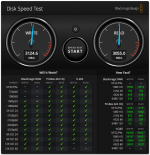
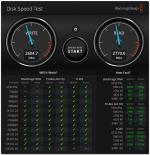
Out of interest what speeds to you get on your external drive using the Blackmagic Disk Speed Test app?

This is my OWC connected to the base Mac Mini.

K2cTEPrl.png


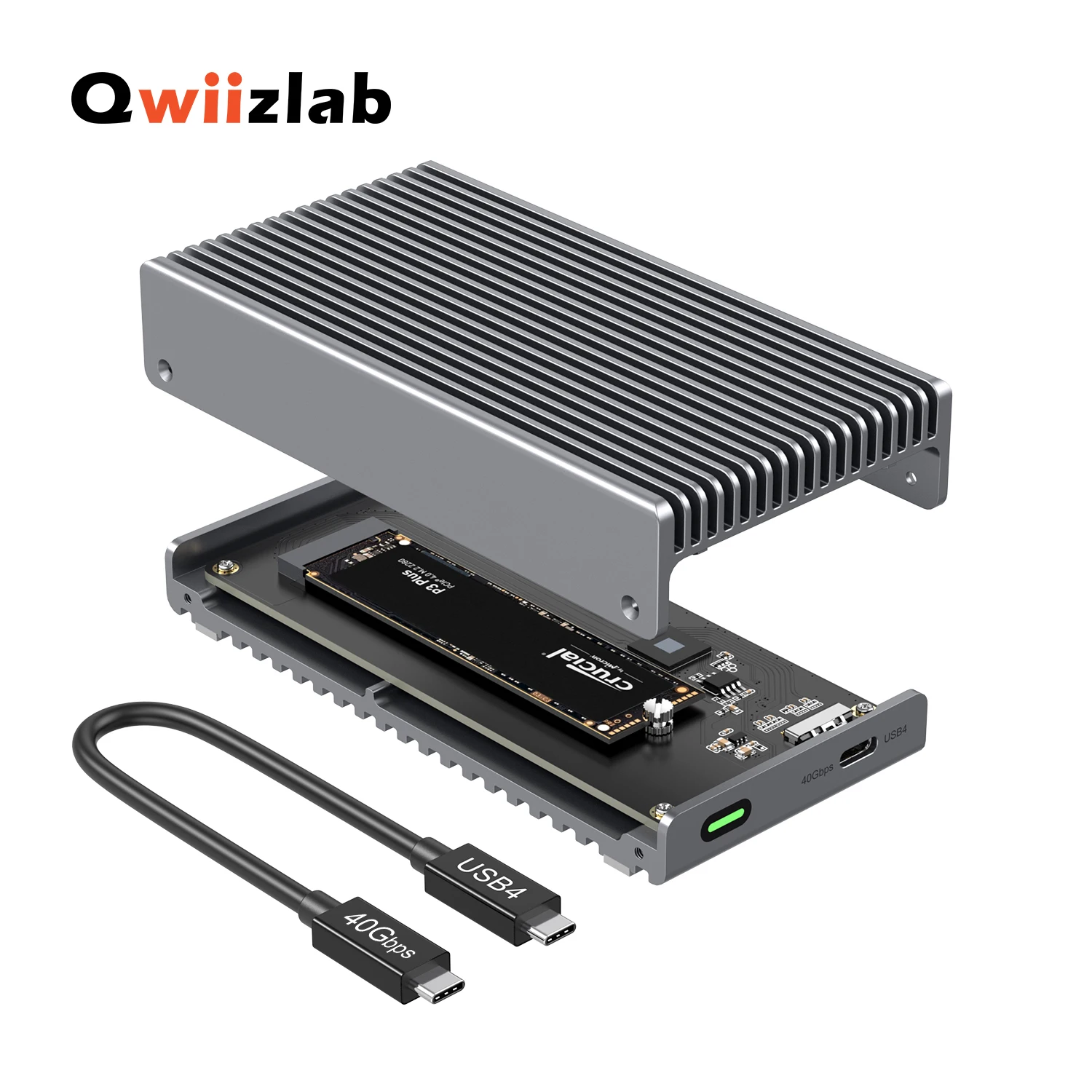
But I have found this on Aliexpress. Faster than the OWC? Also fanless too. like 1/3rd of the price.

 
When I still used my MacBook I found it very fussy about USB connections, and hardware that was fine in everything else wouldn't work. I think they deliberately made a non-standard USB port, knowing users would sometimes have to buy Apple hardware.

In my research someone on reddit got a OWC adapter that works, someone also mention their M2 Macbook works with the Amazon Basic one?

I've tried an Aliexpress one and my Kingston USB Hub, neither worked. I honestly cba to keep trying various adapters and just want one that works.
 
Just a quick note on that X-Plane demo, it is possible to fly with keyboard and mouse by clicking in centre of the screen and using mouse movements to pitch up/down and bank left / right but it's as horrible as sounds.

Realistically, it would take a few hours to settle on a configuration, that works on Mac in terms of of resolution and realism settings and frankly, I can't be bothered. It would be nice to find something that I can pick up for a 20m of entertainment without having to make a second career out of it.
 
I have placed the OWC in the corner like this, between the ambient light and that LED on the OWC, I don't notice it now.

MlnV3Xeh.jpg
 
This is my OWC connected to the base Mac Mini.

K2cTEPrl.png


But I have found this on Aliexpress. Faster than the OWC? Also fanless too. like 1/3rd of the price.


Dammit, every time Raymond makes an interesting and useful pointer to some kit, my credit card cringes :)

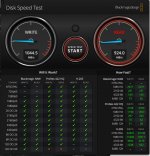
Here's my Speed Test on the OWC, looks to be consistent.

View attachment 443574

Better than my Acasis 40Gbps M.2 NVMe USB 4 Thunderbolt 3/4 SSD Enclosure, but not by much. All very impressive.
 

Attachments

  • DiskSpeedTest.png
    DiskSpeedTest.png
    204.2 KB · Views: 5
Probably a silly question as I understand faster is likely better. Does it make much of a difference?
 
Probably a silly question as I understand faster is likely better. Does it make much of a difference?

Not unless you are moving lots of large files. But that isn't the point of the OWC. I got the OWC because at the time it was the only one I found that are

1 - Fanless - it has to be fanless for me
2 - Good cooling, aka a heat sink design

The Acasis is also fanless but without the heatsink design and i've seen people attaching a heatsink on top to lower the heat.

The other reason getting the OWC or any 40gbps enclosure is to maximise what the hardware offers, also, I get what I paid for. I paid for Thunderbolt 4 so it is nice to have something that actually does Thunderbolt 4 speed. I feel like I am wasting money by not utilising something that it can do.
 
Not unless you are moving lots of large files. But that isn't the point of the OWC. I got the OWC because at the time it was the only one I found that are

1 - Fanless - it has to be fanless for me
2 - Good cooling, aka a heat sink design

The Acasis is also fanless but without the heatsink design and i've seen people attaching a heatsink on top to lower the heat.

The other reason getting the OWC or any 40gbps enclosure is to maximise what the hardware offers, also, I get what I paid for. I paid for Thunderbolt 4 so it is nice to have something that actually does Thunderbolt 4 speed. I feel like I am wasting money by not utilising something that it can do.
 
£200 16" 3k OLED side monitor from Aliexpress. Makes a perfect small screen for consumption purposes when I edit.

I1L73bgh.jpg
 
The oled monitor looks good - I tend to use my iPad in a similar role and can either sidecar or use mirrored.
 
The oled monitor looks good - I tend to use my iPad in a similar role and can either sidecar or use mirrored.

Yeah, it even works with 1 single cable from the computer too (but then brightness is limited and won't do 120hz), although I am only doing 60hz anyway.
 
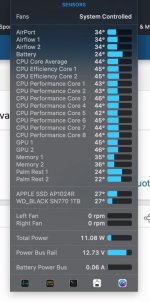
Is there an app for Mac that shows the temperature of external drives? (Somewhat off topic)
 
Last edited:
Is there an app for Mac that shows the temperature of external drives? (Somewhat odd topic)
yes there is if it is connected via thunderbolt
see screenshot the WD is an external thunderbolt 4 name drive.
Screenshot 2025-01-26 at 20.40.19.jpg
 
Oh I have that app !

edit - I have istat menu 5....not even sure if it works now for new Macs being Apple Silicon.
 
Last edited:
Got a stand/button to fix the power button annoyance. Now I can turn it on without lifting my monitor up.

iU4ItChh.jpg


ejym3IOh.jpg
 
I'm tempted to buy one of the Colorii stands that lift the mini, offer an SD slot, SSD dock and assorted USB ports but limited to 10gbs and rumoured to block WiFi. I’ll probably end up with one or similar just for the SD slot.
 
I'm tempted to buy one of the Colorii stands that lift the mini, offer an SD slot, SSD dock and assorted USB ports but limited to 10gbs and rumoured to block WiFi. I’ll probably end up with one or similar just for the SD slot.
I found those docks that block wifi, I can't understand how they would EVER allow them to go to market! Otherwise, they looked pretty good...
 
I found those docks that block wifi, I can't understand how they would EVER allow them to go to market! Otherwise, they looked pretty good...
As Raymond said, if you use Ethernet it isn’t an issue. If I thought I could get a reasonable amount for my Crucial x9 ext drive I’d go for one.
 
I found those docks that block wifi, I can't understand how they would EVER allow them to go to market! Otherwise, they looked pretty good...

It is pretty clear it was never tested that way, it was just simply a USB hub shelled into a new Mac Mini shape and size and then put out in order to be the first to market.

Apparently they released an update version already that fixed that now.

They are not really a dock, more a 10gb nvmw enclosure with usb-a ports. Even the 40gb nvme one for those do not have thunderbolt pass through. Compared to a Caldigit where from 1 thunderbolt port it gives you 2 more thunderbolt speed ports on the back.
 
They are not really a dock, more a 10gb nvmw enclosure with usb-a ports. Even the 40gb nvme one for those do not have thunderbolt pass through. Compared to a Caldigit where from 1 thunderbolt port it gives you 2 more thunderbolt speed ports on the back.

But to be fair the Caldigit dock is almost 4x the price and other than the fast NVME does not add any functionality for me. I thought the small factor hub with SD is probably all I'd need.

And then I rechecked the speeds of my drives. My internal 1Gb drive offers 6523Mb/s & 5144Mb/s and the external x9 1039Mb/s & 925Mb/s.

Thankfully I'm in no rush for a faster external dock. Probably hang on for TB5 drives to become a little more affordable.
 
Last edited:
But to be fair the Caldigit dock is almost 4x the price and other than the fast NVME does add any functionality for me. I thought the small factor hub with SD is probably all I'd need.

And then I rechecked the speeds of my drives. My internal 1Gb drive offers 6523Mb/s & 5144Mb/s and the external x9 1039Mb/s & 925Mb/s.

Thankfully I'm in rush for a faster external dock. Probably hang on for TB5 drives to become a little more affordable.
Needs more editing?
 
TB5 drives would require TB5 computer like the M4 pro and then a TB5. I will do that in the next round of upgrade. I’m already well impressed with TB4.
 
TB5 drives would require TB5 computer like the M4 pro and then a TB5. I will do that in the next round of upgrade. I’m already well impressed with TB4.
I have an M4 Pro so a Tb5 does make some sense. They are very expensive right now though.
 
So a few months in, are we all content with M4 Minis et al? Never had a problem with my Mac Mini Pro nor the BenQ PD2725U other than I now don’t have enough ports even using the ports built into the monitor. The Crucial x9 2tb external memory works seemlessly.

What are you best accessory buys?
 
Couldn't be more happy with my setup still. It's so much quieter (little to no fan ramp up in normal use) compared to the old iMAc.

I almost bought a 15" Raspberry Pi brand display to go with my Raspberry Pi tinkering but in the end bought a Dell S2425HS 24" screen which is 1920x1080 resolution. The relevance being that it has two HDMI inputs and I connected one to the HDMI port on the Mac Mini. With a little judicious desk re-arrangement, I'm no operating with both screen for work and hobbies for the first time and what I really like about this is that the Mac handles diverse resolutions and provides a seamless extended desktop.

Typically I now have BBC Sounds or YouTube sat on the small screen whilst I work but like Raymond above, this would work for a photography workflow.

As always, I freely acknowledge the "Apple tax" but the setup enables my work and my pastimes so well,

Cheers,
 
So a few months in, are we all content with M4 Minis et al? Never had a problem with my Mac Mini Pro nor the BenQ PD2725U other than I now don’t have enough ports even using the ports built into the monitor. The Crucial x9 2tb external memory works seemlessly.

What are you best accessory buys?

Amazing, I've got a couple more things since, like added couple more external SSDs, I now have 7TB of nvme (4TB, 2TB and 1TB). It's snappy, fast and quiet.

Best accessory is the Caldigit TS4 dock. It has enough ports on the back to put everything routed that way so I have nothing permanent on any of the front ports, keeping my limited desk space clear.

2nd Best accessory is my 16" OLED portable monitor that I have mounted vertically. Great little monitor for content consumption or apps that ticking over on the side. It is a 3k screen so the real estate is unreal for such a small monitor. It is powered by 1 cable with data and power.

3rd Best accessory is my Ducky Dock. Not for everyone but it bypasses the power button issue for me due to the lack of desk space to reach it.
 
Amazing, I've got a couple more things since, like added couple more external SSDs, I now have 7TB of nvme (4TB, 2TB and 1TB). It's snappy, fast and quiet.

Best accessory is the Caldigit TS4 dock. It has enough ports on the back to put everything routed that way so I have nothing permanent on any of the front ports, keeping my limited desk space clear.

2nd Best accessory is my 16" OLED portable monitor that I have mounted vertically. Great little monitor for content consumption or apps that ticking over on the side. It is a 3k screen so the real estate is unreal for such a small monitor. It is powered by 1 cable with data and power.

3rd Best accessory is my Ducky Dock. Not for everyone but it bypasses the power button issue for me due to the lack of desk space to reach it.
I do have USB port issues and have looked at the Caldigit - but it is expensive and takes some justification - understanding that you buy a decent Mac mini is is a shame to slow it down with inferior but I am struggling to justify that sort of cash to avoid using the front ports.

I have just got myself a 3d printer and was thinking of looking at the ducky dock to see if it was downloadable and printable. I did one of the other printable switches but that was about the same trouble to use as just lifting the corner.
 
I do have USB port issues and have looked at the Caldigit - but it is expensive and takes some justification - understanding that you buy a decent Mac mini is is a shame to slow it down with inferior but I am struggling to justify that sort of cash to avoid using the front ports.

I have just got myself a 3d printer and was thinking of looking at the ducky dock to see if it was downloadable and printable. I did one of the other printable switches but that was about the same trouble to use as just lifting the corner.

The TS4 is expensive but I find it totally worth it, it’s driving BOTH monitors, DP port to the main one and power and data to the smaller one.

As for the ducky dock, the file must be out there now because I see several AliExpress stores selling them, there was only 1 before. I’ve seen them as low as £6 now. But I don’t know how good those prints are, the original one I have is very well printed. There is ZERO sideways movement, zero. The precision is impressive.

I would just buy the £6 one from AliExpress personally rather than printing it yourself. Thats provided it works great first time with the right choice of filament.

p.s. the good thing with a dock is that it will be carried over to the next computer, whatever happens to the Mac Mini.
 
Last edited:
Back
Top