bass_junkie83
Suspended / Banned
- Messages
- 4,367
- Name
- Dave
- Edit My Images
- Yes
I have just updated to windows 10 and now my screen looks like something I had in the mid 90's.
The monitor is a Dell Ultrasharp 2209WA.
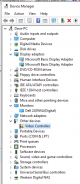
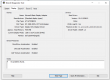
Windows says I have the latest driver installed. I have also downloaded the driver and installed it manually, yet still I don't have a suitable list of resolution setting to choose from.
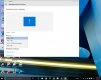
Any ideas?
The monitor is a Dell Ultrasharp 2209WA.
Windows says I have the latest driver installed. I have also downloaded the driver and installed it manually, yet still I don't have a suitable list of resolution setting to choose from.
Any ideas?