Will SD card cause bottleneck for CFexpress?

Joe94

Suspended / Banned
Messages
574
Name
Joe
Edit My Images
Yes
Hi all, I’ve just got myself my first camera to use CFexpress cards in slot 1.

I want to get one and plan to use it as my primary card, but I have a question regarding using a UHS-II SD card alongside it in slot two.

As CFexpress card are much more faster than UHS-II cards, if I was to use the SD card as a simultaneous back up, would that not bottle neck the speed capability of the CFexpress??

So with the in mind if I want to get the full speed potential of the CFexpress am I better using that independently and not setting the camera to back up to the SD?

Thanks, Joe
 
Hi all, I’ve just got myself my first camera to use CFexpress cards in slot 1.

I want to get one and plan to use it as my primary card, but I have a question regarding using a UHS-II SD card alongside it in slot two.

As CFexpress card are much more faster than UHS-II cards, if I was to use the SD card as a simultaneous back up, would that not bottle neck the speed capability of the CFexpress??

So with the in mind if I want to get the full speed potential of the CFexpress am I better using that independently and not setting the camera to back up to the SD?

Thanks, Joe

Depends on what your mean by bottle necking and what camera you are using. If you're talking about single shots, not really, if you're talking about bursts of lots of shoits then yes as it will take longer to write to that card to clear the buffer (again subject to what camera it is).
 
Last edited:
Hi all, I’ve just got myself my first camera to use CFexpress cards in slot 1.

I want to get one and plan to use it as my primary card, but I have a question regarding using a UHS-II SD card alongside it in slot two.

As CFexpress card are much more faster than UHS-II cards, if I was to use the SD card as a simultaneous back up, would that not bottle neck the speed capability of the CFexpress??

So with the in mind if I want to get the full speed potential of the CFexpress am I better using that independently and not setting the camera to back up to the SD?

Thanks, Joe

Yes however it is camera dependent. Most cameras that support CFexpress can’t not support the full speed and max out at around 200-250mbs. This means that if you are using V90 sd cards there will be no bottle neck. If you are using V60 or worse still V30 cards there will be a very noticeable bottleneck.

The main advantage which CFexpress is the much faster transfer speed when moving files on to your computer.
 
Last edited:
In the specified scenario, I believe the recording will be as fast as the slowest card.
 
I had mine set up to record raw on the CF card and jpeg on the SD...never experienced any delays or other hitches. (Have not tried using both to record raw files)
Depends on what your mean by bottle necking and what camera you are using. If you're talking about single shots, not really, if you're talking about bursts of lots of shoits then yes as it will take longer to write to that card to clear the buffer (again subject to what camera it is).
Yes however it is camera dependent. Most cameras that support CFexpress can’t not support the full speed and max out at around 200-250mbs. This means that if you are using V90 sd cards there will be no bottle neck. If you are using V60 or worse still V30 cards there will be a very noticeable bottleneck.

The main advantage which CFexpress is the much faster transfer speed when moving files on to your computer.
In the specified scenario, I believe the recording will be as fast as the slowest card.
Thanks everyone, lots to think about but sounds it's very much camera and situation based. I'll probs get one then and just try different set ups :)
 
I had mine set up to record raw on the CF card and jpeg on the SD...never experienced any delays or other hitches. (Have not tried using both to record raw files)
That's exactly the way I have my cameras set up, never had a problem
 
Card speed impacts how fast the buffer fills, at which point the camera slows down to the rate at which the buffer can clear. I.e. single shots and small bursts typically do not cause a slow down because the buffer doesn't fill.

How fast the buffer can clear depends on the size of the file being written; and in backup mode it is also impacted by any additional processing required to generate the second file. I.e. raw to both cards is typically faster than raw + jpeg (unless the jpeg is at the lower raw thumbnail quality).
 
Card speed impacts how fast the buffer fills, at which point the camera slows down to the rate at which the buffer can clear. I.e. single shots and small bursts typically do not cause a slow down because the buffer doesn't fill.

How fast the buffer can clear depends on the size of the file being written; and in backup mode it is also impacted by any additional processing required to generate the second file. I.e. raw to both cards is typically faster than raw + jpeg (unless the jpeg is at the lower raw thumbnail quality).

Oh I didn’t know that , I have always gone for Raw (cRaw) on main card and jpeg on second SD card as I thought that would be faster
Will try cRaw on both as the second card is just a backup anyway (R5)
 
Oh I didn’t know that , I have always gone for Raw (cRaw) on main card and jpeg on second SD card as I thought that would be faster
Will try cRaw on both as the second card is just a backup anyway (R5)
The info above is incorrect you were correct. Writing raw to card one and jpeg to card 2 is faster than raw to both cards.
 
The info above is incorrect you were correct. Writing raw to card one and jpeg to card 2 is faster than raw to both cards.
I did say "generally;" it's worth testing for yourself with the camera/cards you have.

E.G. the Z9 buffer takes longer to fill writing raw to both slots. On my D850 the buffer fills as quickly either way; but not faster when writing raw to both slots.
On the Z9 the buffer also clears faster when writing raw to both slots, writing Jpeg* to the second card is notably slower. On the D850 the buffer does clear slower when writing raw to both slots; but the SD (30MB/s) is far slower than the CFe installed (1500MB/s). If the SD was fast enough (90MB/s) then the additional jpeg conversion would probably be the greater penalty, as it is w/ the Z9.
 
I did say "generally;" it's worth testing for yourself with the camera/cards you have.

E.G. the Z9 buffer takes longer to fill writing raw to both slots. On my D850 the buffer fills as quickly either way; but not faster when writing raw to both slots.
On the Z9 the buffer also clears faster when writing raw to both slots, writing Jpeg* to the second card is notably slower. On the D850 the buffer does clear slower when writing raw to both slots; but the SD (30MB/s) is far slower than the CFe installed (1500MB/s). If the SD was fast enough (90MB/s) then the additional jpeg conversion would probably be the greater penalty, as it is w/ the Z9.
Sounds like you need to upgrade your SD cards. Surprised that anyone is still using old slow 30mbs and 90mbs SD cards.
 
I think this partly depends on the file type/size and the actual memory cards.

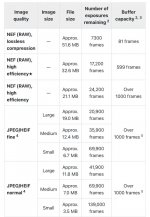
File size on the Nikon Z8 can be very different in size depending on the format and type used.

IMG_1909.jpeg

I personally shoot RAW high efficiency * to both the CF express b card and SD card.

Ive never seen the point of RAW to one card and JPEG to the other if the of doing so is to create a backup copy. Surely if you’re shooting RAW to edit RAWs then you'd want a RAW backup copy if the primary RAW file fails?

The buffer capacity on the Z8 should be able to handle any slowness of writing to the SD card. I’ve actually turn the high speed down to 12fps as 20fps just seems to create a crazy amount of files to sift through when editing especially as I have the camera set to silent when photographing wildlife.


There is a good test of cf express and SD cards here:


Personally I’ve got an Angel Bird AV pro CF express B (came with the Z8 bought off here) and pro grade 300mb/s v90 SD card (that I already had). I didn’t choose them specifically for the Z8 but it seems to have worked out as a good pair.
 
I think this partly depends on the file type/size and the actual memory cards.
Of course.
What I find interesting is that none of those tests cover using dual cards; the speeds/buffer capacity is always for a single card (or second card in overflow mode). I kind of think it's done to hide the dual file/card penalty... it really de-emphasizes the need/benefit for the fastest cards.

Some of the numbers from controlled testing of the Z9 using fast CFE cards (1250MB/s sustained)... average of 5 runs.

HE* to one CFE card- unlimited (in excess of 2 minutes and 2500 images; only 2 runs)
HE* to two CFE cards- 115 images
HE* to first card and Jpeg Fine* to second- 86 images
 
Last edited:
Think I’ll test cRaw and jpeg vs cRaw to both cards on my R5 when I get a chance
I’m using
Delkin Black CF express

Transcend SD v90 xc11 64 GB

Out of interest is there any difference in the 2 types of large jpeg that you can set on Canon ?
I never actually use the jpegs , they are a backup saved to the second card but just wondered what the difference was between them :)
 
Last edited:
Out of interest is there any difference in the 2 types of large jpeg that you can set on Canon ?
I never actually use the jpegs , they are a backup saved to the second card but just wondered what the difference was between them :)
The jpegs with what looks like steps in front of them are more lossy/more compressed (Jpeg Normal). The other one uses more optimized compression varying with the scene (jpeg Fine); it will generally be a little slower and a little larger.

The R5 also has the ability to record HEIF which is supposed to be better than jpeg.
 
Last edited:
The jpegs with what looks like steps in front of them are more lossy/more compressed (Jpeg Normal). The other one uses more optimized compression varying with the scene (jpeg Fine); it will generally be a little slower and a little larger.

The R5 also has the ability to record HEIF which is supposed to be better than jpeg.
Thanks the manual wasn’t very clear
 
On my R5 to see if shooting cRaw to both cards instead of CRaw and JPEG to the backup card was feasible for what I do, tried a completely unscientific test of saving JPEGs (large ) to the SD card and then cRaw to the SD card , main card set to cRaw
shot continuous for 1 minute both times the camera didn’t slow down at all
Not a proper test but does show for what I do I may as well shoot cRaw to the second card instead of jpeg
I do shoot continuous but never for that many shots


Delkin Black CF express

Transcend SD v90 xc11 64 GB
 
Last edited:
Back
Top