

You are using an out of date browser. It may not display this or other websites correctly.
You should upgrade or use an alternative browser.
You should upgrade or use an alternative browser.
WifI boosters.. do they work?
- Thread starter KIPAX
- Start date

Bobsyeruncle
Suspended / Banned
- Messages
- 17,422
- Name
- Bob
- Edit My Images
- Yes
I bought a netgear one and it works OK, but if the signal drops I need to restart it


Andy Taylor
Suspended / Banned
- Messages
- 423
- Name
- Andy
- Edit My Images
- No
Wireless is a tricky beast, transmission depends on so many variables.
I don't use them myself, but a powerline Ethernet device might help.
I don't use them myself, but a powerline Ethernet device might help.

arthurbikemad
Suspended / Banned
- Messages
- 473
- Edit My Images
- No
I have three WRT54G's (at our site) with high gain antennas, they run DD WRT firmware so output is boosted to 500mW from 30! The firmware runs on a number of other routers, see dd-wrt.com, nothing sold over the counter comes close, the 54Gs are old but for those of us in the know they are powerful WiFi routers, repeaters, bridge or whatever other config you want to run. You will need an understanding of router tech.
For plug and play the mains extenders do work (wireless), that or a cat5 cable to an access point is a cheap and good option or even a mains cat5 extender and just plug in at the other room, sends your network trough the houses ring main.
To improve what you have, what band is your wifi on? 2Ghz or 5Ghz, lots of people on 2Ghz and only 11 channels even more important in fact there only chan 1,6 and 11 the others are split from those, download free WiFi scanner for an Android phone and see who is around you, then change channel on your router from AUTO to a free chan if one around as it often helps, that or if your router has 5Ghz be sure your on that band!
Sorry to complicate it
p.s I know you don't need 1/2 mile coverage that's nearly poss with WRT54Gs but they sell for 20-40quid on the bay and are often pre installed with DD WRT firmware, just thought I'd share the joy..
For plug and play the mains extenders do work (wireless), that or a cat5 cable to an access point is a cheap and good option or even a mains cat5 extender and just plug in at the other room, sends your network trough the houses ring main.
To improve what you have, what band is your wifi on? 2Ghz or 5Ghz, lots of people on 2Ghz and only 11 channels even more important in fact there only chan 1,6 and 11 the others are split from those, download free WiFi scanner for an Android phone and see who is around you, then change channel on your router from AUTO to a free chan if one around as it often helps, that or if your router has 5Ghz be sure your on that band!
Sorry to complicate it
p.s I know you don't need 1/2 mile coverage that's nearly poss with WRT54Gs but they sell for 20-40quid on the bay and are often pre installed with DD WRT firmware, just thought I'd share the joy..
Last edited:

neil_g
Suspended / Banned
- Messages
- 30,364
- Name
- Neil
- Edit My Images
- No
would agree that 5Ghz is generally a good move these days, especially if you have high speed internet like VM cable. however you will need to make sure your devices are compatible (unless the AP are dual band).
what is the current router and what is the positioning within the house like?
what is the current router and what is the positioning within the house like?


4wd
Suspended / Banned
- Messages
- 3,224
- Name
- North York Moors
- Edit My Images
- Yes
I bought a repeater similar to this to occasionally get wifi to an outdoor workshop
http://www.ebay.co.uk/itm/300Mbps-W...e-Extender-Booster-with-UK-Plug-/321903426890
Must say I have been quite impressed. Once set up, plug it anywhere with a reasonable signal and it will create a further pool of wifi comparable to main router.
We also have a TP LInk powerline extender system which reliably runs some 200 feet for IP cameras in calving shed, but the workshop electricity is on a different box - even though it's closer wouldn't work
http://www.ebay.co.uk/itm/300Mbps-W...e-Extender-Booster-with-UK-Plug-/321903426890
Must say I have been quite impressed. Once set up, plug it anywhere with a reasonable signal and it will create a further pool of wifi comparable to main router.
We also have a TP LInk powerline extender system which reliably runs some 200 feet for IP cameras in calving shed, but the workshop electricity is on a different box - even though it's closer wouldn't work

Harlequin565
Suspended / Banned
- Messages
- 8,684
- Name
- Ian
- Edit My Images
- No
To improve what you have, what band is your wifi on? 2Ghz or 5Ghz, lots of people on 2Ghz and only 11 channels even more important in fact there only chan 1,6 and 11 the others are split from those, download free WiFi scanner for an Android phone and see who is around you, then change channel on your router from AUTO to a free chan if one around as it often helps,
This is useful and improved my wifi massively once I got off channel 11 with the 5 other networks around me onto channel 2 where we fly solo! IMO, diagnostic apps are poor (IOS user here) when it comes to trying to discover what your coverage is like in different parts of the house. I do have a powerline network through the house and my next experiment was to re-appropriate an old wifi router downstairs as an ethernet hub behind the telly. Never needed to go that far though.
I live in a really old house with prison like walls. I was running an apple network with express extenders and the network was crap.
Switched to just using Homehub 5 and one extender (BT) and all works well. The extender puts out a new network though, with a different SSID, which is crap. It works very well.
Apparently your download speed is reduced significantly with extenders. Mine is 40mbs (?units) but on the extender it is 16. That is good enough for me.
Switched to just using Homehub 5 and one extender (BT) and all works well. The extender puts out a new network though, with a different SSID, which is crap. It works very well.
Apparently your download speed is reduced significantly with extenders. Mine is 40mbs (?units) but on the extender it is 16. That is good enough for me.
OP

- Messages
- 21,370
- Name
- KIPAX Lancashire UK
- Edit My Images
- No
thanks for the responses
Bog standard sky broadband router dlink? The tv downstairs used to be able to find the network but cant now.. looking at mobile phones shows quite a weak signal in front room... wife doesnt want any more wires so was looking into boosting the signal somehow..
cant follow some of the answers in here and it doesnt seem like a wifi booster is a great answer
Bog standard sky broadband router dlink? The tv downstairs used to be able to find the network but cant now.. looking at mobile phones shows quite a weak signal in front room... wife doesnt want any more wires so was looking into boosting the signal somehow..
cant follow some of the answers in here and it doesnt seem like a wifi booster is a great answer
arthurbikemad
Suspended / Banned
- Messages
- 473
- Edit My Images
- No
This is the powerline:-
http://www.maplin.co.uk/p/devolo-dl...powerline-adapter-and-wireless-extender-n49qg
Speed depends on the system used, some will run as a wireless bridge, this halves the speed as half the bandwidth is used to communicate with the router, then the rest is used to communicate with the remote device , not all work in the same way, some use their own tech to do the job without sacrificing speed. As for zones again depends on the system, I for example have three access points that all use the same SSID, this lets you roam from one zone to another seamlessly, all my zones are on single channels 1, 6 and 11 keeping them as far from each other as possible. the in between channels are in fact overlapped so suffer from knocking one another around.
As said maybe give sky a call and see what they can offer you, also fyi you can get a device called a Femtocell box or signal box for your mobile phone, ask your provider for details, the box connects to your router and gives you a full mobile signal in areas with poor to no reception
http://www.maplin.co.uk/p/devolo-dl...powerline-adapter-and-wireless-extender-n49qg
Speed depends on the system used, some will run as a wireless bridge, this halves the speed as half the bandwidth is used to communicate with the router, then the rest is used to communicate with the remote device , not all work in the same way, some use their own tech to do the job without sacrificing speed. As for zones again depends on the system, I for example have three access points that all use the same SSID, this lets you roam from one zone to another seamlessly, all my zones are on single channels 1, 6 and 11 keeping them as far from each other as possible. the in between channels are in fact overlapped so suffer from knocking one another around.
As said maybe give sky a call and see what they can offer you, also fyi you can get a device called a Femtocell box or signal box for your mobile phone, ask your provider for details, the box connects to your router and gives you a full mobile signal in areas with poor to no reception
OP
- Messages
- 21,370
- Name
- KIPAX Lancashire UK
- Edit My Images
- No
standard sky d-link doesn't have the best range. but they do ship it with a default channel used by pretty much everyone, might be worth trying a few others. it definitely is not 5ghz either.
I googled that earlier and it said to try 1,6 or 11 as it was on auto. it didnt make any difference..
Thing is it was workign perfectly well.. we have changed absoloutly nothing.. moved nothing.. done nothing and all of a sudden telly says no network found
Harlequin565
Suspended / Banned
- Messages
- 8,684
- Name
- Ian
- Edit My Images
- No
This is going to sound really stupid but I guess you've turned the router off and on again? If the service has "suddenly"got worse, a hard reset (power off/on rather than a reboot through the user interface) might clear the fault if the router's been running for weeks/months.
OP
- Messages
- 21,370
- Name
- KIPAX Lancashire UK
- Edit My Images
- No
This is going to sound really stupid but I guess you've turned the router off and on again? If the service has "suddenly"got worse, a hard reset (power off/on rather than a reboot through the user interface) might clear the fault if the router's been running for weeks/months.
hehe have you turned it off
sorry yeagh router and tv both had a good old cold boot thanks
arthurbikemad
Suspended / Banned
- Messages
- 473
- Edit My Images
- No
Thing is someone else may have "flattened" your signal, problem with RF is it gets squashed by stronger signals, also UHF tends to bounce all over the place, moving say one object can totally change the signals path, that and 99% of the others around you will be on AUTO and hop around from day to day.. As an old radio ham I can tell you radio is a quirky beast and it gets worse the higher up the radio spectrum you go!

redwine
Suspended / Banned
- Messages
- 97
- Name
- Si
- Edit My Images
- No
I'm using Airport Express to boost the Wi-Fi network. Configured on a 5ghz instead of the normal 2.4, so the range isn't as good. Definitely works, as the 5ghz doesn't travel as far using just the router alone, so the boost to extend the network to the rest of the house and garden is a must for me.
Using 100 mb Virgin cable, this is what i'm getting through wireless on 5G:
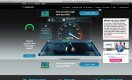
Using 100 mb Virgin cable, this is what i'm getting through wireless on 5G:

Neilc28
Suspended / Banned
- Messages
- 1,531
- Name
- Neil
- Edit My Images
- Yes
As tempting as the Powerline kits are, do not fall for the bandwidth claims and pay extra for throughput you will never actually see. The majority of them only have a single 10/100Mbps interface, so what use would a 500Mbps version be when it's connecting interface cannot support that speed? They are pretty good, but some of the false claims really cheese me off!
You should also take into account that 5GHz is more interference and crosstalk free but has lower penetration and faster falloff, meaning maximum speeds are only achievable when VERY near the antenna. In short, you cannot replace 2.4GHz with 5GHz and expect the same coverage, there is a reason 5GHz is amplified massively at the radio (~125mw) compared to 2.4GHz (~25mw).
Changing your channel may only work temporarily as other routers are designed for auto-channelization so the moment their scan can see another device on the same channel they could hop into what was your free airspace, BT Homehubs bounce about ludicrously, and remember all it takes is for someone to fire up their mobile hotspot, or switch on their WiFi GoPro etc...
Anyway, realising I have rambled on for far too long 4wd's link would most likely be the most effective solution. And if you are using an app to determine signal strength then -60db or better is where you want to be, -55db if you are looking for 802.11ac capability.
You should also take into account that 5GHz is more interference and crosstalk free but has lower penetration and faster falloff, meaning maximum speeds are only achievable when VERY near the antenna. In short, you cannot replace 2.4GHz with 5GHz and expect the same coverage, there is a reason 5GHz is amplified massively at the radio (~125mw) compared to 2.4GHz (~25mw).
Changing your channel may only work temporarily as other routers are designed for auto-channelization so the moment their scan can see another device on the same channel they could hop into what was your free airspace, BT Homehubs bounce about ludicrously, and remember all it takes is for someone to fire up their mobile hotspot, or switch on their WiFi GoPro etc...
Anyway, realising I have rambled on for far too long 4wd's link would most likely be the most effective solution. And if you are using an app to determine signal strength then -60db or better is where you want to be, -55db if you are looking for 802.11ac capability.
Thing is someone else may have "flattened" your signal, problem with RF is it gets squashed by stronger signals,
Yep possibly by someone that did as your earlier post and boosted their wifi

arthurbikemad
Suspended / Banned
- Messages
- 473
- Edit My Images
- No
Yep possibly by someone that did as your earlier post and boosted their wifi
Haha, yeah... mind you I can hold my hand up and say I live in the middle of no where, 1mW goes well here

antc
Suspended / Banned
- Messages
- 4,355
- Name
- Anthony
- Edit My Images
- Yes
I'm using Airport Express to boost the Wi-Fi network. Configured on a 5ghz instead of the normal 2.4, so the range isn't as good. Definitely works, as the 5ghz doesn't travel as far using just the router alone, so the boost to extend the network to the rest of the house and garden is a must for me.
Using 100 mb Virgin cable, this is what i'm getting through wireless on 5G:
View attachment 49276
Have you got the airport express connected to a lan cable, or configured as a stand alone wireless device? How far away from your router have you got it positioned? And is is the hockey puck style airport express (little white once, same size as old version of apple tv)
Thanks in advance. Been looking at one of these myself so very interested in how you have yours setup. You seem to be getting excellent speeds out of it.
redwine
Suspended / Banned
- Messages
- 97
- Name
- Si
- Edit My Images
- No
I have the Airport Express plugged into a room the other side of the house. It's on Wireless, not plugged into a LAN. The only thing plugged into a Lan is the Airport Extreme from the Virgin Media box. Everything in the house is wireless. The AE is about 40 ft away., Its the old style one too, not the puck styled one.
Last edited:

Major Eazy
Suspended / Banned
- Messages
- 1,150
- Name
- John 'Jack'
- Edit My Images
- No
Need to boost my signal from upstairs front room to downstairs back room.. do boosters work.. any reccomendations without breaking the bank ?
TA
Why not move the router, the Wi-Fi base, around the room or hall or stairs to adjust signal? For example, my bedroom is directly above the living room where my Wi-Fi router is, and it gets a good enough signal.
I'm not sure where your Wi-Fi router is, but since you said from upstairs... to downstairs, therefore I assume your router is actually upstairs sending signals downstairs? Why not move the router downstairs and see how it works? Bearing in mind, because of the way the aerials on most routers work, it seems to be more effect in sending signals outwards and upwards, kind of like a dome, from the unit. Maybe because most companies that made the units, assume since there is a most likely case where most people would have those units positioned downstairs, why make the aerials send signals outwards like a ball, where most of them would only hit the ground floor, so they would make those aerials to send out signals upwards, since the floorboards on the first floor tend to be wood, therefore signal gets through better.
Surely it's totally free just to move your Wi-Fi router around the home, try it downstairs, and such, just to see, before you think about buying boosters. Even if your router is out of reach of a phone socket, surely a longer extension cable from phone socket to router would be more cheaper than boosters?
Just my suggestion.
5 Ghz Wi-Fi seldom has a better range than 2.4 Ghz. It maybe less congested (for now) and it might afford some network segregation so you can say reserve 5 Ghz for media streaming and keep all other devices on 2.4 Ghz etc.
There's a useful FAQ here:
http://www.speedguide.net/faq/is-5ghz-wireless-better-than-24ghz-340
Conventional wireless extenders or boosters have a problem in that they themselves are relying on good transmission and reception to/from your main hub/router. Then on top of that, they cause congestion because they share the same band/channel for transmission.
Sometimes you can run a set-up where you are using 2.4 Ghz for communication between multiple extenders and your hub/router and then 5 Ghz for your devices. That way you are separating out the communication with devices and back-haul.
Powerline adapters can help - but they can have their own set of problems. In tests people don't generally get the high bandwidth quoted - but when they work they will probably work well enough accommodate most surfing/streaming habits. If you live in a semi-detached property or a flat, chances are the neighbours will be able to eaves drop on your network or even join their own devices too it. So they pose security risks too.
The best option really is connecting a second wireless access point to your hub/router with a length of cat 5e. Or cat 6 if you're chasing cables into walls etc.
I wound up running some external grade cat 5e along the exterior walls - as we had cables already for a Sky dish routed the same way, it's not made the house look any less unsightly. Perhaps this might work for you going from downstairs to upstairs?
There's a useful FAQ here:
http://www.speedguide.net/faq/is-5ghz-wireless-better-than-24ghz-340
Conventional wireless extenders or boosters have a problem in that they themselves are relying on good transmission and reception to/from your main hub/router. Then on top of that, they cause congestion because they share the same band/channel for transmission.
Sometimes you can run a set-up where you are using 2.4 Ghz for communication between multiple extenders and your hub/router and then 5 Ghz for your devices. That way you are separating out the communication with devices and back-haul.
Powerline adapters can help - but they can have their own set of problems. In tests people don't generally get the high bandwidth quoted - but when they work they will probably work well enough accommodate most surfing/streaming habits. If you live in a semi-detached property or a flat, chances are the neighbours will be able to eaves drop on your network or even join their own devices too it. So they pose security risks too.
The best option really is connecting a second wireless access point to your hub/router with a length of cat 5e. Or cat 6 if you're chasing cables into walls etc.
I wound up running some external grade cat 5e along the exterior walls - as we had cables already for a Sky dish routed the same way, it's not made the house look any less unsightly. Perhaps this might work for you going from downstairs to upstairs?

dejongj
Suspended / Banned
- Messages
- 12,856
- Name
- Sir will do
- Edit My Images
- No
I use three devolo 1200 power line adapters with inbuilt Wireless AC. All the same ssid plus our guest network as well so I don't have to give out our main password.
Two are on the same ring and I get gigabit level speeds, the third is on a different ring and that drops significantly but still more than my broadband.
I then use the router built in wireless for the older G network connectivity which is luckily on the same floor and has decent enough reach.
Two are on the same ring and I get gigabit level speeds, the third is on a different ring and that drops significantly but still more than my broadband.
I then use the router built in wireless for the older G network connectivity which is luckily on the same floor and has decent enough reach.

Craig1912
Suspended / Banned
- Messages
- 1,205
- Edit My Images
- Yes
Which set did you buy. I have some TP link and they are very flakey(googling shows the issues aren't unique to me).I purchased a set for my father in law and never looked back in his bungalow he could not get a signal from bedroom to front room almost like it was metal lined walls but we put on in hallway and now whole house has signal
cheers

AdamSi
Suspended / Banned
- Messages
- 4,209
- Name
- Adam
- Edit My Images
- Yes
I will check as cannot remember now, forgot also did this for my boss in a very old cottage with huge walls and he really happy (think they may need to reset them occasionally but compared to not having any signal if more than half their houses is not much of a problem)Which set did you buy. I have some TP link and they are very flakey(googling shows the issues aren't unique to me).
cheers