
and help to keep the site free for all
You are using an out of date browser. It may not display this or other websites correctly.
You should upgrade or use an alternative browser.
You should upgrade or use an alternative browser.
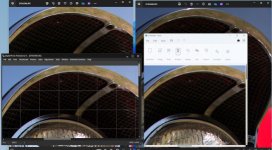
Why have I lost the top of my photograph, but it can be seen in Widows Photo viewer?!
- Thread starter Fixer
- Start date

Box Brownie
Suspended / Banned
- Messages
- 17,645
- Edit My Images
- No
One thought I had, though I had no idea that "Paint" might do this.
Was that there is 'lens corrections' being applied
Was that there is 'lens corrections' being applied
OP

Fixer
Suspended / Banned
- Messages
- 543
- Edit My Images
- Yes
No lens corrections . . . each were opened as the as-taken-photograph. Now that I know about it I will have to leave a bit of room around the subject. You have prompted a thought however, is this only lens that this happens to (Canon 15mm f2.8) ? . . . I'll have a look at this momentarily. I will report back as it is useful information for everyone.
OP
Fixer
Suspended / Banned
- Messages
- 543
- Edit My Images
- Yes
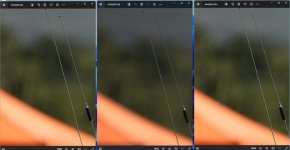
This also happens with my 300mm f2.8 ii . . . Not the end of the world, but I am losing some peripheryNo lens corrections . . . each were opened as the as-taken-photograph. Now that I know about it I will have to leave a bit of room around the subject. You have prompted a thought however, is this only lens that this happens to (Canon 15mm f2.8) ? . . . I'll have a look at this momentarily. I will report back as it is useful information for everyone.

(Jpg in windows Photo viewer, RAW in windows Photo viewer, Jpg saved from the RAW in windows Photo viewer)
Last edited:

- Messages
- 5,607
- Name
- Stephen
- Edit My Images
- Yes
It's not an answer to your problem per se so much as a piece of photographic trivia. Some time ago, I read a review of a couple of 15mm lenses, and noticed that one of them showed a noticeably narrower angle of view when two images of the same subject from the same position were placed side by side. As a exercise, I put the one with the wider angle into Photoshop and corrected the barrel distortion evident in that image but not the other. The resulting image then showed the same angle of view after the unusable bits had been cut out. The first lens showed the image straight out of camera apparently, so it would seem that the camera's firmware was correcting the image automatically to remove distortion.

OP
Fixer
Suspended / Banned
- Messages
- 543
- Edit My Images
- Yes
Full Frame Canon. I find it odd that the information is there in the RAW CR2 file, but the Jpeg omits it in its rendering of the information and only the Windows photo viewer sees it as a complete RAW but Canon DPP does not se all the RAW file !!is your camera a full frame or cropped, if it’s cropped you have to allow a bit more space around the image
Last edited:

Terrywoodenpic
Suspended / Banned
- Messages
- 8,172
- Name
- Terry
- Edit My Images
- Yes
Windows viewer does not have the ability to. Apply the firmware corrections to raw images
In most other programs and formats they are applied automatically.
With mirrorless cameras you see the adjusted jpeg in the finder when shooting raw. This is not the case with a DSLR.
In most other programs and formats they are applied automatically.
With mirrorless cameras you see the adjusted jpeg in the finder when shooting raw. This is not the case with a DSLR.