Which spec Imac?

deckitout

Suspended / Banned
Messages
24
Name
Phil
Edit My Images
Yes
My 2012 27 inch imac is no longer performing as I need (no suprise) it was used for Lightroom, PS, and premiere pro. At the time I purchased the highest spec I could afford and it has been faultless for 9 years.

The time has come for an upgrade and although I considered a PC for cost savings I previously never ever got more that 3/4 years out of a PC possibly due to my inability to keep it well maintained but I am not a fixer so looking for reliability.

So a new imac is on the cards, so my question is what spec do I require to last me another 8/9 years, it seems that you can up up spending a small fortune adding more power and memory.

Uses will be LR and PS, maybe a little video here and there but nothing to much.

Any Advice appreciated
 
Last edited:
Thanks, not heard of that, been out of touch for a while, best go look.
 
There’s talk of an April keynote talk. There have been alterations to how you can spec an iMac 21.5. The 500GB and 1TB SSDs options have disappeared so people are thinking the apple silicon iMac release could be soon.
 
Have you thought about adding an SSD and extra memory?
Does yours have the 'back door' panel to easily add memory (up to 32GB)?
If the thought of opening the iMac fills you with dread even adding an external SSD via USB makes a world of difference.
 
The new apple silicon is the way to go, I wouldn't invest in intel right now.

If it were me I would try and upgrade you iMac to stretch it out a bit longer, we don't know when an announcement will be made or when products will hit the stores after that.

If you need to upgrade now I would look at a mac mini M1 and use your iMac as a screen for it, or if you need to be mobile a MBP 13" M1 and again use your iMac as a second screen. Easily done with an adapter https://support.apple.com/en-gb/HT204592

Either of those M1's will easily do what you need right now, and only get quicker as the Adobe packages are ported over to run natively on the M1 rather than through rosetta2.

T
 
Thanks for the info

There’s talk of an April keynote talk. There have been alterations to how you can spec an iMac 21.5. The 500GB and 1TB SSDs options have disappeared so people are thinking the apple silicon iMac release could be soon.
 
Thanks, I am not hugely techy, will have to check back door, it won't allow me to put the latest OS on and this is affecting everything. So if I bought an SSD can I run the OS off of that? and if so is it easy to do?

Have you thought about adding an SSD and extra memory?
Does yours have the 'back door' panel to easily add memory (up to 32GB)?
If the thought of opening the iMac fills you with dread even adding an external SSD via USB makes a world of difference.
 
I am way out of touch, I didn't realise I could connect a MBP or Mac mini to an imac, thanks for the info, obviously need to look into this further

The new apple silicon is the way to go, I wouldn't invest in intel right now.

If it were me I would try and upgrade you iMac to stretch it out a bit longer, we don't know when an announcement will be made or when products will hit the stores after that.

If you need to upgrade now I would look at a mac mini M1 and use your iMac as a screen for it, or if you need to be mobile a MBP 13" M1 and again use your iMac as a second screen. Easily done with an adapter https://support.apple.com/en-gb/HT204592

Either of those M1's will easily do what you need right now, and only get quicker as the Adobe packages are ported over to run natively on the M1 rather than through rosetta2.

T
 
I am way out of touch, I didn't realise I could connect a MBP or Mac mini to an imac, thanks for the info, obviously need to look into this further

I am currently working on a 15" MBP 2015 and it is struggling in some areas. Design and photography is fine, video and live broadcasting is making the fans sound like it is going to take off (which is not great on a live broadcast!).

I have a 13" MBP M1 arriving on Wednesday, 16GB RAM and 512 SSD. Smaller than my current but less than I paid for that 4 years ago. Will do all I need it to and more for the next 4 years at least!

I never early adopt on new tech because of problems that usually need ironing out, and there is always an announcement around the corner to tempt us to wait!

T
 
Thanks, I am not hugely techy, will have to check back door, it won't allow me to put the latest OS on and this is affecting everything. So if I bought an SSD can I run the OS off of that? and if so is it easy to do?

You won't be able to update your OS (well you possibly could with a hack but I wouldn't go there) but you can clone your existing drive to an external SSD and make the iMac boot from the SSD. I've both replaced an internal drive with an SSD in one iMac (late 2009) and made another iMac (late 2013) boot from an external SSD via USB and both do make a huge difference ... could keep you going for a while longer :)
 
You won't be able to update your OS (well you possibly could with a hack but I wouldn't go there) but you can clone your existing drive to an external SSD and make the iMac boot from the SSD. I've both replaced an internal drive with an SSD in one iMac (late 2009) and made another iMac (late 2013) boot from an external SSD via USB and both do make a huge difference ... could keep you going for a while longer :)
I’ve done the same as Gramps. I have a late 2012 21.5 inch iMac. Mine is faster on the external SSD but still can’t work on the latest OS as the Mac isn’t compatible any more (there’s more hardware than just the hard drive. Think processor etc). It should be still be compatible with lightroom for a couple more years so I’m happy to wait for the apple silicon macs before making a decision. It’s just a waiting game to see what apple silicon models turn up. The overall model refresh timeline is 2 years which started in November 2020.
 
You won't be able to update your OS (well you possibly could with a hack but I wouldn't go there) but you can clone your existing drive to an external SSD and make the iMac boot from the SSD. I've both replaced an internal drive with an SSD in one iMac (late 2009) and made another iMac (late 2013) boot from an external SSD via USB and both do make a huge difference ... could keep you going for a while longer :)

It is a bit easier than that. Ideally you want to 1) prepare USB installation media of the latest supported MAC OS version https://support.apple.com/en-us/HT201372 , 2) boot from that ( Press and hold the Option (⌥) key immediately upon hearing the startup chime and release the key after Startup Manager appears. Select the install media drive) and install it onto the selected external USB SSD drive.
Again select the external drive on boot if it doesn't automatically and after that it should remember this.
Get like at least 500GB one. Later on you will be able to reformat and use at as a normal external fast drive. So you may as well get something like a nice Sandisk Extreme Portable.

But first of all why don't you tell us what you have inside it at the moment?

It won't be a miracle but it needs to work for a few more months.
 
It is a bit easier than that. Ideally you want to 1) prepare USB installation media of the latest supported MAC OS version https://support.apple.com/en-us/HT201372 , 2) boot from that ( Press and hold the Option (⌥) key immediately upon hearing the startup chime and release the key after Startup Manager appears. Select the install media drive) and install it onto the selected external USB SSD drive.
Again select the external drive on boot if it doesn't automatically and after that it should remember this.
Get like at least 500GB one. Later on you will be able to reformat and use at as a normal external fast drive. So you may as well get something like a nice Sandisk Extreme Portable.

But first of all why don't you tell us what you have inside it at the moment?

It won't be a miracle but it needs to work for a few more months.
He can't update OS further so why would he want/need to do all that?
Simple clone of existing drive with SuperDuper onto an SSD, select boot drive and off you go.
 
Thanks, problem is I haven't uploaded any images for about 3 years and when I tried the other day, ACR didn't seem to like them, it was okay previously and recognised and processed my Sony A9 images as did IIRC Lightroom, Adobe cloud won't seem to update software, but like I said I am very rusty and may be me, I need to get back up to speed.
You won't be able to update your OS (well you possibly could with a hack but I wouldn't go there) but you can clone your existing drive to an external SSD and make the iMac boot from the SSD. I've both replaced an internal drive with an SSD in one iMac (late 2009) and made another iMac (late 2013) boot from an external SSD via USB and both do make a huge difference ... could keep you going for a while longer :)
 
Sort of in the same boat. We have a 2011 imac. It's stuffed full of RAM and SSD but it's becoming very ponderous and prone to crashing. Among many frustrations, I no longer get any updates for Adobe stuff as my operating system is too old. Can't update that anymore either.

I don't want to buy an Intel Mac now. That seems like a bad investment. Was going to go with an M1 MBA and buy a decent monitor and dock. Might still do that but I'm hesitant because that lot will cost over £3k once specced up reasonably. Trying to drag it out until new imacs are announced and see how much they cost.
 
Based on previous personal experience, it can be beneficial to regularly reinstall OSX as it does cruft up, more recent versions seemingly better than before, but it can still happen. I really wouldn't clone the old drive if you're after a performance boost.
 
Sort of in the same boat. We have a 2011 imac. It's stuffed full of RAM and SSD but it's becoming very ponderous and prone to crashing. Among many frustrations, I no longer get any updates for Adobe stuff as my operating system is too old. Can't update that anymore either.

I don't want to buy an Intel Mac now. That seems like a bad investment. Was going to go with an M1 MBA and buy a decent monitor and dock. Might still do that but I'm hesitant because that lot will cost over £3k once specced up reasonably. Trying to drag it out until new imacs are announced and see how much they cost.

MBP M1 £1299
Upgrade SSD to 512GB £200
Upgrade ram to 16GB £200
USB C Hub £27.00 (amazon)
1tb external SSD £133 (scandisk extreme)

Total cost less than £1860, this is what I have bought.

A lot less if you don't need to be mobile and go for the mac mini with the same specs. They do a really nice hub for the mini with 2.5" enclosure for hdd/ssd and card reader, usb etc on amazon. £1298 total, but you would need a keyboard and mouse.

T
 
I purchased a new iMac just before Christmas. Because of the performance spec I wanted I couldn't quite stretch to a 27", but my 21.5 is one down from the highest processor spec, 16GB RAM, and a 512gb SSD. I also have a 1GB SSD which plugs in to the Thunderbolt port.

It's more than enough, and I often take a 7 shot bracket for landscape, and blend in LR.
 
MBP M1 £1299
Upgrade SSD to 512GB £200
Upgrade ram to 16GB £200
USB C Hub £27.00 (amazon)
1tb external SSD £133 (scandisk extreme)

Total cost less than £1860, this is what I have bought.

A lot less if you don't need to be mobile and go for the mac mini with the same specs. They do a really nice hub for the mini with 2.5" enclosure for hdd/ssd and card reader, usb etc on amazon. £1298 total, but you would need a keyboard and mouse.

T

A good IPS 4k monitor is another £600-700. And a hub to run that is nearer £250. I was going to go 1tb SSD as well as that is what our current imac is. Apple Keyboard and mouse another £200.

This is why I'm keen to see how new imac specs look. Not expecting them to be cheap though.
 
so the spec is,

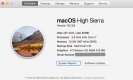
imac late 2012, processer 3.4 GHz intel core 7, 16 gb memory, NVIDIA geforce GTX 680 mx 2048 mb running OSX yosmite

main problem appears to be that it won't take latest OS and it seems LR and PS require a later version, hence not reading my raw files
 
so the spec is,

imac late 2012, processer 3.4 GHz intel core 7, 16 gb memory, NVIDIA geforce GTX 680 mx 2048 mb running OSX yosmite

main problem appears to be that it won't take latest OS and it seems LR and PS require a later version, hence not reading my raw files
Surely can't be stuck on Yosemite, what have you done to try to update it?
 
Surely can't be stuck on Yosemite, what have you done to try to update it?
went to update and it told me unable to update due to system resources, that was a while back, found it kind of wierd because my 2012 MBP is lower spec but has updated to high sierra
 
Last edited:
went to update and it told me unable to update due to system resources, that was a while back, found it kind of wierd because my 2012 MBP is lower spec but has updated to high sierra
I've got a late 2009 27" iMac i7 2.8 with 16GB running High Sierra.
 
I'm on high Sierra too but I can no longer update LR or PS
 
If I must buy now I would get a M1 Mac mini with 16G ram and 512SSD and add my own monitor.
 
I'm on high Sierra too but I can no longer update LR or PS

That was why I upgraded my MBP in 2018 when the 2010 (Core2Duo) stopped having Abobe Updates.

My late 2012 iMac (i7) still on the latest Abobe despite not on Big Sur, so I am holding onto it for another year, at least until the next iMac.
 
That was why I upgraded my MBP in 2018 when the 2010 (Core2Duo) stopped having Abobe Updates.

My late 2012 iMac (i7) still on the latest Abobe despite not on Big Sur, so I am holding onto it for another year, at least until the next iMac.

Yeah. We've been ready for an upgrade for ages. First held off to wait for upgraded imacs last year but by the time they were announced, apple had laid out their ARM plan so held off. Getting a bit urgent now. Our imac is sluggish but worst thing is that it just randomly resets itself. Happens day and night. Mrs uses it for work so it's less than ideal! Though oddly it rarely seems to restart when in use just when it's asleep. It's also takes several prods to turn turn on or wake up. Not complaining, it's lasted 10 years, longer than any other computer I've had but I could do with it clinging onto life just another few months!
 
Which I feel makes my quest pointless

No, but you have to talk to adobe support and they will install the latest compatible version for you. That's the only way.

imac late 2012, processer 3.4 GHz intel core 7, 16 gb memory, NVIDIA geforce GTX 680 mx 2048 mb running OSX yosmite

the drive????

went to update and it told me unable to update due to system resources, that was a while back, found it kind of wierd because my 2012 MBP is lower spec but has updated to high sierra

Probably system drive over-filled to the top.

I would still do a clean install to external drive. There must be so much stuff accumulated since 2012; even on a mac sometimes it is better to start fresh. 10.13 should work 100% and quite likely 10.14 too.

edit: of course don't forget the option to install the dreaded Windows 10 on it. That will run all the latest versions as long as it is physically capable.
 
Thanks for all the advice

I have a 1GB HD with 780 free space, I always used external drives for storage to keep the old girl clean.

Well I have made some headway, now able to access LR and PS okay, camera raw through bridge doesn't recognise my new A9 files but LR does.

When I go to system update it says no updates are available so I am still on yosemite, there is no option for sierra, not sure why.

Can't seem to update bridge, making me realise how rusty I am with all this
 
If you have tech glitches as well as slowness, then before you do anything drastic like cloning and external drive try a PRAM reset and then a startup in Recovery Mode followed by a Disk Utility First Aid on the main disk.
 
Last edited:
When I go to system update it says no updates are available so I am still on yosemite, there is no option for sierra, not sure why.

You can still get older versions but they need to be freshly installed via an external drive.
The instructions are here:-


BUT to get the update you must use Safari as your browser, for some reason it doesn't work with others ... took me ages to find this out. :)
 
Back
Top