Where does noise come from in my workflow?

Bend The Light

Suspended / Banned
Messages
2,619
Name
Craig
Edit My Images
No
I sometimes have problems with noisy images, and I can't quite get to the bottom of it. So, this is what I might do with a typical picture...where might noise be creeping in...where might I be better doing something else?

Shoot at ISO 100 wherever possible, try to have good light.
Copy RAW files into Bridge...sort through good and bad, and delete the bad.
Open an image in Adobe RAW...
Check for burnt out, or blocked up blacks on the histogram...adjust exposure, recovery if burnt out, slight increase in clarity. Tend to leave all other bits alone...
Open image in Photoshop.
May do a curves adjustment (on adjustment layer) if necessary, nothing fancy...S-curve mainly. May adjust saturation (again, on adjustment layer).
Usually add sharpening with unsharp mask, typically radius is around 1 max. Slide up until it looks ok, but not oversharp.
Crop to 10in x 8in x 300ppi.
Save as PSC and then as JPEG, quality 12.

Anyhting in there a problem, you think?
I wonder about cropping...if I crop to 10in x 8in 300ppi, am I adding pixels, or deleting some? If I crop with nothing in the size boxes I will get non-standard crop sizes, but will I then not be extrapolating pixels, or something?

I welcome all ideas to avoid noise in PP.

Thanks
 
Bend The Light said:
I sometimes have problems with noisy images, and I can't quite get to the bottom of it. So, this is what I might do with a typical picture...where might noise be creeping in...where might I be better doing something else?

Shoot at ISO 100 wherever possible, try to have good light.
Copy RAW files into Bridge...sort through good and bad, and delete the bad.
Open an image in Adobe RAW...
Check for burnt out, or blocked up blacks on the histogram...adjust exposure, recovery if burnt out, slight increase in clarity. Tend to leave all other bits alone...
Open image in Photoshop.
May do a curves adjustment (on adjustment layer) if necessary, nothing fancy...S-curve mainly. May adjust saturation (again, on adjustment layer).
Usually add sharpening with unsharp mask, typically radius is around 1 max. Slide up until it looks ok, but not oversharp.
Crop to 10in x 8in x 300ppi.
Save as PSC and then as JPEG, quality 12.

Anyhting in there a problem, you think?
I wonder about cropping...if I crop to 10in x 8in 300ppi, am I adding pixels, or deleting some? If I crop with nothing in the size boxes I will get non-standard crop sizes, but will I then not be extrapolating pixels, or something?

I welcome all ideas to avoid noise in PP.

Thanks


You say check for blocked up blacks in histogram. You might be increasing exposure? Or raising fill light? I wouldnt use the histogram to judge the image. Hold down option when you move exposure or recovery or blacks slider and you will see where there is a true black and blown out areas in your image.
 
Last edited:
You say check for blocked up blacks in histogram. You might be increasing exposure? Or raising fill light? I wouldnt use the histogram to judge the image. Hold down option when you move exposure or recovery or blacks slider and you will see where there is a true black and blown out areas in your image.

I have the histogram set so that blown areas show red, and blocked up black shows blue...so if necessary I will adjust exposure and recovery to combat that. In most cases I am overexposed, to be honest, and use recovery to bring those areas back.

Thanks
 
Bend The Light said:
I have the histogram set so that blown areas show red, and blocked up black shows blue...so if necessary I will adjust exposure and recovery to combat that. In most cases I am overexposed, to be honest, and use recovery to bring those areas back.

Thanks


If you are exposing to the right you should be able to reduce your exposure a bit, this usually results in very little noise in the shadows so not sure what's happening. But if you are stopping the blacks from clipping you might just be opening up the shadows too much.

I would have to see an example I think.
 
Last edited:
If you are exposing to the right you should be able to reduce your exposure a bit, this usually results in very little noise in the shadows so not sure what's happening. But if you are stopping the blacks from clipping you might just be opening up the shadows too much.

I would have to see an example I think.

I agree.

Also, which camera? If it's a Canon, do you have HTP enabled? If so then try disabling it. If you shoot to raw it serves no useful function in my opinion, just the opposite in fact.

Are you pixel peeping or judging the image as a whole? When you apply sharpening do you apply a mask in order to limit sharpening to defined edges and textures or does it get applied in blanket fashion to everything, noise included? I don't use ACR/Photoshop, only Lightroom, but by applying a sharpening mask I can make a significant improvement in apparent noise in smooth areas such as skies.
 
I agree.

Also, which camera? If it's a Canon, do you have HTP enabled? If so then try disabling it. If you shoot to raw it serves no useful function in my opinion, just the opposite in fact.

Are you pixel peeping or judging the image as a whole? When you apply sharpening do you apply a mask in order to limit sharpening to defined edges and textures or does it get applied in blanket fashion to everything, noise included? I don't use ACR/Photoshop, only Lightroom, but by applying a sharpening mask I can make a significant improvement in apparent noise in smooth areas such as skies.

It is a Canon 400d. What is HTP? I do shoot raw, yes.

I am not pixel-peeping...sometimes enlarging some to see, but not to the limits. When I sharpen I do one of two things...sometimes it's Unsharp mask in the sharpen menu. Other times I use High Pass and overlay the layers.
Are you suggesting I select areas to sharpen...

Many Thanks for you help. :)
 
HTP is "Highlight Tone Priority", first introduced on the 40D. Put simply it underexposes the file by 1 stop in order to preserve highlights. It then applies a special tone curve in order to brighten the shadows and mid tones whilst being gentle on the highlight tones. Lightroom and ACR do not apply this fancy tone curve to files shot with HTP enabled. They simply apply a global 1 stop brightening across the tonal range. That can make noise seem worse.

Since I don't use Photoshop I can't tell you the best approach to sharpening. Some people do selectively sharpen only the bits that will benefit, such as the subject, and deliberately avoid sharpening parts which should not be sharp anyway, such as an OOF background. They may also apply more aggressive noise reduction to the background while applying none to the subject.

Mind you, since you are starting out in ACR I believe you will have the same controls there as I have in Lightroom. If you do there should be a "Masking" slider along with the basic sharpening adjustments. By default it is set to 0, meaning that everything gets a dose of sharpening. If you set it to maybe 30 or 40 then the sharpening effect will be removed or reduced from areas that don't (and shouldn't have) have hard edges.

If you can make a typical raw file available for download and post up one of your own results with which you are unhappy then maybe an answer will unfold. Without any example to go on it is pretty hard to diagnose where the problem lies.
 
Thanks tdodd. I will see if I can find an example and get it up on here.

What you say makes a lot of sense. I didn't know about things like HTP...I knew the camera makes adjustments if shooting in JPEG, for example, but the fact that they make adjustments when shooting RAW is a bit daft, I think...surely RAw shoudl be just that?

Anyway...I'll see if I can get an example for you.

Cheers
 
I believe (could be wrong) that the only two in camera settings which affect the raw data (other than the exposure controls) are HTP and long exposure noise reduction. HTP is a straight 1 stop underexposure caused by over reporting the ISO in use by 1 stop. e.g. you select 200 ISO (it actually displays as 2oo ISO when you engage HTP) and the camera shoots at 100 ISO instead.

Long exposure NR takes two exposures - the one you want and a second "dark" exposure of equal duration and then combines them in order to average out noisy pixels. I think that only kicks in for exposures of 1 second or more.

Everything else - picture styles, sharpening, white balance and high ISO NR etc. - does not affect the raw data. It just sets metadata flags which some raw software such as DPP will read and apply to default adjustments. Other software, such as Lightroom/ACR pays no attention to many of those fields. e.g. if you shoot raw with the Monochrome picture style you will still see a colour image in Lightroom/ACR. The data is still the full colour data. DPP will see the Monochrome flag and display the raw file accordingly. Lightroom/ACR pays it no attention at all.
 
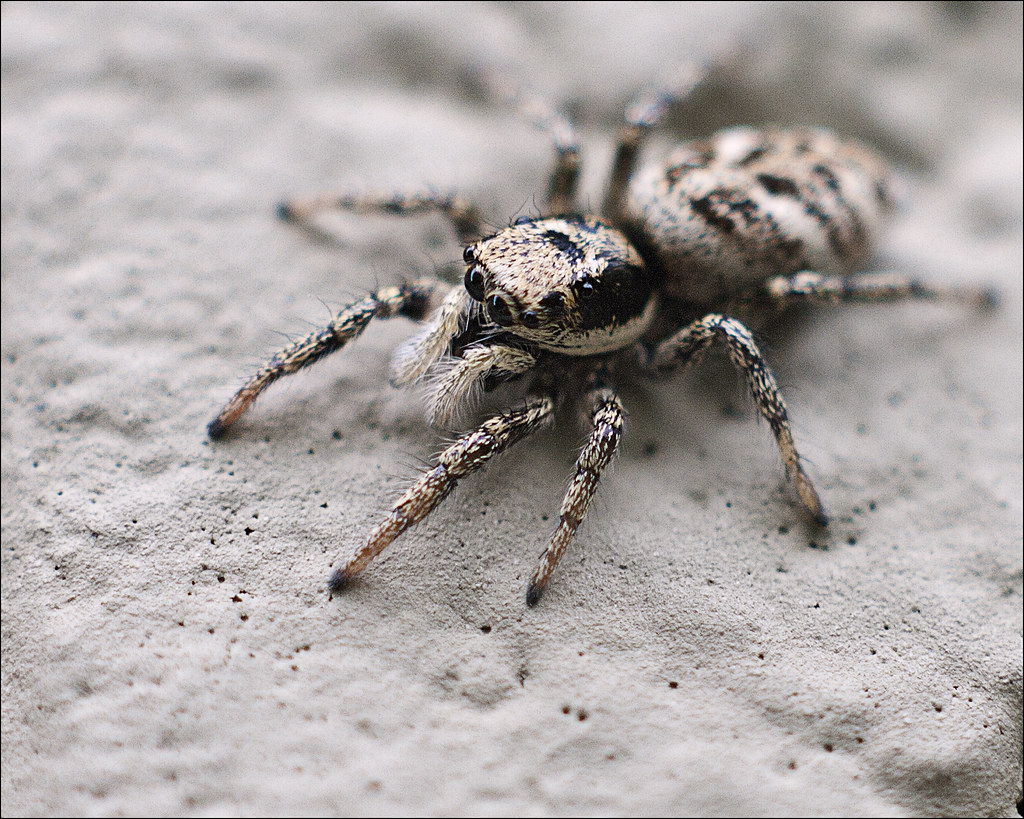
Well, here's an image that people have said is noisy...
OK. The noise in the image there starts off as sensor noise. The image is shot at ISO 400 (at least that's what the raw says) and you have speckle like noise most apparent in the out of focus areas. If you don't apply any noise reduction (your workflow says you don't) AND you apply sharpening to the whole image, then you will also be accentuating the noise and making it more obvious.

Try playing with noise reduction (not sure which version of camera raw you have, but I'm on the 6.4 beta here). Noise reduction is situated in the detail section of ACR (at least it is in 6.4) which is the tab with two triangles in it. Try dragging the luminance slider to the right and the noise will start to disappear. Unfortunately, you also lose a very slight amount of detail and if you then increase the sharpening, you can get an overprocessed digital look to the out of focus areas (just push noise reduction and sharpening to the far right and you'll see what I mean).

The way I'd work is noise reduce then apply sharpening to selected areas of the image. That way, you get a much smoother (i.e. less noisy) image overall with the area of focus for the image sharpened.

EDIT: or just selectively sharpen the image and not bother with NR (depending on what print size you are doing - the smaller the less nosiy it will look)
 
Last edited:
I took a look at the raw file and it seems to have undergone some pretty heavy processing to get it to look as it now does. The original file, opened in Lightroom, is incredibly low contrast. I really can't imagine what sort of lens you used for that (aperture reads as f/0 so probably some macro converter) but the lack of contrast is like nothing I've ever seen.

Instead of having the lens do the work to create a sharp, punchy image you've had to do it in software instead. That means that everything in the image has undergone your transformation, including the warts and all of noise. It actually looks reasonably sharp where one would expect, but the low contrast is the killer that you are having to combat.

I also note that the image as displayed above is a pretty hefty crop too. You're not far off viewing at 100%. That's not the usual or ideal way to display photos. It's going to make the noise stand out more. I haven't tried to work it out, but it looks like you've cropped to about 1/4 of the frame, maybe a bit less. My maths may be simplistic, but compared to being able to use the whole frame you shot, using only 1/4 of it is like raising the ISO fourfold. You're basically throwing away 3/4 of the light the sensor recorded. So all in all this is more like a low contrast 1600 ISO image that's had a big whack with the editing stick. My advice would be to look at the capture process - taking the picture - to see how you might improve that part of your workflow. Thee seems to be something amiss with that lens, and you could really do with filling the frame more, if you can.
 
Last edited:
Good post Tim :)
 
Thank you both for taking the time to look at this.

A bit of backgroiund to the image...

This spider is tiny...5mm long. So I am using a Vivitar 90mm f2.8 macro lens...which is a lovely lens. Everything is manual, however.
I have no flash on here, and the on-board flash leaves a shadow where the light doesn't clear the end of the lens when it's on ful macro extension (1:1) as it was here. Couple that with the inconsiderate spider being halfway up a wall, and it proved difficult to get a sharp shot at him. I raised the ISO to allow a faster sutter, and so capture the quick-moving spider.

That all worked in the end, but then I did the crop, and increased the noise. I understand that now.

So, my learning from this?

When shooting little things - get kitted out with flash! I have several old manual flashes, I have adapted some to make a macro rig, and it works to give brighter, sharper images at high magnification. This will help reduce the acquiisition of noise along the way due to increasing the exposure in post.
I also will try to avoid cropping too much...this is not always easy when the subject is so small, but if I have to crop, then a decently exposed image to start with would be better.

Did it work?

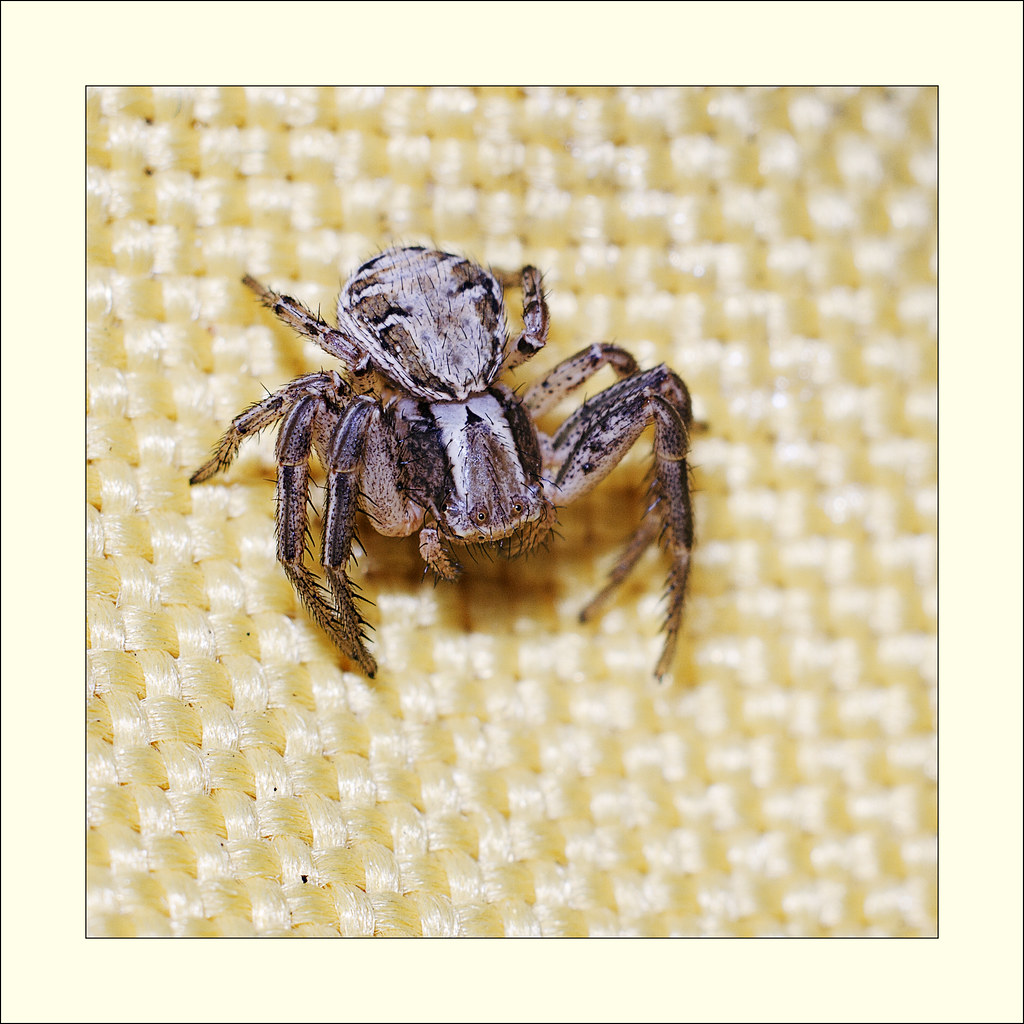
Yes, maybe...I looked at some other shots I took with the same lens, but with the flash set up...this is also a crop, about 1/3 of the original frame area...


Unknown Spider 2 by http://bendthelight.me.uk, on Flickr
 
Actually I think you did a great job with both pictures, but I am truly puzzled by the incredibly low contrast of that original shot. I didn't study the settings you shot with, but looking at the raw file in Lightroom the problem was very evident, since Lightroom ignores the camera settings. It looks like you shot through filthy glass or a steamed up lens or something weird like that. Is everything definitely spotless? How do more regular pictures turn out with that lens - non macro shots?

As you have image editing disabled I was unable to show you the image as it opened in Lightroom, but really the difference between the original and what you have managed to produce is staggering. I mean that as a compliment to your processing skills. It's the unedited shot that has me puzzled. And yes, fair enough, a 5mm spider shot with a 1:1 macro lens is not going to fill the frame. :)
 
Thanks, tdodd. Not sure what the contrast issue is...other images do come out fine. Maybe as I was shooting up the wall, to the sky, I got some glare across the lens? It was a white painted breezeblock wall, so maybe glare there, too?

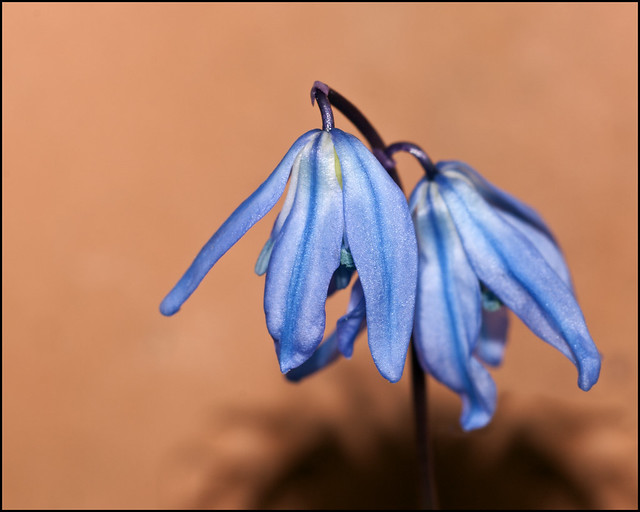
Another image with the 90mm

Blue Unknown no vignette by http://bendthelight.me.uk, on Flickr
 
I guess flare is a possibility. At the risk of opening the filter vs no filter debate, do you have some sort of UV/protection filter fitted? If so, have you tried shooting with it removed? Do you use a lens hood? Adding a filter and not using a lens hood could both contribute to loss of contrasts due to stray light bouncing around within the lens.
 
No filter...no hood either, though the front element in the lens is quite well recessed, maybe an inch inside the body of the lens. Almost a hood in it's own right. :)
 
Back
Top