What's happened to Redsnapper???!!

Slimbert

Suspended / Banned
Messages
6,914
Name
Damien
Edit My Images
Yes
Is it just happening to me, or has the Redsnapper website been down for a few days? :thinking:

I had a quick look around on here and couldn't find any announcements etc but I've been trying to visit loads over the weekend with no luck at all! :shrug:
 
Must be just me then.....I've tried going through google, the link on the TP homepage and the link you've just posted and I can't get on there at all??! :thinking:

I'm using IE8 if that makes any difference?! :shrug:
 
Also using IE8, got on straight away using Justins link.
C
 
works just fine from the link in post #2....

thats on IE8, mozilla and google chrome.....

What you wanting mate? #Want me to order it for you??????
 
The link in this thread works fine for me too..... have you tried clearing your cache/cookies etc etc?

Chris
 
works just fine from the link in post #2....

thats on IE8, mozilla and google chrome.....

What you wanting mate? #Want me to order it for you??????

I'm after a monopod, can't remember what the Redsnapper ones were like, so I wanted a quick look before I go to WE with my wallet.....

Might try my broadband dongle to see if it's my ISP's fault!
 
Just deleted the lot, and it ain't working.....

All I get is the "Internet Explorer cannot display the webpage" shizzle :razz:

Dongle time!!!!!
 
My 3 dongle comes up trumps again!!! :banana:

Can't see why talktalk would stop me looking at the redsnapper website though....not when you consider some of the other stuff they let me look at!!

:naughty:
 
i cant get on it either, have been trying since Saturday evening, and im not on mobile tinternet.
 
I'm using talk talk and i just tried, it works fine...
 
Me too on IE8, perhaps time for a wee look at your settings?
 
I've tried on 2 pc's, one at mine, and one at the inlaws, both talk talk, neither works
 
Have you tried fluhing your DNS???

Click Start>Run
Type 'cmd'
at the black command window type 'ipconfig /flushdns'
all of course without the '

Give it a try.

K
 
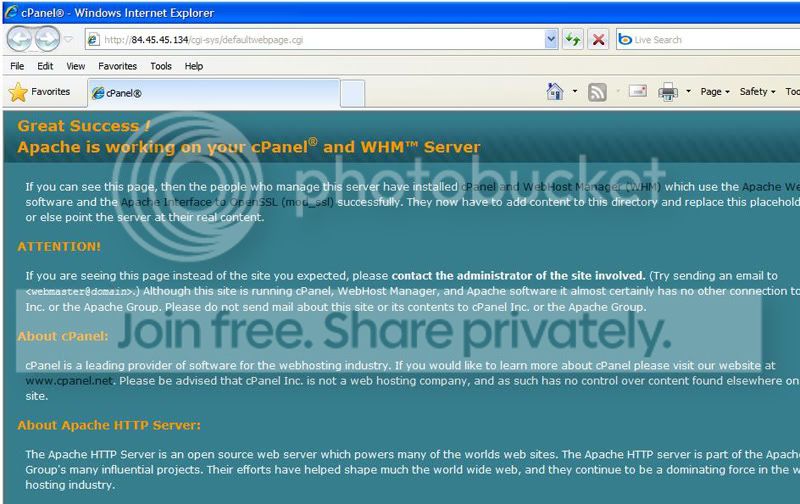
OK, what about if you go direct to the IP address http://84.45.45.134 ???

Tried it and got this:

untitled.jpg


No idea what "apache" is, but thanks for all the suggestions! :thumbs:
 
Well that's good (I can't see the pic) but you are seeing the cpanel page of the server so you can reach the server, I will tinker some more to find an answer (I hope)
 
Well that's good (I can't see the pic) but you are seeing the cpanel page of the server so you can reach the server, I will tinker some more to find an answer (I hope)

Thanks for all your help Paul, I've got a sneaky feeling that it's a box I need to untick in my internet options somewhere, but i've no idea which one! :shrug:
 
Try using a different DNS. You could try googles own freebie and have more success. Check here. Also a big list of others here.
 
I bet Redsnapper have either moved hosts or their current webshost has done some changes/upgrades. It can take 24/48 hrs for the internet to catch up with any changes.

Saying that.... it works fine thru Virgin/NTL
 
Just checked again as this had popped back to the top, and it's stopped working for me again. Very strange.
 
Back
Top