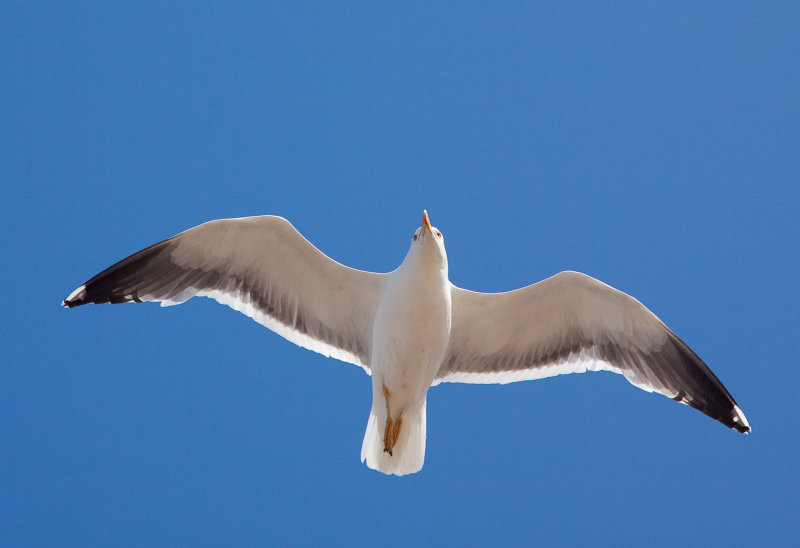
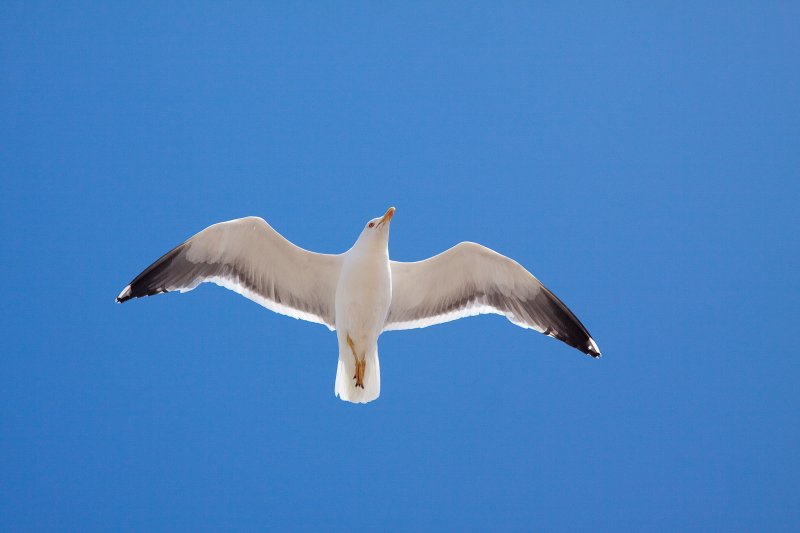
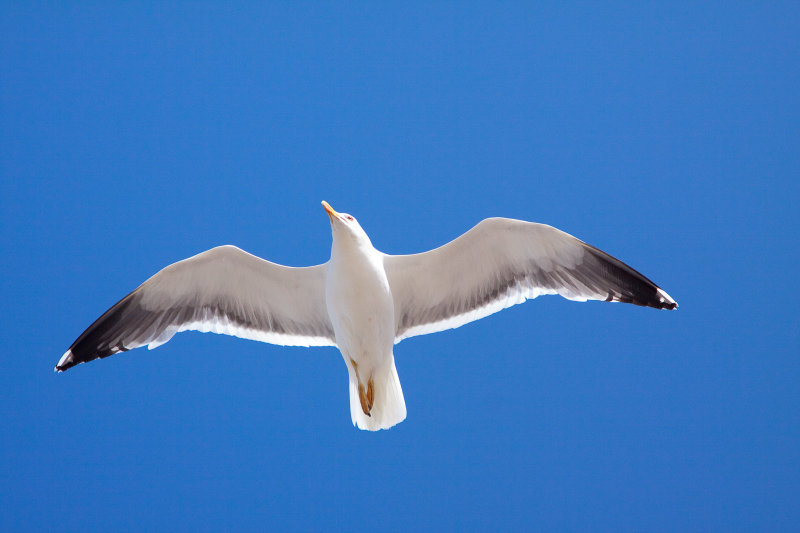
What "mode" do you use for Bird photogrphy?

Naboo, nice ducks on the link mate :)

And they are a very good example of when to use incident light metering, as those reflections on the water, or no reflections as the case may be when the duck moves, will throw out a normal reflected light meter reading a lot.

You've also discovered a disadvantage of the palm method, in that its accuracy depends on the light falling on your palm being the same as the light falling on the subject. Most of the time, it is - but not always. And when it's not, you can often move to a position where it is for the purposes of metering, and then reposition your self, such as when you're shooting from under the shade of a tree. But if you're shooting a landscape across the valley in sunlight, but your side of the hill is in shade, then it's tricky ;)

Technically, an incident light reading should measure the maximum brightness of the light falling on the subject, from the subject position back towards the camera. Which is why you might see a wedding photographer holding up their meter next to the couple, with its little white dome angled towards the sun. Or when setting the back-light in a studio portrait, the meter should be pointed at the back light head, from the subject position, and completely in the opposite direction from the camera.

Like most things it can get complicated but in practise it usually works well. I use the palm method a lot, even when I'm set on an auto exposure mode to cope better with changeable light levels. Providing I'm in the same light as the subject, then if I simply put my palm up to the camera, the meter reading will change by a stop and a bit. If I'm in Av and the shutter is reading 1/125sec, then when I put my palm up to the camera, the shutter speed should shift up to 1/250sec or 1/300sec. Maybe not always depending on the kind of effect I'm after, but usually if it doesn't do this, there's a good reason and I need to recheck everything. It's just a very quick and handy double check - quicker than scrutinising the histogram.
 
Funny that you mention the palm metering trick, Hoppy, as that was the one part that I couldn't actually manage :D. I found it almost impossible to hold my D700 and big lens in one hand, whilst pointing it down at my palm and holding the shutter release button down half way, at the same time as looking at the reading through the viewfinder.

Perhaps there was no need for me to make the lens focus in order to take the light reading (although I have to press the button to activate the meter), so maybe I could have just jabbed the button while holding the camera by the lens barrel and looked through it :thinking:. Also, I couldn't find a way to get the rear display to show the duplicate display of the top control panel (as it can), with the shutter button held down, which meant that I couldn't read the EV meter with the camera hanging down lower, supported by the strap around my neck.

What I did in the end was to simply take a few test shots of the surrounding forest and manually adjust the shutter speed to the f/5.6 aperture that I was using, until all of the shots came out looking exactly as they looked to the naked eye and with the histogram not peaking at either end. I adjusted the white balance in the same way - take a test shot, tweak it up from the 4,000K range to the 5,000K range and then just shoot another 10 shots to fine tune it. Very, very crude, but still more effective than using the auto WB and getting a range of different colours in succesive shots :|.

Seems ironic though, having a camera which was designed (and priced ;)) to do all of these things itself and then overriding it all in my ham-fisted way. Still, if it gets the job done ...

:)
 
LOL Yeah, it doesn't matter how you arrive at correct exposure but once you've got it, manual settings will keep it there no matter what.

The palm method is just one way of measuring correct exposure. When reading off your palm, it is best to hold the camera at eye level, not down, to avoid shadows. And it doesn't matter in the slightest that it is out of focus - so long as your palm fills the frame.

I can see why you might have trouble holding a D700 with a big lens in just one hand! It doesn't make things easy, which is why I guess the Pringles Lid was invented, and the coffee filter :)
 
I was making things awkward by trying to hold my palm out flat, hence the need to point the camera down from above it :bonk:.

Also, are those "Pringles lids" any good? When I first came to this forum, I thought that I saw a thread where a few people expressed thier doubts about them, but I really can't remember why :thinking:. I might get one, to save me from (potentially) dropping my camera in future.
 
I was making things awkward by trying to hold my palm out flat, hence the need to point the camera down from above it :bonk:.

Also, are those "Pringles lids" any good? When I first came to this forum, I thought that I saw a thread where a few people expressed thier doubts about them, but I really can't remember why :thinking:. I might get one, to save me from (potentially) dropping my camera in future.

The way I do it, my palm is really close to the lens, completely out of focus, with the palm angled up to the light and also towards the lens. The lens rests pretty much on my forearm, but it can be hard to juggle it this way without casting shadows on your palm.

The Pringles lid works fine. I found that with two sheets of Tescos Value printer paper stuck inside a clear one with PrittStick, no exposure compensation was needed - just point it at the light, zero the exposure and away you go. Those white plastic coffee cup lids you get might be the same. And a coffee filter paper - those white paper cone shaped things - is supposed to be good, too. Just like an ExpoDisc thingy, but not costing £80.

To my mind, none of these things is better than the palm method for a quick check of incident light, but if you use a white device (or a neutral gray one like an 18% card) you can also use it to set custom white balance.
 
The way I do it, my palm is really close to the lens, completely out of focus, with the palm angled up to the light and also towards the lens. The lens rests pretty much on my forearm, but it can be hard to juggle it this way without casting shadows on your palm.

The Pringles lid works fine. I found that with two sheets of Tescos Value printer paper stuck inside a clear one with PrittStick, no exposure compensation was needed - just point it at the light, zero the exposure and away you go. Those white plastic coffee cup lids you get might be the same. And a coffee filter paper - those white paper cone shaped things - is supposed to be good, too. Just like an ExpoDisc thingy, but not costing £80.

To my mind, none of these things is better than the palm method for a quick check of incident light, but if you use a white device (or a neutral gray one like an 18% card) you can also use it to set custom white balance.

Thanks for the info there, Hoppy :). I've seen those "expo-discs" on eBay for just a few poounds, so I might grab one and give it a try.

Before reading this thread, I used to think that exposure balance was a really tough science, which only a sophisticated camera could master (you can tell that I went straight to digital and skipped film, can't you ;)?). Now, I realize that in certain situations, the camera can actually be too clever and can ruin your fun :(.

Manual mode is going to be getting a lot more use by me in the future :).
 
Hi,

an excellent thread with loads of brilliant info, so a big thanks to tdodd there, I must admit to not using manual but mostly AV with my all my shooting, although I did try manual last week to get some bird in flight shots using the metering from the grass around me and it gave me something like 1/500th @ F5.6 as opposed to the AV setting giving me 1/4000th @ F5.6 when pointed skyward, and it made a huge difference as you can imagine. I think I will need to use manual a lot more during this year and see how I get on.

Mike.
 
Thanks for the info there, Hoppy :). I've seen those "expo-discs" on eBay for just a few poounds, so I might grab one and give it a try.

Before reading this thread, I used to think that exposure balance was a really tough science, which only a sophisticated camera could master (you can tell that I went straight to digital and skipped film, can't you ;)?). Now, I realize that in certain situations, the camera can actually be too clever and can ruin your fun :(.

Manual mode is going to be getting a lot more use by me in the future :).

You're welcome bud.

Yes, you can get cheap 'expo-discs' and they work fine. Some are just a UV filter with some kind of diffuser attached. The Pringles Lid etc is just another way of doing the same thing. I made one to see how I got on, but find that the palm method is as good and so easy, but I understand that doing it with a long and heavy lens might be more difficult.

What might be really useful is a small 18% gray card, say 6x4in - just small enough to slip in the bag, with a colour chart on the back. I used to have something similar. Lay it on the ground to take an incident reading off, or to set colour balance. Then shoot a frame of the colour chart side for colour reference when printing. One of the magazines could do it as a free cover gift.

A lot of folks get hung up around the complications of exposure setting, but it's actually a very simple concept surrounded by mystery, hype and jargon. Some people seem to enjoy making it complicated. The fact that entire books are written about it doesn't help! But once you've grasped the simple basics and understand what is happening, and that all the different exposure modes and fancy scene settings are merely different ways of doing exactly the same thing, then you can begin to forget about the technicalities and get on with much more important, and more difficult stuff. Like getting the most out of the subject :)
 
This thread has come along at just the right time!

I`m going on a Bird of Prey day next weekend, never done one before, I've only ever done big cats, and these fellows are sure to be a little more "speedy"

Should be interesting!
 
Tdodd, you sir are a gentleman. Your explanations are very helpful!

Thank you.
 
Thanks Tdodd. I've tried the manual exposure before with some success, but having the technique confirmed will be a great help :)
 
Have to say that in my opinion this has to be one of the greatest, most friendly and informative threads I have read on TP... kudos to Tdodd for taking the time to answer in the manner he has.

I've started to use Manual more and more now - not all the time as I am not that good that I know what the best settings are for the circumstances I am shooting in - but I am certainly using 'M' for more and more of my bird and landscape shots.
 
Thanks for the kind words, everyone. Now all I need is to find the :blush: smilie.
 
Have to say that in my opinion this has to be one of the greatest, most friendly and informative threads I have read on TP... kudos to Tdodd for taking the time to answer in the manner he has.


:agree: :thankyou: :clap:

It's this kind of thing that makes TP the best forum in the world. Many , many thanks to you Tdod.
 
Some really good advise here, especially for tdodd. Personally I shoot mainly AP, but I can see real advantage in full manual.
 
I too have tried this a couple of times and have been really impressed with the results, I did however get completely confused when I tried to show someone else how to do it and got it completely wrong.

I'm gonna take the camera out to south weald park this weekend I think and give it another go.

I did manage to get a cracking picture of my dog in the back garden in a very strange pose aswell lol.

Thanks tdodd for the advice in this thread.
 
we have used "metering off the grass" many times at events with back lighting and it works well - great thread some well thought out descriptions by tdodd - thanks
 
I'd never heard of the 'metering of the palm' technique before so I've been giving it a whirl this weekend and it works pretty well. Thanks for posting, very informative.
 
I pop it into Manual set the shutter and aperture I want and put the iso to auto and see how I go from there and adjust accordingly to suit depending on the iso speed. I do try and keep iso below 800 if possible.
 
I'd never heard of the 'metering of the palm' technique before so I've been giving it a whirl this weekend and it works pretty well. Thanks for posting, very informative.

No problem :)

I've been playing around some more, continuing to learn, and I'd just like to give a small update on the palm metering thing. Because the palm is brighter than a grey card (more reflective), and therefore closer to the highlight end of the tonal scale, it does a great job of positioning your highlights where they belong, close to the right hand edge of the histogram but without blowing the details. This is brilliant when shooting people (with skin!), and white tee-shirts, shirts, blouses, dresses, or creatures such as swans with dazzling white feathers, and even white horses etc.. The same goes for white paintwork on cars and buildings and possibly most white clouds. There will still be specular reflections, or point light sources, which will blow damn near anything, but palm metering will do you really nicely for pretty much all scenes with important highlight detail to be captured and preserved.

Now, this may seem obvious to some, but over-reliance on palm metering may lead to disappointing results if your subject and scene has no bright tonal content. A good example is shooting wildlife, or pets, or possibly horses, with muted tones - black/brown/grey etc. - against a mid-toned background such as grass, bushes, trees and so on. In such examples there is simply nothing that is very bright, perhaps nothing as bright as your own palm. So, if you set an exposure that puts your palm at +1.3 you will probably be wasting around 1.7 stops of useful dynamic range at the top end, and maybe more. So, in such scenarios it may be worth setting an exposure from your palm at something like +2.3 stops rather than +1.3 stops. That should give you a lot more data to fine tune your final image and will help increase the shadow detail captured, which is especially important for those dark, furry/feathery creatures.

It's a similar thing with metering off green grass. I find that with a bright/white subject in the scene, if I meter off green grass I need to set an exposure at -1 stop on the scale in order to preserve highlight detail, particularly on a sunny day. If my subject/scene has no bright areas of importance I can probably set an exposre by metering off green grass at 0 on the meter. Dull conditions can probably allow me to add another 1/3 stop or so.

While I'm writing, I'd like to share a "Sunny 16" manual exposure I shot this morning. It is a worthless photograph, but I was curious to find out how the camera would deal with the scene. Basically I had a swan on a lake, illuminated by sunlight coming into the scene from my right hand side. This lit things in a very unusual way, with the swan dazzling white and everything else looking incredibly dark. The swan was so small in the scene that I'm not sure that spot metering would have been useful.

If someone had been relying on autoexposure to sort out the exposure settings I would be curious to know what approach they would take - what metering mode, what EC. As it was I ignored all that. I could see the swan was bathed in brilliant sunshine so I simply set an exposure based on the Sunny 16 Rule. in this case I chose to use the setting I had already dialed in for BIF - 1/3200, f/5.6, 400 ISO. Here is the result, with no edits except white balance....

Picture no longer available.

Like I said, a rubbish photo, but a great exposure. I've held the detail in the feathers, perfectly, with an ideal ETTR exposure, and the rest of the image has just had to end up where it may. I could certainly have shot at 100 ISO and 1/800 to reduce noise and then I would have ample opportunity to tweak and tune the background if I could be bothered.

If we look at the image and its histogram in Lightroom, and with clipping indicators turned on, it's difficult to see how I might have done better.

Picture no longer available.

Maybe I could have added another 1/3 stop to the exposure, but definitely with the risk of losing the feather detail too much. In fact I did try exposing 1/3 darker and 1/3 brighter than the image above. 1/3 darker was just wasting DR. 1/3 brighter was clipping more than I would have liked in the feathers.

It's worth noting that at 1/3 brighter I could clearly see small amounts of clipping, based on the blinking clipping warning in the preview image, but there are so few blown pixels that it was not possible to see the problem in the histogram.

A bit of an edit can pull out details in the shadows, but it was vital to capture as much detail in the highlights as possible, without losing them altogether. Here is the tweaked version. Composition is still poo, and the subject s way too small, but I think the exposure as captured in the camera is pretty spot on.

Picture no longer available.

HTH :)
 
A really useful technique this and I tried it out on Sunday at a Sunny Weston Super Mare on the Gulls, and for correct exposure on the beach.

Blimey, if it doesn't work a treat. I did have my wife asked why I was taking photos of my hand

114879287.jpg

114879288.jpg

114879289.jpg


How cool is that - perfect exposure. Great tip - thanks
 
Tim, thank you for taking so much time and trouble to write this enlightening thread. I wont say I fully understand it yet, but after a few more reads it will hopefully start to sink in.
I am slowly moving to manual settings and experimenting, so this will help me no end.
Thanks again.
Trev
 
Hi Tim

Firstly i want to say thankyou very much for taking the time to share your wealth of knowledge on this thread. I've picked up a lot of info that i hope will remove some of the frustration i've experienced.

One quick question I know you mention +1000 for your shutter speed and 1600 is ideal but is there a shutter speed you wont use, say 8000? and do the higher shutter speeds cause problems with lack of colour saturation?

Thanks

Andy
 
Andy, it's a bit of a balancing act. You have to juggle shutter speed, aperture and ISO to give you the best overall compromise to yield the best result overall. For BIF, certainly a high shutter speed is prefered, the higher the better, all other things beig equal, but other things are not equal. You can't simply up the shutter speed to whatever you like without having (a) enough light; (b) a fast enough aperture; (c) a high enough ISO.

If we imagine conditions of bright sunshine, in order to achieve a shutter speed of 1/8000, using the Sunny 16 rule as a guide, let's look at our options....

At f/16 you would need to use 8,000 ISO.
At f/11 you would need to use 4,000 ISO.
At f/8 you would need to use 2,000 ISO.
At f/5.6 you would need to use 1,000 ISO.
At f/4 you would need to use 500 ISO.

Now I don't know about you but my BIF lens is my 100-400 zoom. I think I have a good copy, but at 400mm and wide open at f/5.6 it will not rival a prime for sharpness. Also, compared to a prime like the 400/5.6L the AF is apprently not that quick. Stopping down would be nice, in order to improve lens sharpness and to buy me a little more DOF for focus errors. f/8 would be the sweet spot. If I'm using my 50D body then, quite honestly, I do not want to go above 400 ISO (for BIF), due to noise, and I would never use intermediate ISOs like 500, 640 etc..

So, if the best I can do is f/5.6 and 400 ISO then even in bright sunshine I would be looking at a shutter speed of 1/3200 at best, if shooting birds with white feathers and/or against a bright sky of white cloud. Of course, if I want to stop down a bit, to f8, then my shutter speed would have to drop to 1/1600. If the light was anything less than bright sunshine then I would have to drop my shutter speed even more, or be forced to compromise on aperture or ISO in some way.

There are other factors that come into play that make things even more complicated. Major rules of photography that we have come to know and love have been based on the degree of magnification of an image from film/sensor to print/screen. I can't be exact with the numbers but, for argument's sake, the rules for DOF and for handheld shutter speeds are based on printing/presenting an uncropped image at an enlargement of something like 7"x5" or 10"x8". For a full frame camera (5D2, D3) that is equal to a physical magnification of around 6X.

If you magnify your image by more than that - say to fill a 17" monitor, or to view on a monitor at 100% (which might yield a virtual image size of maybe 45"x30" - BIG!), then those rules will not stand up to scrutiny. A shutter speed that would give you a sharp looking image at a 10x8 size may well not look so sharp when blown up to 4X that size. In fact, you'd probably need a shutter speed of 4X the standard rule. The crop factor of th camera also has to come into play here, because the smaller sensor needs more magnification in order to get it to a 10x8 image size in the first place. Thus, for viewing an image taken with a 50D and a 400mm lens, handheld, to be viewed on a monitor at 100%, you would probably need a shutter speed around the.....

1/(400 x 1.6 x 4) = 1/2560

mark. Call it 1/2500. Now, if you can shoot handheld with an average level of shake then 1/2500 should serve you reasonably well. However, if you are a wobbler or have a jerky trigger finger you may need to go faster. If you are steady Eddie and a smooth operator then maybe you can go a little slower. IS may well help too.

So, the point is, while 1/8000 might seem a nice idea, it may be unrealistic or unecessary to push things that high, and might make problems in noise, lens IQ or focus accuracy through compromises elsewhere. If you do not crop like a crazy thing, do not stare with mad fixation at 100% viewing and do not print larger than 10x8 then a shutter speed of around 1/1000 to 1/1600 should serve you well for BIF. I'd prefer 1/3200 if possible, but not if it forces me to compromise too much in other areas.

When I shoot with my 1D3 I am happy to push the ISO higher - certainly to 800 - without concern, but for BIF in particular I find that they are usually so small in the frame, and their feather details so fine, that to push the ISO higher means I lose too much feather detail to noise. If I can get close enough to the birds to fill the frame then I don't mind going up another stop to 800 on the 50D and 1600 on the 1D3. If I need more than that then it's better to come back another day, when the light is on my side.
 
Excellent reply Tim, I will read this again after work tonight. Again i have picked up some good info i didnt know previously.

Now I don't know about you but my BIF lens is my 100-400 zoom. I think I have a good copy, but at 400mm and wide open at f/5.6 it will not rival a prime for sharpness

As i've mainly been shooting football i stumped up for the 400f/2.8 stupidly heavy so i have bought the manfrotto 393 gimbal head to support it. Also going to try using the TC'S

Thanks

Andy
 
Glad to help. Wow, I'm envious of your 400/2.8 and 393. If you ever feel it's too heavy I'll consider a straight swap for my 1-4 :)

BTW, for those umming and ahhhing about shutter speed vs ISO, I would say it is far easier to work a sharp but noisey image into something worthwhile than one which is clean but blurry. So if you must get the shot, bump that ISO if you have to. If you're shooting sports for example, rather than tinsy winsy birds, then you can probably afford to sacrifice a little detail in the pursuit of better overall sharpness.

Here's a 3200 ISO example from my 50D. Noise wise, it looks as fairly clean at this size.

20081130_152757_2800_LR.jpg


Cropped in tight at 100% can see the noise that could destroy feather detail on a small bird, but it is not a problem with larger, less detailed subjects, like people.

20081130_152757_2800_LR-2.jpg


Some noise reduction can certainly help improve things, but this is a luxury that is hard to enjoy on our small, feathered frames, when cropping hard.

20081130_152757_2800_Neat_LR.jpg
 
Tim, I've said it before in this thread, but thanks again for all the time and effort you've put in with the detail and samples etc. :clap: :clap: :clap:
 
Tim, I've said it before in this thread, but thanks again for all the time and effort you've put in with the detail and samples etc. :clap: :clap: :clap:

agreed, lovely reading through all this info - cheers tim :thumbs:

drew
 
Glad to help. Wow, I'm envious of your 400/2.8 and 393. If you ever feel it's too heavy I'll consider a straight swap for my 1-4

Not sure about a straight swap :thinking: If you threw in a pint and a bag of dry roasted who knows.....

Im probably heading to Rutland Water 27/28th don't know how far that is from you but could meet up and show me how to use it properly :D


EDIT

just wondering whilst my brain is awake, are there any of the custom functions you find help when shooting BIF?
 
RW is 102 miles from me, according to Google maps, and about 1:50 driving time, depending on traffic, of course. I'd certainly fancy a trip up there but I'd have to see what I can do about leaving the dog at home all day. He's not been left for more than four hours before, and not without a good walk to drain his energy and get him pooped first.

As for the 1D3 and BIF settings, I must admit that I have not been using it too much. As much as I love that camera, and prefer it to my 50D for action, and pretty much anything and everything else too, I have been really trying hard to squeeze the most that I can from my 50D, not least because the birds I shoot are so small in the frame that I want to get as many pixels as I can onto the subject. That's the problem with combining bird photography with dog walking, or visiting reserves (Rainham Marshes) where the birds are so far away that photography is almost a waste of time.

Anyway, here are the pertinent settings that I favour for the 1D3 and BIF....

CFn III-2 = -2
CFn III-3 = 0
CFn III-4 = 0 (I'm experimenting with this so might swing the other way)
CFn III-5 = 1 (also experimenting)
CFn III-8 = 2 (sometimes = 0, rarely = 1. it depends on how busy/confusing the background is or how difficult the subject is to track)
CFn III-9 = 3
CFn III-10 = 1 (I have RoF as my registered AF point)

CFn IV-1 = 2
CFn IV-13 = 0

On my Personal Menu Settings I have....
- Shutter button/AF On button;
- AF expansion;
- AI Servo tracking sensitivity;
- AI Servo tracking method;
- MLU.

I always shoot raw, nearly always manual exposure, spot metered off a carefully selected target, like my palm, or grass, or a white bird or cloud. I have HTP and NR disabled. I shoot with Neutral picture style and daylight WB so that I get a histogram that I can interpret and trust better than with other combinations.

I am also experimenting with higher shutter speeds vs IS mode 1 and 2 and so far I have not reached any useful conclusions. The three things which I think would improve my results are....

1. Plan my photography for when the light is right - early morning or evening, with nice sidelighting rather than harsh, overhead backlight from a high sun, or dreary cloud requiring me to push up the ISO too much.

2. Get closer to the subject. As hard as walking a dog makes this, it is really the only way to get satisfactory results. (Heavy) cropping is not a good solution with any camera.

3. Improve my panning/tracking skills. Keeping that focus point where it belongs, or skillfully timing the release and re-press of the AF-On button is everything when it comes to nailing the shot. DOF can be so thin that you can't afford to be focused on a wing tip instead of an eye. Precision focusing is key to outstanding results. That's why a single focus point, carefully aimed, or a tight cluster of assist points is better than carpet bombing the subject with all focus points active and latching on to whatever they fancy.

Fieldraft, patience, dedication and skill are far more important than the kit, up to a point at least. The 1D3 makes things easier than with the 50D but at the end of the day the results are down to me, not the gear. Right now I know I have a long way to go before I can be happy with my BIF shooting.

Here's a shot I am happy with, taken with my 50D and 100-400 at Rainham Marshes, cropped a little and taken during one of the rare moments when I used the hide there....

20090424_105147_6128_LR.jpg


Interestingly, or not, I actually used One-Shot AF as I was experimenting with an idea. It seems to have worked well :)
 
Thank you so much for all your help and advice, its what makes this forum so good. Im going to head upto the highlands for a few days in august so i will be putting all my new found knowledge to the test.

That shot of the heron is STUNNING, I'll be very happy if i am able to achieve that regularly.

thanks

Andy

Maybe the mods should sticky this?
 
more great advice tim :)

Anyway, here are the pertinent settings that I favour for the 1D3 and BIF....

CFn III-2 = -2
CFn III-3 = 0
CFn III-4 = 0 (I'm experimenting with this so might swing the other way)
CFn III-5 = 1 (also experimenting)
CFn III-8 = 2 (sometimes = 0, rarely = 1. it depends on how busy/confusing the background is or how difficult the subject is to track)
CFn III-9 = 3
CFn III-10 = 1 (I have RoF as my registered AF point)

CFn IV-1 = 2
CFn IV-13 = 0

custom functions explained here starting page 157 for anyone :)

http://media.the-digital-picture.com/Owners-Manuals/Canon-EOS-1D-Mark-III-Manual.pdf

only just noticed how fantastic the AF and even more is the customisation of the AF on the 1dm3 is :thumbs:


tim - did you mean option 2 for CFn III-9 as I can't see a #3 :)


drew
 
tim - did you mean option 2 for CFn III-9 as I can't see a #3 :)


drew

No, I meant 3 :). With the later firmwares there were some tweaks to the custom functions and an addendum was released. The original manual didn't get updates.

20090715_171418_0009_LR.jpg


Anyone who hasn't seen this guide to setting custom functions for AF may find it helpful. Of course, they choose nice big, slow targets, easy to track, like people, and not tiny, wickedly fast things like BIF...

http://www.google.co.uk/url?sa=t&so...ZySlQuVBckngqnXnw&sig2=daRn7ejukcpSpNTuBUEsWA
 
I'd just like to add my thanks for this thread..........probably the most informative and interesting (and relatively easy to understand) help-thread I've read on this forum to date:thumbs::thumbs:

I love this place:D
 
agreed keith, one of the best topics i have read on here all thanks to tim - it's nice to find extensive info in the parts of photography that you're interested in :)

No, I meant 3 :). With the later firmwares there were some tweaks to the custom functions and an addendum was released. The original manual didn't get updates.

20090715_171418_0009_LR.jpg


Anyone who hasn't seen this guide to setting custom functions for AF may find it helpful. Of course, they choose nice big, slow targets, easy to track, like people, and not tiny, wickedly fast things like BIF...

http://www.google.co.uk/url?sa=t&so...ZySlQuVBckngqnXnw&sig2=daRn7ejukcpSpNTuBUEsWA

aha! nice one, thanks :thumbs:


drew
 
What an amazingly helpful, useful and knowledge-filled thread.

I can't believe the quantity and quality of information given here ... THANK YOU to all those who've taken time to open this thread, post questions and answers; and a VERY big THANK YOU to Tim (tdodd, or should as should be called BIF Guru).
 
Back
Top