what is the best Chroma Key software

santana007

Suspended / Banned
Messages
843
Name
Roger
Edit My Images
Yes
im after getting a green Chroma Key backdrop , what is the best software to use and any place to get some good backgrounds .. :thumbs:
 
im after getting a green Chroma Key backdrop , what is the best software to use and any place to get some good backgrounds .. :thumbs:

Do you mean your after a proper backdrop or a digital one ?
 
Do you mean your after a proper backdrop or a digital one ?

Hi TG

i have a studio set up in a large ext at home , I already shoot onto paper ... I thought i could have some fun buying a Chroma Key paper roll and then use something like photo key 4 to change the background ... Just wanted to know what is the best to use to get the most professional look ..

Rog :thumbs:
 
photoshop

fxhome photokey (my preference)

green screen wizard

'professional look' relies on proper lighting and getting the subject away from the green backdrop, rather than the software.
 
photoshop

fxhome photokey (my preference)

green screen wizard

'professional look' relies on proper lighting and getting the subject away from the green backdrop, rather than the software.

Hi Kris

i have the lighting . i have the studio set up with 2.72 paper rolls .Black / white .Just need an easy software prog to use after shot with Chroma Key paper .. So i am not going to relie on software to get the shot right , but the software to drop in a background after the shot ... mainy for kids xmas / easter shots etc .
 
All you need is Photoshop. CS5 is best.

I shot this front cover using Speedlights in a dingy function room and edited in CS5.

The most important things to consider are lighting and perspective. Get those right in camera and it makes it a whole load easier.
 
Cloth's better as it's less reflective. I still had to deal with a fair bit of green spill though.
 
Cloth's better as it's less reflective. I still had to deal with a fair bit of green spill though.

I have ordered paper .. but i might also get cloth as well and compare the results ..

cheers for all feedback


Rog :thumbs:
 
Get ready for some frustration - it can be infuriating at times.

I still regularly see green spill on some BBC programs, so if they have difficulty cracking it...

A Magenta hair-light helps.
 
Get ready for some frustration - it can be infuriating at times.

Yes, there were times when I got more than a little frustrated.

I still regularly see green spill on some BBC programs, so if they have difficulty cracking it...

Video's a different kettle of fish. It's much easier to spend the time on the details in a single image.

A Magenta hair-light helps.

But then you run the risk of magenta spill elsewhere and precludes highlighting any edge affected by green spill and removing it by increasing the magenta saturation, something I found work really effectively in places.
 
Chroma key is easy. do not light the back ground unless you have the lights to cover even. No wrinkles no creases and shadow. It wont key too well.

Also have the subject away from the back ground by at least a metre or 3.5ft. This will take away spill from green and blue.

Fx/home is ok and Green screen wizard. but the top software is from Oz called Timestone. It's cheap but it cuts whispy hair to a tee.

Always use a large reflector hair light. that will also take out any slight spill on hair with blondes. More so with the white blonde 'Village of the Damned look'.

Even smooth bg and even lighting.

If you dont get any of those little things right you will be none stop arsing about with it.

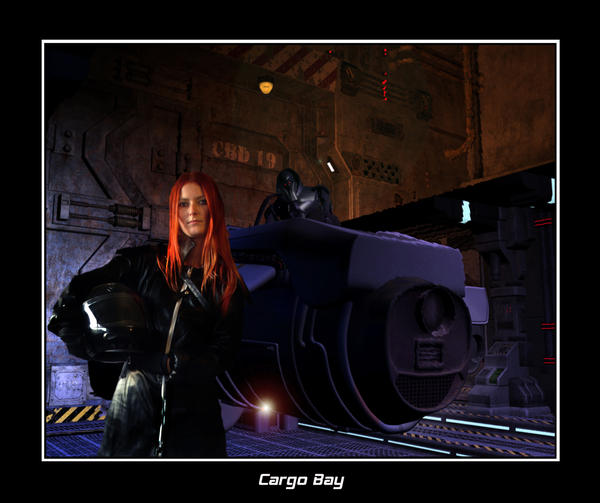
Some with CGI I did 5 years back.

Aftermath_by_Dazwpw.jpg


Home_again____by_Dazwpw.jpg
 
Back
Top