What am I doing wrong

jibber

Suspended / Banned
Messages
56
Edit My Images
Yes
Hi all another newbie here.

I have a D3100 with a 50mm lens on and I have tried taking pictures of one of my dogs.
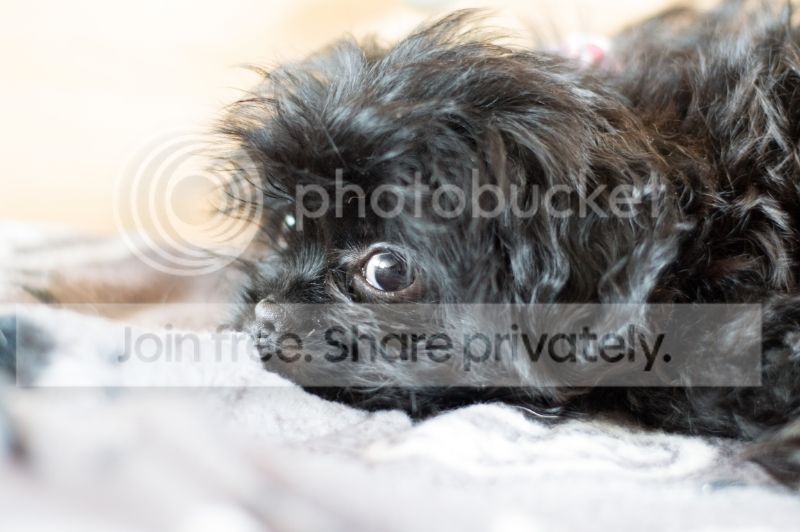
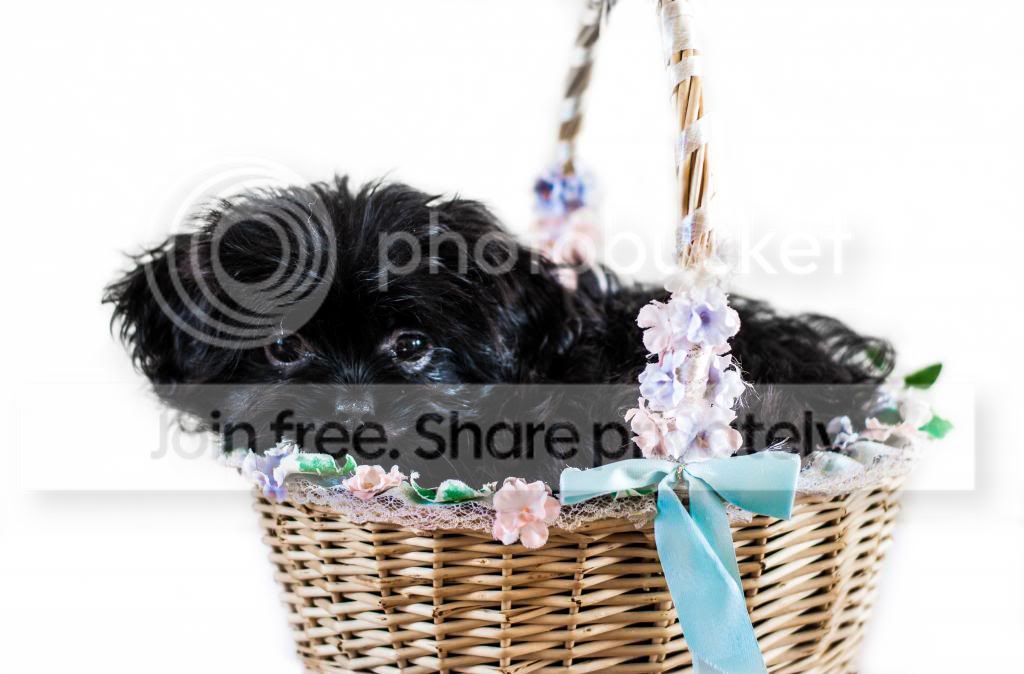
Lolamonkeyoriginal_zpsd837d7c3.jpg


I am after criticism really to see where I need to head. I feel that the light may be wrong as it's supposed to be a black dog and the it looks a bit blown out in the back and foreground. I know nothing really about photography so thought this may be a good place to start :)


Oh and a B+W version because I like B+W :)
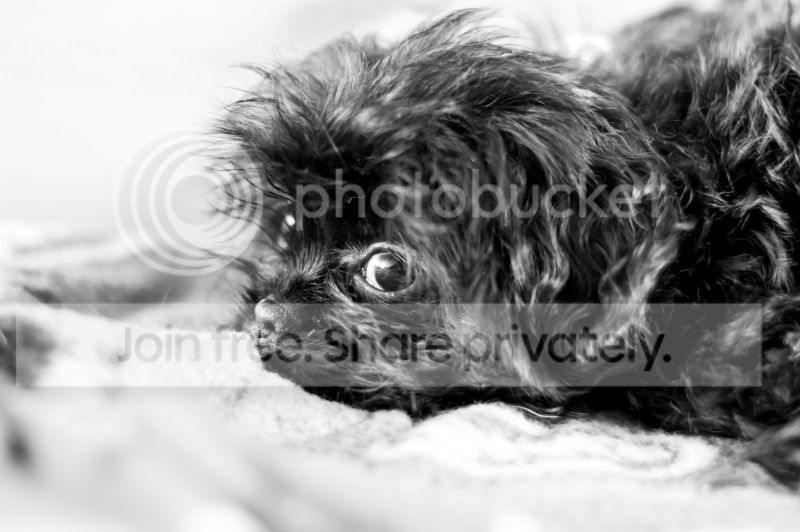
Lolamonkey_zps5f584986.jpg


Thanks in advance for any help.
 
Do you have the exif info (shutter speed, aperture etc ?

That would be a great help.
 
I would agree with you about it being a bit too bright (overexposed). Don't worry too much about the background/foreground of shots as they're not as important as the subject - they're by no means irrelevant but if the exposure on them isn't quite perfect it's not really a problem - and sometimes you just can't get the subject and background exposed "correctly" in one shot.
 
I am after criticism really to see where I need to head. I feel that the light may be wrong as it's supposed to be a black dog and the it looks a bit blown out in the back and foreground. I know nothing really about photography so thought this may be a good place to start :)

The dog is the main subject and fills much of the frame so the camera has set itself up to expose mostly for the dog. As the dog is dark coloured the camera will have selected a longer exposure than it would have if the dog had been a much lighter colour leading to the lighter than the dog foreground and background being a bit blown.

If the dog and the background had been similar colours there probably wouldn't have been any blown areas... it's just because there's such a contrast between the black dog and the white/beige(?) non dog areas. Don't worry about it :D
 
Do you have the exif info (shutter speed, aperture etc ?

That would be a great help.

Shutter speed 1/30s
Aperture f2.2
ISO 1250

and for some reason exposure comp +0.3 (I may have been fiddling at some point and forgot what I'd fiddled with :))
 
Shutter speed 1/30s
Aperture f2.2
ISO 1250

and for some reason exposure comp +0.3 (I may have been fiddling at some point and forgot what I'd fiddled with :))

Well, there you go :D If you point the camera at that area when the dog isn't there you'll get different numbers and at the same ISO and aperture your shutter speed would almost certainly be much faster, and there'd be fewer if any blown areas.
 
I would agree with you about it being a bit too bright (overexposed). Don't worry too much about the background/foreground of shots as they're not as important as the subject - they're by no means irrelevant but if the exposure on them isn't quite perfect it's not really a problem - and sometimes you just can't get the subject and background exposed "correctly" in one shot.

The dog is the main subject and fills much of the frame so the camera has set itself up to expose mostly for the dog. As the dog is dark coloured the camera will have selected a longer exposure than it would have if the dog had been a much lighter colour leading to the lighter than the dog foreground and background being a bit blown.

If the dog and the background had been similar colours there probably wouldn't have been any blown areas... it's just because there's such a contrast between the black dog and the white/beige(?) non dog areas. Don't worry about it :D

Thank you. Is it possible to stop it happening in camera maybe metering or something or is it a case of that's the way it is and you can sort it PP? Or even attempt to shoot in manual rather than aperture priority?
 
Thank you. Is it possible to stop it happening in camera maybe metering or something or is it a case of that's the way it is and you can sort it PP? Or even attempt to shoot in manual rather than aperture priority?

If you meter less for the dog and more for the background the dog could end up as just a featureless black blob. The best you can do if there's a big dynamic range in the shot is get the nicest balance you can and the shot you have looks good to me :D

You could dye the dog beige or paint the foreground and background black... Just a thought :D Or you could dial in compensation (use a faster shutter speed) to stop the highlights blowing but if you do that you may have to lighten the dog.

Personally I mostly use Aperture rather than manual priority and as you now know :D in Aperture mode you can always dial in some exposure compensation.
 
Last edited:
Thank you. Is it possible to stop it happening in camera maybe metering or something or is it a case of that's the way it is and you can sort it PP? Or even attempt to shoot in manual rather than aperture priority?

All three will work.

In one of the priority modes you can use exposure compensation.
-If your image is overexposing (too bright) set the exposure compensation to a negative value.
-If your image is underexposing (too dark) set the exposure compensation to a positive value.

You can fix it on a computer in a variety of ways, though this is generally looked down on as a bit cheaty and lazy. There are technical reasons that make overexposing slightly and fixing it later a good idea on digital cameras (if you want to know about that look up "exposing to the right") but it's probably not worth worrying about that for now and if you overexpose too much you can totally blow out areas which makes them unrecoverable.

Or use the manual exposure mode and take full responsibility for the exposure settings.
 
Last edited:
Note that exposing more for the highlights and lightening the dog in post capture processing could lead to noise in the shot.

Personally if taking that shot I'd have exposed mostly for the dog. There's nothing in the foreground or background (that I can see) that matters and personally I don't think that the blown areas detract from the shot, at all.
 
If you meter less for the dog and more for the background the dog could end up as just a featureless black blob. The best you can do if there's a big dynamic range in the shot is get the nicest balance you can and the shot you have looks good to me :D

You could dye the dog beige or paint the foreground and background black... Just a thought :D Or you could dial in compensation (use a faster shutter speed) to stop the highlights blowing but if you do that you may have to lighten the dog.

Personally I mostly use Aperture rather than manual priority and as you now know :D in Aperture mode you can always dial in some exposure compensation.

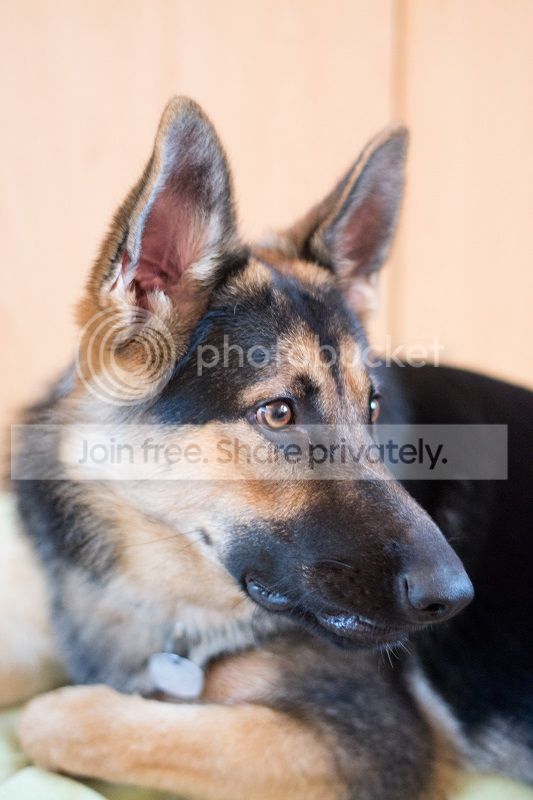
:) Thanks, the other dog seems to be a better subject, maybe we should of just bought another German Shepherd. :thinking:

Faithposingresized_zps17d0fbbf.jpg


Taking pictures of dogs just aint easy :)
 
All three will work.

In one of the priority modes you can use exposure compensation.
-If your image is overexposing (too bright) set the exposure compensation to a negative value.
-If your image is underexposing (too dark) set the exposure compensation to a positive value.

You can fix it on a computer in a variety of ways, though this is generally looked down on as a bit cheaty and lazy. There are technical reasons that make overexposing slightly and fixing it later a good idea on digital cameras (if you want to know about that look up "exposing to the right") but it's probably not worth worrying about that for now and if you overexpose too much you can totally blow out areas which makes them unrecoverable.

Or use the manual exposure mode and take full responsibility for the exposure settings.

Thank you. I shall plod on and try and find a balance I like. My next project is trying to get them both together :)
 
You should try our rabbit... Black, brown, white..... And he never sits still when i have the camera out :lol:

Weirdly enough if I ever got good enough I would love to do animal portraiture as a bit of a sideline, you have however reminded me why it would be hellishly frustrating, at least you can get dogs to sit :)
 
I have the same problem with my cat, black as the ace of spades and never sits still. Those pics look good to me though.
 
I have the same problem with my cat, black as the ace of spades and never sits still. Those pics look good to me though.

Thanks. I bet you have loads of black blurry photos with a cat :) I have loads with the dog :)
 
I highly recommend that you read this thread:

http://www.talkphotography.co.uk/forums/showthread.php?t=440126

In fact, I recommend that you read through it once quite quickly for an overview and then print it out and work your way through it again with your camera in your hands as many times as necessary until you really understand what you are doing.

I can guarantee that you will be glad that you did, feel free to ask on here for clarification if after a few goes you still don't "get" any of it. :)
 
Last edited:
I highly recommend that you read this thread:

http://www.talkphotography.co.uk/forums/showthread.php?t=440126

In fact, I recommend that you read through it once quite quickly for an overview and then print it out and work your way through it again with your camera in your hands as many times as necessary until you really understand what you are doing.

I can guarantee that you will be glad that you did, feel free to ask on here for clarification if after a few goes you still don't "get" any of it. :)

Thanks for that, a very informative post indeed. I already new some of it but the majority is something I will come back to time and again until it's firmly implanted in my mind, thanks again.
 
I used to have a D3100. I found it a tad too bright for my liking. Then I learnt to underexpose by around 1/3 of a stop. That helped quite a lot for me.
 
I used to have a D3100. I found it a tad too bright for my liking. Then I learnt to underexpose by around 1/3 of a stop. That helped quite a lot for me.

You're talking to a true novice :D Do you mean set the exposure compensation at -0.3 ?
 
Thanks that makes sense, it's one of the many things I will forget to do though :D

I'm glad my picture makes you sick, it has had the desired affect :thumbs:
 
Big Andy beat me to it! I'm also a novice.

Try to use your meter in the viewfinder.
This will help massively
 
I did, but what with trying to stop the dog eating the basket and actually getting it to look at the camera it all went a bit pear shaped. The image you see there has been doctored considerably to try to make it pukably cute :lol:

I changed the background and went a bit crazy with PP trying to bring out the dogs features, just messing around really.

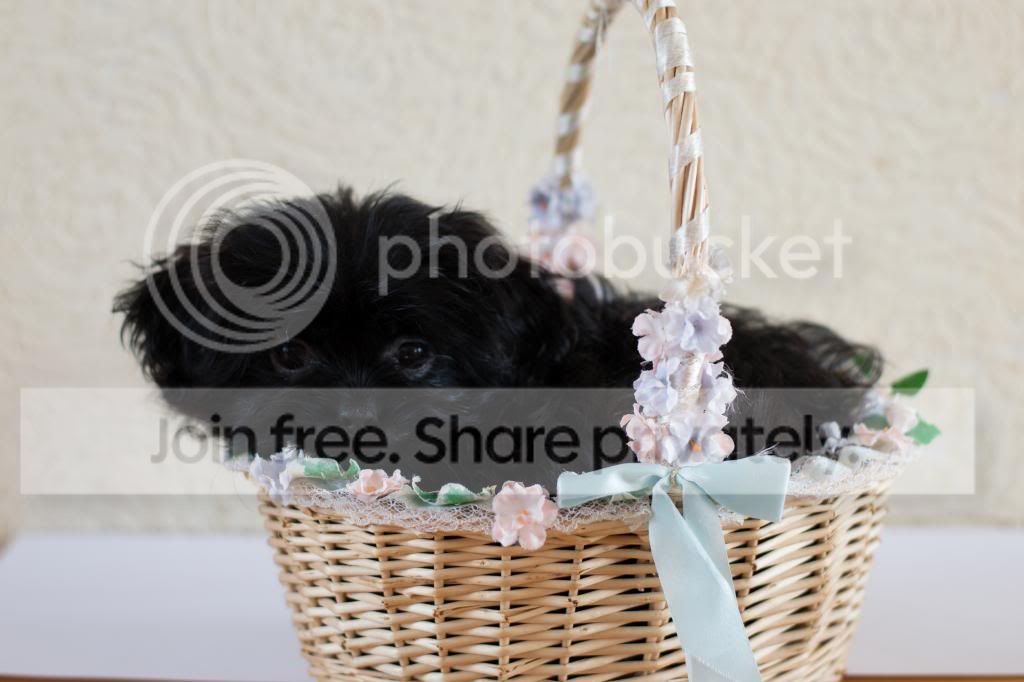
This is the original, I should really use my other dog but a full grown German Shepherd doesn't fit so well in the basket :D

basketcasetp_zps4dd0242d.jpg


I have been looking at selective sharpening today and this will be my test subject :)
 
This is the original, I should really use my other dog but a full grown German Shepherd doesn't fit so well in the basket :D


You just need a bigger basket! :lol:


Heather
 
I did, but what with trying to stop the dog eating the basket and actually getting it to look at the camera it all went a bit pear shaped. The image you see there has been doctored considerably to try to make it pukably cute :lol:

I changed the background and went a bit crazy with PP trying to bring out the dogs features, just messing around really.

This is the original, I should really use my other dog but a full grown German Shepherd doesn't fit so well in the basket :D

basketcasetp_zps4dd0242d.jpg


I have been looking at selective sharpening today and this will be my test subject :)

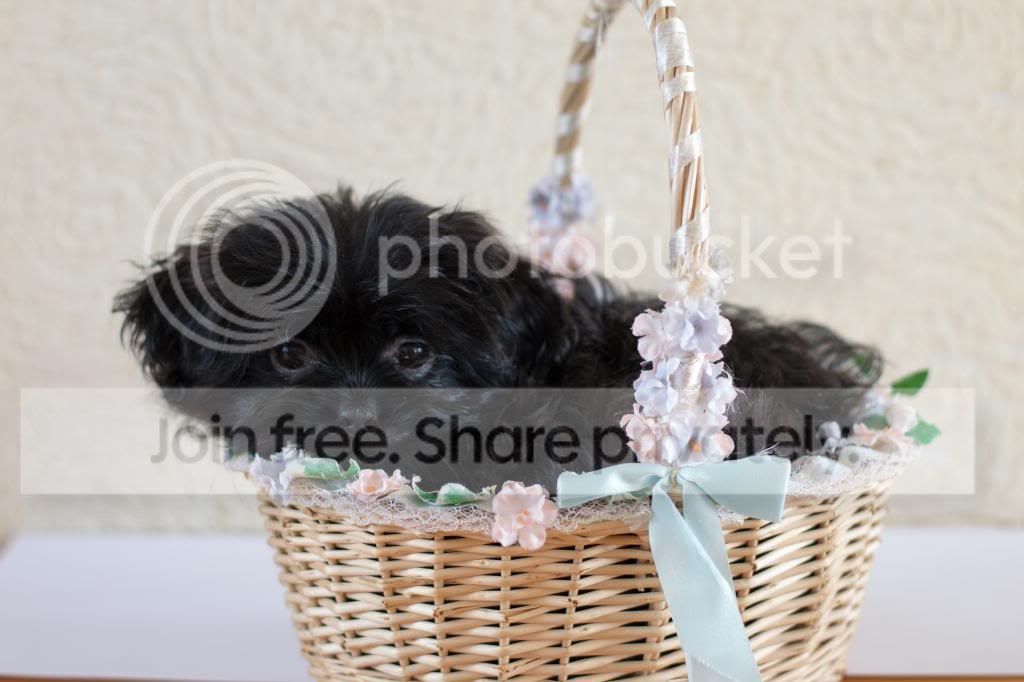
Or according to lightroom it needs more exposure, so now I'm thinking that if I had directed more light at the dog it may have come out better.

basketcasetp1_zps60400099.jpg


Like so :)
 
Back
Top