Were to get old photographs repaired?

Solo1

Suspended / Banned
Messages
6
Edit My Images
Yes
Hi,

I registered ages ago and haven't even had a chance to use my camera (I do browse through the photo's posted though, very impressed) and now I'm back asking for a bit of advice.

Due to a couple of deaths in our family we have found ourselves digging out all the photographs. There are a few very old and precious ones that are in pretty poor condition... rips, creases etc. I'm desperate to get these fixed before they get any worse but have very limited PS skills :'(

Can anyone recommend a place they could be sent to for repairs please? And how much (ish) I should be spending per photo?

Thanks :love:
 
Most pro studios will offer some sort of restoration package, prices will vary with area and the amount of work involved. Repairing can take anything from minutes to days depending on the pic and the quality of the fix.
My advice is have a go yourself, scan the picture in at a high resolution and if you have photoshop or similar look up some tutorials.
Post a few here if you like, theres plenty of helpfull talented people on this forum who will help you out.
 
Thanks for your help :)

I'll post some on here tomorrow and maybe it'll give a better idea of how bad they are and what kind of tutorials I might need to look for. A few years ago I did try and fix one but I just couldn't get rid of some of the creases and some how managed to totally ruin the photo by fading it too much.
 
I've always fancied ago at restoring a picture its sounds fun.
 
I've done this before for a co-worker.

Post them here and assuming it won't take days (which it can) I will do them for you.
 
id also like to have a play always good experience cant promise owt tho as im still learning
 
Right here goes then, they are a lot worse than I thought and I'm pretty amazed they still exist!!

1. This is the photo I tried to repair ages ago.

scan0004kxx.jpg


2. Thats sticky tape either side, not too sure what my Nan was thinking. It's very faded too :(

scan0003fjq.jpg


3.

scan0002nu.jpg


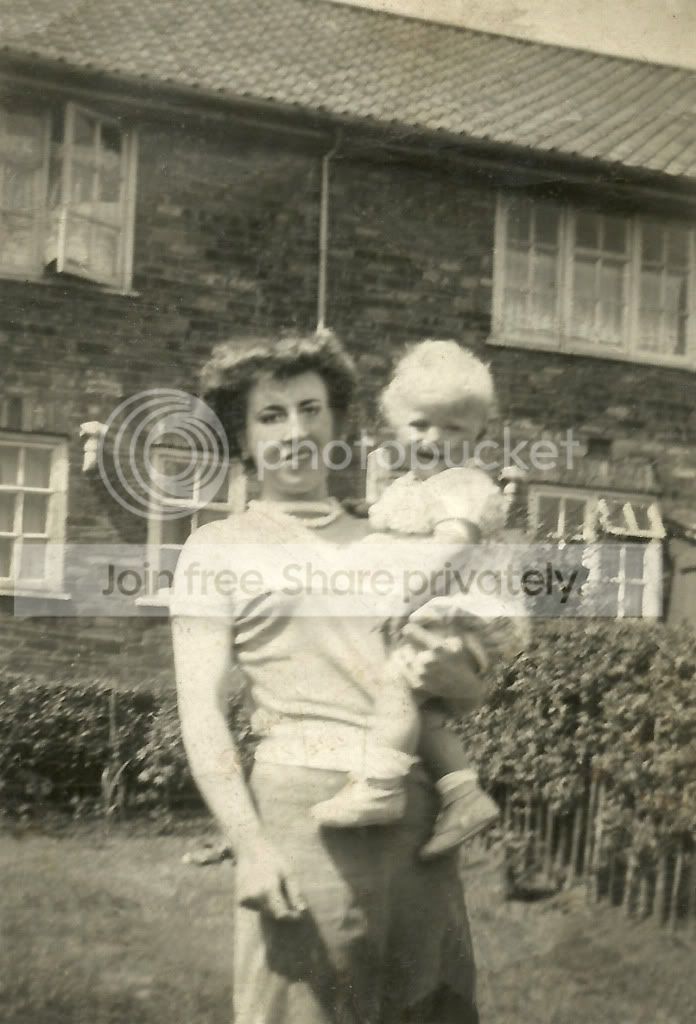
4. This last one is pretty important to me. My Nan holding my Uncle, lost them both within 6 months of each other.

scan0001kid.jpg


I'll be totally amazed if they can be fixed, my PS are totally limited to making fake detention forms for my sons friend as a joke (naughty me)

Jayne.
 
A really quick go as I'm stupidly busy this weekend, probably 5 mins tops in photoshop using the clone tool, the healing brush and content aware fill, take a bit of time and it would be a lot better. It's not finished but I've run out of time.

7912078502_d1fd420c28_k.jpg
 
Hi,

I registered ages ago and haven't even had a chance to use my camera (I do browse through the photo's posted though, very impressed) and now I'm back asking for a bit of advice.

Due to a couple of deaths in our family we have found ourselves digging out all the photographs. There are a few very old and precious ones that are in pretty poor condition... rips, creases etc. I'm desperate to get these fixed before they get any worse but have very limited PS skills :'(

Can anyone recommend a place they could be sent to for repairs please? And how much (ish) I should be spending per photo?

Thanks :love:

I am sure there are many on here prepared to help and keep your costs down, already you can see improved images, always hard when creases run through faces, but not impossible. Looking at your photos, well worth getting them touched up...
 
i will have a look at these later i used to do this alot

1 2 and 3 are pretty simlple and 4 is going to be a bit harder.

do you want black and white or sepia?
 
pity there isn't another photo of nan to get the eyes for #4
 
I just don't know what to say!! Honestly I'm stunned at how you can all do this and I'm so pleased I've gasped at every picture as I scrolled futher down.

The picture of the the four men at the docks took me sooo long to try and fix that my Nan actually put it in a frame and hung it on the wall even though it was a disaster!! She felt sorry for me :lol:

Thankyou so much from the bottom of my heart. Honestly you've all made me so happy and I can't wait to show these to my Dad, he'll be more amazed than me I think.

My brother told me my version of PS is pretty old and is going to try and get me a newer one. I've been watching the tutorials and hopefully with practice I'll be able to try and fix the photo's that aren't so badly damaged. Now I can put the photo's away (carefully) and stop stressing about them.

My to do list now is

1. buy some glossy paper
2. learn to use PS
3. read my copy of Understanding Exposure :eek: so I can contribute to the forum instead of just browsing.
Thankyou all again :love::love::love:

Jayne.
 
Here's my attempt. It's the eyes that are near impossible. You can replace them but you end up with the photo looking like someone else. Only a donor photo of the correct person with their eyes undamaged can really work.

fef0163e.jpg
 
I understand what you mean about the eyes. Unfortunatley we don't have a similar photo with a good shot of her eyes... mainly holiday snaps wearing big sunglasses :)

The only thing we have is the below pic.

copy1df.jpg


With all this trying to record and scan the family photos I've managed to lose the 1 and only photo I have of my Mum!! Typical, but these pics are a million times more precious :love:

I'd like to says Thanks again and also Thanks from my Dad!! I was telling him all about this and he just can't believe it and can't wait to see the photos tomorrow.

Jayne.
 
If your considering getting an updated editing suite take a look at Adobe Elements10, it will easily do the above plus a lot more. Not that expensive when compared with the full Adobe Photoshop suits


Not fully worked on with Elements9 but gives some idea,I have Elements 10 on my other computer

Realspeed
 
Last edited:
Wow - just wanted to say well done everyone thats helped out the OP so far, really awesome guys.

Billybob's take on one is my fav - cracking photo.
 
Back
Top