Week 23 Broken added

Well here goes first one of the year, not totally happy with the first post, couldn't get what I was after from this fantastic location. I'm sure I'll re-visit later in the year for another topic. It has also highlighted that I need to brush up on PP work, don't know how to hide the phone wires across the pic.

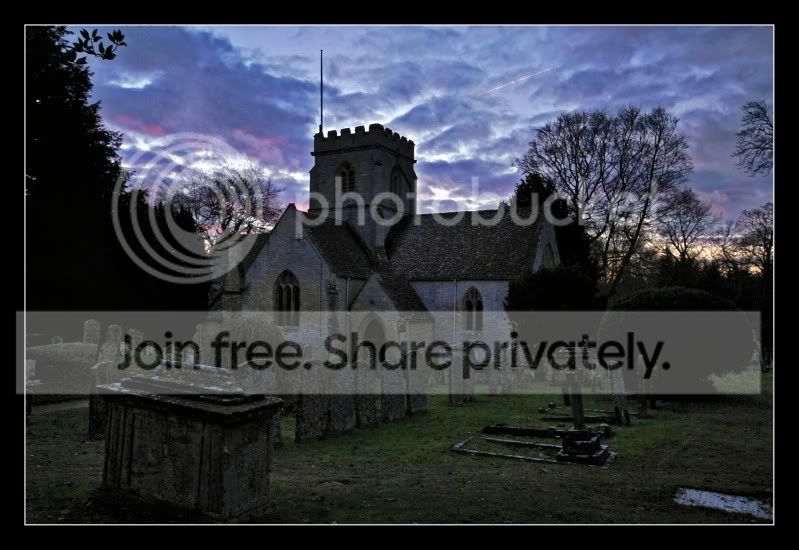
MinsterLovellChurch-hdrBorder.jpg


St Kenelm's church in Minster Lovell is mainly 15th century, built on the foundations of an earlier priory minster. This explains the unusual cruciform shape with a central tower. The whole church is almost entirely unaltered . It is situated next to the ruins of Minster Lovell Hall.
 
Hi Andy, a very atmospheric capture of a beautiful old church. Looks like a great place to visit.

Good composition - I like where you've positioned the skyline, and the line of gravestone leading the eye subtly into the picture. The large tombstone in the left foreground really adds to the composition.

I like the dramatic sky, but it looks a little unnatural to me, but that might just be my monitor. I feel the whole image could be less dark to bring out more detail in dark areas, and the large areas of very dark trees/bushes are too dominant for me. I agree that the wires are distracting.

Hey, that all sounds a bit negative which I don't mean to be. I really like this image and it's a thumbs up from me:thumbs:.

Cheers, patrick
 
Hi Andy, firstly, nice start to your 52 :thumbs:

Very good composition, however, I would like to see this slightly brighter or as a HDR version (never thought I'd ever say that) to show this magnificent building in all it's glory.

In contrast, the darkness of the shoot adds to the overall feel of the image.... :bang:
 
Hiya Andy

Well done on the first take of your 52. I agree with the comments already stated above.

I think with the darker areas showing more detail and that gorgeous sky would make an ace photo.

Good luck with the rest of the challenge.

Cheers

Dawn :)
 
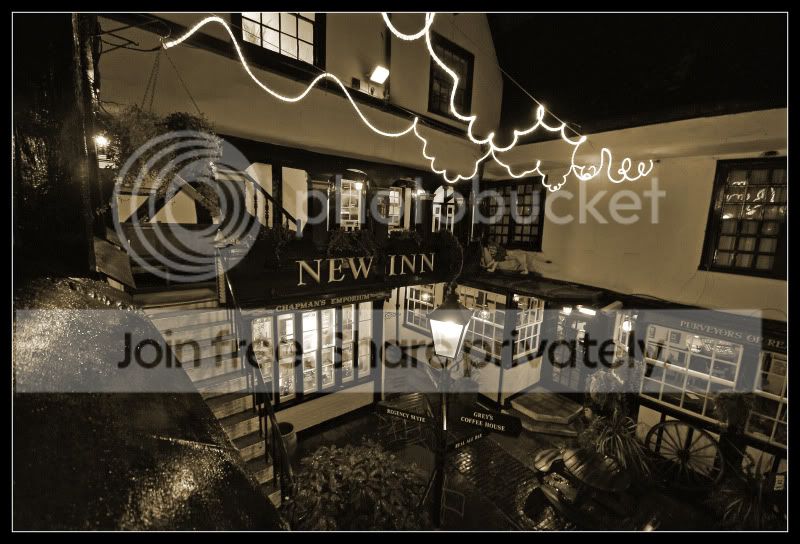
NewInnBW.jpg


The New Inn Gloucester

Love the irony that something that's 500 years old is still called "New"


The New Inn was built around 1430 by St Peter's Abbey for pilgrims who came to Gloucester Cathedral. The New Inn replaced that earlier building, hence its ironic name. The inn remained in the Abbey's possession until the dissolution of the monasteries in 1539. It then became a private inn, and was known as the largest in the country.

Not a great night for taking the photo, the colours looked poor, so decided on this. Also had a walk round the cathederal, well worth a re-visit
 
I like that. Really good take on the theme.

Only one criticism, when you post each shot it helps if you edit the title in your first post to let people know that the new image is up.
 
Really like both shots - the processing spot on for both.
 
Hiya Andy,

Great interpretation of the New theme. Well done and I really like your photo, especially the processing as it gives the image an ambiance of the age.

Thanks for the bit of history too, an interesting read.

Cheers

Dawn :)
 
Excellent exposure and lighting in your week 2 Andy.

Love the PP too :thumbs:
 
don't know how to hide the phone wires across the pic.

Hi Andy,

Had a swifty go. Hope you don't mind. The pixels look as if you've had a go already?

MinsterLovellChurch-hdrBorder1.jpg


In Photoshop, select the clone tool and adjust the circle you will see to slightly larger than the wires.
Then for each wire, position the cursor adjacent to the top of the wire and press alt/left click mouse. Let go of alt. Now position the cursor at the top of the wire and hold down left button of mouse. Drag mouse down, thus moving cursor down wire. It will copy the cursor's previously clicked path over the wire. Let go of left button at end of drag. A few swishes with the healing brush will blend in any mishaps.

Hope that's useful.

I love the composition but agree with other comments in that it might look better a little lighter, with more detail exposed.

By no means a bad start to a 52 though :thumbs:
 
Last edited:
Thanks for the advice Rob, I've just got a book on elements & have been reading up on some of the tools & what they can do. Just need some spare time to have a good play about.
I think it looks loads better with the wires removed.


Hopefully get some shots to play around with this weekend, 24hrs at the lake planned tomorrow :)
 
Hiya Andy,
The night shot of the showroom is great ,colors work really well . It looks really sumptuous & stylish :thumbs:
I'd go back & ask them to fix the sign & then try again :D I'm serious as well ! Going back to our local porsche dealer tomorrow & going to ask them to move a display unit & turn off some lights.....
 
Hi Andy. Loving your photos so far. :clap:
The Night shot stands out for me aswell. The bright and shiny interior really stands out against the darker sky.
If you're teaching yourself to use Photoshop you should be easily able to fix the P in the sign as well. :thumbs:
 
hi andy, awesome shots!

I'd go with the night shot, as it emphasises the showroom bit with the lights on

on the day shot, the cars are just a bit dark to see properly (which they have to, i know)

also, I think the knackered sign adds to the effect:-)
 
In your style theme, I'd like to see the night version from the day perspective.

The cars being obscured by the bushes take a little something away from the photograph. Great colours and very atmospheric.

Cheers.
 
Hi Andy,

Congrats on your week 3 theme.

I like certain elements from both shots and I think if you could have got the night shot from the same angle of the day shot and then taken the two images and combined them to get the top half of the building with the bottom half slightly lightened then that would have made a cracking image. This would also work visa versa. But I think you have done well here.

Was in two minds about the P, but the more I look at it does add to the feel of the image. Although it would be interesting to see what the image looked like with the missing bits of the sign in colour.

Look forward to what you come up with for the next theme.

Cheers

Dawn :)
 
Hi Andy
The night shot of the showroom for me, and I'd leave the sign as it is.

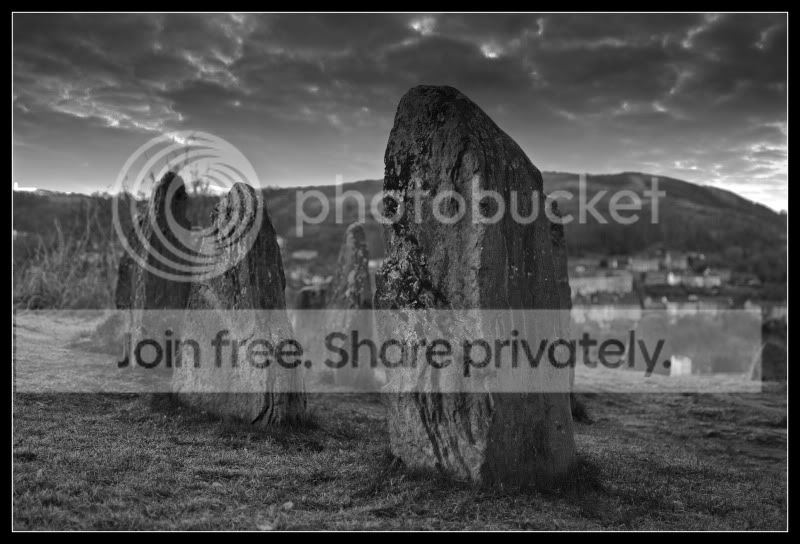
Colour shot of the stones for me, but I'd lose that red spot on the left; it's too distracting and looks like a reflector in a car light. I'd be tempted to lose the lights on the right too.
The B&W works, but the sky needs some interest.

It's nice to see someone getting out to do the 52. I've struggled for external ideas so far.
 
Last edited:
All great shots, As an image I prefer the colour version of Hard, but as an interpretation of theme I think in the B& W the rocks look Harder

Martin
 
Coloured version of hard but if there was more interest in the sky in the b&w version then i would go for that as the rocks look harder and more interesting
 
Hiya Andy,

Two weeks in one go, now that is impressive.

Open: This image is a bit too dark, especially in the foreground, not sure if that was your intention. I'm struggling to see the association with the OPEN theme..... were you thinking 'open spaces'?

Hard: Agree the b&w one, for me, is the better of the two images. You could perhaps use the sky from another image to superimpose on this one. I don't know how this is achieved, only heard it mentioned somewhere before. A technique I still have to learn about. Although, I hope you don't mind, but I used your image to do a quick edit to see if I could try something with the following result: (just say if you want me to remove the image, I thought it easier to show you what I did rather than try to explain in full detail):

5402911208_86b481d018_b.jpg


Basically I adjusted the WB, gave it a sharpen and a tad contrast, then applied the Holga-ish effect in Picnik. The frame is different too, but only because I had to crop inside your frame to apply the effect. It is more to give you an idea of what can be done to calm or tone a bright plain sky. Well at least I think so, others may have different opinions.

Regards the coloured version, I agree about the lights mentioned. I love the colour of the sky and the bit of sunset in the distance. I'm not too sure about the lighting of the stones though, the background and foreground seem out of balance to me. Perhaps a sharpen and contrast boost might improve the image.

I hope these don't sound too negative, as that is not the intention, more my way of looking at an image as if they were mind and the things I would critique myself on.

Cheers

Dawn :)
 
Thanks for the feedback, I've had a bit of a play with PSE (using my limited skills)

BWstonessky.jpg


Harder looking sky to go with the BW

Rockingstones_edited-3.jpg


Removed random lights

This challenge is really making me think & forcing me to improve my PP, please keep the feedback coming:clap:
 
Hiya Andy,

Well done on getting your week 6 done so promptly.

Indeed that does look quite cluttered. Nice DOF and good use of the colours.

Cheers

Dawn :)
 
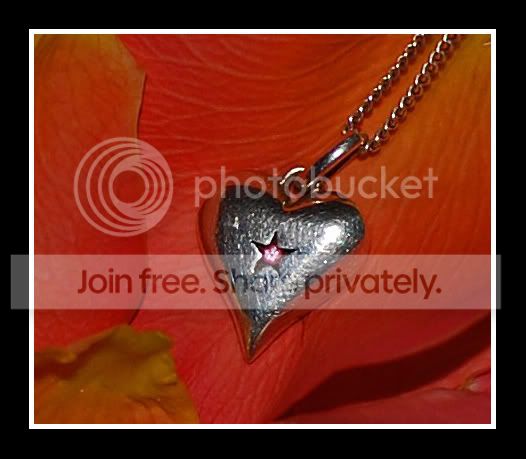
Here's my attempt at delicate.Don't usually shoot much indoors, so had a struggle with the lighting, ended up with one of the petals from the rose over the flash on the camera to try & soften the flash & reduce the reflection on the heart
Delicateheart.jpg
 
Hiya Andy,

What a beautiful photo and I like your take on 'delicate'. The petals are a lovely colour and look so delicate and the heart adds a special touch too, i.e., a heart is delicate and can be easily broken ....so very well thought out image. Nicely framed too.

Like your idea about using one of the petals to difuse the light :D

Well done

Cheers

Dawn :)
 
Great take on a theme.
You have already spotted the problem with this type of photography, and that is how to control the light.
On Camera flash is awful at the best of times, so anything you can do to craft that horrible light is a bonus. Your use of a petal to soften it is inspired.
However, the petal shadows in the bottom right are distracting, and clearly show the flash was inline with and above the lens. Maybe,if the light is just too flat like this, try a long exposure (on a tripod of course ;-) ) and use natural light and some reflectors.

However, that is a minor niggle.

I also thing the composition is crying out for a crop, taking from the right side of the image, so the pendant chain is in the top right corner, and losing the slight damage under the chain, and a bit from the left edge, just to bring the pendant onto the right hand third line.

Again, a minor niggle, but the subject of the photo just doesn't seem to sit will (to me anyway) slap bang in the middle of the frame with the chain going off but not to a corner.

Overall, a great shot though.

Adie
 
Back
Top