
Web image resize help

ChrisA

Suspended / Banned
Messages
3,395
Name
Chris
Edit My Images
Yes
Wondering what way is best to export for web.

Currently use Photoshop legacy export for web.
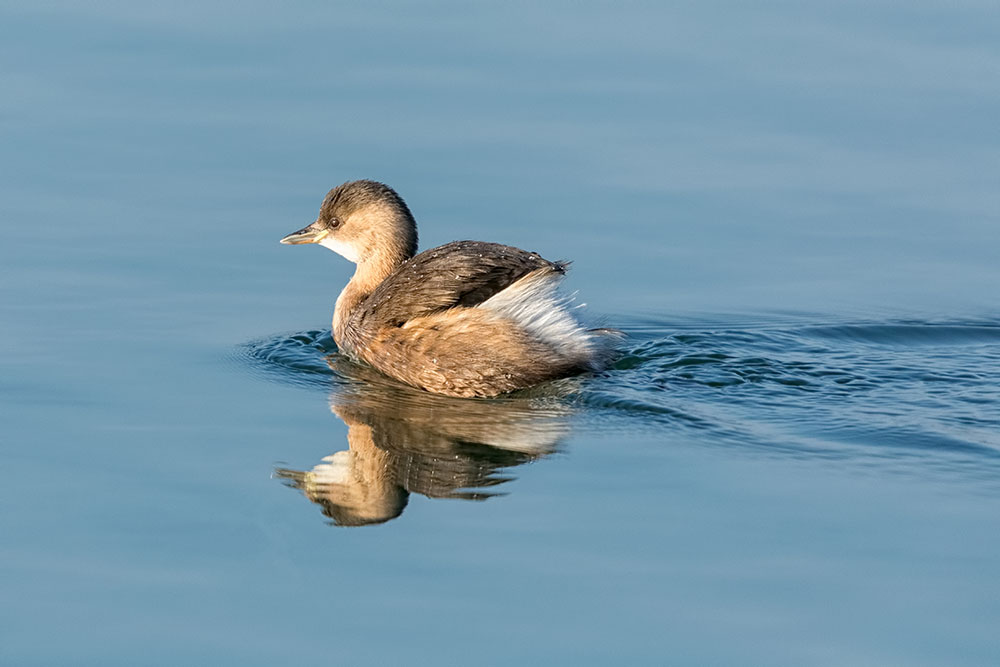
CQ9A4728.jpg


This is from full size on 500px ( see link below) and is more detailed. Is there a better way to get a web image ? I use max length of 1000px. DPI 72.

https://500px.com/photo/194905939/s...atkinson?ctx_page=1&from=user&user_id=1018923
 
Not 100% sure what you're asking...
Are you asking how best to export, or what settings to use?

Lightroom is the king of preparing a single image for different formats, but if you don't have it, then I guess PS is next best?

In terms of settings, dpi is irrelevant for screen use. Best advice I can give is take your longest px edge and divide it by 300. This is the (longest edge) size of a magazine quality print someone could make from screen grabbing your photo (depending on the resolution of their monitor). The biggest number you're comfortable with should be the size you use. The click-through image on 500px shows 34 bucks for an 1800x1200, but I can get that for free with the Windows snipping tool & print out a nice high quality 6x4. I think 1000px is a good compromise of size & quality (for web), but your strategy may be different.
 
Last edited:
When you say "best to export for web" do you mean "best image quality" or "best way to prevent someone using your image without premission"?

500px may well apply some sharpening to your image, I don't know about PS but LR has a few sharpening sliders
 
You asked the question
Is there a better way to get a web image ?
but you are not specific as to what you want "better"
Are you asking for a sharper image, a larger image, a smaller uploaded file size or something else?
 
And the image above is about same size as 500px one I think on my screen. It just looks sharper on 500px. So there must be some way of getting similar quality web export ?

The image above is 1000 pixels along the longest edge, but the image on 500px is about 1800 pixels - almost double the information in the image above. So the 500px image is larger and is therefore going to have more detail. If my screen is 2000px on the longest edge, then the image above will take up half of it, but the image on 500px will take up almost all of it. If you're viewing it on a 1024x768 screen though, then both images will appear to be about the same size, because your browser will have to shrink the 1800px one to fit your screen. And that "shrinking" is outside your control.
 
In Photoshop (CS series etc), presuming that you are resizing the image from something larger to 1000px before export, it's necessary to apply sharpening after resizing but before saving for web. Also, sharpening (with unsharp mask) is something to be judicious about and not over-done. Note as well the settings in 'save for web' re compression etc (which has a trade-off with file-size). I could guess that 500px and/or some other sites might apply sharpening in-house without telling you?
 
I was hoping to have it looking sharper, but also at a nice size so it does not take an age to download. Also I think some places don't allow bigger than 1000px to post.

Not overly bothered about image without permission, as never sold anything - and once up on the net, there's not too much you can do. Obviously size and px might stop printing too big.

My screen is 2560 x 1080. Look same to me. Maybe the browser does something.

I currently resize to 1000px on longest side in PS CC. Then export to web (legacy). Will try sharpen in between.

Not heard of jpeg mini. Will take a look.
 
Last edited:
Back
Top